

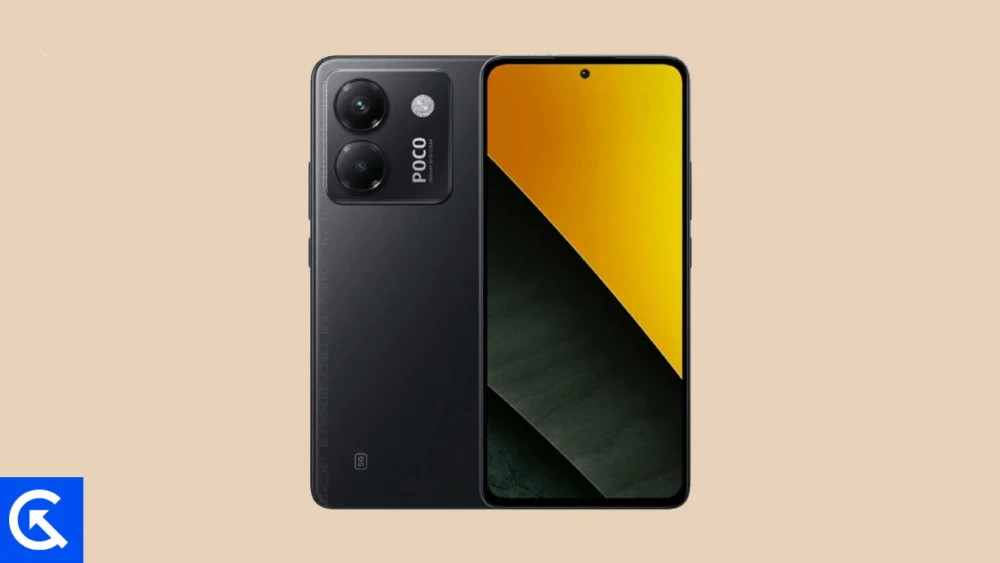
The global developer community has once again outpaced official manufacturer update schedules, successfully porting an unofficial Android 16 custom ROM based on the Android Open Source Project (AOSP) to the Xiaomi Poco M7 Pro 5G. For owners of this popular midrange device, which originally shipped with Android 14 layered beneath Xiaomi’s HyperOS, this development offers a crucial opportunity to revitalize the hardware, gain access to Google’s latest security enhancements, and experience cutting-edge software features years before the device would typically reach end-of-life support.
While Google’s formal rollout of Android 16 initially targets its flagship Pixel series, the rapid adaptation by independent developers highlights the robust nature of the Android ecosystem. Installing an AOSP-based custom ROM is often the most effective method for extending the usable lifespan of a device, bypassing the slower, more restrictive update policies inherent to original equipment manufacturers (OEMs). Early reports indicate a high degree of stability for this unofficial build on the Poco M7 Pro 5G, suggesting that core functionalities are operational and ready for deployment by technically proficient users.
The Evolution of Design: Android 16 and Material 3 Expressive
The most immediate and noticeable change arriving with Android 16 is the introduction of Material 3 Expressive. This iteration represents a sophisticated evolution of Google’s design language, moving beyond the foundational aesthetic established by Material Design 3 (introduced with Android 13). Material 3 Expressive focuses less on a radical visual overhaul and more on enhancing the user interaction layer through subtlety and fluidity.
![How to Install Android 16 on Xiaomi Poco M7 Pro 5G [Download Link]](https://www.getdroidtips.com/wp-content/uploads/2025/12/Xiaomi-Poco-M7-Pro-5G.jpg)
The update integrates significantly smoother, more dynamic system animations that provide better tactile feedback and visual continuity. Furthermore, Google has emphasized improved ergonomics, incorporating larger touch targets and clearer, bolder typography across the system UI. This refinement addresses criticisms that earlier Material Design iterations occasionally felt static or overly minimalistic. Material 3 Expressive aims to breathe vitality back into the interface while maintaining the familiar customizability and theming capabilities that Android users expect.
Beyond the visual enhancements, Android 16 introduces a host of underlying system optimizations designed to improve performance, power efficiency, and security. These typically include enhanced resource management for background applications, allowing the MediaTek Dimensity 7025 Ultra chipset in the Poco M7 Pro 5G to operate with greater sustained efficiency. Security architecture receives crucial updates, often focusing on enhanced permissions controls, sandboxing capabilities, and a more robust protection layer against emerging threats, ensuring that devices running the latest OS remain protected against contemporary vulnerabilities.
Hardware Profile: The Poco M7 Pro 5G as a Custom ROM Candidate
Launched in late 2024, the Xiaomi Poco M7 Pro 5G established itself as a strong contender in the value-focused midrange segment. Its core strengths make it an excellent platform for running pure AOSP software.
The device is anchored by a stunning 6.67-inch AMOLED display, featuring a 120Hz refresh rate and HDR10+ support. This high-quality visual component ensures that the dynamic animations and visual polish of Material 3 Expressive are displayed to their full potential. While the phone utilizes a glass front and plastic frame, its practical features, such as the IP64 splash resistance rating, provide durability necessary for daily use.
![How to Install Android 16 on Xiaomi Poco M7 Pro 5G [Download Link]](https://www.getdroidtips.com/wp-content/uploads/2025/12/Xiaomi-Poco-M7-Pro-5G-300x169.jpg)
Performance is managed by the MediaTek Dimensity 7025 Ultra processor. While adequate for HyperOS and regular tasks, custom AOSP builds often offer a significant performance uplift because they eliminate the inherent overhead and proprietary background processes associated with heavy OEM skins. This lean operating environment can translate directly into superior multitasking speed and extended battery endurance from the robust 5110mAh cell, which already supports efficient 45W fast charging.
The camera system, centered around a 50MP main sensor with Optical Image Stabilization (OIS), is reliable for photography. Critically, the hardware components—including the stereo speakers, 3.5mm headphone jack, NFC, and infrared blaster—are generally supported by custom kernel development, ensuring that the migration to Android 16 does not necessarily sacrifice peripheral utility. The ability to jettison the vendor-specific software layer for a clean Android experience is a compelling driver for power users.
The Technical Path to Android 16: Prerequisites and Preparation
Migrating the Poco M7 Pro 5G to an unofficial Android 16 build is a technical endeavor that requires meticulous preparation and adherence to specific security protocols. The process fundamentally involves altering the device’s core operating system components, necessitating several crucial preparatory steps.
1. Data Integrity and Backup: Given that modifying system partitions carries an inherent risk of data loss, a complete and verifiable backup is the primary requirement. Furthermore, the mandatory process of bootloader unlocking will perform a factory reset, irrevocably erasing all user data, reinforcing the necessity of external storage or cloud backups.
![How to Install Android 16 on Xiaomi Poco M7 Pro 5G [Download Link]](https://www.getdroidtips.com/wp-content/uploads/2020/06/cmd-platform-tools.jpg)
2. Bootloader Unlocking: This is the foundational prerequisite. The bootloader is a set of instructions that determines which operating system kernel to load. By default, it is locked by Xiaomi to prevent unauthorized software installation. Unlocking it—a process requiring official permission from the manufacturer and utilizing specific tools—is mandatory to enable the flashing of custom recoveries and ROMs. This action voids the device warranty and necessitates the subsequent installation of a custom recovery environment.
3. Custom Recovery Installation (TWRP): Following the bootloader unlock, a custom recovery utility like Team Win Recovery Project (TWRP) must be installed. TWRP replaces the stock recovery environment and provides the graphical interface necessary to manage partitions, perform full system wipes (crucial for a clean installation), and flash unsigned zip files, including the AOSP ROM itself and the associated Google applications package.
4. Essential Toolkit (ADB and Fastboot): Communication between the PC and the device requires the Android Debug Bridge (ADB) and Fastboot binaries, commonly packaged as platform-tools. ADB allows for system-level debugging and file transfer when the device is running Android or in recovery mode, while Fastboot is the low-level utility used to flash critical components like the TWRP image while the device is in bootloader mode. Ensuring the latest Xiaomi USB drivers are correctly installed is equally important to maintain a stable, high-speed connection during these critical operations.
5. ROM and GApps Acquisition: The final technical requirements involve securing the specific Android 16 custom ROM file compiled for the Poco M7 Pro 5G and the corresponding Google Applications (GApps) package. Since AOSP builds are typically barebones, GApps must be flashed immediately after the ROM, using TWRP, to provide essential Google services like the Play Store, Gmail, and synchronization functionalities.
![How to Install Android 16 on Xiaomi Poco M7 Pro 5G [Download Link]](https://www.getdroidtips.com/wp-content/uploads/2020/08/twrp-custom-rom.jpg)
The installation procedure, typically executed through the TWRP interface, involves a complete system wipe (including Dalvik/ART cache, data, and system partitions), followed by the sequential flashing of the custom ROM and the GApps package. The initial boot cycle after this process is extended, as the system rebuilds caches and configures the new operating environment.
Community Development and Long-Term Stability
While the current status of the Android 16 build for the Poco M7 Pro 5G suggests high stability—with core functions such as cellular connectivity, Wi-Fi, camera, and display operating correctly—it is essential to remember that these are unofficial community ports. Minor, device-specific bugs may surface over time. The success and longevity of such a project rely heavily on user participation; users encountering issues are expected to provide detailed logs and feedback to the development team, contributing to rapid patches and iterative improvements.
By adopting this custom firmware, Poco M7 Pro 5G users are securing access to features, optimizations, and security updates that the manufacturer may never officially release for this generation of hardware. This shift empowers the user, offering a modern, clean Android experience that significantly enhances the device’s long-term utility and overall software performance.
