

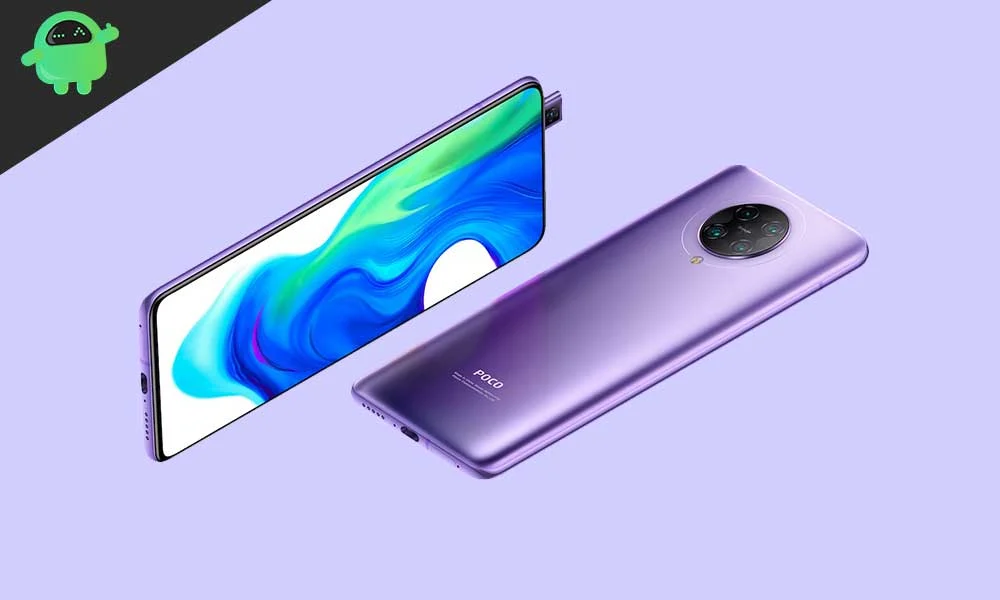
As flagship smartphones conclude their official support lifecycle, the enthusiast community often steps in to grant these devices a second life. This is the current trajectory for the Xiaomi Poco F2 Pro (known internationally as the Xiaomi Redmi K30 Pro), a device originally launched running Android 10 with MIUI 11. Although Xiaomi’s official software updates have long since ceased for this model, independent developers have successfully ported unofficial Android 16-based custom ROMs, allowing the robust hardware to benefit from the latest innovations in mobile operating systems, notably Google’s refined Material 3 Expressive design language.
The availability of these custom AOSP (Android Open Source Project) builds represents a significant victory for device longevity. While Android 16 is initially exclusive to Google’s latest Pixel devices, the rapid pace of open-source development ensures that well-regarded, high-specification older hardware can access features that the original equipment manufacturer (OEM) will never officially deliver.
The Significance of Android 16 and Material 3 Expressive
Android 16 introduces numerous system optimizations, efficiency improvements, and critical user interface enhancements. The most visible transformation is the introduction of Material 3 Expressive, an evolution of Google’s visual design language. This is not a radical departure from the foundation established by Material Design 3 (introduced with Android 13), but rather a sophisticated polish aimed at enhancing fluidity and user interaction.
Material 3 Expressive moves beyond static aesthetic changes, focusing instead on dynamic responsiveness. It incorporates significantly smoother, more deliberate animations, larger and more intuitive touch targets, and a bolder approach to typography and color palettes. Where Material Design 3 could sometimes feel stark or overly simple, Expressive breathes new life into the interface, making the entire operating system feel more engaging and modern. This refinement is crucial for devices like the Poco F2 Pro, which feature high-quality displays capable of rendering such visual fidelity flawlessly. The updates also include under-the-hood optimizations designed to improve battery endurance and streamline performance across varied device form factors, benefiting standard smartphones, tablets, and emerging foldable technologies.
The Enduring Power of the Poco F2 Pro Hardware
The successful integration of cutting-edge software like Android 16 is only possible because of the formidable specifications Xiaomi included in the Poco F2 Pro upon its 2020 launch. The device was engineered as a performance flagship, sharing its identical architecture with the Redmi K30 Pro.
At its core, the Poco F2 Pro utilizes the powerful Qualcomm Snapdragon 865 processor, a 5G-capable chipset paired with the high-performance Adreno 650 GPU. This SoC is complemented by rapid memory and storage configurations, including up to 8 GB of high-speed LPDDR5 RAM and a 256 GB variant featuring ultrafast UFS 3.1 storage. This combination of processing power and quick I/O capabilities ensures that Android 16 runs without the lag or bottlenecking typically associated with porting new operating systems to aging hardware. To maintain peak performance, the device also incorporates an advanced Liquid Cooling 2.0 system.
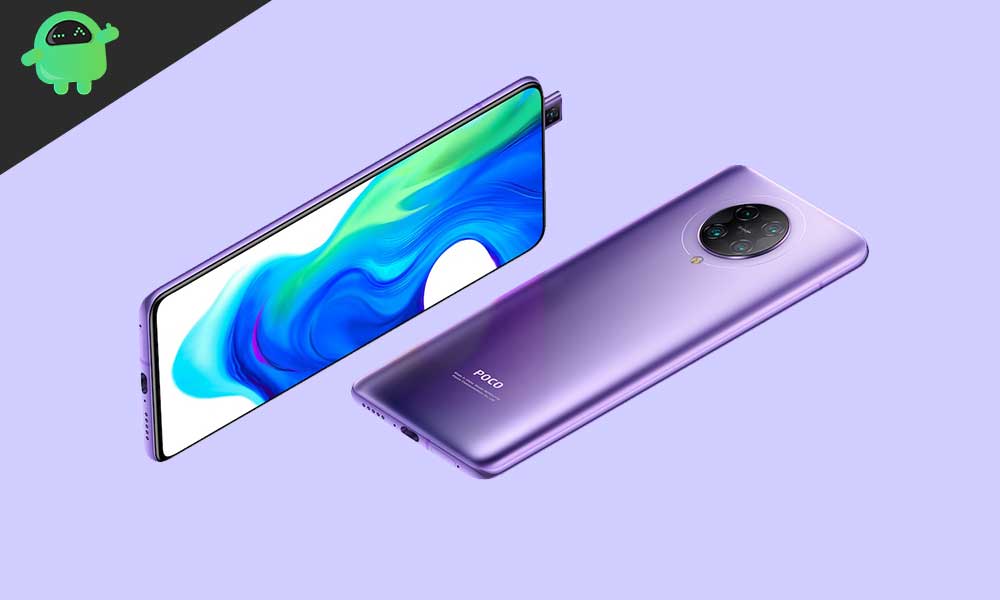
Aesthetically, the phone features a seamless 6.67-inch Super AMOLED display with a 1080p resolution, HDR10+ certification, and a 20:9 aspect ratio. The device achieves an impressive screen-to-body ratio of approximately 87% due to its innovative 20MP pop-up front camera mechanism, eliminating any distracting notches or cutouts.
Beyond its performance core, the Poco F2 Pro boasts a versatile quad-camera array: a 64 MP main sensor, a 5 MP telephoto macro lens, a 13 MP 123-degree ultrawide lens, and a 2 MP depth sensor. The camera system is capable of recording video in 8K resolution at up to 30 frames per second, alongside advanced slow-motion capture. The inclusion of Wi-Fi 6, Bluetooth 5.1, NFC capabilities, and a sizable 4700 mAh battery with 30W proprietary fast charging further solidifies its status as premium hardware, making it a prime candidate for community-driven software continuation.
Prerequisites for the Advanced Installation
Migrating the Poco F2 Pro from its stock MIUI installation to an unofficial AOSP build of Android 16 is an advanced procedure that requires meticulous preparation and technical proficiency. Users seeking this upgrade must acknowledge the inherent risks, including the voiding of any remaining warranty and the potential for data loss or device bricking if steps are incorrectly followed.
1. Data Integrity and Power: Before initiating the process, a comprehensive backup of all user data is mandatory, as several steps will involve complete device wipes. Furthermore, the device must be charged to a minimum of 50% capacity to prevent unexpected shutdown during critical flashing operations.
2. Bootloader Unlocking: The foundational step for installing any custom software is unlocking the device’s bootloader. This process removes the OEM’s security restrictions, allowing unauthorized code (like custom recovery and ROMs) to be executed. Xiaomi requires users to follow a specific, official procedure for bootloader unlocking, which invariably results in a factory reset and data erasure.
3. ADB and Fastboot Environment: Communication between the computer and the device during the flashing procedure is facilitated by the Android Debug Bridge (ADB) and Fastboot utilities. These command-line tools, part of the Android SDK Platform-Tools, are essential for sending commands to the device while it is in bootloader or recovery mode. Fastboot, in particular, handles the low-level flashing of system images.
4. Custom Recovery Installation: Standard Android recovery environments are designed only to install officially signed updates. To flash a custom ROM, users must install a third-party recovery solution, such as Team Win Recovery Project (TWRP). TWRP provides the graphical interface necessary to manage partitions, perform necessary wipes (like Dalvik cache and data), and sideload the Android 16 custom ROM file.

5. Software Components: The installation requires two primary packages: the Android 16 custom ROM (the operating system itself) and the corresponding Android 16 GApps (Google Applications). Most AOSP builds are delivered without Google’s proprietary services, meaning users must separately flash a GApps package immediately after flashing the ROM, but before the initial reboot, to ensure access to the Play Store and other Google services.
Stability and Community Feedback
Early reports from the development community indicate that the unofficial Android 16 builds for the Poco F2 Pro are highly stable, with most core hardware functionalities—including cellular connectivity, camera operation, and display features—reported as working seamlessly.
However, as these are community-driven builds, minor bugs or compatibility issues may occasionally surface. Users are strongly encouraged to participate in the development cycle by providing detailed bug reports and logs to the responsible developers. This collaborative effort is essential for iterating on the ROM and ensuring long-term viability and stability.
By embracing the custom ROM pathway, Poco F2 Pro owners are effectively overriding the planned obsolescence model, unlocking an enhanced user experience defined by modern aesthetics and improved performance optimizations that future-proof the device for several years to come. The effort transforms a well-regarded former flagship into a current-generation performer.
Revitalizing the Phoenix: How the Xiaomi Poco F2 Pro Gains Android 16 and Material 3 Expressive via Unofficial AOSP Builds
As flagship smartphones conclude their official support lifecycle, the enthusiast community often steps in to grant these devices a second life. This is the current trajectory for the Xiaomi Poco F2 Pro (known internationally as the Xiaomi Redmi K30 Pro), a device originally launched running Android 10 with MIUI 11. Although Xiaomi’s official software updates have long since ceased for this model, independent developers have successfully ported unofficial Android 16-based custom ROMs, allowing the robust hardware to benefit from the latest innovations in mobile operating systems, notably Google’s refined Material 3 Expressive design language.
The availability of these custom AOSP (Android Open Source Project) builds represents a significant victory for device longevity. While Android 16 is initially exclusive to Google’s latest Pixel devices, the rapid pace of open-source development ensures that well-regarded, high-specification older hardware can access features that the original equipment manufacturer (OEM) will never officially deliver.
The Significance of Android 16 and Material 3 Expressive
Android 16 introduces numerous system optimizations, efficiency improvements, and critical user interface enhancements. The most visible transformation is the introduction of Material 3 Expressive, an evolution of Google’s visual design language. This is not a radical departure from the foundation established by Material Design 3 (introduced with Android 13), but rather a sophisticated polish aimed at enhancing fluidity and user interaction.
Material 3 Expressive moves beyond static aesthetic changes, focusing instead on dynamic responsiveness. It incorporates significantly smoother, more deliberate animations, larger and more intuitive touch targets, and a bolder approach to typography and color palettes. Where Material Design 3 could sometimes feel stark or overly simple, Expressive breathes new life into the interface, making the entire operating system feel more engaging and modern. This refinement is crucial for devices like the Poco F2 Pro, which feature high-quality displays capable of rendering such visual fidelity flawlessly. The updates also include under-the-hood optimizations designed to improve battery endurance and streamline performance across varied device form factors, benefiting standard smartphones, tablets, and emerging foldable technologies.
The Enduring Power of the Poco F2 Pro Hardware
The successful integration of cutting-edge software like Android 16 is only possible because of the formidable specifications Xiaomi included in the Poco F2 Pro upon its 2020 launch. The device was engineered as a performance flagship, sharing its identical architecture with the Redmi K30 Pro.
At its core, the Poco F2 Pro utilizes the powerful Qualcomm Snapdragon 865 processor, a 5G-capable chipset paired with the high-performance Adreno 650 GPU. This SoC is complemented by rapid memory and storage configurations, including up to 8 GB of high-speed LPDDR5 RAM and a 256 GB variant featuring ultrafast UFS 3.1 storage. This combination of processing power and quick I/O capabilities ensures that Android 16 runs without the lag or bottlenecking typically associated with porting new operating systems to aging hardware. To maintain peak performance, the device also incorporates an advanced Liquid Cooling 2.0 system.
Aesthetically, the phone features a seamless 6.67-inch Super AMOLED display with a 1080p resolution, HDR10+ certification, and a 20:9 aspect ratio. The device achieves an impressive screen-to-body ratio of approximately 87% due to its innovative 20MP pop-up front camera mechanism, eliminating any distracting notches or cutouts. The display is protected by Corning Gorilla Glass 5, which also covers the rear glass body set within an aluminum frame. An in-display optical fingerprint scanner provides biometric security.
Beyond its performance core, the Poco F2 Pro boasts a versatile quad-camera array: a 64 MP main sensor, a 5 MP telephoto macro lens, a 13 MP 123-degree ultrawide lens, and a 2 MP depth sensor. The camera system is capable of recording video in 8K resolution at up to 30 frames per second, alongside advanced slow-motion capture at 1080p@960fps, supported by gyro-based Electronic Image Stabilization (EIS). The inclusion of Wi-Fi 6 dual-band, Bluetooth 5.1, NFC capabilities for services like Google Pay, and a sizable 4700 mAh battery with 30W proprietary fast charging further solidifies its status as premium hardware, making it a prime candidate for community-driven software continuation.
Prerequisites for the Advanced Installation
Migrating the Poco F2 Pro from its stock MIUI installation to an unofficial AOSP build of Android 16 is an advanced procedure that requires meticulous preparation and technical proficiency. Users seeking this upgrade must acknowledge the inherent risks, including the voiding of any remaining warranty and the potential for data loss or device bricking if steps are incorrectly followed.
1. Data Integrity and Power: Before initiating the process, a comprehensive backup of all user data is mandatory, as several steps will involve complete device wipes. Furthermore, the device must be charged to a minimum of 50% capacity to prevent unexpected shutdown during critical flashing operations.
2. Bootloader Unlocking: The foundational step for installing any custom software is unlocking the device’s bootloader. This process removes the OEM’s security restrictions, allowing unauthorized code (like custom recovery and ROMs) to be executed. Xiaomi requires users to follow a specific, official procedure for bootloader unlocking, which invariably results in a factory reset and data erasure.
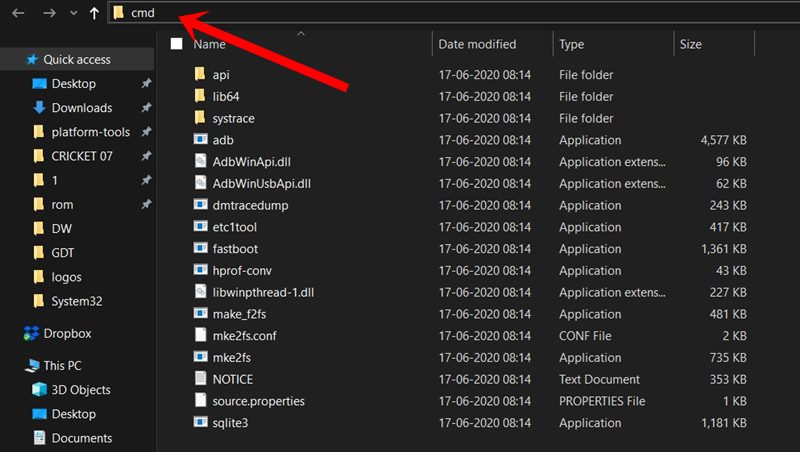
3. ADB and Fastboot Environment: Communication between the computer and the device during the flashing procedure is facilitated by the Android Debug Bridge (ADB) and Fastboot utilities. These command-line tools, part of the Android SDK Platform-Tools, are essential for sending commands to the device while it is in bootloader or recovery mode. Fastboot, in particular, handles the low-level flashing and modification of device partitions. Appropriate USB drivers, specifically the latest Xiaomi drivers, must also be installed on the host computer to ensure stable data transmission.
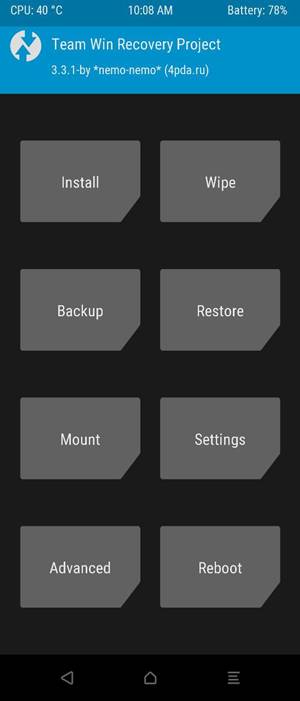
4. Custom Recovery Installation: Standard Android recovery environments are designed only to install officially signed updates. To flash a custom ROM, users must install a third-party recovery solution, such as Team Win Recovery Project (TWRP). TWRP provides the graphical interface and specialized functions necessary to manage partitions, perform necessary wipes (including cache, data, and system partitions), and sideload the Android 16 custom ROM file.
5. Software Components: The installation requires two primary packages: the compressed Android 16 custom ROM file (the operating system itself) and the corresponding Android 16 GApps (Google Applications). Most AOSP builds are delivered without Google’s proprietary services, meaning users must separately flash a compatible GApps package immediately after flashing the ROM, but before the initial system reboot, to ensure seamless access to the Play Store and other essential Google services.
Conclusion and Outlook
By undertaking the rigorous process of flashing Android 16, Poco F2 Pro users are extending the functional lifespan of their device and unlocking an experience characterized by modern aesthetics and enhanced performance optimizations. The initial boot process following a custom ROM installation will be notably prolonged as the system initializes new files and builds caches.
While this solution relies on unofficial AOSP builds, the collaborative nature of the developer community generally ensures a rapid resolution of any emerging issues. Current reports suggest a high level of stability, indicating that core functionalities are operational. Users encountering anomalies are instrumental in the refinement process, and prompt reporting with supporting diagnostic logs is key to improving the overall custom ROM experience. The result is a robust, contemporary operating system experience on a device whose hardware was built to endure.
