

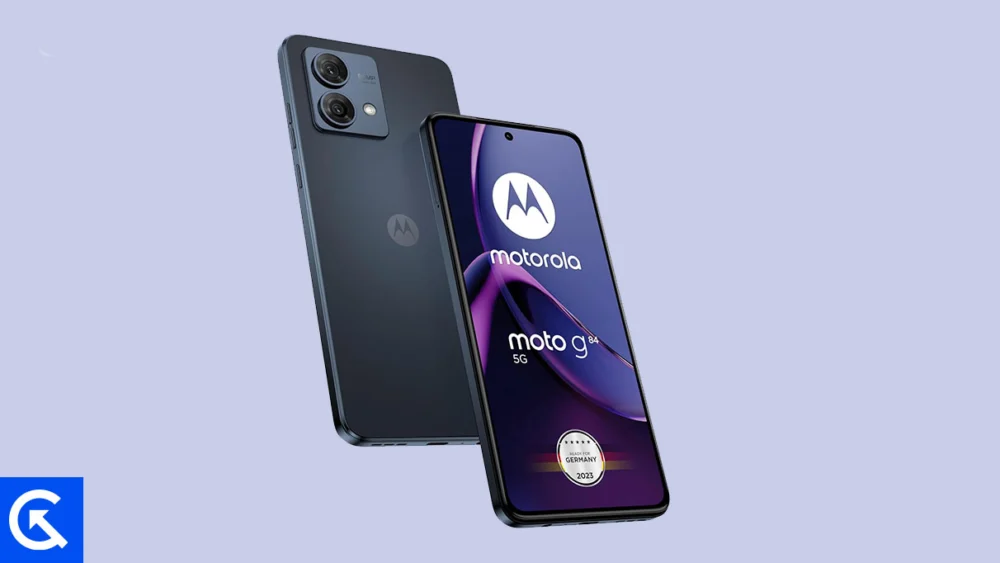
The global Android enthusiast community is currently witnessing a rapid migration of Google’s latest operating system, Android 16, to devices beyond the flagship Pixel lineup. Despite the Motorola Moto G84 5G being a mid-range device released in 2023, developers have successfully ported unofficial Android Open Source Project (AOSP) builds, enabling owners to bypass the official update cycle and experience cutting-edge software features years ahead of schedule. This development is particularly significant for users seeking to maximize the longevity and modern functionality of their hardware, transforming the Moto G84 5G into a device capable of running the newest mobile software standard.
The Evolution of Android: Introducing Material 3 Expressive
Central to the appeal of the Android 16 update is the introduction of Material 3 Expressive, a refined and visually dynamic evolution of Google’s established design language. While not a radical aesthetic departure, Material 3 Expressive represents a critical shift toward greater system fluidity and responsiveness. This update significantly enhances the user interface foundation laid by Material Design 3 (introduced with Android 13), addressing criticisms that the previous iteration had begun to feel static.
Material 3 Expressive emphasizes dynamic scaling, smoother transitional animations, and expanded touch targets, resulting in an interface that feels more tactile and instantaneous across the operating system. This refinement is crucial for modern Android, ensuring consistent visual polish whether the user is navigating on a standard handset, a large-screen tablet, or a foldable device. The focus is on subtle enhancements that collectively create a superior user experience, characterized by increased responsiveness and a bolder implementation of typography and color theming.
![How to Install Android 16 on Motorola Moto G84 5G [Download Link]](https://www.getdroidtips.com/wp-content/uploads/2025/08/Motorola-Moto-G84-5G.jpg)
Beyond the visible UI changes, Android 16 incorporates numerous system-level optimizations designed to boost overall efficiency. These updates typically include improvements to resource management, enhanced privacy controls, and optimizations tailored for modern chip architectures, all contributing to better performance and potentially longer battery life, even on slightly older hardware like the Snapdragon 695 platform.
Profile of the Moto G84 5G: A Mid-Range Powerhouse
The Motorola Moto G84 5G, launched in September 2023, established itself as one of the most balanced offerings in the competitive mid-range segment. Its hardware specifications make it an ideal candidate for custom ROM adoption, possessing robust components that can easily handle the demands of a new operating system.
The device features a sleek profile, measuring 160 x 74.4 x 7.6 mm and weighing a manageable 166.8g, complemented by an IP54 rating for basic dust and splash resistance. Its visual centerpiece is a vibrant 6.5-inch P-OLED display, boasting a 120Hz refresh rate and a peak brightness of 1300 nits, ensuring excellent visibility and smooth multimedia playback.
Under the hood, the G84 5G is powered by the 6nm Qualcomm Snapdragon 695 5G chipset, paired with the Adreno 619 GPU. Configuration options are generous, including up to 12GB of RAM and 256GB of internal storage, expandable via microSD. Although the phone launched with Android 13 and received official upgrades to Android 14 (with an expected path to Android 15), its official software support window is finite. This planned obsolescence trajectory makes the availability of an Android 16 custom ROM a powerful incentive for enthusiasts to retain and upgrade their existing device.
![How to Install Android 16 on Motorola Moto G84 5G [Download Link]](https://www.getdroidtips.com/wp-content/uploads/2025/08/Motorola-Moto-G84-5G-300x169.jpg)
Other notable features supporting its continued relevance include a versatile camera system (50MP main sensor with OIS and an 8MP ultrawide lens), stereo speakers with Hi-Res audio support, and a robust 5000mAh battery that supports 30W fast charging.
The Stability Report: Status of the AOSP Port
The transition of a major Android version to an unofficial platform is spearheaded by the independent development community. In the case of the Moto G84 5G, the initial Android 16 AOSP build appears remarkably stable. Early reports from users and developers suggest that core functionality—including telephony, mobile data, Wi-Fi connectivity, camera operation, and graphics rendering—is fully operational.
While comprehensive testing is ongoing, the current status indicates a high degree of compatibility between the AOSP source code and the device’s kernel structure. However, it is essential for users to understand that these are community-driven builds. Although the current status report suggests that "everything seems to be working fine," minor, device-specific bugs may still surface. The standard protocol for custom ROM usage dictates that users should actively monitor development threads and report any discovered glitches, accompanied by detailed logs, to aid in the iterative improvement of the ROM.
Technical Migration: Essential Prerequisites for Installation
Installing an unofficial AOSP build requires meticulous adherence to a series of technical prerequisites, moving the device outside the parameters of standard consumer software updates. This process involves altering the fundamental boot security of the phone.
![How to Install Android 16 on Motorola Moto G84 5G [Download Link]](https://www.getdroidtips.com/wp-content/uploads/2020/06/cmd-platform-tools.jpg)
1. Data Security and Redundancy:
Before initiating any modification process, a comprehensive backup of all personal data is non-negotiable. Unlocking the bootloader and subsequent flashing operations inevitably result in a complete data wipe (a factory reset), making data loss a certainty without prior preparation.
2. System Readiness:
The device must maintain a minimum charge level of 50 percent to prevent catastrophic shutdown during the resource-intensive flashing and installation sequences.
3. Toolchain Installation (ADB and Fastboot):
Installation necessitates the use of Android Debug Bridge (ADB) and Fastboot command-line utilities. ADB facilitates communication between the computer and the device while the phone is operational or in recovery mode, while Fastboot is the specialized tool required to interface with the bootloader, enabling the flashing of system images and recovery partitions. Installation of the correct Motorola USB Drivers is also mandatory to ensure stable data transfer and communication between the PC and the Moto G84 5G.
4. Bootloader Unlocking:
The most critical step is the official unlocking of the device’s bootloader. This security measure, which is locked by default, must be disabled to allow third-party software (like custom recovery and ROMs) to be written to the system partitions. Following Motorola’s specific guidelines for the Moto G84 5G is essential, noting that this action voids the device warranty and triggers the mandatory data wipe.
![How to Install Android 16 on Motorola Moto G84 5G [Download Link]](https://www.getdroidtips.com/wp-content/uploads/2020/08/twrp-custom-rom.jpg)
5. Custom Recovery Environment (TWRP):
A custom recovery image, typically Team Win Recovery Project (TWRP), must be installed post-bootloader unlock. TWRP serves as the critical intermediary, providing a touch-based graphical interface necessary to manage partitions, perform backups, and execute the installation of unsigned ZIP files, including the Android 16 custom ROM.
6. Software Acquisition (ROM and GApps):
The final technical preparation involves downloading two separate files: the specific Android 16 custom ROM build for the Moto G84 5G and the corresponding Google Applications (GApps) package for Android 16. A vast majority of AOSP-based ROMs, due to licensing restrictions, do not include proprietary Google services (such as the Play Store, Google Maps, and synchronization services). Therefore, the GApps package must be flashed immediately after the ROM, without rebooting the system in between, to ensure a functional, Google-integrated Android experience.
Conclusion
The successful porting of Android 16 to the Motorola Moto G84 5G demonstrates the enduring power of the open-source community to challenge device lifecycles dictated by manufacturers. By leveraging these unofficial AOSP builds, users are granted access to performance enhancements and the latest Material 3 Expressive UI, significantly extending the practical lifespan and utility of their mid-range hardware. While the process demands technical diligence and carries inherent risks associated with modifying core device software, the result is a thoroughly modern operating system experience on a platform that might otherwise be considered nearing its end-of-life cycle. The stability of these early releases suggests a positive trajectory for ongoing development, promising a reliable and feature-rich environment for dedicated Moto G84 5G owners.
