

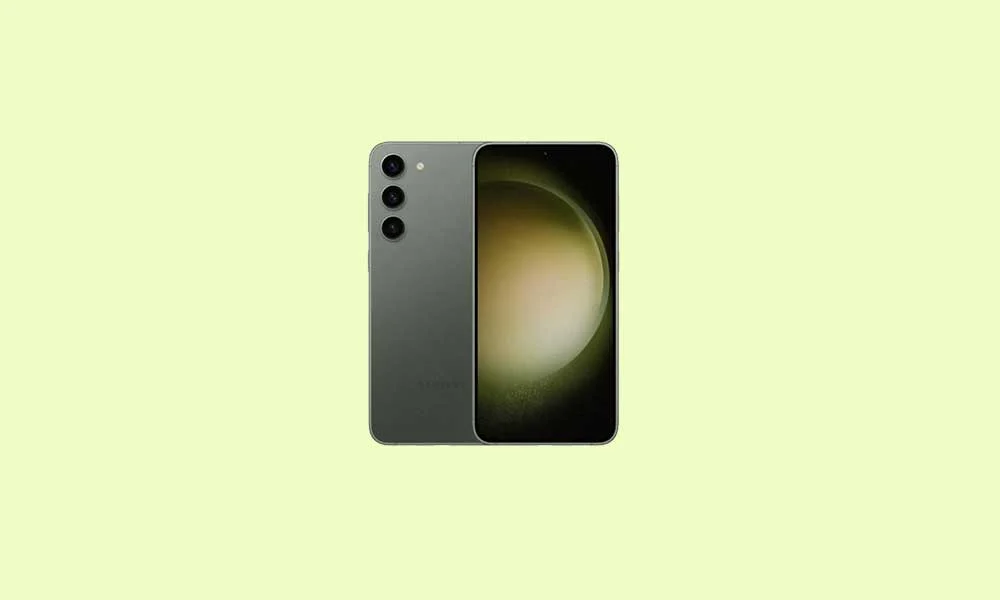
The Samsung Galaxy S23 and S23 Plus, while still powerful flagships, are now entering the phase where dedicated enthusiasts are taking over the reins of software lifecycle management. Following Google’s initial release of Android 16 for its latest Pixel devices, the highly active Android developer community has rapidly ported unofficial AOSP (Android Open Source Project) builds to the S23 series, offering owners a pathway to experience the operating system’s newest features years ahead of potential official release or, more likely, beyond the official support window.
This practice, centered around flashing custom ROMs, effectively breathes new life into devices that might otherwise be constrained by manufacturer update schedules. For owners of the S23 and S23 Plus looking for cutting-edge software, this process provides immediate access to system optimizations and the refined user experience of Android 16.
![How to Install Android 16 on Samsung Galaxy S23 and S23 Plus [Download Link]](https://www.getdroidtips.com/wp-content/uploads/2023/02/How-to-Root-Samsung-Galaxy-S23-and-S23-Plus-using-Magisk.jpg)
The Foundation of Android 16: Material 3 Expressive
The most immediate and significant change introduced in Android 16 is the implementation of Material 3 Expressive. This represents a substantial evolution of Google’s foundational design language, moving beyond the framework established by Material Design 3, which debuted with Android 13. Material 3 Expressive is not a radical visual departure but rather a sophisticated polish aimed at enhancing usability and fluidity across diverse screen types, including standard smartphones, tablets, and foldables.
The enhancements focus heavily on user interaction, incorporating smoother, more dynamic transition animations that feel responsive and instantaneous. Typography is bolder, providing clearer hierarchy and readability, while touch targets—the areas designated for user input—have been deliberately enlarged. This refinement is critical for improving accessibility and ensuring a consistent, high-quality experience regardless of the device form factor. Where Material Design 3 began to show its age, Material 3 Expressive injects vitality, providing a modern, fluid aesthetic that preserves the familiar visual identity Android users rely on, showcasing Google’s commitment to nuanced design evolution rather than disruptive overhauls.
Beyond the aesthetic changes, Android 16 incorporates numerous system-level optimizations designed to improve resource management, battery efficiency, and overall security architecture, updates that are crucial for maintaining peak performance on high-end hardware like the Galaxy S23 series.
![How to Install Android 16 on Samsung Galaxy S23 and S23 Plus [Download Link]](https://www.getdroidtips.com/wp-content/uploads/2023/02/How-to-Root-Samsung-Galaxy-S23-and-S23-Plus-using-Magisk-300x180.jpg)
The Power of the S23 Platform
The success of installing bleeding-edge software relies heavily on the robustness of the underlying hardware. The Samsung Galaxy S23 and S23 Plus are exceptionally well-suited for adopting custom firmware due to their powerful specifications, ensuring they can handle the demands of a new operating system generation.
Samsung Galaxy S23: This device features a 6.1-inch Dynamic AMOLED panel boasting a 120 Hz refresh rate, HDR10+ support, and an impressive peak brightness of 1750 nits. Its display is protected by Gorilla Glass Victus 2. Internally, the S23 is driven by the customized Qualcomm Snapdragon 8 Gen 2 for Galaxy, fabricated on a 4nm process. This octa-core processor features a high-performance Cortex-X3 core clocked at 3.36 GHz, coupled with the Adreno 740 GPU for graphics handling. The camera system is equally robust, featuring a 50 MP primary sensor, a 10 MP telephoto lens, and a 12 MP ultrawide sensor, capable of 8K video capture. Power is supplied by a 3900 mAh battery supporting 25W fast charging.
Samsung Galaxy S23 Plus: Offering a larger footprint, the S23 Plus utilizes a 6.6-inch Dynamic AMOLED panel with identical refresh rate and brightness specifications. It shares the same Snapdragon 8 Gen 2 for Galaxy processor and triple-camera array. The primary difference lies in endurance and charging speed: the S23 Plus is equipped with a significantly larger 4700 mAh battery that supports faster 45W charging, making it a compelling candidate for long-term software experimentation. Both models launched running Android 13 with the One UI 5.1 skin, demonstrating their premium status and inherent capability to run future iterations of the Android kernel.
![How to Install Android 16 on Samsung Galaxy S23 and S23 Plus [Download Link]](https://www.getdroidtips.com/wp-content/uploads/2020/06/cmd-platform-tools.jpg)
The Installation Mandate: Prerequisites and Risks
Migrating the Galaxy S23 series from its stock One UI firmware to an AOSP-based Android 16 custom ROM requires adherence to a stringent, multi-step process that fundamentally alters the device’s software environment. This procedure is complex and carries inherent risks, including the voiding of warranties and potential device instability.
- Data Preservation: Before commencing any flashing operation, a comprehensive backup of all personal data is non-negotiable. The installation process necessitates a complete device wipe.
- System Preparation (ADB & Fastboot): The platform-tools package, containing Android Debug Bridge (ADB) and Fastboot binaries, is essential. ADB facilitates communication between the computer and the device while it is running, whereas Fastboot is the command-line utility used for flashing critical partitions when the device is in bootloader mode. Corresponding Samsung USB drivers must be installed on the host computer to ensure stable connectivity.
- Bootloader Unlocking: This is the most critical and irreversible step. Unlocking the bootloader disables the security mechanisms put in place by Samsung, allowing third-party code—like a custom recovery—to be loaded. This action will irrevocably wipe the device’s internal storage.
- Custom Recovery Installation: Following the bootloader unlock, a custom recovery environment, typically TWRP (Team Win Recovery Project), must be installed. This environment replaces the restrictive stock recovery and is the necessary interface used to flash the custom ROM package onto the device partitions.
- ROM Acquisition: Currently, several pioneering Android 16 ROMs are available for the Galaxy S23, including VoltageOS, Lineage OS 23, and CrDroid OS, hosted primarily through developer forums like XDA.
- GApps Integration: Most AOSP-based custom ROMs are shipped without Google Mobile Services (GMS) to comply with licensing agreements. Therefore, a separate package of Android 16 GApps (Google Applications, including the Play Store) must be sourced and flashed immediately after the main ROM file, prior to the first boot. Failure to flash GApps at this stage requires the entire process to be repeated.
The State of Unofficial Stability
The availability of multiple custom ROMs—including established names like LineageOS and community favorites like CrDroid—indicates strong developer interest in the S23 platform. While the original reports suggest that core functionality is operational ("Everything seems to be working fine"), prospective users must understand that unofficial AOSP builds generally represent beta-level stability.
In these early stages, while essential features such as cellular connectivity, display, and basic input typically function, proprietary hardware integrations—like the ultrasonic fingerprint sensor, specialized camera features, or specific power management algorithms optimized for Samsung’s kernel—may exhibit intermittent issues or remain non-functional until developers achieve full hardware integration. Users are expected to play an active role in development by diligently reporting any encountered bugs, accompanied by detailed system logs, to assist the developers in achieving a fully stable daily driver experience.
![How to Install Android 16 on Samsung Galaxy S23 and S23 Plus [Download Link]](https://www.getdroidtips.com/wp-content/uploads/2020/08/twrp-custom-rom.jpg)
By embracing the custom ROM ecosystem, Galaxy S23 and S23 Plus owners are not only extending the software lifespan of their powerful hardware but are also joining a community dedicated to the advancement and personalization of the Android experience, unlocking features that transcend the official product lifecycle.
