

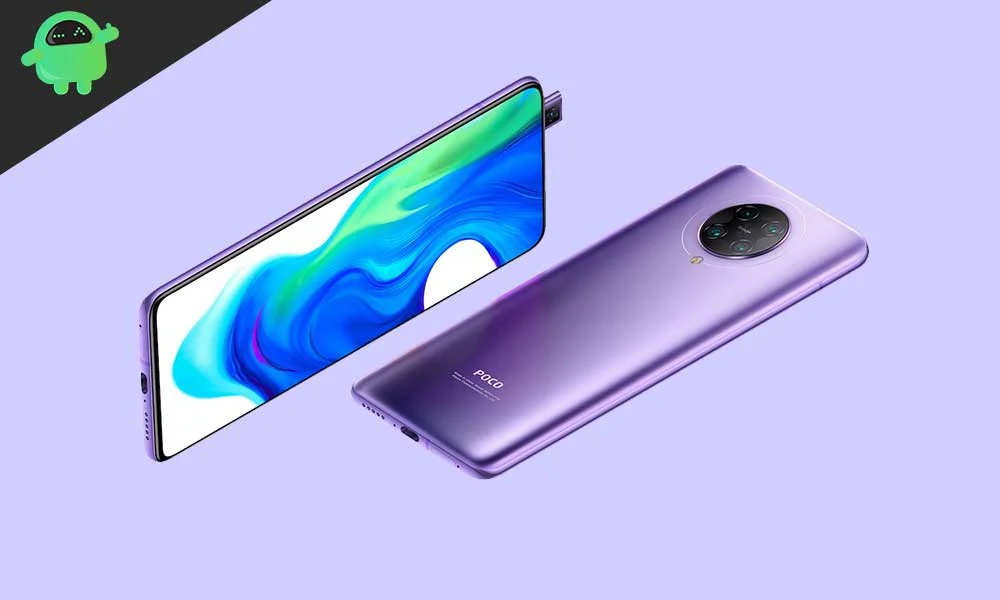
The Xiaomi Poco F2 Pro, known internationally as the Redmi K30 Pro, is experiencing a resurgence in relevance thanks to the dedicated Android developer community. Despite being several years past its initial launch running Android 10 (MIUI 11), the robust hardware specifications of this "flagship killer" are proving capable of handling Google’s latest operating system iteration. Developers have successfully ported an unofficial Android 16-based Custom ROM, offering owners a vital pathway to modern functionality and extending the usable lifespan of the device far beyond its official support window.
This community effort is significant because it grants immediate access to features that may never arrive via official manufacturer channels. While Google has commenced the initial rollout of Android 16 exclusively for its flagship Pixel line, the rapid deployment of unofficial AOSP (Android Open Source Project) builds to devices like the Poco F2 Pro underscores the device’s enduring popularity among enthusiasts.
Android 16 and the Arrival of Material 3 Expressive
The most compelling user-facing change introduced with Android 16 is the refinement of Google’s design philosophy, dubbed Material 3 Expressive. This update is less of a complete graphical overhaul and more of a systematic enhancement of the framework established by Material Design 3, which debuted with Android 13.
Material 3 Expressive focuses on injecting greater fluidity, responsiveness, and aesthetic polish into the mobile experience. Users will immediately notice smoother, more dynamic transitions and animations, which contribute to a perception of improved speed and optimization. Furthermore, the design language incorporates bolder typographic choices and larger, more accessible touch targets, enhancing usability across various interaction models.
This refinement arrives at a crucial time, updating an interface that, for many users, was beginning to feel static. Material 3 Expressive revitalizes the core aesthetic while carefully retaining the familiar navigation and layout patterns users depend on. Beyond visual enhancements, Android 16 introduces system-level optimizations designed to improve resource management, particularly beneficial for older devices, and features aimed at improving compatibility and user experience across diverse form factors, including tablets and the increasingly popular foldables.

The Enduring Power of the Poco F2 Pro Architecture
The continued ability of the Poco F2 Pro to handle cutting-edge operating systems stems directly from its premium internal architecture. Launched as a competitively priced device targeting high-end performance, the Poco F2 Pro is built around the formidable Qualcomm Snapdragon 865 5G processor. This chipset is paired with the powerful Adreno 650 GPU and high-speed memory configurations, utilizing LPDDR5 RAM (6GB or 8GB) and ultra-fast UFS 3.1 storage in its top-tier 256GB variant. This combination ensures that the phone possesses ample processing power and I/O speed to run demanding modern applications and the new Android 16 environment.
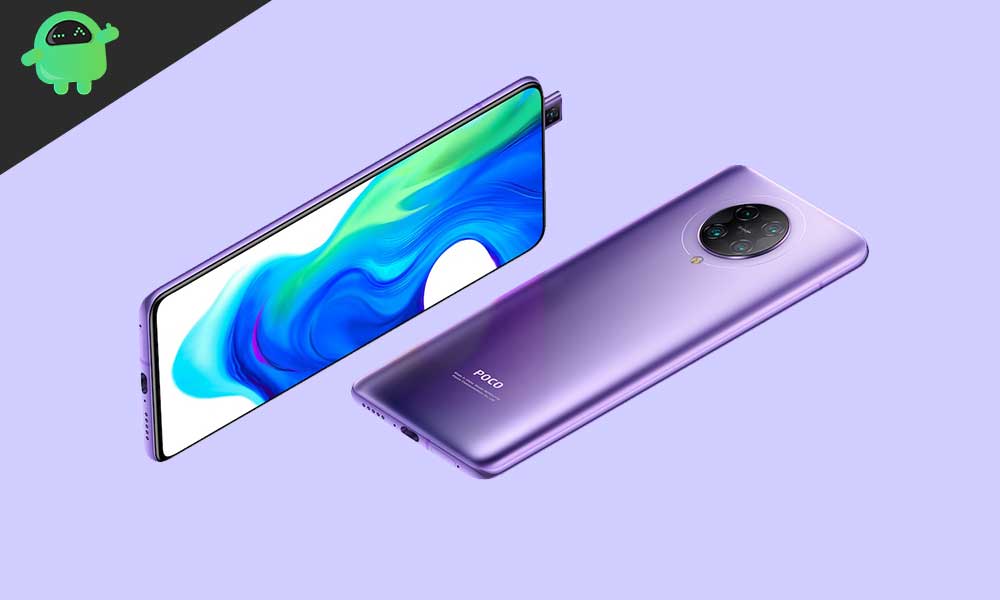
Physically, the device features an aluminum frame encased in Corning Gorilla Glass 5. Its display is a 6.67-inch Super AMOLED panel offering 1080p resolution, HDR10+ certification, and a pixel density of 395 PPI. Crucially, the F2 Pro achieved a near-bezel-less viewing experience through its distinctive 20MP pop-up front camera mechanism, resulting in an immersive, distraction-free display and an impressive screen-to-body ratio of approximately 87%.
The device also boasts a powerful quad-camera array featuring a 64 MP primary sensor, a 13 MP ultrawide lens with a 123° field of view, a 5 MP telephoto macro lens, and a 2 MP depth sensor. This setup is capable of recording video up to 8K resolution at 30 frames per second, further cementing its status as a robust hardware platform deserving of continued software support. Powering this system is a substantial 4700 mAh battery, supported by 30W proprietary fast charging, capable of reaching a full charge in roughly 63 minutes.
The Custom ROM Pathway: Requirements and Risks
Accessing Android 16 on the Poco F2 Pro requires transitioning away from the official MIUI ecosystem and engaging with the custom flashing process, which carries inherent risks and prerequisites.
Mandatory Technical Steps
Before any flashing can occur, several non-negotiable steps must be taken:
- Data Preservation: A full backup of all user data is paramount. The process of unlocking the bootloader and subsequent flashing operations will irrevocably wipe the device’s internal storage.
- Bootloader Unlocking: The foundational step for installing non-official software is unlocking the bootloader. This procedure, which requires following Xiaomi’s official process, is a prerequisite for all subsequent modifications but will factory reset the device and typically void the manufacturer’s warranty.
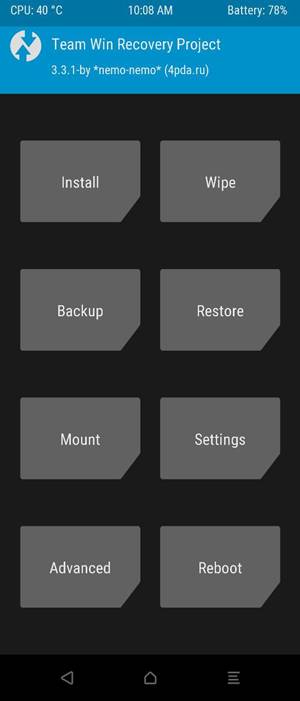
- Custom Recovery (TWRP): A specialized custom recovery environment, such as TWRP (Team Win Recovery Project), must be installed. This environment replaces the stock recovery utility and serves as the primary interface for flashing custom operating systems, kernels, and supplemental packages.
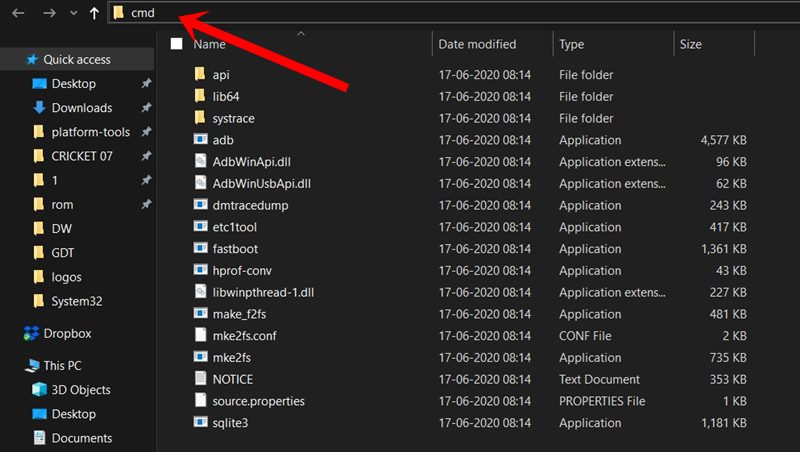
- Platform Tools: The use of ADB (Android Debug Bridge) and Fastboot binaries (often referred to collectively as platform-tools) is essential. ADB facilitates communication between the PC and the device while it is running, whereas Fastboot is the advanced utility used to flash critical partitions and boot into the bootloader mode necessary for installing TWRP.
- Software Acquisition: Users must download the specific Android 16 custom ROM image tailored for the Poco F2 Pro (codename
lmi). Since most AOSP builds are minimalist and do not include proprietary Google applications, a separate GApps (Google Applications) package compatible with Android 16 must also be sourced.
Installation and Stability Notes
The installation process typically involves booting into TWRP recovery, performing a factory reset (data wipe), flashing the primary ROM file, and immediately flashing the GApps package before the first reboot. It is critical not to boot the device between flashing the ROM and flashing GApps, as this can lead to system instability or boot loops.
Initial reports from the developer community suggest that the current Android 16 port for the F2 Pro exhibits high stability, with most core functionalities operational. However, users must be aware that these are unofficial builds. While the report indicates that "Everything seems to be working fine," custom ROMs, especially early ports, can occasionally suffer from minor bugs relating to sensors, camera performance, or battery optimization. Users installing this software must be prepared to troubleshoot and actively report any discovered issues—complete with proper logs—to the maintainers to contribute to the ROM’s refinement.
By embracing this developer-driven path, Poco F2 Pro owners effectively bypass the limitations of OEM support cycles, gaining access to improved security, modern design language, and the latest platform features, ensuring that the powerful hardware continues to deliver a contemporary mobile experience.
