

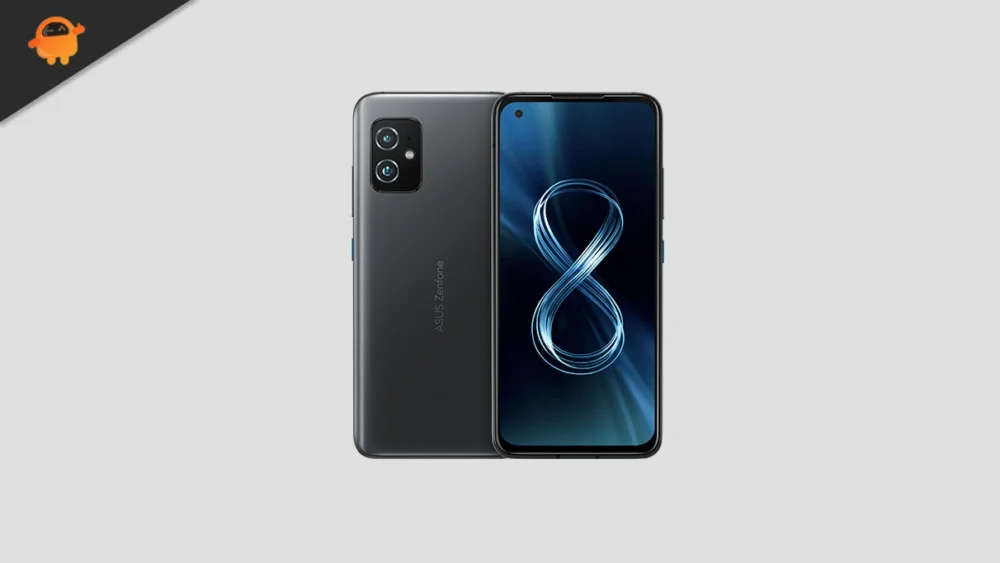
The dedicated Android developer community has successfully delivered a major functional and aesthetic upgrade to owners of the Asus ZenFone 8, bypassing official manufacturer support schedules. An unofficial custom ROM, based on the foundational code of Android 16 AOSP (Android Open Source Project), is now available for the compact 2021 flagship, granting users immediate access to the latest system enhancements and the redesigned Material 3 Expressive interface. This development significantly extends the operational lifespan of the ZenFone 8, a device whose official software support window is drawing to a close.
This rapid porting effort follows Google’s initial release of Android 16 for its flagship Pixel devices. While major OEMs like Samsung, Xiaomi, and OnePlus are expected to roll out proprietary versions in the coming months, the custom ROM route provides an instant solution for enthusiasts eager to experience the future of the operating system on hardware that remains highly capable.
The Dawn of Material 3 Expressive
The most significant and user-facing change introduced in Android 16 is the implementation of Material 3 Expressive. This iteration represents a sophisticated evolution of Google’s visual design language, moving beyond mere aesthetic changes to focus on dynamic interaction and enhanced usability. While the core visual identity established by Material Design 3 remains, the "Expressive" update introduces a heightened sense of polish and fluidity.
![How to Install Android 16 on Asus ZenFone 8 [Download Link]](https://www.getdroidtips.com/wp-content/uploads/2021/05/Asus-Zenfone-8.jpg)
Material 3 Expressive is defined by several key improvements: smoother, more contextual animations that provide immediate user feedback; larger, more accessible touch targets, enhancing interaction efficiency across various device sizes; and bolder typography optimized for clarity and visual hierarchy. This refinement arrives at a critical juncture, addressing the stagnation observed in the visual experience of earlier Material Design 3 implementations. Instead of a radical overhaul, the change is characterized by meticulous attention to detail, ensuring the interface feels modern, responsive, and seamless, particularly across the increasingly diverse form factors, including standard smartphones like the ZenFone 8, tablets, and foldable devices.
Sustained Performance: The ZenFone 8 Hardware Profile
The ability of the Asus ZenFone 8 to successfully run a contemporary operating system like Android 16 is a testament to its robust hardware architecture. Launched running Android 11 with the ZenUI 8 overlay, the ZenFone 8 was engineered around the powerful Qualcomm Snapdragon 888 chipset. This processor, combined with significant memory configurations—ranging up to 16GB of RAM and 256GB of internal storage—ensures that the device possesses the necessary computational bandwidth to handle the optimizations and features inherent in the new OS.
The ZenFone 8 carved a niche for itself as a “mini flagship,” boasting a compact 5.9-inch SUPER AMOLED display, making it ideal for true one-handed operation. This contrasted with its sibling, the ZenFone 8 Flip, which featured a larger 6.67-inch display and the unique rotating camera system. A notable advantage of the standard ZenFone 8 was its inclusion of an IP68 waterproof rating, a certification for durability that was absent from the Flip model.
The photographic capabilities of the device remain competitive. The ZenFone 8 utilizes a dual rear camera setup comprising a 64MP main sensor and a 12MP ultrawide lens, complemented by a 12MP front-facing camera with dual-pixel support. Powering these features is a 4000mAh battery, supported by 30W fast charging, ensuring adequate endurance for the resource demands of the updated operating system. The robust internal specifications make the ZenFone 8 a highly suitable candidate for long-term support through community-driven custom ROM development.
![How to Install Android 16 on Asus ZenFone 8 [Download Link]](https://www.getdroidtips.com/wp-content/uploads/2021/05/Asus-Zenfone-8-300x169.jpg)
The Technical Requirements for Migration
Migrating to an unofficial Android 16 custom ROM is a highly technical process requiring meticulous adherence to a specific set of prerequisites. This procedure, which should only be undertaken by users comfortable with high-risk device modification, necessitates deep system access and inevitably results in a factory reset.
The essential first step is the backup of all user data. Since the process of unlocking the bootloader—a mandatory precursor for installing custom firmware—will wipe the device’s internal storage, comprehensive data retention via external or cloud storage is crucial.
Secondly, the device’s fundamental security measure, the bootloader, must be unlocked. This step, which often requires utilizing specific OEM tools, grants the necessary low-level access to the device’s partitions, allowing for the installation of non-manufacturer-approved operating systems. Following the bootloader unlock, users must install a custom recovery environment, typically TWRP (Team Win Recovery Project), which acts as the interface for flashing the custom operating system image and associated files.
Technical connectivity requires the installation of the ADB and Fastboot Binaries (Platform-Tools) on the host computer. ADB (Android Debug Bridge) facilitates communication between the PC and the device, while Fastboot provides the specialized command-line utilities necessary for flashing recovery images and manipulating system partitions. Appropriate Asus USB drivers must also be installed to ensure a stable and uninterrupted connection during the flashing sequence. Finally, the device must be charged to a minimum of 50 percent to prevent a catastrophic power loss during the crucial firmware installation stages.
![How to Install Android 16 on Asus ZenFone 8 [Download Link]](https://www.getdroidtips.com/wp-content/uploads/2020/06/cmd-platform-tools.jpg)
Firmware Acquisition and GApps Integration
The installation requires two primary components: the Android 16 custom ROM image specifically compiled for the ZenFone 8 hardware, and the separate Google Apps (GApps) package. Most AOSP-based custom ROMs are distributed without proprietary Google applications (such as the Play Store, Maps, and Gmail) due to licensing restrictions. Consequently, users must download the corresponding Android 16 GApps package.
A critical procedural note is the sequence of flashing: the GApps package must be flashed immediately after the custom ROM is installed, and critically, before the device is rebooted. Failure to adhere to this order often results in instability or boot loops, requiring the user to restart the entire process.
The installation sequence typically involves booting into the TWRP recovery environment, performing a complete system wipe (data, cache, dalvik cache, and system partitions), flashing the Android 16 ROM file, and immediately flashing the GApps package before initiating the final system reboot. The initial boot cycle into the new Android 16 environment is often significantly longer than usual due to the system building its initial cache structure.
Stability and Community Development Outlook
Early reports regarding this unofficial Android 16 AOSP build suggest a high degree of stability, with developers indicating that core functionalities are operational. However, users must acknowledge that custom ROMs are inherently community-supported projects. While the benefits of accessing modern features are significant, the potential for encountering minor bugs or specific hardware inconsistencies remains.
![How to Install Android 16 on Asus ZenFone 8 [Download Link]](https://www.getdroidtips.com/wp-content/uploads/2020/08/twrp-custom-rom.jpg)
The success and longevity of this project rely heavily on community engagement. Users are strongly encouraged to document and report any issues encountered, ensuring that these reports include necessary system logs to aid developers in rapidly identifying and patching errors.
By embracing this custom firmware path, Asus ZenFone 8 owners are effectively decoupling their device’s future from official manufacturer timelines, securing access to continued system improvements, enhanced security patches, and the most modern mobile operating system interface available. This proactive approach ensures the powerful hardware continues to deliver a contemporary user experience well into the future.
