

The ecosystem of Android software has long been defined by a curious paradox: while the operating system is built upon the foundations of open-source flexibility, its most prominent steward, Google, frequently engages in a strategy of artificial gatekeeping. This fragmentation is most visible within the Pixel lineup, where software features are often used as leverage to differentiate various hardware tiers. Recently, a fascinating discovery has emerged regarding a "secret" camera widget that has been quietly shipping with Google’s mid-range "A" series devices for the past two years. Known variously as "Snapshot" or "Family Space," this interactive tool allows users to bridge the gap between their home screen and their camera in a way that remains officially unavailable even on Google’s most expensive flagship models, such as the Pixel 10 Pro XL. However, thanks to the tireless efforts of the Android enthusiast community and investigative reporting from technical outlets, this exclusive feature is now being liberated for use on a wide array of devices from manufacturers like Samsung, OnePlus, and Nothing.
To understand the appeal of the Snapshot widget, one must first look at the inconsistent logic Google applies to its software distribution. Historically, the Pixel "A" series—comprising devices like the Pixel 8a and the recently launched Pixel 9a—is marketed as a budget-friendly entry point into the Google ecosystem. To make these devices more attractive to a younger, more social-media-oriented demographic, Google often includes whimsical or lifestyle-oriented software features that it deems unnecessary for the "professional" users of its flagship Pro series. The Snapshot widget is the latest casualty of this marketing philosophy. While the Pixel 10 Pro XL boasts industry-leading sensors and AI-driven post-processing, it lacks the simple, tactile joy of the Snapshot widget, which is designed to turn the home screen into a living, breathing digital scrapbook.
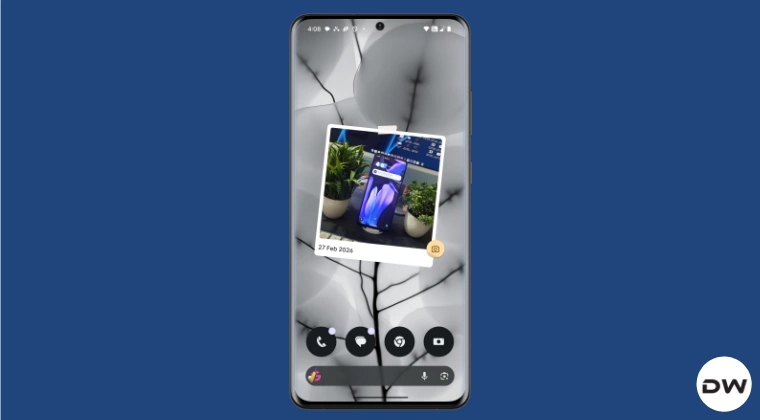
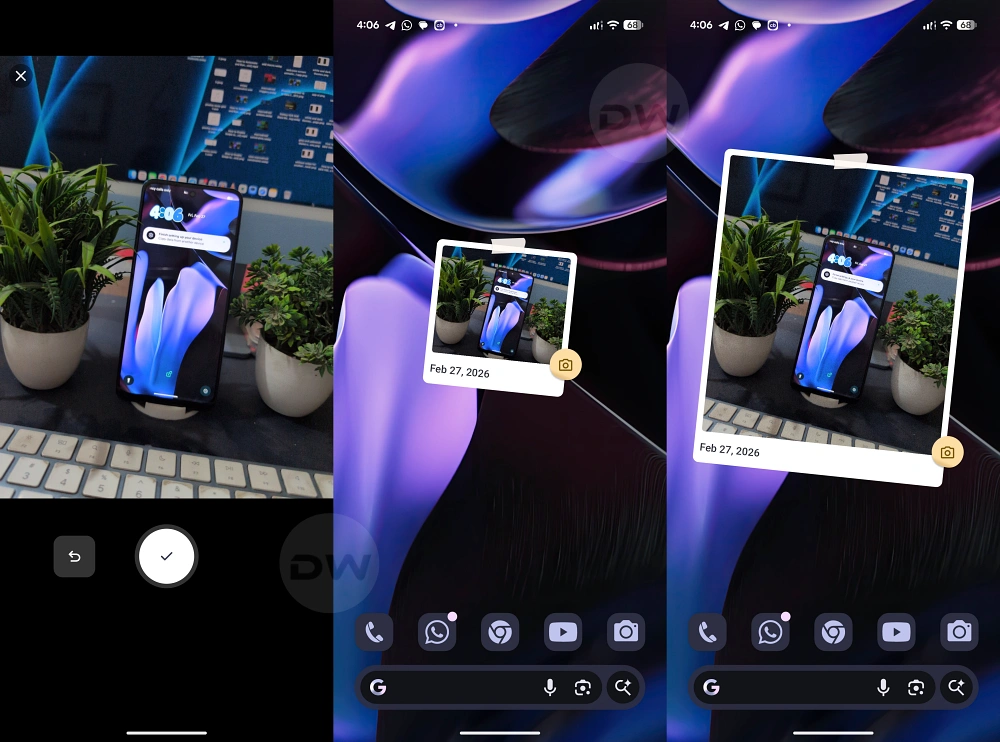
The functionality of the Snapshot widget, which carries the internal package name "com.google.android.apps.pixel.familyspace," is distinct from the standard photo frame widgets most Android users are familiar with. A typical photo widget simply pulls existing images from a gallery or a cloud storage folder to display them in a static or rotating fashion. Snapshot operates on a fundamentally different premise. When a user first places the widget on their home screen, it appears as a charmingly low-fidelity placeholder—an image of a photo taped to the screen. This is not a bug, but rather an invitation to interact. Tapping the widget does not open a gallery; instead, it immediately invokes the device’s camera.

This "instant-capture" workflow is the core of the Snapshot experience. The widget is designed to capture the "now." Once a photo is taken through the widget-initiated camera session, that specific image is instantly pinned to the home screen. There is a notable restriction here that reinforces the widget’s focus on spontaneity: users cannot manually upload older photos from Google Photos or any third-party gallery app to the widget. It only displays the most recent image captured specifically through its own interface. This limitation creates a unique user behavior, encouraging people to use the widget as a rotating slot for their most current memory, rather than a curated gallery of their best hits.
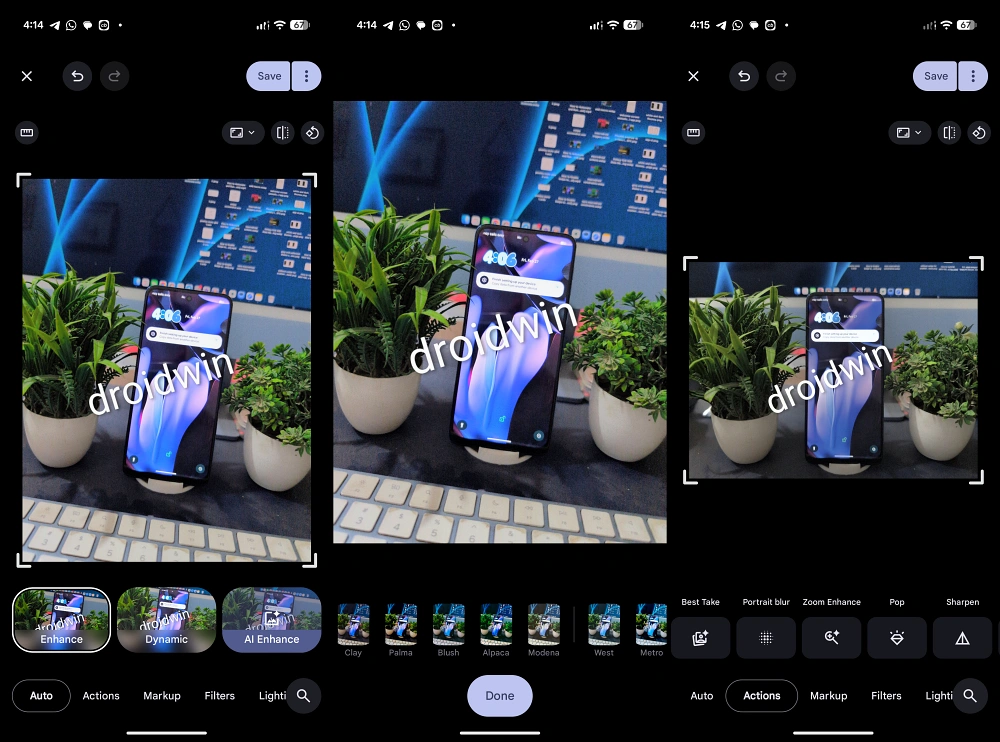
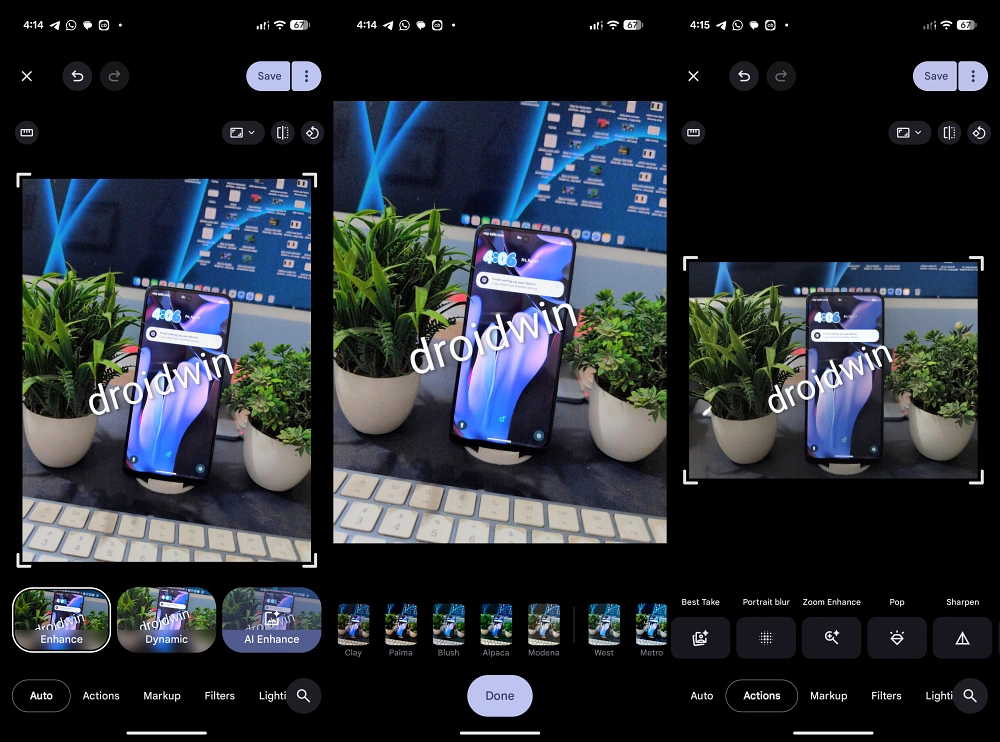
Despite its status as a "hidden" or "secret" tool, the Snapshot widget is surprisingly robust when it comes to post-processing. Once a photo is captured and displayed, users are not stuck with the raw output. Tapping on the active widget allows for a suite of editing options that leverage the full power of the device’s onboard image processing. For Pixel users, this includes a deep integration with Google’s suite of AI tools. Users can utilize Magic Eraser to remove unwanted background distractions, Unblur to sharpen a moving subject, or Best Take to ensure everyone in a group shot is smiling. The widget also supports more traditional edits, such as cropping, markup, and a vast array of filters and lighting effects. Interestingly, the original reports mention support for cutting-edge features like Gemini-powered enhancements and "Nano Banana," suggesting that even though the widget is "hidden," it is built on the most modern foundations of Google’s imaging stack.

The exclusion of this feature from flagship Pixels and other Android brands led tech investigators at Android Authority to take matters into their own hands. By extracting the Family Space APK from an "A" series device, they discovered that the software is not strictly tied to specific hardware. Because the widget relies on standard Android camera APIs and the Google Photos editing suite, it is remarkably portable. This discovery has opened the floodgates for owners of the Samsung Galaxy S-series, the OnePlus 12, and the Nothing Phone (2) to experience a feature that Google seemingly intended to keep locked away.
For those looking to install the Snapshot widget on a non-A-series device, the process involves the traditional Android "sideloading" method. Since the app is not available on the Google Play Store for general devices, users must source the "Family Space" APK from a reputable third-party repository. Once the APK is installed, the widget appears in the standard widget picker menu under the "Family Space" or "Snapshot" heading. It is important to note that because this is a port of a Pixel-exclusive feature, performance can vary. On Samsung devices, the widget might trigger the Samsung Camera app instead of the Google Camera, but the end result—pinning the photo to the home screen—remains consistent.
The emergence of the Snapshot widget for the broader Android community highlights a larger trend in the smartphone industry: the shift toward "lifestyle" software. In an era where hardware specifications have largely plateaued, manufacturers are looking for small, delightful software interactions to win over consumers. The Snapshot widget is a prime example of "Material You" design philosophy—it is personal, reactive, and deeply integrated into the user’s daily digital environment. By allowing a photo to be "taped" to the home screen, Google is tapping into a sense of nostalgia for physical polaroids, bridging the gap between the analog past and the digital present.
Furthermore, the existence of this widget as a "secret" feature raises questions about Google’s internal development priorities. Why develop a fully functional, highly polished widget only to hide it on a subset of devices? Some analysts suggest that Family Space was originally intended to be part of a larger suite of parental control or shared-device features that Google decided to pivot away from. By rebranding it as "Snapshot" for the Pixel 8a and 9a, they found a way to recycle the code for a specific market segment. Regardless of the internal reasoning, the fact that it works so seamlessly on a flagship like the Pixel 10 Pro XL—once sideloaded—suggests that its absence from the flagship line is a conscious marketing choice rather than a technical necessity.
As the Android ecosystem continues to evolve, the line between "exclusive" and "available" continues to blur. The liberation of the Snapshot widget is a victory for user agency, proving once again that the Android community is more than capable of overcoming artificial software barriers. Whether you are using a top-of-the-line flagship or a mid-range workhorse, the ability to personalize your device with a "self-portrait" or a candid moment pinned directly to your home screen is a small but meaningful luxury. As more users discover this hidden gem, it remains to be seen if Google will eventually cave to popular demand and provide an official, wide release for the Snapshot widget, or if it will remain a prize for those willing to venture into the world of APKs and sideloading. For now, the "secret" is out, and the home screens of Android users across the globe are becoming a little more personal, one snapshot at a time.
