

The landscape of Android customization is often defined by a delicate tug-of-war between manufacturer security protocols and the user’s desire for administrative sovereignty over their hardware. For owners of the Samsung Galaxy S25 series, a significant milestone has been reached in this ongoing saga. A new methodology has emerged allowing power users to transition their devices from the BIT 5 bootloader revision to the BIT 7 revision. This update is particularly noteworthy because it addresses one of the most persistent anxieties in the modding community: the loss of an unlocked bootloader state during a mandatory firmware escalation.
To understand the significance of this transition, one must first grasp the architecture of Samsung’s security versioning, commonly referred to as the "BIT" or "U" (Rollback Prevention) level. Samsung utilizes an eFuse-based system that increments with major security patches or OS upgrades. Once a device’s bootloader is upgraded to a higher BIT version, the hardware-level fuse prevents the device from ever flashing a firmware with a lower BIT number. This "Anti-Rollback" mechanism is a cornerstone of Samsung’s Knox security suite, designed to ensure that devices remain on the most secure, up-to-date software. However, for those who rely on custom recoveries, root access, and debloated ROMs, these increments often represent a locked door. The current breakthrough for the Galaxy S25 series—encompassing the S25, S25+, and the S25 Ultra—provides a bridge to BIT 7 while maintaining the unlocked status of the bootloader, provided the user has already performed the initial unlock on the BIT 5 stage.
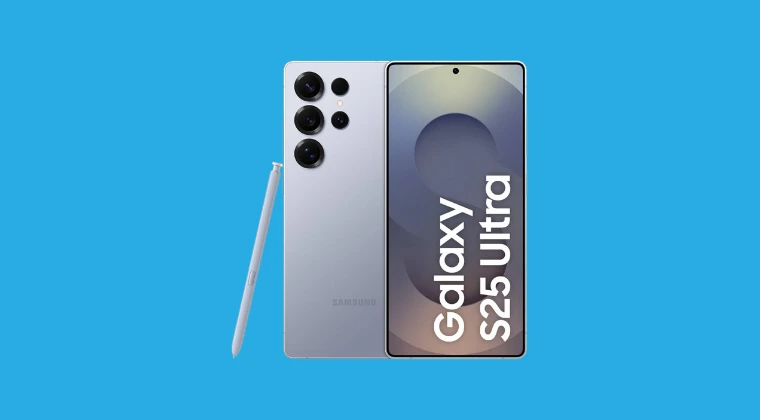
The scope of this update covers the global variants of the flagship lineup, specifically targeting model numbers S931B, S936B, S937B, and the premium S938B. These devices, powered by the latest silicon and running the burgeoning One UI 8.0 and 8.5 ecosystems based on Android 16, represent the cutting edge of mobile technology. By moving to the BIT 7 bootloader, users ensure compatibility with the latest system binaries while retaining the ability to modify the system partition, a feat that requires precise execution and a deep understanding of the flashing environment.
One of the most transformative aspects of this specific firmware package is the "RW USERDATA" (Read-Write Userdata) configuration. In standard factory firmware, the system is cluttered with what the community disparagingly refers to as "bloatware"—pre-installed applications and services that consume storage, memory, and battery life, often without the user’s consent. The BIT 7 update path offered here includes a specialized ROM structure that aggressively purges these elements if the user opts for the modified userdata path. The list of removed components is exhaustive, targeting everything from redundant social media stubs to obscure system trackers.
Among the removed applications are retail and carrier-specific tools like AmazonMDIP and various MDM (Mobile Device Management) clients, which are often used in corporate environments but serve little purpose for the average consumer. Social media integration stubs, such as Facebook App Manager and services, are also excised. These stubs are notorious for running in the background and consuming data even if the user never installs the primary Facebook application. Furthermore, the debloating process targets Samsung’s own ecosystem, removing elements like Bixby Vision, Samsung Pass, and the KidsHome installer. Even Google’s core suite is not exempt; if the user chooses the full debloat path, applications such as YouTube, Gmail, Maps, and Chrome are removed, allowing the user to install "Vanced" or "Lite" alternatives that offer more features or better privacy.

A significant portion of the storage reclaimed during this process comes from the removal of localized Text-to-Speech (TTS) voice data. The firmware removes voice packs for a dozen languages, including Italian, Russian, Hindi, and Thai, which often sit dormant in the system partition taking up hundreds of megabytes. By stripping these, along with the "AREmoji" and "DigitalKey" frameworks, the system becomes significantly leaner. This level of surgical removal is rarely possible on locked devices, highlighting the value of maintaining an unlocked bootloader during the jump to BIT 7.
The technical execution of this upgrade relies heavily on "Patched Odin," a modified version of Samsung’s internal flashing tool. Standard Odin often refuses to flash modified binaries or packages that lack specific cryptographic signatures. The patched variant bypasses these checks, allowing the communication between the PC and the Galaxy S25 in Download Mode to proceed with custom-tailored firmware. This is a critical component of the workflow, as it allows for the flashing of the "Userdata AIO" (All-In-One) addons. For those running One UI 8.5 with Magisk root, a specific Magisk Module Addon has been developed to ensure that the transition does not break root access or the integrity of the Zygisk environment.
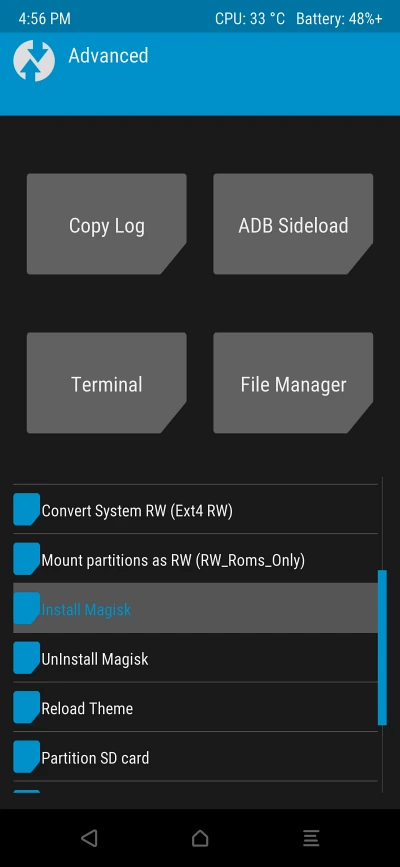
Furthermore, the update incorporates advanced TWRP (Team Win Recovery Project) settings. TWRP remains the gold standard for custom recoveries, providing a touch-based interface for creating "nandroid" backups, wiping partitions, and flashing ZIP files. The inclusion of standalone flashable ZIPs for advanced TWRP settings ensures that once the user reaches the BIT 7 environment, their recovery remains functional and capable of handling the encryption changes introduced in Android 16.

It is essential to credit the developer community for these advancements. The transition from BIT 5 to BIT 7 on the S25 series is largely the result of tireless work by developers such as jrkruse, a recognized contributor on the XDA forums. Developers like jrkruse spend hundreds of hours reverse-engineering firmware binaries to ensure that the community can enjoy the latest features of One UI without sacrificing the freedom that Android was originally built upon. Their work ensures that the "SsuService," "FotaAgent," and other "phone-home" utilities are neutralized, giving the user total control over when and how their device updates.
However, the path of firmware modification is not without its perils. The process of moving to a higher bootloader bit is a "one-way street." Once the Galaxy S25 is successfully updated to BIT 7, there is no possibility of returning to BIT 5 or any earlier version. This makes the preparation phase critical. Users are urged to perform comprehensive backups of their data, as the transition—especially when utilizing the RW USERDATA option—will inevitably result in a factory reset. The loss of Knox integrity is another factor to consider; once the bootloader is unlocked and custom binaries are detected, the Knox "warranty void" fuse is tripped. This permanently disables features like Samsung Pay (now Samsung Wallet) and Secure Folder, though many of these functionalities can be mimicked or restored through various root-level workarounds.
As the Galaxy S25 series continues to mature, the ability to navigate bootloader increments will become increasingly important. Security patches will eventually necessitate a move to BIT 8 and beyond. The current BIT 5 to BIT 7 methodology serves as a blueprint for future updates, proving that with the right tools and community support, the restrictive nature of modern smartphone security can be managed. For the enthusiast, the result is a Galaxy S25 Ultra that is not only the most powerful phone on the market but also a truly personal computer, free from the constraints of factory bloat and manufacturer-imposed limitations.

In conclusion, the jump to the BIT 7 bootloader represents a sophisticated evolution in Samsung device management. It is a process that rewards the meticulous user with a cleaner, faster, and more open operating system. By stripping away the unnecessary layers of the factory ROM and securing the bootloader’s unlocked status, users are effectively future-proofing their devices for the next wave of Android innovation. Whether it is for the sake of privacy, performance, or simply the joy of technical mastery, this update path is a vital resource for the Galaxy S25 community.