

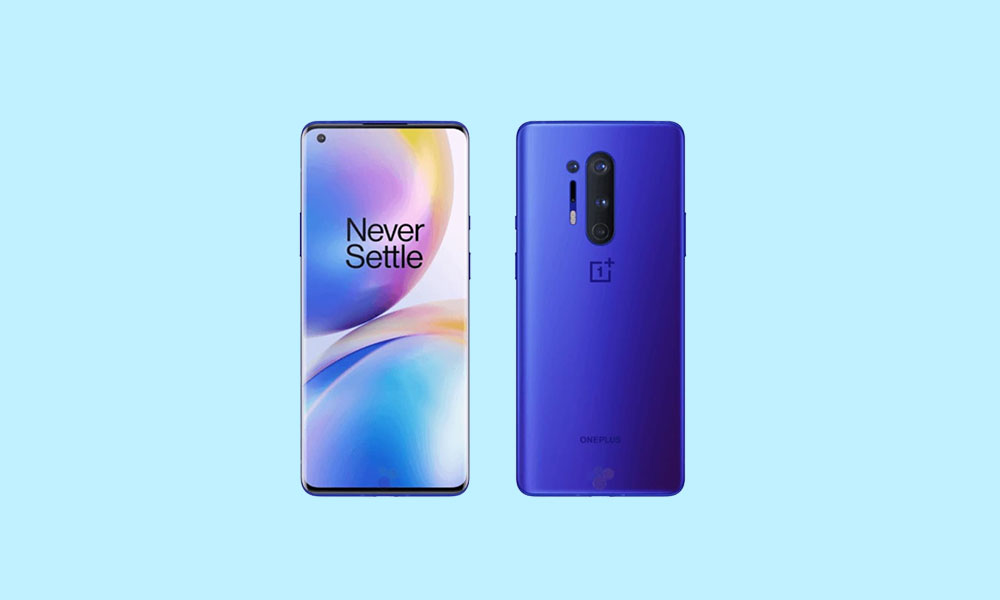
The mobile development community has rapidly extended the lifespan of previous-generation hardware, successfully porting unofficial Android 16 builds to the OnePlus 8 and OnePlus 8 Pro. Although Google’s latest operating system release, Android 16, is primarily designed for contemporary Pixel devices, independent developers have utilized the Open Source Project (AOSP) framework to deliver this cutting-edge software experience to the three-year-old flagships. For dedicated users seeking to bypass the end of official software support from the manufacturer, migrating to an Android 16-based custom ROM represents a significant pathway to accessing modern features and security enhancements.
The Evolution of Design: Android 16’s Material 3 Expressive
Android 16 introduces several fundamental shifts in user experience, headlined by the debut of Material 3 Expressive. This refined design language serves as a crucial evolution of Google’s visual identity, building upon the foundations established by Material Design 3. Instead of presenting a dramatic aesthetic overhaul, Material 3 Expressive focuses on enhancing fluidity, responsiveness, and accessibility, signifying one of the most visible user-facing changes in the current OS iteration.
Material 3 Expressive integrates smoother, more dynamic animations that provide subtle visual feedback and improve the perception of speed. It also incorporates larger touch targets, a key enhancement for improving usability, particularly on larger screens or for users requiring greater precision. Furthermore, the update brings bolder typography and a more cohesive system-wide theming capability, ensuring a harmonized look across native applications.
![How to Install Android 16 on OnePlus 8 and 8 Pro [Download Link]](https://www.getdroidtips.com/wp-content/uploads/2020/04/Download-OnePlus-8-Pro-Stock-Wallpapers-FHD-Resolution.jpg)
This timing is strategic; while Material Design 3, which debuted with Android 13, was well-received, the system required polish. Material 3 Expressive provides this necessary layer of refinement, ensuring the interface feels contemporary and polished. While a comprehensive list of all Android 16 features includes numerous low-level system optimizations designed to improve battery life and thermal efficiency across various device types—including standard handsets, tablets, and foldables—it is the visual and interactive improvements that provide the most immediate benefit to OnePlus 8 series owners.
Revitalizing Capable Hardware: The OnePlus 8 Series
The viability of running a modern operating system like Android 16 on the OnePlus 8 and 8 Pro stems directly from their robust and enduring hardware specifications. Launched in 2020, both devices remain highly capable, featuring the powerful Qualcomm Snapdragon 865 processor coupled with the X55 5G modem. This configuration ensures consistent, high-performance capabilities that comfortably handle the demands of the latest Android releases.
While sharing the same central processing architecture, the Pro model boasts several key enhancements. The OnePlus 8 Pro features a larger 6.7-inch display supporting Quad HD+ resolution and a highly desirable 120Hz refresh rate. This combination provides exceptionally smooth motion and pin-sharp clarity, which is ideally suited to showcasing the dynamic animations of Material 3 Expressive. The standard OnePlus 8, while slightly smaller, still features a high-quality display with Full HD+ resolution.
Furthermore, the memory configuration differentiates the two models. Both phones were available in 8GB/128GB and 12GB/256GB variants, ensuring ample resources for multitasking. However, the OnePlus 8 Pro utilized faster, more modern LPDDR5 RAM, while the standard OnePlus 8 employed LPDDR4 technology. This distinction in memory speed offers the Pro model a subtle performance edge in data-intensive operations, though both platforms are excellent candidates for custom firmware installation. The 8 Pro also offered a more comprehensive camera system, a quad-array setup, adding to its overall premium designation.
![How to Install Android 16 on OnePlus 8 and 8 Pro [Download Link]](https://www.getdroidtips.com/wp-content/uploads/2020/04/OnePlus-8-Pro-300x180.jpg)
The Custom ROM Ecosystem and Current Stability
The porting of Android 16 is made possible through the dedication of the custom development community, leveraging established AOSP principles. Currently, several prominent custom ROMs, including Evolution X and CrDroid OS, have released initial stable or near-stable builds for both the OnePlus 8 and 8 Pro.
Early reports regarding these unofficial Android 16 builds suggest a surprisingly high degree of initial stability. Developers have confirmed that core functionalities, often problematic in initial ports, appear to be operational. This includes essential services like Wi-Fi, Bluetooth, cellular connectivity, and camera functionality. The seamless operation suggests a strong underlying kernel and driver compatibility inherited from previous stable releases.
However, the nature of unofficial development means users must remain vigilant. While the status reports indicate robust performance, unexpected minor bugs may still surface. Users adopting these builds are encouraged to actively participate in the community by reporting any discovered issues, ideally accompanied by detailed logs, to assist developers in refining the user experience.
The Technical Imperative: Prerequisites for Installation
Installing an Android 16 custom ROM is a technical procedure that requires careful preparation and adherence to a defined sequence of steps. Users must understand that this process deviates significantly from standard Over-The-Air (OTA) updates and inherently carries risks, including the potential for data loss or device damage if performed incorrectly.
![How to Install Android 16 on OnePlus 8 and 8 Pro [Download Link]](https://www.getdroidtips.com/wp-content/uploads/2020/06/cmd-platform-tools.jpg)
1. Data Integrity and Backup: The absolute prerequisite for any custom flashing operation is a comprehensive data backup. The crucial initial step of unlocking the bootloader will trigger a mandatory factory reset, wiping all stored user data. Utilizing reliable backup methods is essential to prevent permanent loss of photos, contacts, and application data.
2. System Tools and Drivers: Successful device modification requires establishing a stable communication link between the computer and the smartphone. This necessitates the installation of appropriate OnePlus USB drivers, ensuring reliable data transfer. Furthermore, the installation of ADB (Android Debug Bridge) and Fastboot binaries (Platform-Tools) is required. ADB facilitates basic command-line communication, while Fastboot is the advanced utility used to flash images directly to specific device partitions.
3. Bootloader Unlocking: The primary barrier to custom modification is the device’s locked bootloader. This security feature prevents unauthorized operating system modification. Unlocking the bootloader of the OnePlus 8 or 8 Pro is the necessary gateway to installing a custom recovery environment, though this action voids the device warranty and mandates the aforementioned data wipe.
4. Custom Recovery Environment (TWRP): Following the bootloader unlock, a custom recovery environment, typically TWRP (Team Win Recovery Project), must be flashed onto the device. TWRP replaces the stock recovery and provides a powerful graphical interface necessary for flashing third-party .zip files, which include the custom ROM itself.
![How to Install Android 16 on OnePlus 8 and 8 Pro [Download Link]](https://www.getdroidtips.com/wp-content/uploads/2020/08/twrp-custom-rom.jpg)
5. ROM and GApps Acquisition: Users must download the specific Android 16 custom ROM file (e.g., Evolution X or CrDroid OS) tailored for their respective device model (OnePlus 8 or 8 Pro). Crucially, because AOSP-based custom ROMs are distributed without proprietary Google applications and services, a separate package, known as GApps (Google Apps), must also be downloaded. This package contains vital services like the Google Play Store, Google Play Services, and other core applications.
The installation procedure involves booting into the custom recovery (TWRP), performing necessary system wipes, flashing the Android 16 custom ROM file, and immediately flashing the GApps package before the first reboot. Failing to flash GApps immediately after the ROM will necessitate repeating the entire process.
Conclusion: Sustaining Legacy Devices
The successful deployment of Android 16 on the OnePlus 8 and 8 Pro underscores the power and importance of the custom development community in extending the functional life of high-quality hardware. By offering access to the latest software, security patches, and advanced features like Material 3 Expressive, users can maximize their investment long after official support has ceased. While the installation process demands technical proficiency and carries inherent risks, the reward is a rejuvenated device running the cutting edge of the Android operating system. Users prepared to navigate these technical complexities will find a modern, polished experience awaiting them on their revitalized OnePlus flagship.