

The landscape of Android customization and administrative control has undergone a significant paradigm shift in recent years, moving away from traditional system-modifying root methods toward more sophisticated, "systemless" approaches. At the forefront of this evolution is KernelSU, a kernel-based root solution for Android devices that provides a more integrated and often more stealthy way to manage superuser permissions. However, as with any cutting-edge technology, the transition to kernel-level root management has introduced a unique set of compatibility challenges. One of the most prominent issues currently facing the power-user community is the failure of AdAway, the venerable open-source ad-blocking utility, to function correctly within the KernelSU environment.
AdAway has long been considered the gold standard for advertisement mitigation on the Android platform. Unlike many contemporary solutions that rely on a local Virtual Private Network (VPN) loopback to filter traffic, AdAway operates primarily by modifying the system’s "hosts" file. This method is widely preferred by enthusiasts because it is significantly more resource-efficient. By redirecting known ad-serving domains to the local loopback address (127.0.0.1) at the system level, the device effectively ignores requests to fetch promotional content before they ever leave the network stack. This results in faster page load times, reduced data consumption, and a negligible impact on battery life compared to the overhead required to maintain an active VPN service.
Despite its historical reliability, users migrating to KernelSU and its derivative, KernelSU Next, have reported a persistent and frustrating roadblock: the application frequently fails to copy the updated hosts file to the necessary system directory. In a typical root environment, AdAway requests superuser access to overwrite the /system/etc/hosts file. However, modern Android security architectures, combined with the specific way KernelSU handles filesystem mounts, often render the system partition as "read-only" or utilize EROFS (Enhanced Read-Only File System), which prevents direct modification even with root privileges. While some users have found temporary relief by manually deleting the existing hosts file and rebooting the device, this is a cumbersome and unsustainable "stop-gap" measure that fails to address the underlying architectural conflict.
The root of the problem lies in the mechanism of "systemless" modifications. Traditional root methods like Magisk popularized the concept of an overlay filesystem, where changes are mirrored over the original system files without actually altering the underlying partition. This allows the device to pass integrity checks while still providing the user with the ability to "modify" system files. KernelSU, while powerful, requires specific modules to handle these types of filesystem redirections effectively, especially when dealing with something as sensitive as the hosts file, which is accessed by nearly every process on the device.
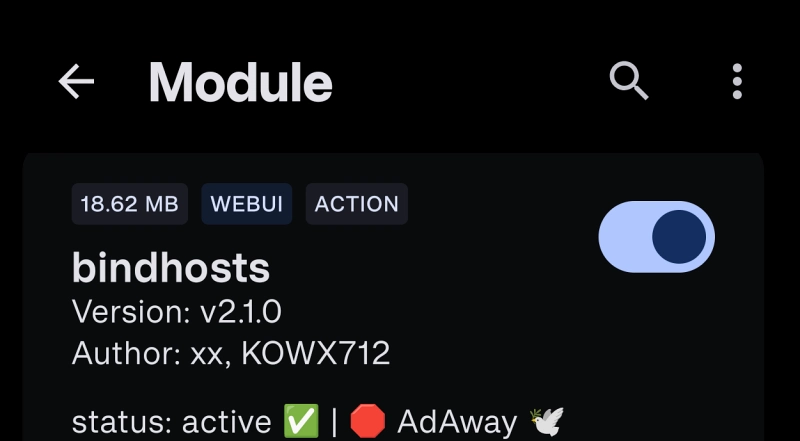
To resolve this impasse, the development community has converged on a definitive solution: the implementation of the Bindhosts module. Bindhosts is a specialized, systemless host utility designed specifically to bridge the gap between advanced root solutions like KernelSU, APatch, and Magisk, and the applications that require host file manipulation. By utilizing the Bindhosts module, users can create a virtualized environment where AdAway can successfully "write" its changes to a redirected path that the system then recognizes as the legitimate hosts file. This bypasses the limitations of read-only partitions and ensures that the ad-blocking definitions remain persistent across reboots without requiring manual intervention.
The process of implementing this fix is straightforward but requires a fundamental understanding of the KernelSU module ecosystem. The first step for any user experiencing these failures is to secure the latest release of the Bindhosts module. This utility is maintained as an open-source project on GitHub, ensuring transparency and frequent updates to maintain compatibility with the latest Android security patches. Once the ZIP package is downloaded, the user must navigate to the KernelSU Manager application—the central hub for managing root permissions and extensions on a KernelSU-enabled device.

Within the KernelSU Manager, the user directs the interface to install a new module from the local storage, selecting the Bindhosts archive. The installation process is handled internally by the kernel-level manager, which prepares the necessary mount points and scripts. Following a successful installation, a full system restart is mandatory. This reboot is critical because it allows the kernel to initialize the Bindhosts overlay before the Android operating system attempts to lock down the filesystem or initiate network services.
Upon restarting, the user can relaunch AdAway. With the Bindhosts module active in the background, AdAway will no longer encounter the "failed to copy" error. Instead, it will perceive a writable environment, allowing it to download the latest blocklists from various providers and apply them to the systemless hosts file. The result is a seamless return to high-performance, root-based ad blocking that respects the integrity of the modern Android partition scheme.
Beyond simply fixing a bug, the necessity of the Bindhosts module highlights a broader trend in the Android modding community: the move toward modularity and specialized tools. As Google continues to harden the Android operating system with features like Protected Confirmation, Virtualization frameworks, and stricter hardware-backed integrity checks, the days of "one-size-fits-all" root solutions are fading. Users are now required to curate a stack of specific tools—KernelSU for the core root access, ZygiskNext for API hooking, and Bindhosts for filesystem redirection—to achieve the same level of customization that was once available through a single application.
This evolution also underscores the importance of the open-source community in maintaining device longevity and user agency. AdAway, KernelSU, and Bindhosts are all community-driven projects. Their interoperability is not the result of corporate coordination but rather the collective effort of independent developers who prioritize privacy and user control. For the end-user, this means that while the technical requirements for maintaining a rooted device have increased, the potential for a clean, advertisement-free mobile experience remains robust.
Furthermore, it is worth noting that while private DNS solutions have gained popularity as a non-root alternative for ad blocking, they cannot fully replicate the efficacy of a root-based hosts modification. Private DNS operates at the network layer and can sometimes be bypassed by applications with hardcoded DNS settings or those using DNS-over-HTTPS (DoH). A systemless hosts file, bolstered by KernelSU and Bindhosts, operates at the OS level, providing a more comprehensive shield that captures requests regardless of the protocol being used.
In conclusion, while the "AdAway Not Working" error on KernelSU may initially seem like a significant setback for those who have moved away from Magisk, it is ultimately a minor hurdle that is easily cleared with the right technical knowledge. The integration of the Bindhosts module is more than just a fix; it is an optimization that aligns the device with modern systemless standards. By following the transition from manual file manipulation to module-based redirection, users can enjoy the best of both worlds: the cutting-edge performance of a kernel-based root solution and the unparalleled ad-blocking capabilities of AdAway. As the Android ecosystem continues to change, these types of modular workarounds will remain the key to unlocking the full potential of the hardware we carry in our pockets every day. For those who encounter further difficulties or have specific questions regarding the interaction between their kernel version and the Bindhosts implementation, the community remains an active resource for troubleshooting and further refinement of these essential privacy tools.