

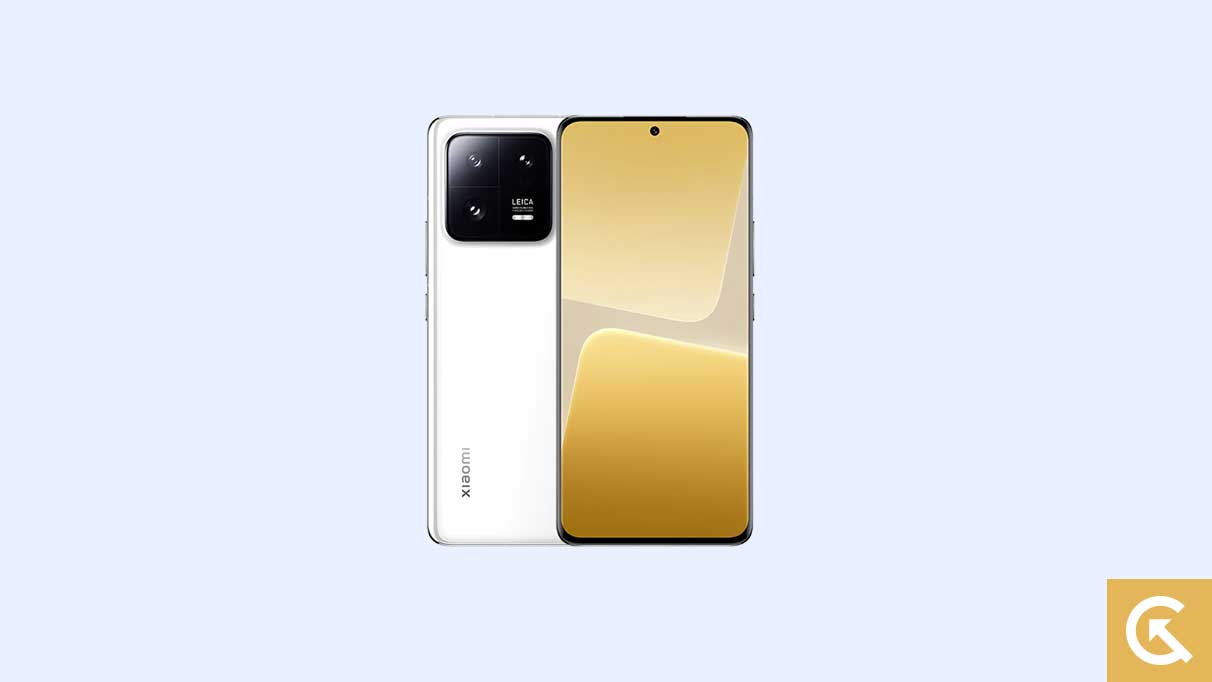
The pursuit of the latest Android experience often requires users of non-Pixel flagship devices to wait months for official manufacturer rollouts. However, the active developer community has once again compressed this timeline, delivering functional, albeit unofficial, ports of the nascent Android 16 operating system to older, powerful hardware, specifically the Xiaomi 13 and 13 Pro. For dedicated users seeking to maximize the longevity and performance of their devices, migrating to an Android 16-based custom ROM derived from the Android Open Source Project (AOSP) offers immediate access to Google’s newest features and design paradigm shifts, long before Xiaomi finalizes its MIUI adaptation.
This rapid availability stems from the core strength of the Android ecosystem, allowing developers to swiftly adapt Google’s source code, initially released for Pixel hardware, to other devices with unlocked bootloaders. The Xiaomi 13 series, despite being superseded by newer models, remains a prime candidate for this treatment due to its robust specifications and dedicated enthusiast base.
The Evolution of the Android Experience: Android 16 Features
Android 16 marks a significant step in Google’s commitment to refining its aesthetic and user interaction models, encapsulated in the introduction of Material 3 Expressive. While not a radical visual departure, this refined design language focuses heavily on fluidity, responsiveness, and accessibility, building upon the foundations established by Material Design 3.
![How to Install Android 16 on Xiaomi 13 and 13 Pro [Download Link]](https://www.getdroidtips.com/wp-content/uploads/2023/03/Xiaomi-13-Pro.jpg)
Material 3 Expressive enhances the user interface by incorporating smoother, more dynamic system animations that provide visual feedback and context. Furthermore, Google has emphasized improved usability through larger, more distinct touch targets and a bolder approach to system typography, ensuring a cleaner and more intuitive interaction, particularly critical on large-screen devices like the 13 Pro.
This interface update arrives strategically, addressing criticisms that Material Design 3, first deployed with Android 13, had begun to feel somewhat static. The expressive layer breathes new vitality into the OS, maintaining familiarity while substantially upgrading the polish and user delight factor. Beyond design, Android 16 also introduces a suite of backend optimizations aimed at improving battery efficiency, bolstering system security, and enhancing compatibility across diverse device form factors, including foldables and tablets, ensuring a streamlined experience whether running a standard phone or a complex device. While official device vendors will eventually integrate these features, the custom ROM route provides the pure, unadulterated AOSP experience immediately.
The Xiaomi 13 Pro: A Custom ROM Powerhouse
The Xiaomi 13 Pro, launched with Android 13-based MIUI 14, provides an exceptional hardware foundation for running a lean, optimized AOSP build. Its specifications position it as a device capable of easily handling the demanding requirements of a cutting-edge operating system.
The device features a premium 6.73-inch 2K OLED display, offering vibrant visuals with support for both Dolby Vision and HDR10+, coupled with a dynamic 120Hz refresh rate. Powering this experience is the flagship Qualcomm Snapdragon 8 Gen 2 chipset, paired with up to 12GB of high-speed LPDDR5X RAM and 512GB of UFS 4.0 internal storage.
![How to Install Android 16 on Xiaomi 13 and 13 Pro [Download Link]](https://www.getdroidtips.com/wp-content/uploads/2023/03/Xiaomi-13-Pro-300x169.jpg)
Crucially, the performance gains achieved by switching from the resource-intensive MIUI skin to a minimal custom AOSP ROM are often noticeable, allowing the Snapdragon 8 Gen 2 to operate with greater efficiency. The 13 Pro also boasts formidable camera hardware, thanks to its collaboration with Leica, featuring a triple rear setup highlighted by a 50-megapixel 1-inch Sony IMX989 primary sensor and a unique 75mm floating telephoto lens. Maintaining functionality for this complex hardware suite within a custom ROM environment is a testament to the dedication of the independent developer community. Furthermore, the device’s longevity is secured by its 4,820mAh battery, supported by blazing-fast 120W wired charging and 50W wireless charging, alongside IP68 dust and water resistance.
Prerequisites for Installation: Navigating the Technical Landscape
Installing a custom operating system requires several crucial preparatory steps that modify the device’s factory configuration. These steps carry inherent risks, including the potential for data loss and device instability, necessitating meticulous adherence to safety protocols.
1. Data Integrity and Power Management
The fundamental first step is a comprehensive backup of all personal data. The process of unlocking the bootloader and flashing new partitions inevitably involves a complete device wipe. Furthermore, to mitigate the risk of interruption during the critical flashing sequences, the device must maintain a charge level of at least 50%. An unexpected power shutdown during a firmware installation can lead to a soft or hard brick, requiring advanced recovery procedures.
2. Essential Command-Line Utilities: ADB and Fastboot
Successful interaction between the host computer and the mobile device during the flashing process relies on the Android Debug Bridge (ADB) and Fastboot. ADB is primarily used to establish communication, enabling debugging and file transfers, while Fastboot is the specialized protocol used when the device is in bootloader mode. It is the core utility required to flash modified partitions, including custom recoveries and ROMs. These binaries must be downloaded and correctly configured within the system environment (Platform-Tools). Corresponding, up-to-date Xiaomi USB drivers are also mandatory to ensure seamless recognition and communication.
![How to Install Android 16 on Xiaomi 13 and 13 Pro [Download Link]](https://www.getdroidtips.com/wp-content/uploads/2020/06/cmd-platform-tools.jpg)
3. Unlocking the Bootloader: The Gateway to Customization
The single most critical step is unlocking the bootloader of the Xiaomi 13/13 Pro. By default, manufacturers lock the bootloader to prevent unauthorized firmware modifications, protecting intellectual property and ensuring device security. Unlocking it grants the user permission to write custom images to the device partitions. This process is irreversible without reflashing official firmware and will invariably trigger a factory reset, reinforcing the necessity of a prior data backup.
4. Custom Recovery Environment: TWRP
After the bootloader is unlocked, a custom recovery environment, typically Team Win Recovery Project (TWRP), must be installed. TWRP replaces the stock recovery and offers an advanced graphical interface environment that allows users to perform critical maintenance tasks, such as wiping partitions, creating system backups, and flashing ZIP files containing custom ROMs, kernels, and patches.
Available Android 16 Custom ROMs
The developer community has already made several stable AOSP-based Android 16 builds available for both the Xiaomi 13 and 13 Pro. These custom firmware packages offer varied experiences, from the minimalist purity of LineageOS to feature-rich alternatives like Evolution X and CrDroid.
| OS Distribution | Device | Status & Focus |
|---|---|---|
| Lineage OS 23 | Xiaomi 13 (Fuxi) & 13 Pro | Renowned for stability, security, and adherence to AOSP principles. |
| Evolution X | Xiaomi 13 | Focuses on deep customization and feature parity with Pixel devices. |
| CrDroid OS | Xiaomi 13 Pro | Offers enhanced performance and a multitude of configuration options. |
| RisingOS | Xiaomi 13 Pro | Unofficial build known for its polished interface and performance tweaks. |
The Flashing Procedure and Post-Installation Steps
The installation process generally involves booting into the custom recovery (TWRP), performing necessary data and cache wipes, and then sequentially flashing the custom ROM ZIP file followed immediately by the required Google Apps package (GApps).
![How to Install Android 16 on Xiaomi 13 and 13 Pro [Download Link]](https://www.getdroidtips.com/wp-content/uploads/2020/08/twrp-custom-rom.jpg)
GApps are essential because most AOSP-based custom ROMs are distributed without proprietary Google Mobile Services (GMS), including the Google Play Store, Gmail, and core framework services. Flashing GApps immediately after the ROM, and before the first reboot, ensures the entire system integrates correctly.
Following the final flash, the device is rebooted. It is important to note that the initial boot cycle into the new Android 16 environment will take significantly longer than standard reboots as the operating system finalizes its internal setup. Users will then proceed through the standard Android setup wizard.
Current reports indicate that the primary functions of these early Android 16 ports are highly stable, with developers confirming that critical elements are functioning correctly. Any discovered anomalies, however, must be reported diligently to the respective developers along with detailed system logs to aid in ongoing refinement. By undertaking this process, Xiaomi 13 series users successfully future-proof their devices, accessing modern features and securing a superior, unencumbered Android experience well beyond the official support window.