

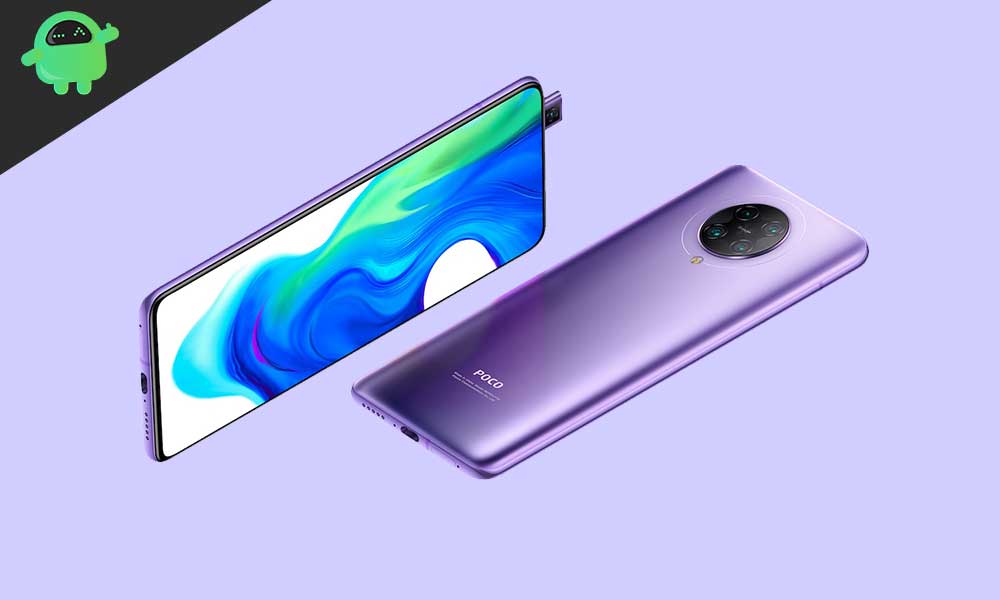
The Xiaomi Poco F2 Pro, known internationally as the Xiaomi Redmi K30 Pro, was a technical marvel upon its release, offering true flagship performance without the customary high-end price tag. As the device enters its twilight years regarding official software support, the enthusiasm of the Android developer community has offered a significant reprieve. Users of this powerful device can now sidestep manufacturer update cycles and install an unofficial port of Android 16, leveraging the latest features and security enhancements provided by Google’s newest operating system iteration.
The Architectural Leap: Understanding Android 16
The installation of a custom Android 16-based AOSP (Android Open Source Project) ROM is primarily driven by the desire to experience Google’s latest advancements in mobile operating system design and efficiency. Central to Android 16 is the introduction of Material 3 Expressive, a major refinement of the Material Design language. While not a wholesale visual reinvention, Material 3 Expressive significantly enhances the user interface foundation established by earlier versions of Material Design 3. This upgrade focuses on fluidity, incorporating smoother, more dynamic animations, optimizing touch targets for greater accessibility, and introducing bolder, more refined typography throughout the system.
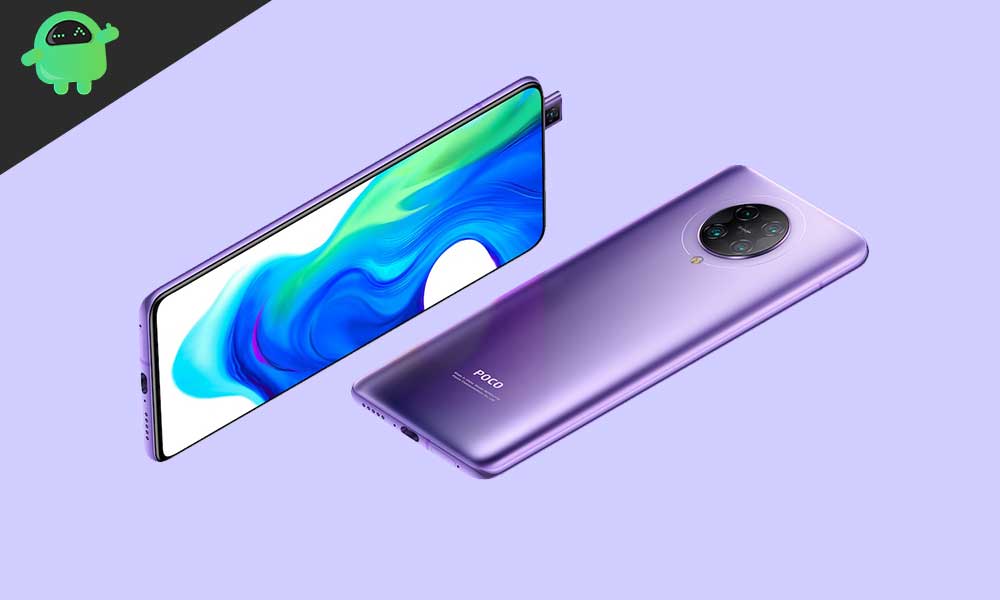
This design evolution arrives at a critical juncture, ensuring the Android interface remains modern, responsive, and aesthetically pleasing across various form factors, including standard phones, tablets, and emerging foldable devices. Beyond the visual polish, Android 16 integrates crucial system optimizations, potentially improving memory management, enhancing battery efficiency, and bolstering core security protocols—benefits that breathe new performance life into older, yet capable, hardware like the Poco F2 Pro.
The Enduring Power of the Poco F2 Pro
The viability of running a demanding modern OS like Android 16 on the Poco F2 Pro stems directly from its high-end specifications at launch. The device was engineered as a performance powerhouse, featuring the Qualcomm Snapdragon 865 processor, a chip that continues to offer robust capabilities years later. This is paired with the powerful Adreno 650 GPU, ensuring smooth handling of graphics-intensive applications and the dynamic animations of the new OS.
Memory configurations ranged from 6GB to 8GB of high-speed LPDDR5 RAM, providing ample bandwidth for multitasking. Furthermore, the top-tier 256GB storage variant utilized ultra-fast UFS 3.1 technology, which drastically reduces load times and improves overall system responsiveness—a key factor in ensuring a custom ROM experience feels snappy and modern. The phone’s thermal management system, incorporating Liquid Cooling 2.0, also contributes to sustained performance, vital when running heavy custom software loads.

Physically, the device boasts a premium aluminum frame and a glass body protected by Corning Gorilla Glass 5. Its display is a vibrant 6.67-inch 1080p Super AMOLED panel with HDR10+ certification, offering deep blacks and excellent color accuracy. Notably, the Poco F2 Pro utilized a pop-up mechanism for its 20MP front-facing camera, eliminating display notches and maximizing the screen-to-body ratio (around 87%) for an immersive viewing experience.
Launched running Android 10 overlaid with MIUI 11, the F2 Pro’s original software experience, while comprehensive, is now significantly dated. The hardware specifications—including the versatile quad-camera array (64 MP primary sensor, 5 MP telephoto macro, 13 MP ultrawide), 4700 mAh battery with 30W fast charging, and connectivity options like Wi-Fi 6 and Bluetooth 5.1—demonstrate that the physical platform is perfectly adequate for a modern operating system, making it an ideal candidate for community-driven software upgrades.
Navigating the Custom ROM Landscape
While the technical foundation of the Poco F2 Pro is strong, accessing Android 16 requires moving beyond official channels and utilizing custom ROMs. This process necessitates several critical steps, which carry inherent risks and require a degree of technical proficiency.
The first and most crucial step is Unlocking the Bootloader. The bootloader is a protective layer enforced by Xiaomi, designed to ensure only verified, official software can run on the device. Unlocking it is mandatory for installing any custom recovery or unofficial operating system. This action typically voids the manufacturer’s warranty and, importantly, results in a complete wipe of all user data, underscoring the necessity of a thorough data backup beforehand.
Following the bootloader unlock, users must install a Custom Recovery Environment, most commonly the Team Win Recovery Project (TWRP). TWRP replaces the stock recovery and provides the graphical interface necessary to flash unsigned ZIP files, including the Android 16 custom ROM and associated packages.
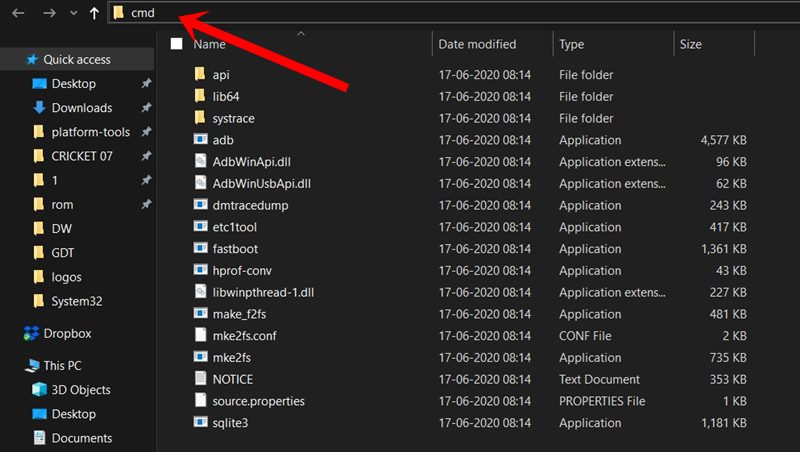
For the successful transfer and execution of these files, specific desktop tools are required. ADB (Android Debug Bridge) and Fastboot binaries (platform-tools) are command-line utilities that establish a communication bridge between the computer and the device while it is in bootloader mode. These tools are indispensable for flashing the custom recovery image and managing the low-level functions of the phone. Furthermore, ensuring the PC recognizes the device requires the installation of the latest Xiaomi USB drivers.
The Software Components
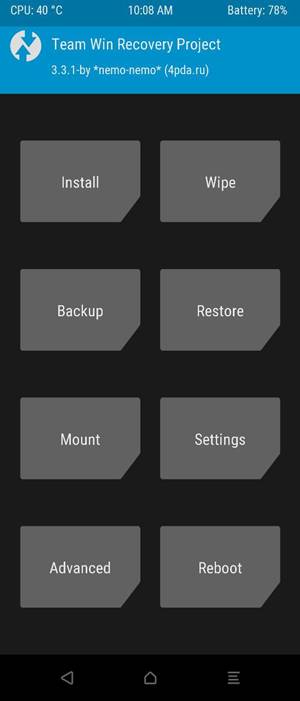
The installation process involves two main software components: the Android 16 custom ROM itself, often based on AOSP, and the Google Apps package (GApps). Unlike official OEM firmware, AOSP builds do not inherently include proprietary Google services like the Play Store, Gmail, or Google Maps. These essential services must be downloaded and flashed separately immediately after the core ROM installation, without rebooting the device in between.
The custom ROM community diligently works to ensure stability. While initial AOSP ports may present minor issues, reports indicate that core functionalities—including cellular connectivity, Wi-Fi, camera functions, and display output—are operational. Users are encouraged to actively participate by reporting any encountered bugs, accompanied by proper technical logs, to the respective developers, aiding in the continuous refinement of the unofficial build.
The migration to Android 16, though unofficial, represents a calculated decision by users seeking to maximize the lifespan and utility of their premium hardware. By embracing the custom ROM community, Poco F2 Pro owners can unlock a modern software experience characterized by improved performance, cutting-edge security features, and the aesthetic appeal of Material 3 Expressive, successfully transforming a legacy device into a technically relevant piece of mobile technology.