

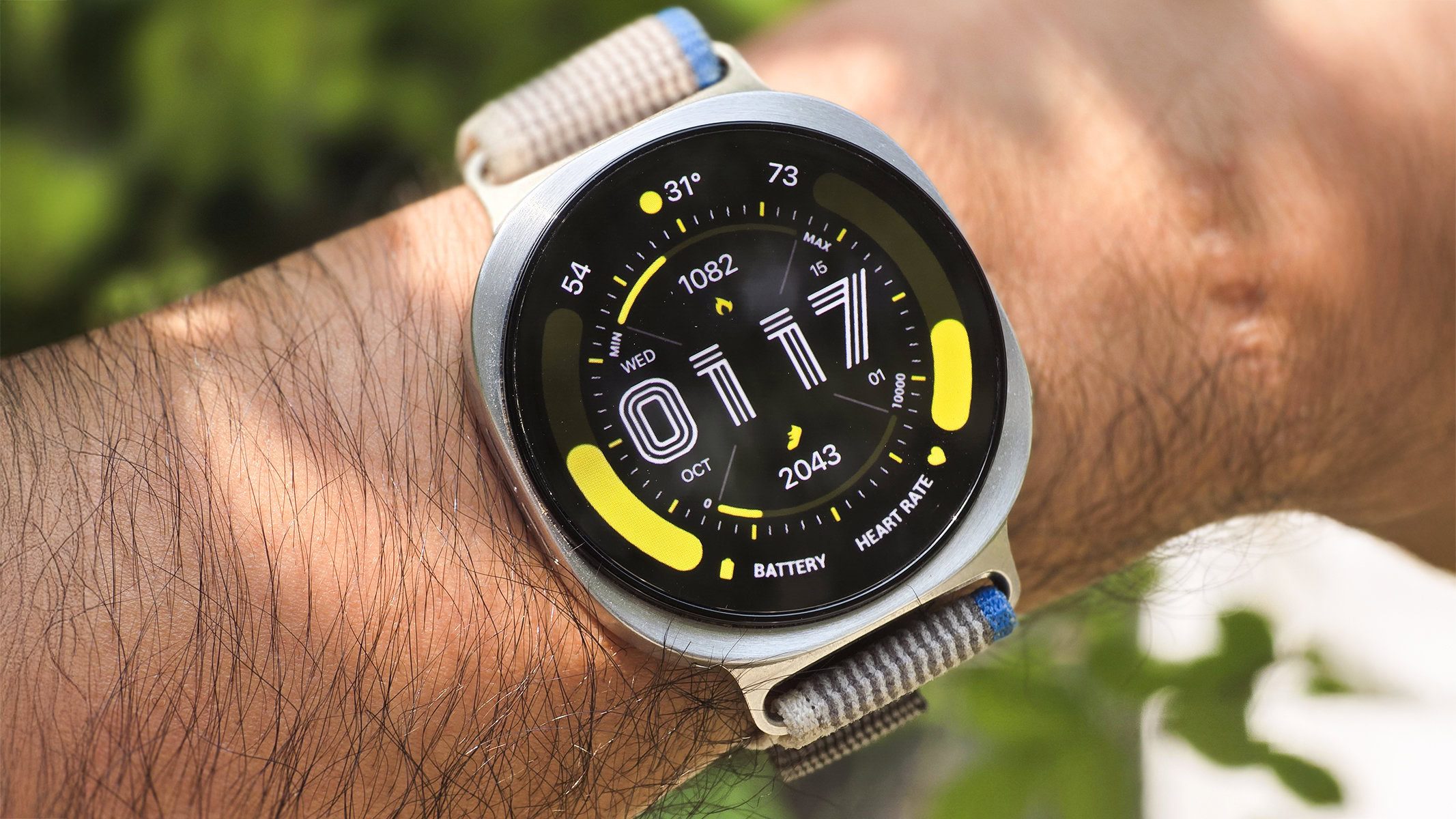
The promise of a seamless, highly customizable wearable experience has hit a significant technical hurdle for enthusiasts of the Google and Samsung smartwatch ecosystems. Following the recent rollout of Wear OS 6 and its subsequent iterations, a growing number of users are reporting a frustrating visual bug that compromises the primary function of their devices: the ability to clearly tell time. This rendering flaw, which appears to specifically target third-party watch faces, has introduced a phenomenon often described as "ghosting" or "layering artifacts," where elements of the Always-On Display (AOD) fail to clear when the watch transitions to its active, fully illuminated state.
The issue first gained traction earlier this month as Google began deploying Wear OS 6.1 to its Pixel Watch lineup. While the update was intended to refine the user experience and introduce subtle performance enhancements, it inadvertently highlighted a deeper architectural conflict within the operating system’s latest version. This problem is not exclusive to Google’s hardware; it has also been documented on Samsung Galaxy Watch models running the Wear OS 6-based One UI 8 Watch skin. The common denominator across these high-end wearables is the underlying transition logic used to move between low-power standby modes and active user interactions.
According to technical reports and user testimonials aggregated from various developer forums and the Google IssueTracker, the bug manifests as a semi-transparent overlay. When a user lifts their wrist or taps the screen to wake the device, the high-detail, full-color watch face loads, but it does so beneath the simplified, monochromatic layout of the Always-On Display. This results in a cluttered, illegible screen where numbers, complications, and decorative elements from two different display states occupy the same visual space. For many, this renders the watch face useless until the device is toggled through additional menus or the watch face is manually reset.
Interestingly, the glitch does not appear to trigger immediately upon the installation of a new watch face. Users have observed that the rendering errors typically emerge after a third-party face has been active for several hours or days. This latency suggests a memory leak or a progressive failure in the display buffer management system. Once the bug takes hold, it persists across different lighting conditions and interaction types, fundamentally breaking the aesthetic and functional appeal of custom watch face designs that users often purchase from the Google Play Store.
The root cause appears to be tied to a fundamental change in how Wear OS 6 handles the "Watch Face Format" (WFF). Introduced by Google as a way to standardize watch face development and improve battery efficiency, the WFF offloads the rendering of watch faces to a dedicated system service rather than allowing individual apps to run their own background code. While this move was praised for its potential to extend battery life, the transition to this new engine seems to have introduced complexities in how the system handles the transition animations between the AOD and active states. Because the system is now responsible for drawing these elements, any flaw in the OS’s rendering pipeline affects all third-party faces built on this framework.
Crucially, pre-installed "stock" watch faces from Google and Samsung remain unaffected by this phenomenon. These proprietary faces often utilize different rendering paths or are hard-coded into the system firmware, allowing them to bypass the glitches currently plaguing the third-party developer community. For users who rely on the vast library of creative and data-heavy faces available on the Play Store, this provides little comfort. The inability to use third-party customizations strikes at the heart of the Wear OS value proposition, which has long marketed itself as the more open and customizable alternative to Apple’s locked-down watchOS.
The timeline of this bug reveals a slow response from the platform maintainers. A case regarding this specific display behavior was opened on the Google IssueTracker as far back as October, indicating that the problem was present during the early testing phases of Wear OS 6. Despite months of feedback from beta testers and early adopters, the stable release of the software—and the subsequent 6.1 patch—has failed to implement a permanent fix. Samsung has also acknowledged the issue within its own community forums, noting that its engineering teams are investigating the interaction between One UI 8 Watch and the third-party API.
The impact on the developer ecosystem cannot be understated. Many independent developers who specialize in high-quality digital and analog watch faces are finding themselves inundated with negative reviews and refund requests from confused customers. Since the problem resides within the operating system’s rendering engine and not the watch face code itself, developers are largely powerless to fix the issue on their end. This creates a reputational risk for the Wear OS platform, as users may begin to associate third-party apps with instability, potentially driving them back to stock faces or away from the ecosystem entirely.
For the time being, the community has discovered a few temporary workarounds, though none are particularly convenient. Some users have found that switching to a different third-party watch face and then back again can temporarily clear the display buffer and restore normal operation. Others have reported that a full system restart provides a brief window of stability. However, the most reliable way to avoid the ghosting effect remains the most disappointing: reverting to the default watch faces provided by the manufacturer. By sticking to the pre-installed options, users can ensure their display remains clear, albeit at the cost of their personal style and preferred data complications.
The current situation highlights the growing pains of the Wear OS platform as it attempts to modernize its architecture. The partnership between Google and Samsung, which began with the launch of the Galaxy Watch 4 and the "unified" Wear OS 3, was meant to bring a new era of stability and performance to Android wearables. While the platform has certainly improved in terms of app support and battery management, these types of persistent visual bugs suggest that the software quality assurance process still lags behind the hardware’s rapid advancement.
As wearables become more integral to health tracking and digital productivity, the reliability of the display is paramount. A smartwatch that cannot accurately display the time or its complications fails its most basic requirement. The industry is now looking toward Google for a comprehensive system update that addresses the transition logic within the Wear OS rendering pipeline. Until such a patch is deployed, the "ghosts" of the Always-On Display will likely continue to haunt the screens of Pixel and Galaxy Watch users, serving as a reminder of the complexities involved in balancing deep customization with system-level stability.
In the broader context of the wearable market, this incident serves as a cautionary tale regarding the transition to new software standards. While the Watch Face Format is undoubtedly the future of the platform, its implementation must be robust enough to handle the diversity of the developer ecosystem. For now, users are advised to keep their devices updated and monitor official support channels for a definitive resolution. The wait for a fix continues, as the community hopes that the next version of Wear OS will finally banish these visual artifacts and restore the clarity that premium smartwatch owners expect.