

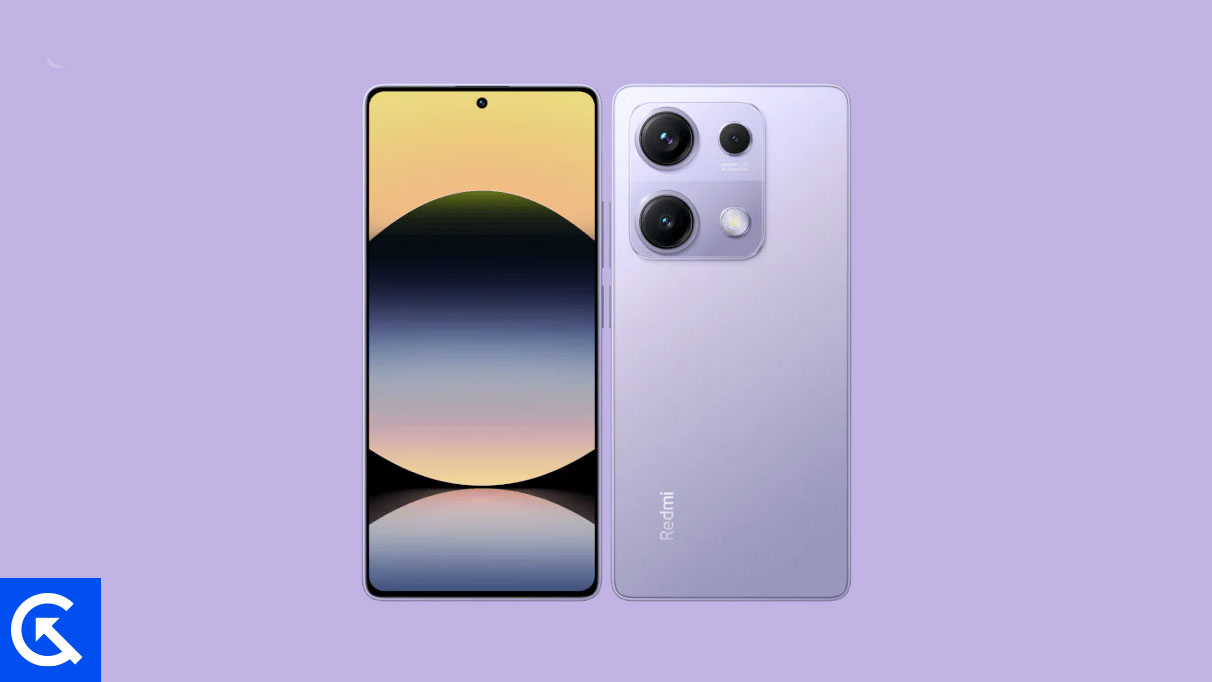
The pursuit of cutting-edge mobile operating systems often outpaces official manufacturer update schedules. For owners of capable hardware, the custom ROM community provides a vital bridge, enabling immediate access to features and security patches that might otherwise take months to arrive. This rapid development cycle is currently benefiting users of the Xiaomi Redmi Note 14S, a device launched running Android 15, which is now receiving stable, unofficial ports of the newly released Android 16 operating system. While Google’s latest OS iteration initially targets its proprietary Pixel line, independent developers have successfully compiled and optimized AOSP (Android Open Source Project) builds for the popular mid-range Xiaomi device, breathing significant new life into its hardware.
This preemptive software upgrade allows the Redmi Note 14S to bypass the typical wait for Xiaomi’s proprietary HyperOS integration of Android 16, granting enthusiasts early access to crucial performance enhancements and the most notable user-facing change: Material 3 Expressive.
Android 16 and the Evolution of Material Design
Android 16, while focusing heavily on under-the-hood system optimizations and improved compatibility for form factors like foldables and tablets, has primarily introduced Material 3 Expressive as its aesthetic signature. This refined design language is not a revolutionary visual overhaul but rather a sophisticated evolution of the foundational Material Design 3, which debuted with Android 13.
![How to Install Android 16 on Xiaomi Redmi Note 14S [Download Link]](https://www.getdroidtips.com/wp-content/uploads/2025/03/Xiaomi-Redmi-Note-14S.jpg)
Material 3 Expressive focuses intensely on fluidity, polish, and usability. It addresses criticisms that the preceding design iterations had become somewhat static or dull by integrating smoother, more dynamic animations that provide better visual feedback. Key changes include larger touch targets, which enhance accessibility and ease of use, and bolder, more refined typography, improving information hierarchy across the interface. Google’s strategy here is subtle but effective: to elevate the existing user experience without disrupting user familiarity. The shift towards Expressive revitalizes the interface, injecting necessary modern polish and dynamic movement that keeps the Android experience feeling current and responsive across diverse screen sizes and resolutions.
Beyond the cosmetic changes, Android 16 typically delivers critical system optimizations aimed at improving battery efficiency, memory management, and overall system responsiveness. These updates collectively enhance the longevity and performance of devices like the Redmi Note 14S, ensuring they remain competitive long after their initial release date.
The Hardware Foundation: Xiaomi Redmi Note 14S
The viability of running future-generation Android builds relies heavily on the underlying hardware architecture. The Xiaomi Redmi Note 14S, released in March 2025, possesses specifications that make it an excellent candidate for extended community support.
The device features a vibrant 6.67-inch AMOLED display, offering a 120Hz refresh rate and a peak brightness of 1300 nits, protected by Corning Gorilla Glass 5. This high-quality visual output ensures the new visual flourishes of Material 3 Expressive are rendered optimally. Under the hood, the 14S is powered by the MediaTek Helio G99 Ultra chipset, an octa-core processor coupled with the Mali-G57 MC2 GPU. Paired with a substantial 8GB of RAM and 256GB of UFS 2.2 storage (expandable via a shared SIM slot), the device possesses ample processing power and memory capacity to handle the increased demands of a new major OS version.
![How to Install Android 16 on Xiaomi Redmi Note 14S [Download Link]](https://www.getdroidtips.com/wp-content/uploads/2025/03/Xiaomi-Redmi-Note-14S-300x169.jpg)
Photography is anchored by a versatile 200MP main camera equipped with Optical Image Stabilization (OIS), supplemented by 8MP ultrawide and 2MP macro lenses, while the 16MP front camera handles high-resolution video capture. Powering this system is a robust 5000mAh battery supporting 67W fast charging, capable of reaching a 100% charge in under 50 minutes. Features like IP64 water resistance, dual stereo speakers, and an under-display fingerprint sensor complete the package, solidifying the Redmi Note 14S as a well-rounded and high-performance platform for advanced customization.
Navigating the Custom Flashing Procedure
The installation of an unofficial custom ROM, such as the Android 16 AOSP build, is a technical process that mandates strict adherence to several preparatory steps. This procedure moves beyond standard over-the-air (OTA) updates and requires the user to gain deep system access.
Data Security and Preparation:
The paramount initial step is a comprehensive data backup. The entire flashing process, particularly the prerequisite step of unlocking the bootloader, involves mandatory data erasure, ensuring that all personal files, applications, and settings are secured externally before proceeding. Furthermore, ensuring the device maintains at least a 50% battery charge is critical to prevent power loss during the sensitive flashing operations, which could result in a hard brick.
Establishing the Development Environment:
The successful modification of Android devices requires specialized command-line utilities. Users must install the Android Debug Bridge (ADB) and Fastboot binaries, collectively known as Platform-Tools. ADB serves as a crucial communication layer, facilitating user-space commands and debugging between the PC and the device, while Fastboot operates at a lower level, specifically enabling the flashing and modification of crucial partitions like the recovery environment. Proper installation of the corresponding Xiaomi USB drivers is necessary to ensure a stable, high-speed connection between the computer and the Redmi Note 14S.
![How to Install Android 16 on Xiaomi Redmi Note 14S [Download Link]](https://www.getdroidtips.com/wp-content/uploads/2020/06/cmd-platform-tools.jpg)
Unlocking the Bootloader:
This step is the gateway to all custom modifications. Xiaomi, like most manufacturers, locks the bootloader to protect the device’s integrity and security. Unlocking it voids the device warranty and triggers a factory reset. This action permits the device to boot unsigned third-party software, which is essential for installing custom recovery environments and ROMs. Users must follow Xiaomi’s specific, often time-gated, official protocol for this procedure.
Custom Recovery Installation:
Following the bootloader unlock, the standard recovery partition must be replaced with a custom recovery solution, typically Team Win Recovery Project (TWRP). TWRP provides a crucial touch-enabled graphical interface necessary for navigating the device’s internal storage and executing the installation of zipped custom ROM files and supplementary packages, which cannot be done via the stock recovery.
The Flashing Sequence:
Once TWRP is operational, the user must download the specific Android 16 custom ROM image tailored for the Redmi Note 14S. Crucially, most AOSP-based ROMs do not include proprietary Google applications (GApps). Therefore, a separate, compatible Android 16 GApps package must also be downloaded. The standard procedure involves wiping the device partitions (excluding internal storage), flashing the primary ROM file, and then immediately flashing the GApps package before the first reboot. Skipping the immediate GApps flash can lead to system instability or require a complete re-flash.
Current Stability and Community Contributions
Early reports concerning the unofficial Android 16 port for the Redmi Note 14S suggest a high degree of stability. Developers appear to have successfully resolved most critical hardware function issues, indicating that core components—such as the camera, Wi-Fi, Bluetooth, and cellular connectivity—are fully functional. While custom builds inherently carry a risk of minor, localized bugs, the current status is encouraging for daily use.
![How to Install Android 16 on Xiaomi Redmi Note 14S [Download Link]](https://www.getdroidtips.com/wp-content/uploads/2020/08/twrp-custom-rom.jpg)
The nature of custom development means that users are encouraged to actively participate in quality assurance. Any minor defects encountered require immediate reporting, complete with technical logs, to the respective developers. This collaborative effort is fundamental to refining the build and achieving full production readiness.
By adopting this custom firmware, Redmi Note 14S owners secure access to the newest Android features and security infrastructure long before the official update cycle concludes, effectively extending the functional lifespan and value of their device through the innovation of the independent developer community.