


The landscape of Android smartphone maintenance and recovery has undergone a radical transformation over the last several years, particularly within the ecosystem of brands under the BBK Electronics umbrella, including Oppo, Realme, and OnePlus. Historically, the community relied on the proprietary MSM Download Tool to recover devices from "hard brick" scenarios—states where the device is unresponsive and cannot boot into the standard Android OS or even Recovery Mode. However, as manufacturers have tightened security protocols and transitioned toward more restricted, server-authenticated flashing environments, the availability of free, accessible unbricking solutions has dwindled. The emergence of the Oplus EDL Tool represented a significant milestone for enthusiasts and independent repair technicians, offering a bridge to the Emergency Download (EDL) mode of Qualcomm-based chipsets. Yet, this utility is not without its technical hurdles, most notably the persistent and frustrating "Failed to Send Programmer" and "Failed to Configure" errors. Understanding the resolution of these issues requires a multifaceted approach that balances hardware integrity, software configuration, and a deep understanding of the Qualcomm handshake protocol.
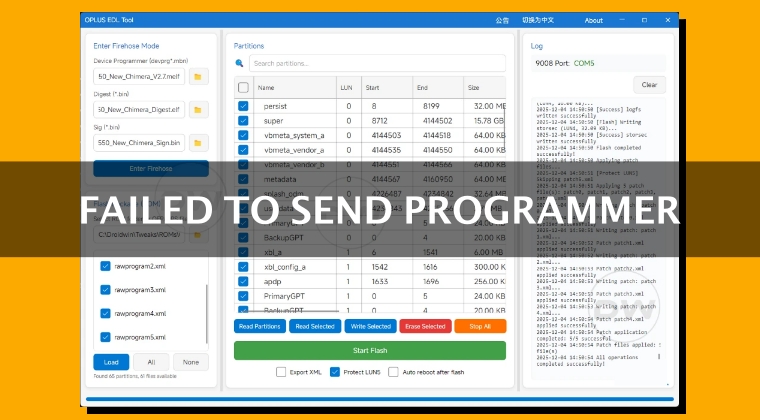
The stakes for independent device recovery are remarkably high. In the current market, users who find themselves with a bricked device often face a binary choice: utilize expensive remote flashing services or visit an authorized service center. Remote services, while effective, frequently command fees ranging from $60 to $100 per session, a cost that can represent a significant portion of the device’s secondary market value. Conversely, service centers offer a more official route, but their accessibility is geographically inconsistent, and the "free" nature of their repairs often depends on warranty status or the successful negotiation skills of the consumer. Consequently, the Oplus EDL Tool has become a vital resource for the global community, though its efficacy is frequently challenged by the "Failed to Send Programmer" error, which essentially signals a breakdown in communication between the host workstation and the device’s Primary Bootloader (PBL).
To resolve these errors, one must first address the physical layer of the data transmission. The EDL mode, identified in Windows Device Manager as Qualcomm HS-USB QDLoader 9008, is notoriously sensitive to signal interference and power fluctuations. Standard USB cables provided with modern smartphones are often optimized for high-wattage charging rather than low-level data synchronization. When encountering a configuration failure, the first step is a rigorous audit of the hardware interface. Technicians recommend abandoning USB 3.0 or 3.1 ports in favor of the older, more stable USB 2.0 standard. The higher data rates and different power delivery profiles of USB 3.0 can introduce latency or "noise" that interrupts the delicate handshake required to push the Firehose programmer to the device’s RAM. Furthermore, the use of a high-quality, short-length data cable is paramount; excessive cable length can lead to voltage drops that cause the device to drop out of EDL mode mid-transfer.
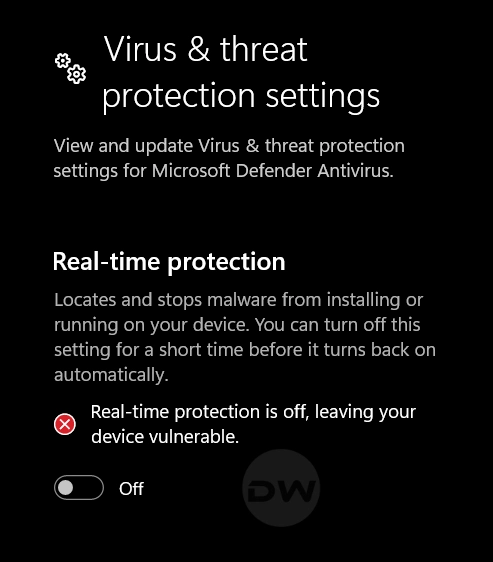
Beyond the physical connection, the host operating system’s security environment often acts as a silent executioner for flashing processes. The Oplus EDL Tool, like many low-level utility programs, interacts with hardware at a kernel level that Windows Defender and third-party antivirus suites frequently flag as suspicious behavior. These security tools may allow the application to launch but will intercept the specific packets intended for the COM port, resulting in the "Failed to Configure" message. To circumvent this, users must ensure that real-time protection is temporarily disabled. This is not merely a matter of whitelisting the executable; the entire working directory must be excluded from active scans to prevent the antivirus from locking the Firehose files or the rawprogram.xml components during the critical millisecond they are being read by the flashing engine.
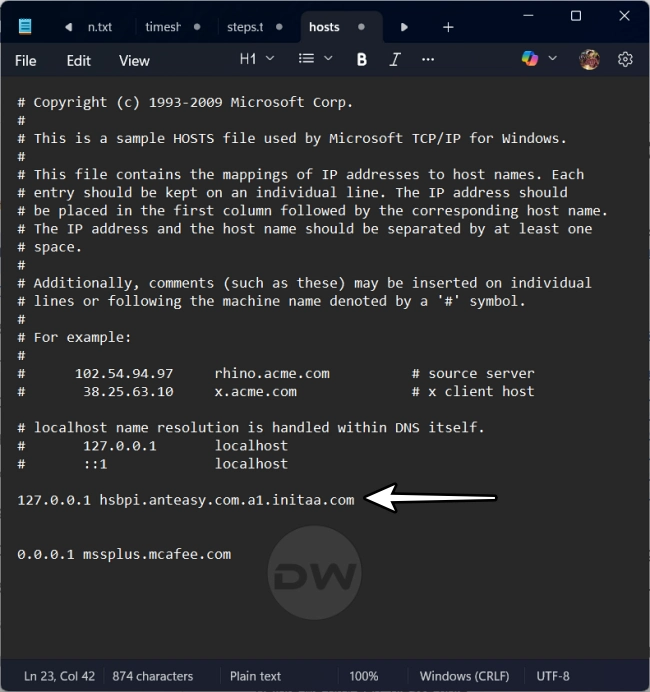
The evolution of the Oplus EDL Tool has also introduced a paradox of versioning. While software updates generally aim to improve stability, the cat-and-mouse game between Oppo’s security team and tool developers often results in newer versions being "patched" or blocked shortly after release. There are instances where an older, more established version of the tool maintains a higher success rate for specific legacy chipsets. However, the tool is designed with a mandatory update check that prevents older versions from executing. A sophisticated workaround involves a timed interruption of the software’s internet access. By launching the tool and immediately severing the network connection—or by using a firewall to block the tool’s specific outbound update requests—users can force the utility to run in an offline "legacy" mode. This allows the use of older, potentially more compatible communication protocols that might have been deprecated in the latest build.
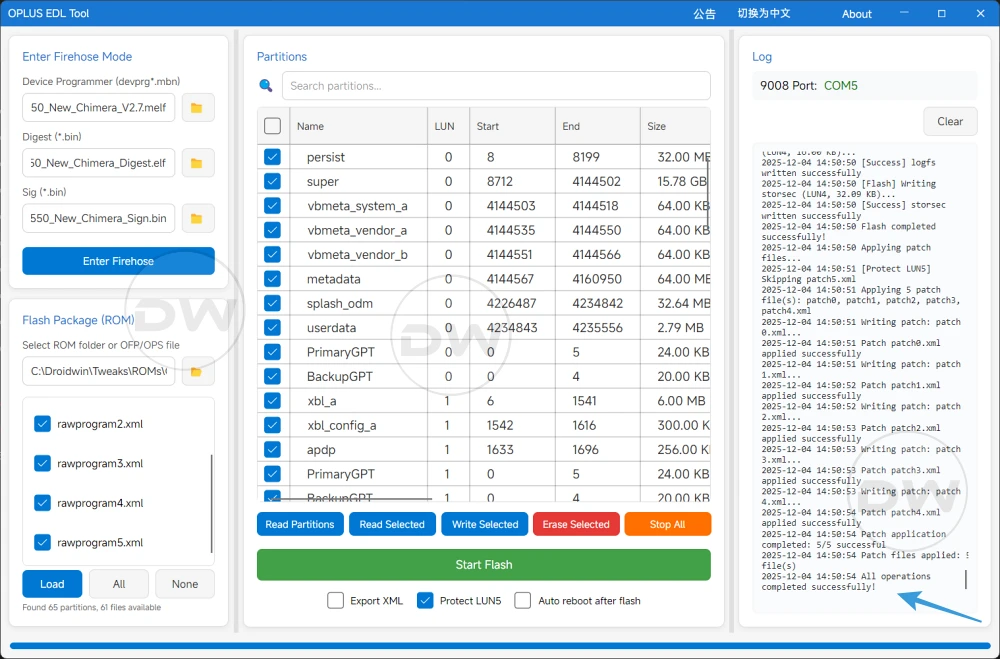
The core of the EDL flashing process lies in the "Firehose" programmer. This is a small piece of code, usually a .elf or .mbn file, that is uploaded to the device’s internal memory to facilitate the flashing of the actual firmware. The "Failed to Send Programmer" error is often a literal description of the tool’s inability to find a compatible Firehose file for the specific silicon signature of the device. The Oplus EDL Tool requires a specific "trifecta" of files: the Device Programmer, the Digest, and the Sign file. If any of these components are mismatched—for instance, using a Snapdragon 888 programmer on a Snapdragon 8 Gen 1 device—the handshake will fail immediately. Users must verify that their firmware package is not only for the correct model but for the specific regional variant and chipset revision.
In a move to simplify this complex requirement, newer iterations of the Oplus EDL Tool have integrated "Cloud Loaders." This feature attempts to automate the selection of the Firehose trifecta by fetching the appropriate files from a central database based on the user’s selection of the chipset from a dropdown menu. While this reduces human error in file selection, it introduces a dependency on the tool’s server-side accuracy. If the cloud-sourced programmer fails, the manual verification of the EDL drivers becomes the next logical step. The "Qualcomm HS-USB QDLoader 9008" driver must be correctly enumerated in the Windows Device Manager under the "Ports (COM & LPT)" section. If the device appears as "QUSB_BULK" or an unknown device, the tool will never be able to send the programmer, as the logical communication path is not established. Reinstalling the signed Qualcomm drivers and performing a "Driver Signature Enforcement" override in Windows is often the "silver bullet" for persistent configuration failures.
Finally, the procedural timing, or the "order of operations," plays a critical role in the success of the Oplus EDL Tool. There is a documented phenomenon where the device’s EDL buffer becomes saturated if it sits idle for too long after being connected. The most successful methodology involves preparing the software environment entirely before the device is ever connected to the PC. This means loading the Firehose files (either manually or via cloud), selecting the firmware’s rawprogram.xml, and ensuring the partition list is fully populated within the tool’s interface. Only when the software is "primed" should the user boot the device into EDL mode—typically by holding both volume buttons while connecting the USB cable—and immediately clicking the "Enter Firehose" or "Flash" button. This minimizes the window for communication timeouts and ensures that the programmer is sent the moment the device’s bootloader is ready to receive it.
In summary, while the Oplus EDL Tool is a powerful ally in the fight for device longevity and repairability, its operation is a precision task. By systematically addressing hardware stability, disabling intrusive security software, ensuring driver precision, and mastering the timing of the EDL handshake, users can overcome the dreaded "Failed to Send Programmer" error. As manufacturers continue to obscure the path to device recovery, the community’s ability to troubleshoot and refine these free tools remains the last line of defense against the premature obsolescence of perfectly functional hardware. Through these rigorous technical adjustments, the "fate of free EDL flashing" is moved from a thin thread to a more stable foundation.