

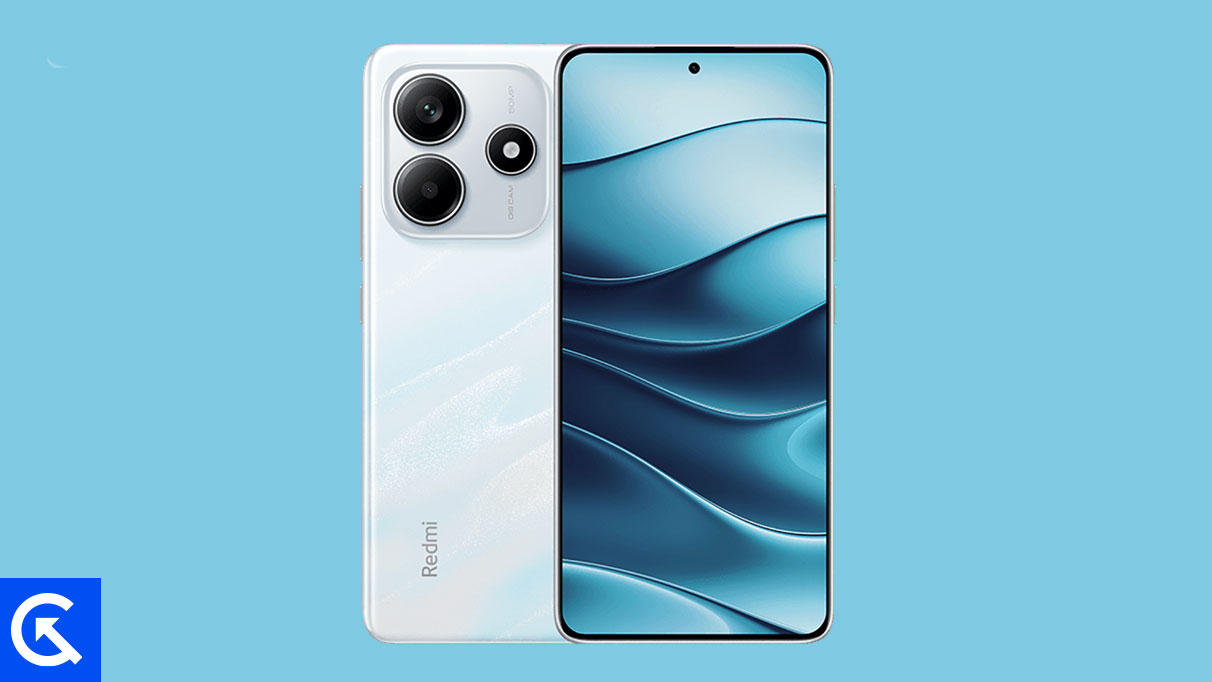
The rapid pace of Android innovation often leaves mid-range smartphones trailing, as manufacturers prioritize flagships for the earliest operating system updates. While Google recently initiated the official rollout of Android 16 exclusively for its Pixel line, the developer community has rapidly mobilized to bring the latest feature set and design language to capable, yet slightly older, hardware. Enthusiasts owning the Xiaomi Redmi Note 14 4G can now bypass the official update queue by installing an unofficial, yet highly functional, custom AOSP (Android Open Source Project) build of Android 16, effectively breathing new computational life into the device. This process, while requiring technical proficiency, unlocks significant system optimizations and aesthetic refinements years ahead of any potential official firmware release.
Hardware Profile: Analyzing the Redmi Note 14 4G
The Xiaomi Redmi Note 14 4G, launched in January 2025, represents a compelling intersection of affordability and robust features, making it a prime candidate for extended software support via custom development. The device is powered by the MediaTek Helio G99 Ultra chipset, a processor renowned for its efficiency and performance in the competitive mid-range sector. This chipset, coupled with configurations featuring up to 8GB of RAM and 256GB of UFS 2.2 storage, provides ample headroom to run demanding new operating systems like Android 16 smoothly.
Visually, the phone boasts a stunning 6.67-inch AMOLED display, characterized by a fluid 120Hz refresh rate, HDR support, and impressive peak brightness levels reaching 1800 nits, all protected by Corning Gorilla Glass 5. Its native software environment is Xiaomi’s proprietary HyperOS, based on Android 14. While HyperOS offers a feature-rich experience, switching to a pure AOSP build eliminates vendor bloatware and potentially enhances resource allocation for core system tasks. Furthermore, the device’s construction includes an IP54 rating for basic dust and splash resistance, emphasizing its suitability for long-term daily usage.
![How to Install Android 16 on Xiaomi Redmi Note 14 4G [Download Link]](https://www.getdroidtips.com/wp-content/uploads/2025/02/Xiaomi-Redmi-Note-14-4G.jpg)
The multimedia capabilities of the Redmi Note 14 4G are notable, featuring a 108 MP primary camera sensor supported by a macro and a depth lens, capable of high-definition 1080p video recording at 60 frames per second. The large 5500 mAh battery, supported by 33W fast charging, ensures that the device can sustain the demands of the latest operating system without constant tethering to a power source.
The Evolution of Aesthetics: Android 16 and Material 3 Expressive
The most immediate and impactful change introduced by Android 16 is the implementation of Material 3 Expressive. This update is not a revolutionary visual overhaul but rather a sophisticated refinement of Google’s existing Material Design 3 language, initially launched with Android 13. Material 3 Expressive focuses on enhancing user interaction through polish, fluidity, and improved accessibility.
Key elements of this design evolution include significantly smoother, more dynamic system animations that provide better visual feedback and a more cohesive feel across the operating system. Furthermore, the update introduces bolder, more intentional typography choices and slightly larger touch targets, optimizing the interface for both quick navigation and accessibility.
While Material Design 3 had begun to show its age, the Expressive iteration injects vital modernity into the user interface without abandoning the familiarity users appreciate. This refinement is critical for maintaining a premium feel across the Android ecosystem, ensuring that the software experience keeps pace with hardware advancements. Beyond the visible design elements, Android 16 incorporates crucial system optimizations aimed at improving battery life, bolstering security protocols, and enhancing overall performance across diverse hardware configurations, including foldables, tablets, and standard mobile devices. For a user moving from HyperOS, the AOSP version of Android 16 represents a shift toward a clean, unadulterated, and resource-efficient software environment.
![How to Install Android 16 on Xiaomi Redmi Note 14 4G [Download Link]](https://www.getdroidtips.com/wp-content/uploads/2025/02/Xiaomi-Redmi-Note-14-4G-300x169.jpg)
The Custom ROM Imperative: Risks and Prerequisites
Installing an unofficial AOSP port of Android 16 on a device like the Redmi Note 14 4G is a powerful demonstration of community development but demands meticulous preparation. Since this is a bleeding-edge port, users must be aware that while initial reports indicate that core functionalities—such as telephony, Wi-Fi, and camera operation—are generally stable ("Everything seems to be working fine"), unforeseen bugs may surface. Community engagement is essential, requiring users to report issues alongside detailed system logs to aid the developers in stabilization.
The pathway to flashing a custom ROM requires several critical technical steps that fundamentally alter the device’s software structure:
1. Unlocking the Bootloader
This is the foundational requirement. The bootloader is a protective layer enforced by Xiaomi to ensure device integrity and prevent unauthorized software installation. Unlocking it—a process that must adhere to Xiaomi’s official protocols—is mandatory for flashing any custom recovery or operating system. Crucially, unlocking the bootloader triggers an automatic factory reset, necessitating a complete data backup prior to execution.
2. Installing Custom Recovery (TWRP)
Once the bootloader is unlocked, a custom recovery environment, such as Team Win Recovery Project (TWRP), must be installed. TWRP replaces the stock recovery and provides the necessary graphical interface and functionality to perform advanced operations, including wiping system partitions and installing unsigned zip files, which is how custom ROMs and Google Apps packages are delivered.
![How to Install Android 16 on Xiaomi Redmi Note 14 4G [Download Link]](https://www.getdroidtips.com/wp-content/uploads/2020/06/cmd-platform-tools.jpg)
3. Utilizing ADB and Fastboot
Successful communication between the computer and the device during the flashing process relies heavily on the Android Debug Bridge (ADB) and Fastboot utilities. ADB facilitates communication while the device is running or in recovery mode, often used for log extraction or pushing files. Fastboot, a more advanced utility, is essential for flashing low-level components like the custom recovery image while the device is in bootloader mode. Users must ensure they have the latest Platform-Tools binaries installed on their host computer.
4. Data Integrity and Power Management
Due to the inherent risk of data corruption during partitioning and flashing, a comprehensive backup of all personal files, application data, and internal storage contents is non-negotiable. Furthermore, maintaining a battery charge above 50% is crucial to prevent an abrupt power loss, which could potentially hard-brick the device during a write operation.
5. GApps Integration
Most unofficial AOSP builds of Android 16 do not include proprietary Google applications (GApps) due to licensing restrictions. Therefore, users must separately download and flash the corresponding Android 16 GApps package immediately after flashing the main ROM file, but critically, before the first system reboot. Failure to flash GApps at this specific stage often necessitates starting the entire installation sequence over.
Conclusion and Future Outlook
By successfully navigating the complex technical prerequisites and installing the custom Android 16 build, Redmi Note 14 4G owners transform their device from a mid-range handset nearing the end of its official software lifecycle into a cutting-edge Android platform. This upgrade not only delivers the refined Material 3 Expressive interface and underlying system performance enhancements but also serves as a testament to the longevity afforded by the open-source nature of the Android ecosystem. While the initial boot sequence may be prolonged, the resulting clean slate offers a dramatically improved user experience. The ongoing success and stability of this unofficial port depend heavily on user feedback and collaborative bug reporting, underscoring the vital role of the community in sustaining and advancing device support.