

The boundary between officially supported software and community-driven development continues to blur, as evidenced by the rapid availability of Android 16 for non-Pixel devices. Just weeks after Google initiated the rollout of its latest operating system iteration for its flagship hardware, independent developers have successfully ported an unofficial Android Open Source Project (AOSP) build to the Xiaomi Redmi Note 14S. This development provides owners of the 2025 mid-ranger with a crucial pathway to accessing cutting-edge features and optimizations that may never arrive via Xiaomi’s proprietary HyperOS updates. This comprehensive report details the installation requirements, explores the new OS features, and outlines the meticulous process necessary to breathe new life into the Redmi Note 14S platform.
The Foundation: Analyzing the Xiaomi Redmi Note 14S
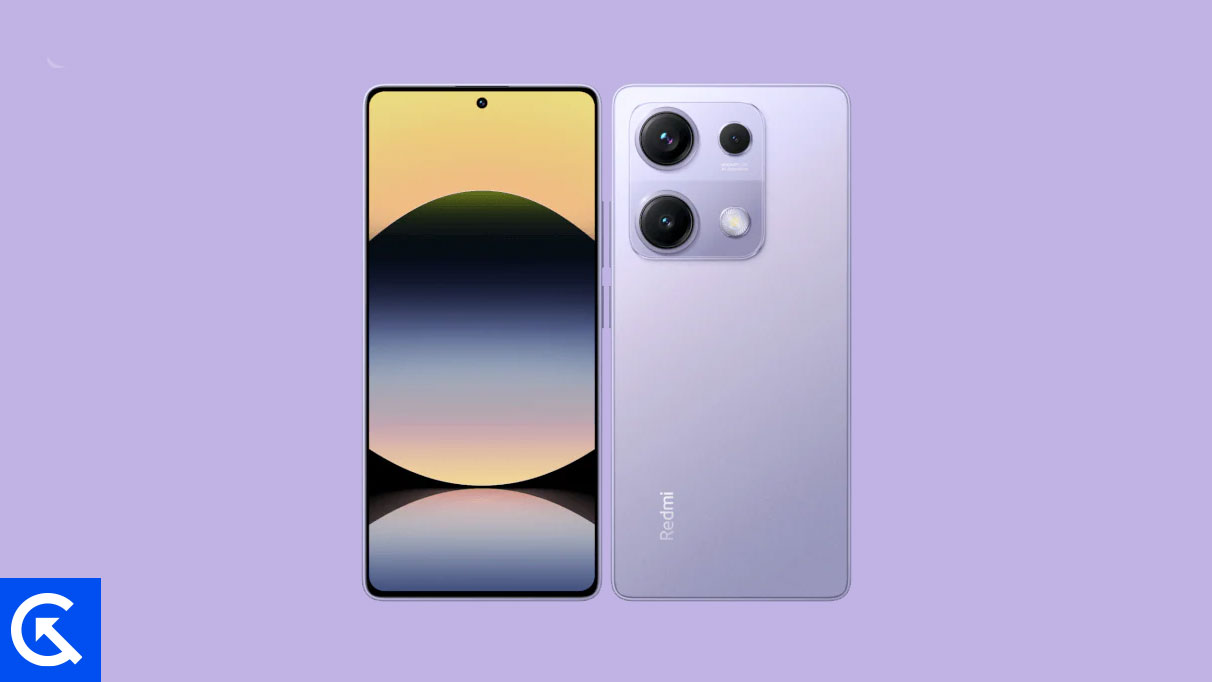
Launched in March 2025, the Xiaomi Redmi Note 14S established itself as a highly competitive mid-range contender, balancing premium features with accessible pricing. Its hardware specifications make it a prime candidate for longevity through custom software. The device features a vibrant 6.67-inch AMOLED display, offering a smooth 120Hz refresh rate and impressive 1300 nits of peak brightness, all shielded by Corning Gorilla Glass 5.
Powering the device is the MediaTek Helio G99 Ultra chipset, a robust octa-core processor paired with the Mali-G57 MC2 GPU. While the device shipped initially running Android 15 layered with HyperOS, the G99 Ultra maintains sufficient computational headroom to handle the demands of the latest Android 16 environment. Memory configuration includes 8GB of RAM and 256GB of UFS 2.2 storage, complemented by expandable storage via a shared SIM slot.
Photography capabilities remain strong, headlined by a 200MP main sensor with Optical Image Stabilization (OIS), supported by an 8MP ultrawide and 2MP macro lens. Essential modern connectivity features are all present, including Wi-Fi 5, Bluetooth 5.2, NFC (market dependent), and an IR blaster. The device is powered by a 5000mAh battery, utilizing 67W fast charging technology, capable of reaching a full charge in under 50 minutes—a crucial factor ensuring the device can sustain the enhanced performance demands of a new operating system build. The combination of IP64 water resistance and a sleek 179g design underscores the hardware’s enduring quality, making the pursuit of a modern OS experience highly justifiable.
![How to Install Android 16 on Xiaomi Redmi Note 14S [Download Link]](https://www.getdroidtips.com/wp-content/uploads/2025/03/Xiaomi-Redmi-Note-14S.jpg)
Android 16: The Evolution of Design and Efficiency
Android 16 is marked not by revolutionary changes but by evolutionary refinements focused heavily on consistency, fluidity, and user experience across diverse form factors, including standard phones, foldables, and tablets. The centerpiece of this update is the introduction of Material 3 Expressive.
Material 3 Expressive serves as a significant polish layer atop the Material Design 3 foundation first introduced in Android 13. While the visual identity remains familiar, Expressive elevates the interaction experience through substantial improvements in dynamic elements. This includes notably smoother, more sophisticated system animations, which leverage the Redmi Note 14S’s 120Hz display to deliver an unparalleled sense of speed and responsiveness. Furthermore, the design language incorporates larger touch targets and bolder, more legible typography, enhancing accessibility and ease of use, particularly in complex applications.
This refined aesthetic arrives at a strategic time, addressing the growing sense that previous iterations of Material Design had begun to stagnate. Google’s emphasis on fluidity and polish, rather than a jarring visual overhaul, ensures that the user interface feels fresh yet immediately intuitive. Beyond the cosmetic updates, Android 16 incorporates significant system optimizations across resource management, power consumption, and underlying security protocols. These backend enhancements contribute to improved battery life and sustained performance, even on hardware originally released on an older OS generation.
While the official rollout targets various OEM devices, the custom ROM route offers immediate access to these enhancements, bypassing manufacturer timelines and potential restrictions tied to older hardware.
The Nature of Unofficial AOSP Builds
The Android 16 build available for the Redmi Note 14S is derived from the AOSP source code, meaning it is a clean, near-stock version of the operating system, devoid of OEM-specific bloatware or customizations like HyperOS features.
![How to Install Android 16 on Xiaomi Redmi Note 14S [Download Link]](https://www.getdroidtips.com/wp-content/uploads/2025/03/Xiaomi-Redmi-Note-14S-300x169.jpg)
Early reports concerning this specific port indicate a high degree of stability, which is often a pleasant surprise in initial custom ROM releases. The current status suggests that core functionality is intact, encompassing essential features such as cellular connectivity, Wi-Fi, camera operation, and biometric sensors. As is common with community projects, any minor discrepancies or isolated bugs encountered by users are typically addressed through iterative updates, provided users adhere to the fundamental requirement of reporting issues alongside proper diagnostic logs to the development team.
Prerequisites for Flashing: A Technical Deep Dive
Installing a custom operating system requires meticulous preparation and a foundational understanding of Android’s architecture. Failure to complete the following prerequisites correctly will inevitably lead to installation failure or, in the worst-case scenario, device bricking.
-
Comprehensive Data Backup: The process of installing a custom ROM, particularly the initial bootloader unlock, involves a mandatory factory reset and data wipe. Users must execute a full backup of all personal data, including photos, contacts, and application data, before proceeding.
-
Sufficient Power Reserve: Maintaining adequate power is non-negotiable. The device must be charged to a minimum of 50 percent capacity to prevent unexpected shutdown during critical flashing operations, which could permanently damage the device’s internal storage structure.
-
ADB and Fastboot Utility: These command-line tools form the essential bridge between the computer and the Android device. ADB (Android Debug Bridge) facilitates communication with the device while the OS is running or in recovery mode, enabling debugging and file transfer. Fastboot is the low-level diagnostic and flashing protocol necessary to interface with the bootloader, allowing the installation of custom recovery images and kernels. Access to the Platform-Tools binaries is essential for these operations.
![How to Install Android 16 on Xiaomi Redmi Note 14S [Download Link]](https://www.getdroidtips.com/wp-content/uploads/2020/06/cmd-platform-tools.jpg)
-
Device-Specific USB Drivers: A stable, high-speed connection between the Redmi Note 14S and the host computer is paramount. Installing the latest official Xiaomi USB drivers ensures the computer correctly recognizes the device in all operational states (normal, fastboot, and recovery), preventing connection dropouts during critical flashing sequences.
-
Bootloader Unlocking: This is the most critical and often irreversible step. The bootloader is a protective layer enforced by the manufacturer (Xiaomi) to prevent unauthorized software modifications. Unlocking it voids the warranty and triggers a complete data wipe but is mandatory to install non-official firmware. Users must follow Xiaomi’s specific, time-gated procedure to successfully unlock the bootloader of the Redmi Note 14S.
-
Installation of Custom Recovery (TWRP): Following the bootloader unlock, a custom recovery environment, such as Team Win Recovery Project (TWRP), must be flashed onto the device. TWRP replaces the stock recovery and provides the necessary graphical interface and functionality to manage partitions, perform full system backups (Nandroid backups), and, crucially, flash unauthorized ZIP packages, which is how the custom Android 16 ROM and Google Apps package are installed.
-
Acquiring Firmware and GApps: The required files include the main Android 16 custom ROM package, specifically built for the Redmi Note 14S, and the corresponding Google Apps (GApps) package. AOSP builds generally do not include proprietary Google services (such as the Play Store, Gmail, and Maps) due to licensing restrictions. The GApps package must be downloaded separately, ensuring compatibility with the Android 16 architecture, and must be flashed immediately following the custom ROM installation without an intervening reboot.
Executing the Installation Procedure
The installation process is executed entirely through the TWRP recovery environment. After transferring the ROM and GApps files to the device’s internal storage, the following sequence is initiated:
![How to Install Android 16 on Xiaomi Redmi Note 14S [Download Link]](https://www.getdroidtips.com/wp-content/uploads/2020/08/twrp-custom-rom.jpg)
First, users must navigate to the ‘Wipe’ section within TWRP and execute an advanced wipe, targeting the Dalvik/ART Cache, System, Vendor, and Data partitions. This cleanses the device of the previous HyperOS installation, preventing conflicts (known as dirty flashing) with the new operating system.
Second, the user selects the downloaded Android 16 ROM package in the ‘Install’ menu and confirms the flash. Once the ROM flashing is complete—but critically, before rebooting the device—the GApps package must be immediately flashed using the same ‘Install’ menu.
Finally, a mandatory ‘Format Data’ operation is often required after flashing both packages to ensure proper encryption setup for the new OS. Only then should the device be rebooted into the system.
The first boot sequence after successfully flashing a custom ROM typically takes significantly longer than usual due to the system creating optimized Dalvik cache files and configuring the new operating system environment. Upon completion, the device will present the standard Android setup wizard, signaling a successful migration to Android 16.
Conclusion and Outlook
By leveraging community-developed custom ROMs, Redmi Note 14S users can effectively extend the functional lifespan of their device, accessing the refined Material 3 Expressive interface and the underlying security and efficiency enhancements of Android 16. While adopting an unofficial build entails inherent risks, the stability reported in initial testing suggests a viable and rewarding upgrade path. This practice underscores the critical role of the independent developer community in providing ongoing support and modern functionality to capable hardware platforms long after official OEM support has waned. Users are encouraged to actively engage with the development community by submitting detailed logs for any encountered issues, ensuring the continued refinement and stability of this crucial Android 16 port.