

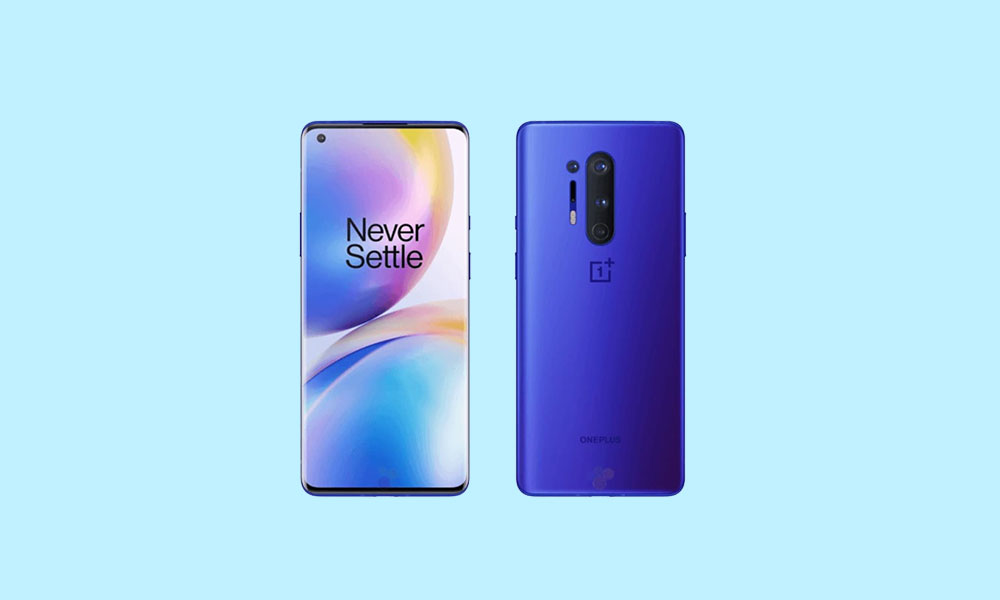
The OnePlus 8 and OnePlus 8 Pro, devices that have cemented their place in the "flagship killer" lineage, are now receiving a significant new lease on life through the dedicated efforts of the custom Android development community. Although these devices have long concluded their official major operating system update cycles, developers have successfully ported unofficial builds of Android 16, based on the Android Open Source Project (AOSP), offering owners the chance to experience Google’s latest mobile innovations without needing to upgrade their hardware. This move is particularly relevant for users seeking modern security features and the refined user experience provided by Android 16.
The immediate availability of Android 16 for these older flagships, shortly after its official rollout to Google Pixel devices, underscores the speed and capability of the custom ROM ecosystem. For users of the OnePlus 8 and 8 Pro, migrating to an Android 16-based custom ROM, such as Evolution X or CrDroid OS, represents a solid strategy for maximizing the longevity and utility of their devices.
Android 16: An Iteration Defined by Expressive Design
The most striking user-facing change introduced in Android 16 is the implementation of Material 3 Expressive. This design language is not a radical departure from the foundation established by Material Design 3, which debuted with Android 13, but rather a significant polish and refinement layer. Material 3 Expressive focuses on injecting enhanced dynamism and fluidity into the operating system’s interaction points.
![How to Install Android 16 on OnePlus 8 and 8 Pro [Download Link]](https://www.getdroidtips.com/wp-content/uploads/2020/04/Download-OnePlus-8-Pro-Stock-Wallpapers-FHD-Resolution.jpg)
In practical terms, this translates to smoother, more responsive animations that utilize sophisticated physics models, making interactions feel more intuitive and natural. Google has also prioritized accessibility and ease of use by introducing larger, more distinct touch targets across the interface. Furthermore, bolder typography and an overall improved visual hierarchy contribute to a cleaner and more modern aesthetic. While Material Design 3 had begun to show its age, Material 3 Expressive successfully revitalizes the interface, offering a modern look that respects the visual continuity users have grown accustomed to. This iteration highlights Google’s commitment to iterative improvement, ensuring the mobile experience remains polished and contemporary across diverse form factors, including standard phones, tablets, and foldables.
Beyond the design refinements, Android 16 introduces several crucial system optimizations aimed at efficiency, battery life, and enhanced privacy controls, further justifying the effort required to transition away from the older, officially supported OxygenOS builds.
The OnePlus 8 Series: A Hardware Overview
Launched in 2020, the OnePlus 8 and 8 Pro were technological heavyweights, and their core specifications remain robust enough to handle the demands of Android 16. Both devices are driven by the powerful Qualcomm Snapdragon 865 processor, paired with the Qualcomm X55 5G modem, ensuring consistent performance and high cellular download speeds that remain competitive today.
However, the differences between the standard 8 and the Pro model are significant, particularly concerning display and memory architecture.
![How to Install Android 16 on OnePlus 8 and 8 Pro [Download Link]](https://www.getdroidtips.com/wp-content/uploads/2020/04/OnePlus-8-Pro-300x180.jpg)
The OnePlus 8 Pro featured a leading-edge display package: a large 6.7-inch panel supporting Quad HD+ resolution and a high 120Hz refresh rate. This combination resulted in exceptionally sharp images and remarkably fluid on-screen motion, setting a high standard for contemporary smartphones. In contrast, the regular OnePlus 8 utilizes a slightly smaller display, operating at Full HD+ resolution. While still a high-quality panel, it lacked the extreme pixel density and advanced refresh capabilities of its Pro counterpart.
Camera systems also marked a clear distinction, with the Pro model boasting a versatile quad-camera array that offered superior imaging flexibility compared to the dual or triple setup on the standard model.
Memory and storage configurations were similar, with both models offered in 8GB/128GB and 12GB/256GB variants. Crucially, the OnePlus 8 Pro was equipped with faster, more modern LPDDR5 RAM, providing a tangible performance edge over the LPDDR4X RAM found in the standard OnePlus 8. This faster memory bus is essential for minimizing latency during heavy multitasking and running memory-intensive applications, making the 8 Pro particularly well-suited for demanding custom ROM environments.
Technical Migration: Prerequisites for Installation
Installing an unofficial AOSP-based custom ROM requires significant preparation and involves modifying core system partitions. Users must recognize that this process carries inherent risks, including data loss and, if executed incorrectly, the possibility of soft-bricking the device.
![How to Install Android 16 on OnePlus 8 and 8 Pro [Download Link]](https://www.getdroidtips.com/wp-content/uploads/2020/06/cmd-platform-tools.jpg)
Essential Pre-Installation Steps:
- Data Preservation: Before initiating any modification, a comprehensive backup of all user data is mandatory. Unlocking the bootloader and installing custom recovery will inherently wipe the device’s internal storage.
- Power Assurance: The device must maintain a minimum charge level of 50 percent throughout the flashing process to prevent unexpected shutdowns that could corrupt the installation.
- Bootloader Unlocking: This is the foundational requirement. The bootloader, which controls the initial boot sequence, must be unlocked to permit the installation of non-OEM signed operating systems. This action typically voids the manufacturer’s warranty and triggers a mandatory device wipe as a security measure.
- ADB and Fastboot Environment: The Android Debug Bridge (ADB) and Fastboot utilities (part of the Android platform-tools package) are critical. ADB enables communication between the computer and the device while it is running or in recovery mode, while Fastboot is the command-line interface required to flash system images and enter bootloader mode for deep system modification.
- USB Driver Integrity: Proper, updated OnePlus USB drivers must be installed on the host computer to ensure stable data transfer and recognition during the flashing operations.
- Custom Recovery Installation: A custom recovery environment, most commonly Team Win Recovery Project (TWRP), must be installed. TWRP replaces the stock recovery and provides the graphical interface and functionality necessary to install third-party ZIP files, which include the custom Android 16 ROM and the Google Apps package (GApps).
Availability of Android 16 Builds
The community has rapidly provided stable early ports for both devices. Key custom ROMs offering Android 16 functionality include:
| OS Distribution | Device Model | Focus |
|---|---|---|
| Evolution X | OnePlus 8 & 8 Pro | Highly customizable, feature-rich Android experience. |
| CrDroid OS | OnePlus 8 & 8 Pro | Known for stability, performance optimizations, and a close-to-stock interface with added useful features. |
Stability and Known Issues
Early reports from users testing these unofficial AOSP builds suggest a surprisingly high degree of initial stability. Developers indicate that core functionalities—including cellular connectivity, Wi-Fi, Bluetooth, and camera operations—are functioning correctly. However, as is common with unofficial ports, users must remain vigilant for potential edge-case bugs. Any detected irregularities should be meticulously documented and reported to the respective ROM developer with accompanying log files to facilitate rapid patching and improvement.
The GApps Requirement
Crucially, users must note that most AOSP-based custom ROMs do not include proprietary Google applications or services (GApps). This package, which includes the Google Play Store, Google services framework, and associated proprietary applications, must be downloaded and flashed separately. The GApps package compatible with Android 16 must be installed immediately after the custom ROM, before the first boot into the new operating system, to ensure proper integration and functionality of the Google ecosystem. Failure to flash GApps at this stage necessitates a full wipe and re-flashing process.
Conclusion
By embracing the custom ROM pathway, owners of the OnePlus 8 and 8 Pro are effectively extending the technological lifespan of their premium hardware. They gain access to the latest security patches, performance improvements, and the significant aesthetic and functional upgrade provided by Android 16’s Material 3 Expressive. While this process requires technical proficiency and careful adherence to installation protocols, the reward is a rejuvenated device capable of delivering a cutting-edge mobile experience years after its official manufacturer support has concluded.