

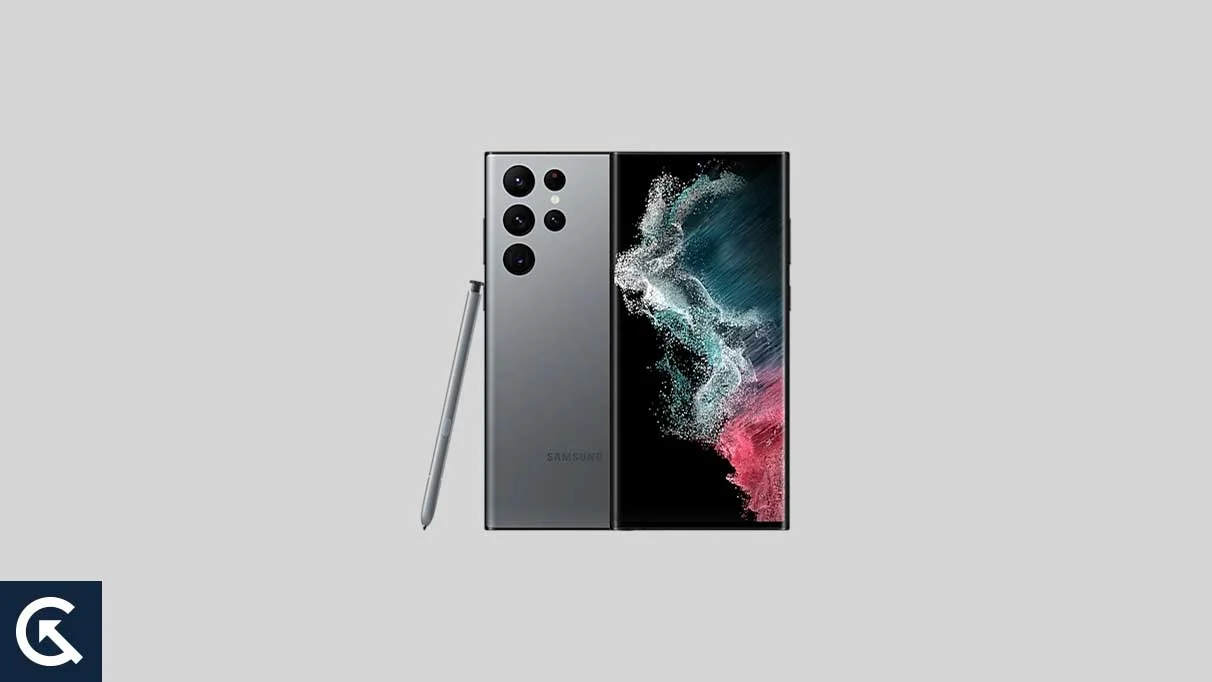
The Samsung Galaxy S22 Ultra remains a titan in the realm of mobile hardware, a device that effectively bridged the gap between the traditional S-series flagship and the productivity-focused Note lineage. While Samsung’s official One UI update cycle continues to provide a polished and feature-rich experience, a growing community of enthusiasts and power users seeks to push the hardware even further. With the recent release of Android 16 for Google’s Pixel lineup, the developer community has moved with remarkable speed to port unofficial Android Open Source Project (AOSP) builds to older flagship devices. For owners of the Galaxy S22 Ultra, this marks an opportunity to bypass official rollout schedules and experience the bleeding edge of Google’s software vision, characterized by the new "Material 3 Expressive" design language and deep-seated system optimizations.
Released as the pinnacle of Samsung’s 2022 lineup, the Galaxy S22 Ultra features a 6.8-inch Dynamic AMOLED 2X display that continues to rival modern panels. With its QHD+ resolution, 120Hz adaptive refresh rate, and peak brightness levels that ensure clarity even under direct sunlight, the device provides an ideal canvas for the visual refinements introduced in Android 16. Under the hood, the device is powered by either the Snapdragon 8 Gen 1 or the Exynos 2200, depending on the geographic region. Both chipsets possess the computational overhead required to handle the increased complexity of modern AI-driven operating systems. Furthermore, the inclusion of the integrated S Pen and a sophisticated quad-camera system—anchored by a 108 MP primary sensor—makes the S22 Ultra a versatile powerhouse that many users are hesitant to trade in for newer, incremental upgrades.
![How to Install Android 16 on Samsung Galaxy S22 Ultra [Download Link]](https://www.getdroidtips.com/wp-content/uploads/2023/02/Samsung-Galaxy-S22-Ultra.webp)
The arrival of Android 16 represents more than just a numerical increment; it is a refinement of the "Material You" philosophy that has defined Android since version 12. The most significant user-facing change is the introduction of Material 3 Expressive. This design evolution focuses on fluidity and user intent, moving beyond static palettes to a UI that feels more alive. Users can expect smoother transitions, larger and more intuitive touch targets, and a bold approach to typography that improves readability across various lighting conditions. While Material Design 3 provided the foundation, the Expressive update breathes new life into the interface, ensuring that the software feels as premium as the S22 Ultra’s "Armor" aluminum frame and Gorilla Glass Victus+ exterior.
Beyond the aesthetics, Android 16 introduces several under-the-hood enhancements designed to improve the experience on large-format devices and foldables. For the S22 Ultra, these optimizations translate to better multitasking and more efficient background process management. Early testers of the unofficial AOSP builds have noted that the system feels remarkably responsive, with the lower latency of the S Pen being maintained through specialized driver hooks within the custom ROM environment. While Samsung’s One UI offers a plethora of features, the AOSP experience provides a "clean" alternative, stripped of bloatware and focused on raw performance and Google’s native services.
However, the path to installing an unofficial version of Android 16 is one paved with technical requirements and necessary precautions. Because these builds are not sanctioned by Samsung, the installation process involves modifying the device’s core software stack. The primary prerequisite is a comprehensive data backup. Flashing a custom ROM requires a factory reset, which wipes all internal storage, including photos, contacts, and application data. It is recommended that users utilize cloud services or external physical storage to secure their information before proceeding. Furthermore, ensuring a battery level of at least 50% is critical; a power failure during the flashing of the system partition can lead to a "bricked" state, rendering the device temporarily or permanently inoperable.
![How to Install Android 16 on Samsung Galaxy S22 Ultra [Download Link]](https://www.getdroidtips.com/wp-content/uploads/2023/02/Samsung-Galaxy-S22-Ultra-300x169.webp)
From a technical standpoint, the installation requires several specialized tools. Users must have the Android Debug Bridge (ADB) and Fastboot binaries installed on a computer. These command-line utilities act as the bridge between the PC and the smartphone, allowing for the execution of low-level commands while the phone is in specialized boot modes. Additionally, the latest Samsung USB drivers are necessary to facilitate a stable data connection. The most significant hurdle for many will be unlocking the bootloader. Samsung devices, particularly those with Snapdragon processors in certain regions, often have locked bootloaders that require specific steps to bypass. Unlocking the bootloader is the "point of no return," as it typically trips the Knox security flag, which may permanently disable features like Samsung Pay or Secure Folder, even if the user later returns to official software.
Once the bootloader is unlocked, the next step is the installation of a custom recovery environment, with Team Win Recovery Project (TWRP) being the industry standard. TWRP allows users to interact with the device’s partitions without booting into the main operating system. Through TWRP, the user can perform a "clean wipe," removing the existing One UI partitions to make room for the Android 16 AOSP build. The installation process involves "flashing" the ROM zip file, followed immediately by the GApps (Google Apps) package. Since AOSP is inherently "de-Googled," the GApps package is necessary for users who want access to the Play Store, Gmail, and Google Maps. It is a vital rule of custom ROM installation that GApps must be flashed before the first reboot to ensure that Google Play Services integrate correctly with the system permissions.
The current state of the Android 16 port for the Galaxy S22 Ultra is surprisingly stable for an early release. Developers have reported that essential functions—including Wi-Fi, Bluetooth, cellular data, and basic camera functionality—are operational. However, as with any unofficial software, users should be prepared for minor bugs. These may include issues with specific sensors, nuances in the 108 MP camera’s post-processing (which often relies on proprietary Samsung algorithms), or variations in battery consumption. The community-driven nature of these projects means that fixes are often released in cycles, and users are encouraged to provide detailed logs to developers to help troubleshoot emerging issues.
![How to Install Android 16 on Samsung Galaxy S22 Ultra [Download Link]](https://www.getdroidtips.com/wp-content/uploads/2020/06/cmd-platform-tools.jpg)
For those who choose to proceed, the rewards are significant. The Galaxy S22 Ultra, equipped with Android 16, feels like a contemporary device released in 2024 or 2025. The combination of high-end hardware and the latest software optimizations provides a level of snappiness that often exceeds the official Samsung firmware. Users gain access to new privacy controls, refined notification management, and the latest security patches long before they might arrive via official channels. The Material 3 Expressive UI makes full use of the S22 Ultra’s expansive screen, providing a visual experience that is both modern and highly customizable.
In conclusion, the availability of Android 16 for the Samsung Galaxy S22 Ultra via custom ROMs is a testament to the longevity of Samsung’s hardware and the dedication of the Android development community. While the process requires a degree of technical proficiency and a willingness to accept certain risks regarding warranty and security features, the result is a rejuvenated flagship device. By bridging the gap between Samsung’s industrial design and Google’s latest software innovations, users can ensure their S22 Ultra remains at the forefront of the mobile experience. As the Android 16 ecosystem continues to mature, these unofficial builds will only become more stable, offering a viable second life for one of the most iconic smartphones of the early 2020s. For the enthusiast, the journey of flashing, tweaking, and optimizing is as much a part of the experience as the software itself, proving that with the right tools, a great device never truly grows old.