

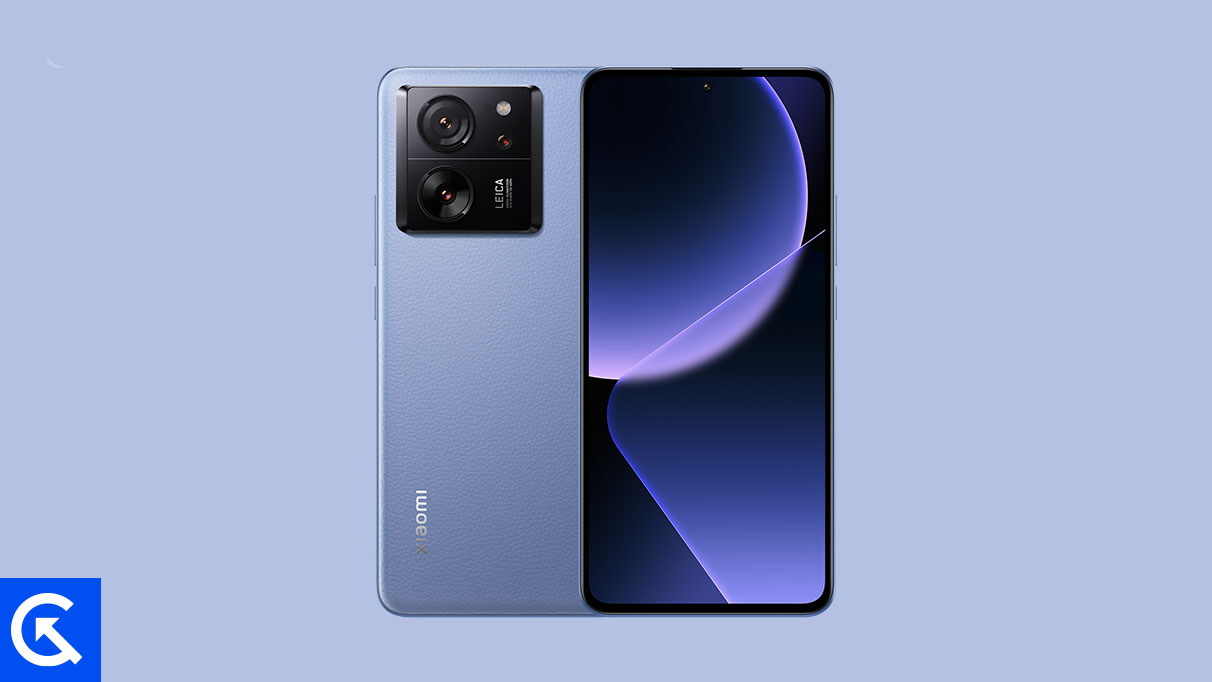
The highly anticipated launch of Android 16, initially designated for Google’s flagship Pixel line, has already spurred rapid development within the independent Android modding community. Enthusiasts and developers have successfully ported unofficial Android Open Source Project (AOSP) builds of the new operating system to non-Pixel hardware, with the high-performance Xiaomi 13T Pro emerging as one of the first devices to receive this cutting-edge software via custom ROMs. This accelerated availability offers Xiaomi users the chance to experience the latest system optimizations and the refined Material 3 Expressive design language months before any official rollout from the manufacturer.
The process, while rewarding, requires significant technical proficiency, including mandatory steps like unlocking the bootloader and installing a custom recovery environment. However, for users seeking to maximize the lifespan and functionality of their device, migrating to an AOSP-based Android 16 build is currently the only viable route to access Google’s newest mobile platform.
Android 16’s Design Evolution: Material 3 Expressive
The most immediate and user-facing change introduced in Android 16 is the implementation of Material 3 Expressive. This update represents a significant, yet subtle, evolution of Google’s design philosophy, building upon the foundational elements established by Material Design 3. Instead of a complete aesthetic overhaul, Material 3 Expressive focuses on injecting greater fluidity, responsiveness, and polished animations into the core user interface.
![How to Install Android 16 on Xiaomi 13T Pro [Download Link]](https://www.getdroidtips.com/wp-content/uploads/2026/02/Xiaomi-13T-Pro.jpg)
Material Design 3, first unveiled with Android 13, had begun to exhibit a degree of rigidity. Material 3 Expressive addresses this by enhancing the overall user experience through dynamic visual feedback and a focus on clarity. Key improvements include noticeably smoother transitions between applications, larger and more accommodating touch targets for improved accessibility and usability, and a strategic use of bolder typography to guide user attention. This refinement is crucial as the Android ecosystem increasingly spans diverse form factors, including foldables and dedicated tablet interfaces. Google’s efforts center on ensuring the UI scales elegantly and maintains coherence, a commitment particularly relevant for high-refresh-rate displays like the one featured on the Xiaomi 13T Pro.
Beyond the design refinements, Android 16 also incorporates numerous system optimizations aimed at improving battery efficiency, memory management, and overall system responsiveness. Although official device manufacturers like Xiaomi, Samsung, and OnePlus will eventually adopt the new Android base—likely integrating it beneath their proprietary skins like HyperOS—the custom AOSP build offers a clean, unencumbered experience of the vanilla Android 16 environment.
The Hardware Platform: Xiaomi 13T Pro Longevity
The Xiaomi 13T Pro is ideally suited for early custom ROM adoption due to its robust and modern hardware specifications, which ensure high performance and stability even when running unofficial software. Positioned as a performance-centric flagship, the device features a stunning 6.67-inch AMOLED display boasting a 144Hz refresh rate, complemented by Dolby Vision and HDR10+ support. This display capability is crucial for showcasing the enhanced visual fluidity of Material 3 Expressive.
Internally, the 13T Pro is powered by the MediaTek Dimensity 9200+ chipset, coupled with high-speed UFS 4.0 storage and configurations reaching up to 16GB of LPDDR5X RAM. This combination guarantees flagship-level performance and superior efficiency, essential for handling the demands of a brand-new operating system iteration.
![How to Install Android 16 on Xiaomi 13T Pro [Download Link]](https://www.getdroidtips.com/wp-content/uploads/2026/02/Xiaomi-13T-Pro-300x169.jpg)
While Xiaomi has officially committed to providing up to four major Android version upgrades for the 13T Pro, the custom ROM community bypasses the often lengthy official testing and rollout schedules. Furthermore, the device’s generous 5000 mAh battery, complemented by industry-leading 120W fast charging technology (capable of a full recharge in under 20 minutes), ensures that the user experience is not hampered by the power demands typically associated with early software builds. The robust hardware foundation minimizes the risk of instability often encountered when porting new operating systems to less capable devices.
Essential Technical Prerequisites for Installation
Installing an unofficial AOSP custom ROM is a highly technical procedure that voids the device’s warranty and carries inherent risks, including potential data loss or device bricking if instructions are not followed precisely. Therefore, meticulous preparation is mandatory.
Data Integrity and Power Assurance:
Before initiating any flashing process, a comprehensive backup of all user data is non-negotiable. Unlocking the bootloader and subsequent flashing operations involve mandatory device wipes. Furthermore, the device battery must be charged to a minimum of 50% capacity to prevent sudden shutdowns during critical flashing sequences, which can render the phone unusable.
Unlocking the Bootloader:
The fundamental prerequisite for installing any third-party firmware is unlocking the Xiaomi 13T Pro’s bootloader. This step removes the manufacturer’s security lock, allowing unsigned operating system images to be flashed onto the device partitions. Users must adhere strictly to Xiaomi’s official unlocking procedure, which invariably results in a full factory reset.
![How to Install Android 16 on Xiaomi 13T Pro [Download Link]](https://www.getdroidtips.com/wp-content/uploads/2020/06/cmd-platform-tools.jpg)
Establishing the Command Bridge (ADB and Fastboot):
The Android Debug Bridge (ADB) and Fastboot utilities are essential command-line tools that facilitate communication between the computer and the Android device in various modes. ADB is used for general debugging and file transfer, while Fastboot is the advanced utility required to flash firmware images, partition data, and interact with the bootloader. Users must install the platform-tools binaries on their computer and ensure that the correct Xiaomi USB drivers are installed to maintain a stable, high-speed connection during the entire process.
Custom Recovery Installation (TWRP):
Unlike official over-the-air (OTA) updates, custom ROMs cannot be installed using the stock recovery environment. The installation of a custom recovery solution, most commonly Team Win Recovery Project (TWRP), is required. TWRP provides a dedicated graphical interface within the device’s recovery partition, enabling users to manage partitions, perform full system wipes (including cache, data, and system), and flash third-party zip packages, such as the Android 16 ROM and Google Apps (GApps).
Flashing the Custom Firmware
Once all prerequisites are met, the user proceeds to acquire the necessary files: the unofficial Android 16 custom ROM specifically compiled for the Xiaomi 13T Pro (codenamed "corot") and the corresponding Android 16 GApps package.
A key technical distinction in AOSP builds is the omission of proprietary Google Mobile Services (GMS). Pure AOSP is de-Googled by design, meaning core services like the Google Play Store, Gmail, and Google Maps are absent. Therefore, the GApps package must be downloaded separately and flashed immediately after the main ROM file. It is critical that the device is not rebooted between flashing the custom ROM and flashing GApps, as this ensures the GMS framework integrates correctly into the newly installed operating system.
![How to Install Android 16 on Xiaomi 13T Pro [Download Link]](https://www.getdroidtips.com/wp-content/uploads/2020/08/twrp-custom-rom.jpg)
The installation sequence typically involves booting the device into the custom TWRP recovery, performing a full data wipe (a "clean flash"), flashing the Android 16 ROM zip file, and immediately flashing the GApps zip file. Upon completion, the device is rebooted.
Initial reports from the development community indicate that the unofficial Android 16 port for the Xiaomi 13T Pro is remarkably stable, with the majority of core functions—including cellular connectivity, display, and camera—operating correctly. As with all early unofficial builds, minor bugs may surface, and users are encouraged to provide detailed logs to developers to facilitate rapid patch releases and continuous improvement of the firmware.
By embracing this custom development path, Xiaomi 13T Pro owners are not only extending the usable life of their device beyond official support schedules but are also securing immediate access to the modern design and performance enhancements of Android 16, solidifying the device’s status as a formidable platform for mobile enthusiasts.