

For over a decade, the Samsung Galaxy ecosystem has maintained a unique reputation among smartphone enthusiasts. While it offered a polished, feature-rich interface for the average consumer, it simultaneously provided a "backdoor" for power users—a suite of sophisticated tools hidden within the system’s architecture that allowed for granular control, manual updates, and deep-level troubleshooting. However, according to recent reports regarding the February 2026 software update, Samsung appears to be systematically dismantling these legacy features, signaling a fundamental shift in how the company views device ownership and system maintenance.
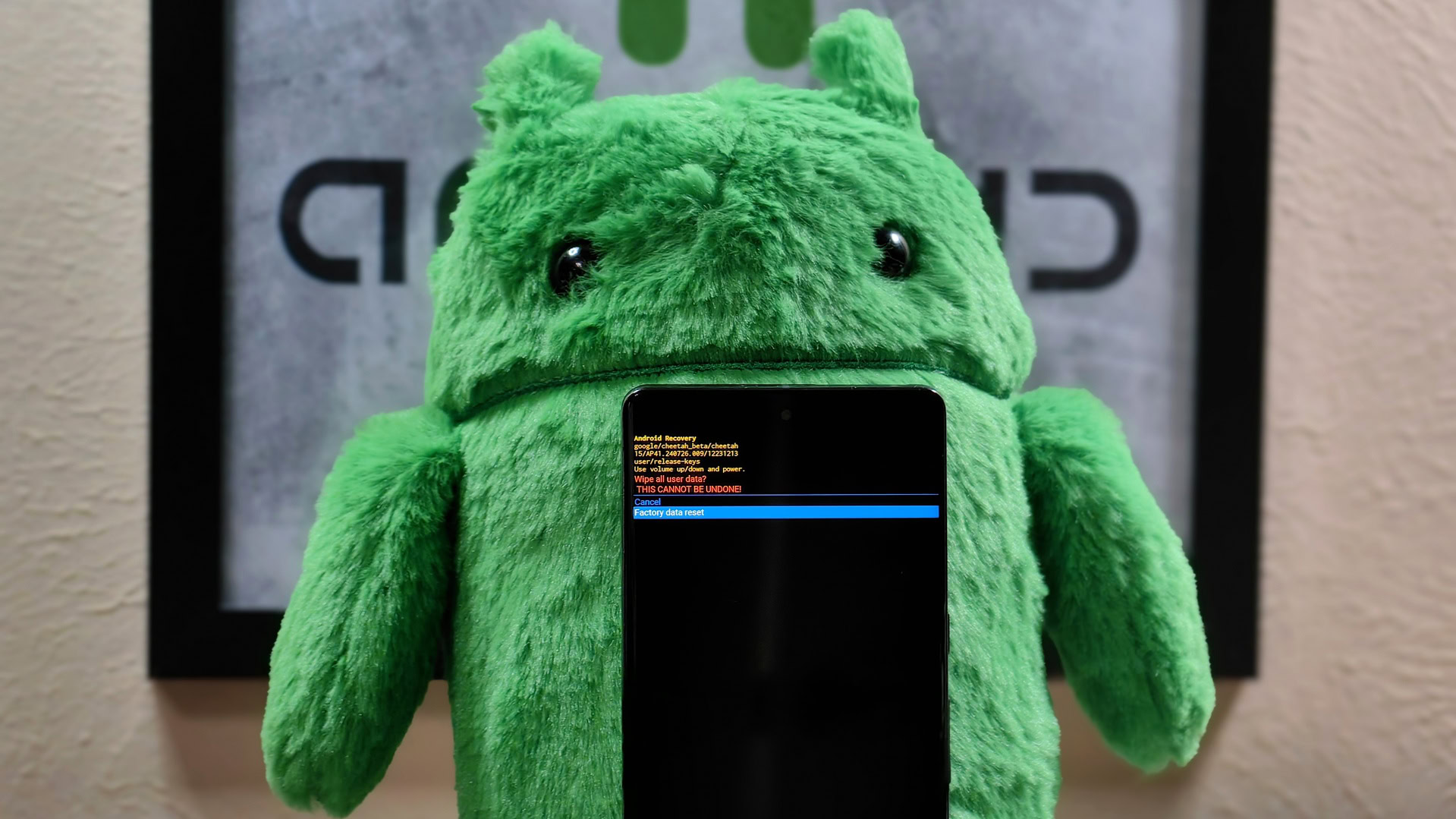
The discovery, initially highlighted by the Dutch publication Galaxy Club, reveals that Samsung’s latest security and system patch does far more than just address vulnerabilities. It fundamentally redesigns the Android Recovery menu, a specialized boot environment that has been a staple of the Android operating system since its inception. For the uninitiated, the Recovery menu is a text-based interface accessed by holding a specific combination of physical buttons during the device’s startup sequence. It operates independently of the main One UI operating system, allowing users to perform critical tasks even if the primary software fails to boot.
Historically, this menu has been the first line of defense for tech-savvy users facing performance issues. Among the most significant casualties of this update is the "Wipe Cache Partition" tool. In the world of Android maintenance, clearing the system cache has long been the "silver bullet" for resolving post-update anomalies. When a smartphone undergoes a major version jump—such as moving from Android 15 to Android 16—residual files from the previous installation can often conflict with the new code. This frequently results in "ghost" battery drain, where the device consumes power at an accelerated rate for no apparent reason, or general UI stuttering. By manually clearing the cache partition, users could force the system to rebuild its temporary data structures, often restoring the phone to its original speed without the need for a destructive factory reset. With this option now reportedly removed, users are left at the mercy of Samsung’s automated background optimization processes, which many enthusiasts argue are less effective than a manual purge.
The pruning of the Recovery menu does not stop at cache management. Samsung has also reportedly removed the ability to install updates via ADB (Android Debug Bridge) or from an SD card. These features were essential for a specific subset of the community: those living in regions where Over-The-Air (OTA) updates are delayed by carrier interference, or those who prefer to "sideload" official firmware builds to get the latest features as quickly as possible. By removing these avenues, Samsung is effectively centralizing the update process, ensuring that the only way to modify the system software is through their official, automated channels.
The current rollout of this stripped-back interface appears to be targeted at Samsung’s latest flagship hardware. Reports indicate that the entire Galaxy S25 series, including the base model, the S25 Plus, and the S25 Ultra, are seeing the change when running the stable version of One UI 8.0. Furthermore, the company’s newest foldables—the Galaxy Z Fold 7, the Galaxy Z Flip 7, and the newly introduced Galaxy Z Flip 7 FE—are also shipping with or updating to this restricted Recovery environment. Interestingly, a discrepancy has been noted in the software versions; devices running the One UI 8.5 beta on the Galaxy S25 Ultra still appear to have access to the full suite of tools. This suggests that the change is being implemented specifically for "stable" consumer builds, perhaps under the guise of simplifying the interface to prevent less-experienced users from accidentally damaging their devices.
Following the February update, the once-expansive Recovery menu has been reduced to just three primary options: "Reboot system now," "Wipe data/factory reset," and "Power off." This reduction transforms the Recovery menu from a versatile troubleshooting hub into a simple "kill switch." If a device experiences a software glitch that cannot be solved by a simple restart, the user’s only remaining recourse is a factory reset, which wipes all personal photos, messages, and applications. This "all or nothing" approach to troubleshooting mirrors the philosophy of Apple’s iOS, where the system is treated as a "black box" that the user is not intended to peer inside.
To understand why Samsung might be taking this path, one must look at the broader evolution of Android. For years, Google has been pushing for "Seamless Updates" and A/B partition schemes. In this architecture, the phone has two copies of the operating system. An update is installed on the inactive partition while the user continues to use the phone; once the installation is complete, a simple reboot swaps the partitions. This modern approach largely renders the manual "Wipe Cache Partition" obsolete, as the system effectively refreshes itself with every update. Samsung was famously one of the last major manufacturers to adopt this A/B partition system, only fully committing to it with its recent flagship releases. It is highly likely that Samsung’s engineers now believe that the system’s self-healing capabilities have reached a point where manual intervention is no longer necessary or desirable.
There is also the critical factor of security. In an era where mobile devices hold everything from digital car keys to biometric banking data, every "hidden" menu represents a potential attack vector. A simplified Recovery menu reduces the "surface area" for exploits. If a bad actor gains physical possession of a device, a limited Recovery menu makes it significantly harder to inject malicious code or bypass certain security protocols via ADB. By locking these doors, Samsung is fortifying the device against unauthorized access, even if it comes at the cost of user freedom.
However, the removal of these tools has sparked concern that this is merely the first step in a larger plan to "lock down" the Galaxy ecosystem. Industry rumors have been circulating that Samsung may also be planning to eliminate "Download Mode" (often referred to as Odin Mode) in the upcoming Galaxy S26 series. Download Mode is a proprietary Samsung environment used to flash entire firmware images onto a device. It is the primary tool used by independent repair shops to unbrick devices that have suffered catastrophic software failure and by developers to install custom ROMs. If Download Mode were to disappear, the Galaxy smartphone would become a closed loop, where only authorized Samsung Service Centers would possess the proprietary hardware or software keys necessary to perform deep-system repairs.
The reaction from the power-user community has been one of predictable frustration. For many, the appeal of Android—and Samsung specifically—was the "pro" label that felt earned through features like these. Galaxy phones were seen as the Swiss Army knives of the mobile world. By removing these "nerdy" features, as some publications have called them, Samsung risks alienating the very enthusiasts who acted as brand evangelists during the company’s early years of competition with the iPhone.
As the February update continues to roll out to older devices like the Galaxy S24 and the S23 series in the coming weeks, it remains to be seen if the change will be retroactively applied to older hardware or if it will remain a "feature" of the newer generation. Samsung has yet to issue an official statement regarding the change, leaving users to speculate whether this is a permanent shift in philosophy or a temporary adjustment during the transition to newer versions of One UI. What is clear, however, is that the boundary between the "open" world of Android and the "closed" world of proprietary appliances is becoming increasingly blurred. For the Galaxy faithful, the message is clear: the era of manual tinkering is over, and the age of automated, curated stability has arrived.