

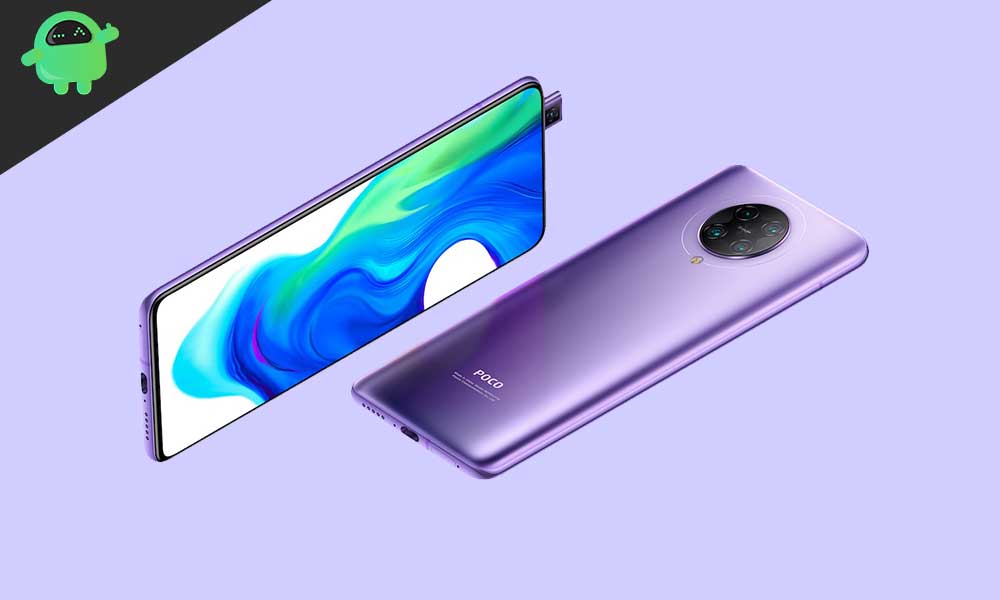
The Xiaomi Poco F2 Pro, known globally as the rebranded Redmi K30 Pro, is experiencing a renaissance among the developer community, receiving an early, unofficial port of the latest Android 16 operating system. While Google’s newest OS iteration is primarily reserved for recent Pixel hardware and select 2024 flagship devices, dedicated custom ROM developers have successfully deployed stable AOSP (Android Open Source Project) builds to older, yet highly capable, hardware like the Poco F2 Pro. This deployment allows users to bypass the limitations of official vendor support and access cutting-edge features years after the device’s initial release.
The Resilience of the Poco F2 Pro Hardware
The continued relevance of the Poco F2 Pro (codenamed "Imi") is rooted in its formidable specifications. Launched as a flagship killer, the device is built around the Qualcomm Snapdragon 865 processor, a powerhouse 5G-capable chipset that remains highly competent even against newer mid-range silicon. This performance is paired with high-speed LPDDR5 RAM (available in 6GB and 8GB configurations) and, in its top tier, ultra-fast UFS 3.1 storage up to 256GB. Such internal architecture ensures that the phone can handle the increased demands and optimizations introduced in modern Android versions.
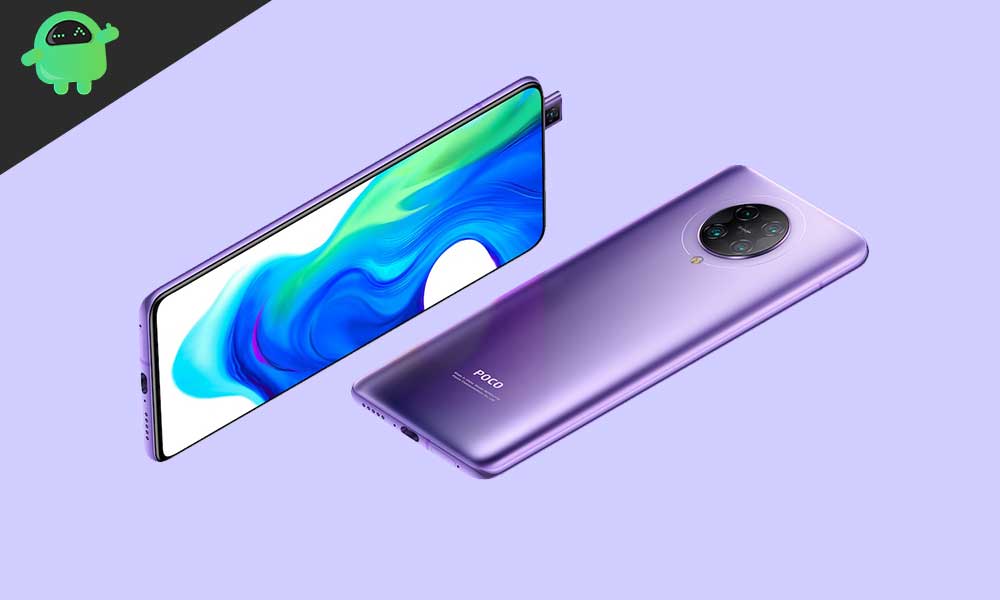
Visually, the Poco F2 Pro boasts a premium aluminum frame and a glass back protected by Corning Gorilla Glass 5. Its display is a vibrant 6.67-inch Super AMOLED panel featuring 1080p resolution and HDR10+ certification. Critically, the phone achieves an impressive screen-to-body ratio of approximately 87% due to its motorized 20MP pop-up front camera, eliminating display notches or cutouts. Originally shipping with MIUI 11 layered over Android 10, the device includes a robust 4700 mAh battery, supporting 30W proprietary fast charging that achieves a full charge in just over an hour.
The imaging system is equally impressive, featuring a versatile quad-camera array: a 64MP primary sensor, a 5MP telephoto macro lens, a 13MP ultrawide lens with a 123-degree field of view, and a 2MP depth sensor. Capable of recording 8K video at 30 frames per second (fps) and stabilizing footage using gyro-based Electronic Image Stabilization (EIS), the hardware foundation remains more than adequate for high-end mobile computing.
Exploring Android 16: Material 3 Expressive
The primary draw of deploying Android 16 is gaining access to its latest software advancements, chief among them being the introduction of Material 3 Expressive. This is not merely a superficial reskin but a significant evolution of Google’s design philosophy, Material Design 3.

Material 3 Expressive is characterized by a smoother, more fluid user experience, achieved through dynamic and refined animations that enhance interactivity and transition coherence. It refines the existing visual framework by implementing bolder typography and optimizing interface elements with larger touch targets, specifically improving usability on increasingly diverse form factors, including foldables and tablets.
This update addresses the perceived stagnation of Material Design 3, which debuted with Android 13. By emphasizing polish and dynamism rather than revolutionary visual change, Android 16 ensures the interface feels modern and responsive. Beyond the aesthetic layer, the operating system incorporates significant under-the-hood system optimizations designed to improve resource management, battery efficiency, and overall application performance, providing a noticeable upgrade for devices running custom AOSP firmware.
Status of the Unofficial Port
The unofficial nature of the Android 16 custom ROM means it is a collaborative effort by the developer community, often based on early AOSP source code. For the Poco F2 Pro, initial reports indicate a high degree of stability, suggesting that core functionalities are operational. The key functions—telephony, networking (Wi-Fi 6, Bluetooth 5.1), and core device sensors—appear to be fully functional. However, as is common with early custom firmware, users must remain vigilant for potential edge-case issues. Any identified anomalies must be meticulously documented with proper logs and reported to the respective developer to ensure rapid bug resolution and ongoing refinement of the build.
The Technical Prerequisite Checklist
Installing a custom ROM is a technical process that requires careful preparation and familiarity with low-level Android utilities. These prerequisites are non-negotiable and represent the gateway to custom firmware deployment:
- Data Preservation Strategy: The entire flashing process, particularly the initial bootloader unlock, necessitates a complete wipe of all user data. A thorough external backup of all personal files, application data, and media is mandatory to prevent irretrievable loss.
- Power Assurance: To mitigate the risk of a critical failure (bricking) during firmware deployment, the device must be charged to a minimum of 50 percent battery capacity, ideally higher, ensuring the flashing process is not interrupted by power loss.
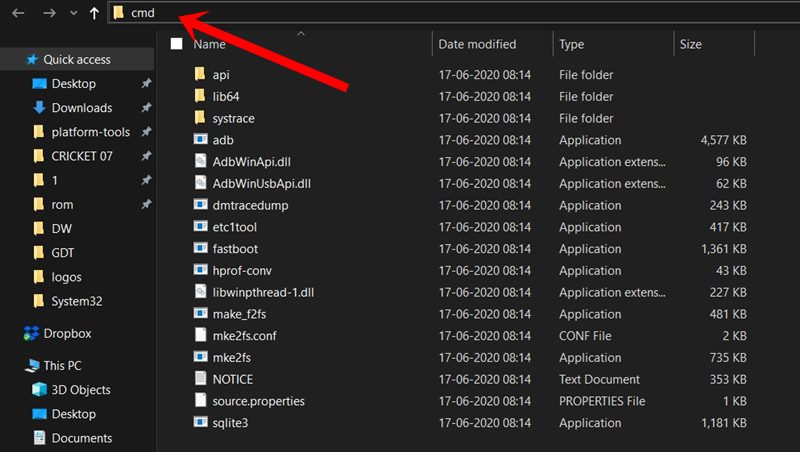
- The ADB and Fastboot Toolkit: These binaries, collectively known as Platform-Tools, are the command-line interface essential for communicating with the device in its bootloader state. ADB (Android Debug Bridge) manages device connectivity and debugging while the more powerful Fastboot utility is used to flash low-level components like recovery partitions.
- Driver Integrity: The installation of up-to-date Xiaomi USB drivers on the host computer is crucial. These drivers establish the necessary connection handshake, ensuring the ADB and Fastboot commands are recognized and executed without interruption.
- Bootloader Liberation: Unlocking the device’s bootloader is the fundamental first step, circumventing Xiaomi’s security measures that prevent unauthorized modification of the operating system. This process is official but voids the device warranty and performs the mandatory factory reset.
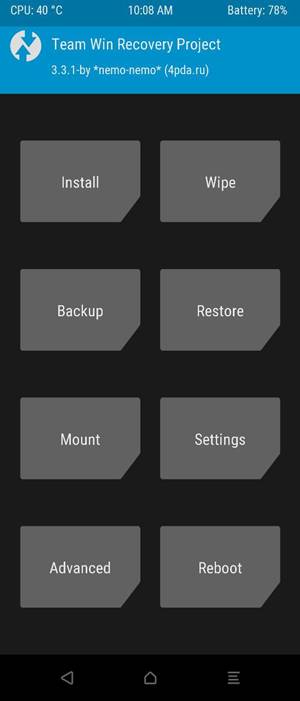
- Custom Recovery Environment (TWRP): Once the bootloader is unlocked, a custom recovery environment, such as Team Win Recovery Project (TWRP), must be deployed. TWRP replaces the stock recovery and serves as the graphical user interface required to flash unsigned ZIP files, including the Android 16 custom ROM and the essential GApps package.
- Acquisition of Firmware and Google Services: Users must source the specific Android 16 custom ROM package tailored for the Poco F2 Pro. Furthermore, since AOSP builds are pure Android and do not include proprietary Google applications, the appropriate Android 16 GApps (Google Applications) package must be downloaded and prepared for immediate deployment. It is paramount that the GApps package is flashed directly after the main ROM, prior to the device’s first boot into the new operating system.
The Deployment Process
The standard installation methodology involves rebooting the Poco F2 Pro into the newly installed TWRP recovery environment. Within TWRP, users must perform a full factory reset and wipe system partitions (excluding internal storage unless necessary). The installation sequence then requires deploying the Android 16 ROM ZIP file, immediately followed by the GApps ZIP file. After both packages are successfully flashed, the device is instructed to reboot into the system.
The inaugural boot following a custom ROM installation is inherently protracted as the system initializes and optimizes the new environment. Patience is required during this phase. Once the device successfully reaches the welcome screen, the user must proceed through the standard Android setup process.
By embracing the custom ROM route, Poco F2 Pro users are effectively extending the operational lifespan of their device, gaining access to modern security updates, system optimizations, and design language (Material 3 Expressive) that official channels are unlikely to ever provide. While the process carries inherent technical risk—the necessity of data backup and the possibility of encountering minor bugs—the reward is a dramatically modernized user experience on highly capable hardware.