

The introduction of major operating system updates typically favors Google’s own Pixel lineup before cascading down to OEM partners like Xiaomi, Samsung, and OnePlus. However, for users unwilling to wait for official vendor support—or whose devices are nearing the end of their official lifecycle—the custom ROM community provides an immediate pathway to accessing the latest mobile technology. Enthusiasts utilizing the powerful Xiaomi Redmi Note 13 Pro Plus are currently leveraging unofficial Android 16-based AOSP (Android Open Source Project) ports to revitalize their high-end hardware with Google’s cutting-edge software features and design language.
This process involves migrating the device from its native Android 13-based MIUI 14 environment to a pure, non-OEM version of Android 16, offering significant performance gains and a completely overhauled user experience centered around system fluidity and refined aesthetics.
The Defining Features of Android 16
Android 16 is not merely an iterative update; it marks a significant evolution in user interface philosophy, spearheaded by the introduction of Material 3 Expressive. This refined design standard builds upon the foundational principles of Material Design 3, focusing intensely on dynamic responsiveness, accessibility, and visual polish.
![How to Install Android 16 on Xiaomi Redmi Note 13 Pro Plus [Download Link]](https://www.getdroidtips.com/wp-content/uploads/2023/09/Redmi-Note-13-Pro-Plus.jpg)
Material 3 Expressive represents one of the most visible user-facing transformations in the latest Android iteration. While the changes avoid a jarring visual overhaul, they substantially enhance the user experience through smoother, highly dynamic animations that reduce perceived latency and improve navigational feedback. Furthermore, the design prioritizes larger touch targets, which enhances usability and accessibility across various user demographics, while bolder typography ensures crucial information is conveyed clearly and efficiently.
This timely update serves to refresh the visual identity established by Material Design 3, which debuted with Android 13 and had begun to show its age. By injecting polish and fluidity, Material 3 Expressive preserves the familiar structural elements that users appreciate while delivering a modern, high-fidelity interface that adapts gracefully across an increasingly diverse range of device types, including tablets, foldables, and standard smartphones. Beyond the visual elements, Android 16 integrates crucial system optimizations aimed at improving battery efficiency, bolstering security protocols, and enhancing background process management, ensuring a more stable and responsive user environment overall.
Profile of the Xiaomi Redmi Note 13 Pro Plus
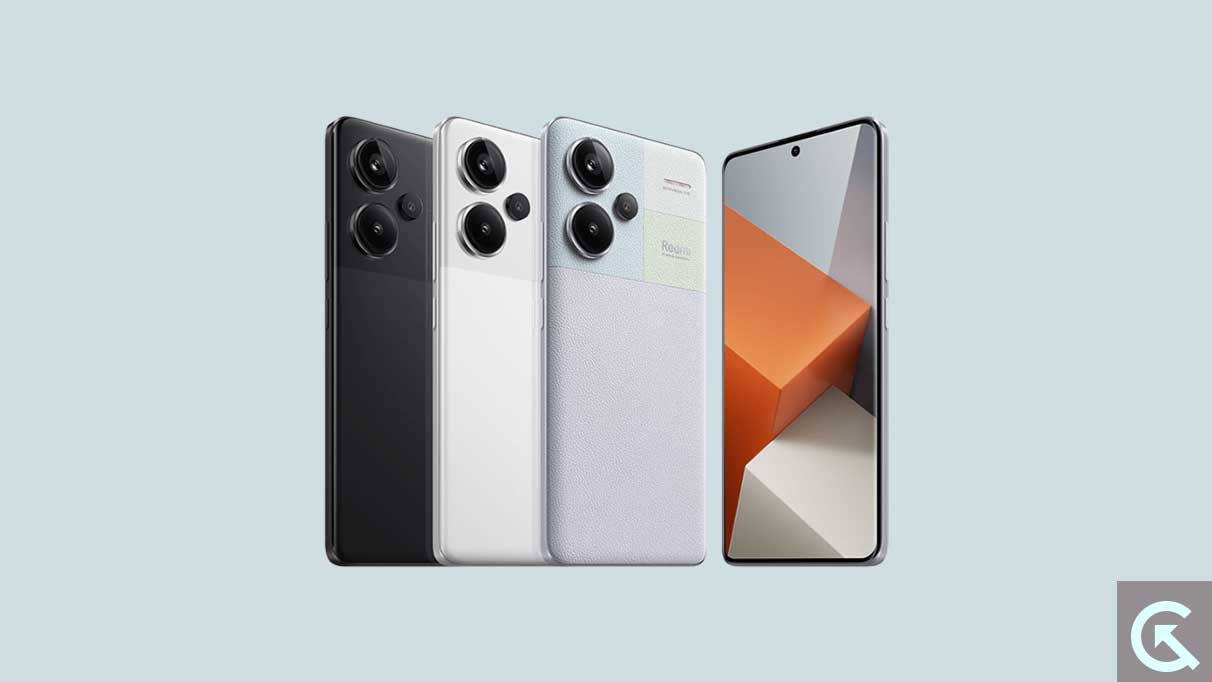
The Redmi Note 13 Pro Plus stands as a formidable candidate for this software transplantation due to its robust specifications, which comfortably exceed the baseline requirements for running contemporary operating systems. Positioned as a high-end model, the device boasts a striking 6.67-inch 1.5K full-HD+ AMOLED display, capable of delivering intensely vibrant visuals. This screen is protected by Corning Gorilla Glass Victus and features a competitive 120Hz refresh rate, guaranteeing a highly smooth and responsive interaction experience.
Under the hood, the Pro Plus model is powered by the efficient MediaTek Dimensity 7200 Ultra SoC. This chipset, coupled with configurations featuring up to 16GB of LPDDR5 RAM and 512GB of UFS 3.1 onboard storage, ensures the device handles intensive multitasking, demanding applications, and high-fidelity gaming without performance bottlenecks.
![How to Install Android 16 on Xiaomi Redmi Note 13 Pro Plus [Download Link]](https://www.getdroidtips.com/wp-content/uploads/2023/09/Redmi-Note-13-Pro-Plus-300x169.jpg)
From an original equipment perspective, the device is factory-equipped with a 5,000mAh battery, distinguished by its impressive 120W fast charging capability—a feature that minimizes downtime and maximizes connectivity. The powerful camera array includes a 200-megapixel primary rear sensor, offering professional-grade photographic capabilities. Given these advanced hardware components, migrating to an advanced OS like Android 16 allows users to fully harness the device’s potential without being constrained by the end-of-life cycle dictated by OEM software support schedules.
Navigating the Custom ROM Installation Protocol
Installing an unofficial AOSP build of Android 16 is a technical undertaking that requires meticulous preparation and an understanding of the inherent risks, particularly data loss and potential instability. The stability of these unofficial ports for the Redmi Note 13 Pro Plus has been encouraging in early testing, with reports suggesting essential functions are operational. Nevertheless, as with any early-stage custom development, users must be prepared to encounter and report minor bugs to the community developers responsible for maintaining the build.
The transition process mandates several critical preparatory steps that move the device from a manufacturer-locked state to an open environment capable of running third-party software.
1. Data Integrity and Backup Procedures
The absolute first step is the creation of a comprehensive data backup. The subsequent steps, particularly the bootloader unlock, necessitate a factory reset, which will wipe all user data, applications, and settings. Utilizing external storage or cloud services to safeguard contacts, media, and documents is non-negotiable before proceeding.
![How to Install Android 16 on Xiaomi Redmi Note 13 Pro Plus [Download Link]](https://www.getdroidtips.com/wp-content/uploads/2020/06/cmd-platform-tools.jpg)
2. Establishing the Technical Toolkit
Successful flashing requires specialized software tools on the host computer. Users must install the appropriate Xiaomi USB drivers to ensure seamless communication between the computer and the device. Furthermore, the installation of ADB (Android Debug Bridge) and Fastboot binaries (Platform-Tools) is essential. ADB facilitates basic debugging and communication, while Fastboot is the advanced command-line utility used specifically for flashing custom images and modifying partitions when the device is in bootloader mode.
3. Overcoming OEM Restrictions: Bootloader Unlock
The critical step that voids the manufacturer’s warranty and enables the installation of unauthorized software is the unlocking of the bootloader. Xiaomi enforces specific waiting periods and official procedures for this process. Unlocking the bootloader removes security measures that prevent unauthorized operating systems from being installed, fundamentally preparing the device for modification.
4. Installing Custom Recovery (TWRP)
Following the bootloader unlock, a custom recovery environment, such as Team Win Recovery Project (TWRP), must be flashed onto the device. TWRP acts as a dedicated interface, replacing the stock recovery, allowing users to flash unsigned ZIP files—specifically the Android 16 ROM and the necessary Google Apps package (GApps)—onto the device’s system partition.
5. Acquiring the Necessary Software Components
Users must download the specific Android 16 custom ROM engineered for the Redmi Note 13 Pro Plus. Crucially, because AOSP builds are pure versions of Android devoid of proprietary Google services, a separate package containing the Google Mobile Services (GApps) must also be downloaded. This package includes the Play Store, Google Framework, and core synchronization services.
![How to Install Android 16 on Xiaomi Redmi Note 13 Pro Plus [Download Link]](https://www.getdroidtips.com/wp-content/uploads/2020/08/twrp-custom-rom.jpg)
The installation sequence is precise: after booting into the custom recovery (TWRP), the user must perform system and data wipes to ensure a clean slate, then flash the Android 16 ROM package immediately followed by the GApps package, without an intervening reboot.
Conclusion and Extended Longevity
By undertaking this rigorous installation process, Redmi Note 13 Pro Plus users successfully bypass the limitations imposed by their device’s official software support window. The immediate reward is access to Android 16’s Material 3 Expressive interface and core system optimizations, effectively extending the functional lifespan and enhancing the user experience of the high-spec device.
While running an unofficial port demands patience and a willingness to troubleshoot, the current stability reports are promising. This move empowers the user, transforming the handset into a platform for continuous exploration of modern Android advancements long after official updates have ceased. Enthusiasts are strongly encouraged to document and report any emerging issues to the development community to ensure the continuous refinement and stabilization of the custom Android 16 experience.