

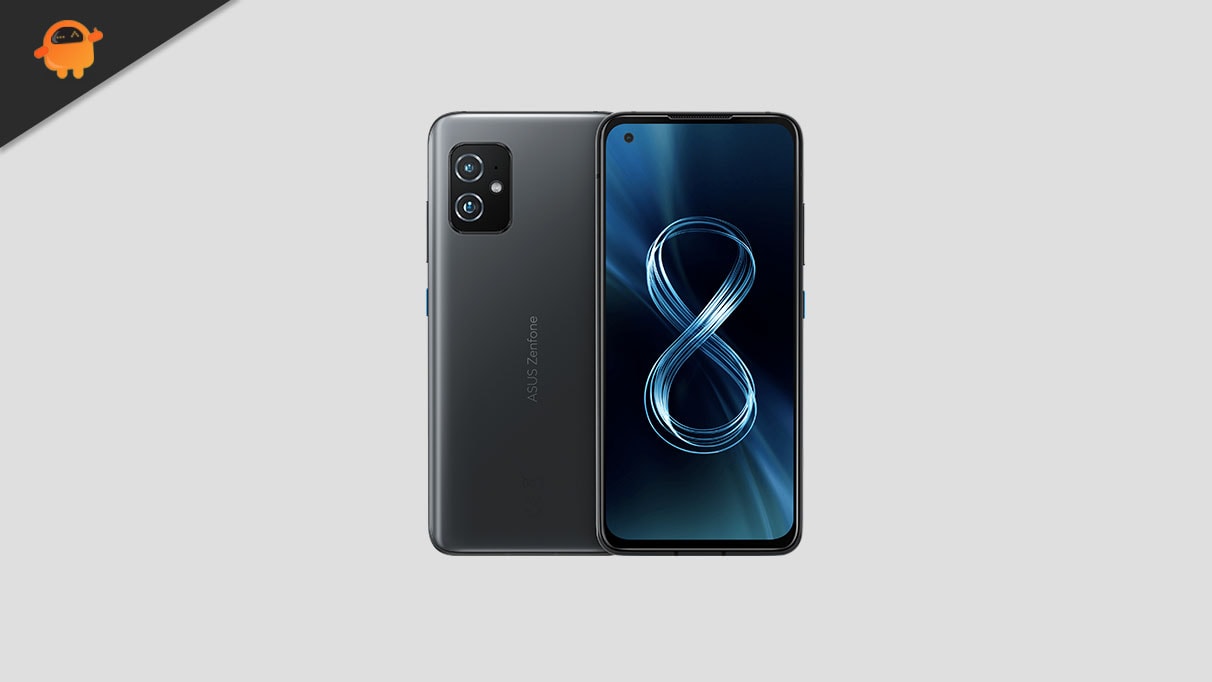
The Asus ZenFone 8, a compact flagship that debuted with Android 11, is receiving a significant extension of its digital life thanks to the dedicated Android development community. Although official support from ASUS has moved past this generation, developers have successfully ported unofficial Android 16 builds, based on the pure Android Open Source Project (AOSP), allowing users to experience Google’s latest operating system advancements, including the highly anticipated Material 3 Expressive design language.
This development offers a vital pathway for owners of the ZenFone 8 to bypass the limitations of the official update lifecycle. As Google continues its rollout of Android 16 to its current Pixel lineup, the custom ROM ecosystem rapidly adapts, ensuring that powerful, slightly older hardware remains relevant. Installing this custom ROM transforms the user experience, providing system optimizations and modern security enhancements that manufacturer support often ceases to provide after two or three major updates.
Android 16: The Dawn of Material 3 Expressive
The core appeal of upgrading to Android 16 lies in its refined user interface, dubbed Material 3 Expressive. While custom ROMs deliver the fundamental system updates, the visual polish introduced by this design philosophy is the most immediately noticeable change for end-users. Material 3 Expressive is not a radical departure from the Material Design 3 foundation established in earlier Android versions; rather, it represents a sophisticated evolution focused on fluidity, accessibility, and dynamic interaction.
![How to Install Android 16 on Asus ZenFone 8 [Download Link]](https://www.getdroidtips.com/wp-content/uploads/2021/05/Asus-Zenfone-8.jpg)
Google has implemented smoother transitions, increased the responsiveness of animations, and subtly adjusted the system’s typography to be bolder and more legible. Furthermore, larger touch targets are integrated across the interface, enhancing usability, particularly on diverse screen formats. This update strategically addresses the minor design stagnation felt by some users of Android 13 and 14, injecting new vitality into the ZenUI-free AOSP experience. The focus is on optimization and system stability, ensuring that the interface feels immediate and intuitive, regardless of whether the user is navigating a standard smartphone display, a foldable device, or a tablet. These comprehensive UI refinements ensure that even a device three generations removed from the current operating system feels thoroughly modern.
Beyond the aesthetic overhaul, Android 16 incorporates significant under-the-hood changes, including advancements in privacy controls, enhanced battery management protocols, and deeper integration of AI-driven features, though the exact functionality available in an unofficial AOSP build may vary depending on the specific developer implementation.
The Hardware Foundation: Revisiting the Asus ZenFone 8
The continued viability of the ZenFone 8 (codenamed "mini") as a platform for cutting-edge software is rooted in its robust specifications. Launched in 2021, the device was defined by its commitment to compactness without sacrificing performance.
The ZenFone 8 is powered by the high-performance Qualcomm Snapdragon 888 system-on-a-chip. This chipset, while no longer the latest generation, remains highly capable, featuring a powerful Kryo 680 CPU and Adreno 660 GPU, which easily handle the demands of modern Android applications and the overhead of a new operating system. The compact variant features a 5.9-inch SUPER AMOLED display, differentiating it sharply from the trend toward larger devices, offering excellent one-hand usability.
![How to Install Android 16 on Asus ZenFone 8 [Download Link]](https://www.getdroidtips.com/wp-content/uploads/2021/05/Asus-Zenfone-8-300x169.jpg)
Storage and memory configurations were generous, offering variants ranging from 6GB RAM with 128GB storage up to an impressive 16GB RAM coupled with 256GB storage. This substantial memory capacity is crucial for maintaining performance consistency when running modern, resource-intensive operating systems like Android 16. Furthermore, the ZenFone 8 was built with durability in mind, including an IP68 rating for water and dust resistance, a feature often overlooked in competitor compact devices.
For photography, the standard ZenFone 8 utilized a dual rear camera setup, consisting of a 64MP primary sensor and a 12MP ultrawide lens, alongside a 12MP selfie camera. Its counterpart, the ZenFone 8 Flip, distinguished itself with a larger 6.67-inch screen and the innovative triple-lens rotating camera mechanism (64MP primary, 8MP telephoto, 12MP ultrawide). Powering the standard model is a 4000mAh battery, while the Flip boasts a larger 5000mAh cell, both supported by 30W fast charging. This combination of powerful silicon and solid componentry makes the ZenFone 8 an ideal candidate for long-term custom software support.
Navigating the Custom Flashing Procedure
The process of installing an unofficial AOSP build of Android 16 is complex and requires meticulous preparation. This undertaking is strictly recommended only for advanced users comfortable with modifying core system components, as it carries inherent risks, including the potential to "brick" the device if procedures are not followed precisely.
Technical Prerequisites
Before initiating the flash, several critical steps must be completed to ensure a secure and successful operation:
![How to Install Android 16 on Asus ZenFone 8 [Download Link]](https://www.getdroidtips.com/wp-content/uploads/2020/06/cmd-platform-tools.jpg)
- Data Integrity: A comprehensive backup of all personal data is mandatory. Unlocking the bootloader and subsequent flashing procedures typically involve a factory reset (data wipe), which eradicates all user data from the internal storage.
- Power Assurance: The device must be charged to a minimum of 50% battery capacity. A power interruption during the flashing of critical system partitions can lead to irreversible damage.
- Developer Toolchain: The installation requires the Android Debug Bridge (ADB) and Fastboot binaries (Platform-Tools) installed on the host computer. ADB facilitates communication with the device while it is running or in sideload mode, whereas Fastboot is the command-line utility used specifically for writing images (like recovery and bootloader components) while the device is in its bootloader state.
- Driver Compatibility: Correct, up-to-date Asus USB drivers must be installed on the host computer to ensure stable data transfer and recognition of the ZenFone 8 during the critical flashing and bootloader modes.
- Bootloader Unlocking: This is the most foundational step. The ZenFone 8’s bootloader, which is designed to prevent unauthorized modifications, must be officially unlocked. This action is usually performed via a manufacturer-provided tool or specific Fastboot commands. Crucially, unlocking the bootloader compromises the device’s system integrity checks and voids the official manufacturer warranty.
- Custom Recovery Installation: A custom recovery environment, most commonly Team Win Recovery Project (TWRP), must be flashed onto the device. TWRP acts as the necessary intermediary environment that allows users to install unsigned third-party ZIP files, which include the custom Android 16 ROM and the Google Apps package (GApps).
Installation Workflow
The general installation sequence, performed entirely within the custom recovery environment, involves a sequential series of wipes (clearing system, cache, and data partitions), followed by the flashing of the Android 16 ROM file. Given that most AOSP builds are minimalist and do not include Google Mobile Services (GMS), the GApps package must be flashed immediately after the ROM, before the first system reboot. Failure to flash GApps at this specific time necessitates repeating the entire process.
The initial boot cycle after installing a custom operating system is significantly prolonged as the system initializes the new partition structure and compiles the required cache files.
Stability and Community Support
The current Android 16 custom ROM for the ZenFone 8 is highly stable, with early community reports suggesting that all fundamental hardware components—including basic telephony, Wi-Fi, camera function, and sensor operation—are working correctly. Developers are actively maintaining these builds, relying on community feedback for bug reports. Users encountering minor glitches are urged to provide detailed logs to the developer community, facilitating rapid identification and patching of residual issues.
By embracing this community-driven approach, ZenFone 8 users are not merely installing a new operating system; they are participating in the device’s resurrection, ensuring that high-quality, proven hardware continues to deliver a contemporary mobile experience long after its commercial retirement. This movement grants users control over their device’s lifespan and access to modern security protocols and innovative features that official channels can no longer provide.