

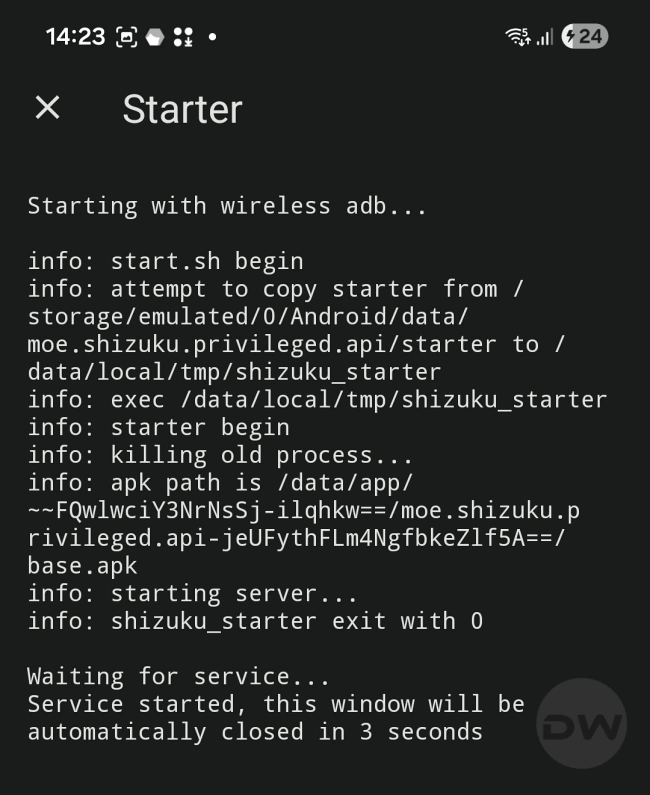
The landscape of Android customization has undergone a radical transformation over the last decade. Gone are the days when gaining elevated system privileges necessitated the complex and often risky process of unlocking bootloaders and flashing Magisk or SuperSU. In the contemporary era, Shizuku has emerged as the definitive bridge between standard user-level applications and the high-level system APIs typically reserved for the operating system itself. By leveraging the Android Debug Bridge (ADB) architecture, Shizuku allows third-party applications to execute commands with "shell" permissions, enabling features like system-wide debloating, advanced file management, and UI modifications without compromising the device’s integrity or tripping security flags like Google’s Play Integrity or Samsung’s Knox.
However, as the Android ecosystem grows more sophisticated with each iterative update, the tools designed to interface with its core frequently encounter compatibility bottlenecks. One of the most prevalent and frustrating hurdles currently facing the power-user community is the "Waiting for Service" error within the Shizuku interface. This issue manifests as a persistent loading state where the application fails to initialize its background service, effectively rendering Shizuku-dependent apps useless. While the problem can appear insurmountable to those unfamiliar with the underlying mechanics of Android’s debugging environment, a combination of version management and specific protocol resets can resolve the deadlock.
To understand the fix, one must first understand the operational framework of Shizuku. The tool functions through three primary vectors: Root access, traditional ADB commands via a workstation, and Wireless Debugging. The latter, introduced as a native feature in Android 11, has become the most popular method because it grants users the freedom to activate Shizuku directly on the device without needing a physical connection to a computer. This convenience, however, comes at the cost of stability. The Wireless Debugging protocol relies on a local handshake between the Shizuku server and the device’s internal ADB daemon. When this handshake fails or the daemon becomes unresponsive, the "Waiting for Service" loop begins.

A significant contributing factor to this instability is the divergence between different distribution channels of the Shizuku software. For many years, the Google Play Store was the primary destination for downloading the app. However, the version currently hosted on the Play Store has not seen a meaningful update in over a year. During this same period, Google has introduced Android 14 and the early builds of Android 15, both of which implemented stricter background execution limits and changes to how wireless debugging ports are randomized and secured. Consequently, the Play Store version often lacks the necessary logic to navigate these newer security parameters.
Technical experts and the Shizuku development team now strongly advise users to bypass the Play Store entirely in favor of the official GitHub releases. The GitHub repository serves as the bleeding edge of development, containing patches for specific manufacturer skins—such as Xiaomi’s HyperOS or Samsung’s One UI—that often interfere with ADB-based services. Migrating to the GitHub version is the first essential step in troubleshooting; it ensures that the application has the latest scripts required to hook into the system’s debugging service.
Once the correct version is installed, users often find that even with a successful "Pairing" process, the app still hangs on the service initialization screen. This is where the most effective "quick-fix" comes into play. The "Waiting for Service" state usually indicates that while the pairing code was accepted, the actual execution command is stuck in the system’s command queue or the ADB daemon has entered a zombie state. Rather than the arduous process of unpairing the device, clearing app cache, and restarting the entire setup from scratch, a simple toggle of the system’s debugging state is usually sufficient.
To execute this correction, the user must navigate to the Android Developer Options—a hidden menu activated by tapping the "Build Number" in the system settings seven times. Within this menu, the user should locate the "Wireless Debugging" toggle. The trick involves a rapid reset: disabling Wireless Debugging entirely and then immediately re-enabling it. This action forces the Android OS to kill the current adbd (ADB daemon) process and spawn a fresh instance. Because Shizuku’s pairing information is stored independently of the active session, the app does not lose its "trusted" status. When the user returns to the Shizuku interface after this toggle, the application typically detects the fresh daemon within three to five seconds, successfully pushes the server script, and moves to the "Shizuku is running" state.

This methodology highlights a broader reality of the modern Android experience: the tension between security and user agency. Google has increasingly moved toward a "walled garden" approach, where background processes are heavily scrutinized to preserve battery life and prevent malware. Shizuku operates in a gray area, using developer tools to grant users the level of control they desire. When the system becomes "stuck," it is often because the OS’s aggressive power management or security hooks have paused the very service Shizuku needs to function. By manually cycling the Wireless Debugging toggle, the user is essentially performing a soft-reset of the communication bridge.
For those who find Shizuku’s architecture too temperamental or who require even deeper integration, the ecosystem offers alternatives like Dhizuku. While Shizuku focuses on the ADB shell level, Dhizuku takes a different approach by utilizing the "Device Owner" or "Profile Owner" permissions. This allows for a more permanent service that does not rely on the often-fickle Wireless Debugging protocol. However, setting up Dhizuku is a more intensive process, often requiring the temporary removal of all accounts from the device to grant the app administrative ownership. For the vast majority of users, Shizuku remains the preferred choice due to its non-invasive nature, provided one knows how to navigate its occasional connectivity quirks.
The importance of maintaining Shizuku functionality cannot be overstated for the enthusiast community. It is the engine behind "Ice Box" and "Hail," which allow users to freeze resource-heavy apps that otherwise drain battery in the background. It powers "DarQ," which forces a per-app dark mode on older applications, and "SystemUI Tuner," which permits the hiding of cluttered status bar icons without needing to root the device. When Shizuku fails, the entire stack of customization tools fails with it.
In conclusion, the "Waiting for Service" error is rarely a sign of a broken device or a permanent software failure. Instead, it is a byproduct of the evolving complexity of Android’s security layers. By moving away from the stagnant Play Store builds and utilizing the GitHub-sourced binaries, users provide themselves with the best foundation for success. When the software inevitably hits a snag in the handshake process, the simple act of cycling the Wireless Debugging toggle serves as a powerful, efficient remedy. This approach preserves the user’s settings, avoids the frustration of redundant pairing, and ensures that the elevated permissions required for a personalized mobile experience remain accessible. As Android continues to iterate, the community-driven development of tools like Shizuku and the knowledge of these logistical workarounds remain the primary safeguard for digital freedom on the world’s most popular mobile operating system.
