

The landscape of Android customization has long been defined by a persistent tug-of-war between power users seeking administrative control over their hardware and software developers striving to maintain a controlled, secure environment. Rooting, the process of attaining privileged control—known as root access—over the Android subsystem, offers enthusiasts unparalleled freedom to modify system files, remove bloatware, and enhance device performance. However, this freedom frequently comes at the cost of compatibility. Historically, financial institutions and high-security enterprises have been the primary gatekeepers, implementing rigorous root detection protocols to prevent their applications from running on "compromised" devices. Recently, this trend has expanded beyond the banking sector, encompassing service-oriented applications such as Uber, McDonald’s, and the augmented reality hit Pokémon Go. Joining these ranks is the Airtel Thanks app, a cornerstone of the digital experience for millions of subscribers under one of India’s largest telecommunications providers.

For the modern Android enthusiast, the inability to access carrier-specific utilities like Airtel Thanks represents a significant hurdle. The application is not merely a portal for checking data balances; it has evolved into a comprehensive fintech and service hub, integrating the Airtel Payments Bank, UPI transactions, and utility bill management. Because the app handles sensitive financial data and personal identification, Airtel has implemented aggressive security measures. Numerous users report that despite employing traditional root-hiding techniques, the application remains capable of detecting administrative privileges, resulting in an immediate force close or a persistent error message upon reaching the initial login screen. This guide provides a detailed, technical roadmap for navigating these restrictions, utilizing advanced tools like Magisk Alpha to restore functionality without sacrificing the benefits of a rooted environment.
Before embarking on this technical endeavor, it is imperative to address the inherent risks associated with system-level modifications. Modifying the Android operating system at the root level carries the potential for data loss or system instability. Users are strongly advised to perform a comprehensive backup of all critical data, including media, contacts, and application-specific information. While the methods described herein are utilized successfully by the modding community, the complexity of Android’s security architecture means that results can vary based on device hardware, firmware versions, and the specific build of the operating system. Furthermore, users operating on custom ROMs—such as LineageOS, Pixel Experience, or Evolution X—must ensure their devices are correctly rooted using Magisk before proceeding with the specific bypass steps.

The primary challenge in running Airtel Thanks on a rooted device lies in the sophistication of its detection mechanisms. Standard iterations of Magisk, the de facto standard for Android rooting, are often flagged by the app’s security scanners. These scanners look for specific package names, directory structures, and the presence of the Magisk Manager app itself. Recent updates to the Airtel Thanks app have proven particularly resilient, leading many in the community to transition from the official Magisk release to Magisk Alpha. This specialized version offers enhanced obfuscation capabilities and more frequent updates tailored to bypass the latest iterations of Google’s Play Integrity API and third-party security suites.
The first phase of the restoration process involves the installation of Magisk Alpha. Unlike the standard version, Magisk Alpha is designed with "stealth" as a priority. Once the Alpha version is installed, the user must utilize the "Hide Magisk app" feature within the settings. This process involves the creation of a "stub" app with a completely randomized package name. By doing this, the user ensures that the Airtel Thanks app cannot find the Magisk Manager by scanning the device’s installed application list. This is a critical first step, as many modern apps simply check for the presence of the string "magisk" within the system’s package manager to trigger a security lockout.

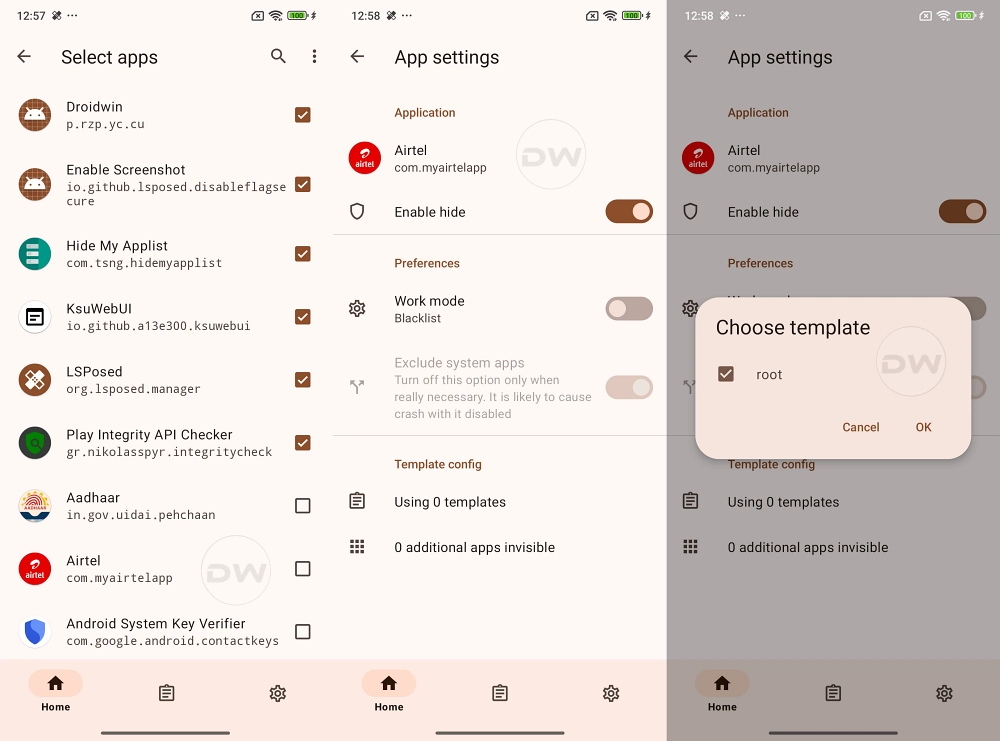
Following the successful concealment of the Magisk app, the focus shifts to the Zygisk environment. Zygisk is the implementation of Magisk in the Zygote process of Android. Since the Zygote process is the parent of every application process on the system, running Magisk within it allows for much more powerful and seamless modification and hiding capabilities. After enabling Zygisk in the Magisk Alpha settings, a device reboot is required to initialize the environment. Once active, the user must navigate to the "Configure DenyList" section. Here, it is vital to locate the Airtel Thanks app and ensure that all its sub-processes are checked. This instructs Magisk to prevent its modifications from interacting with the Airtel app, effectively presenting a "clean" system environment to the application’s internal security checks.
However, simply adding the app to the DenyList is often insufficient for modern carrier apps that utilize the Play Integrity API. To combat this, users frequently turn to additional modules such as Shamiko. Shamiko is a specialized Zygisk module designed to hide root more effectively than the built-in DenyList alone. When using Shamiko, it is a common technical requirement to "Configure DenyList" but leave the "Enforce DenyList" toggle in the "Off" position. This allows Shamiko to take over the hiding duties, providing a more robust shield against the deep-level system calls that Airtel Thanks uses to probe for root binaries like su.

Another critical component of the modern bypass strategy is the Play Integrity Fix module. As Google has deprecated the older SafetyNet attestation in favor of the Play Integrity API, apps like Airtel Thanks now demand that a device pass "Meets Device Integrity" or even "Meets Strong Integrity" checks. Without a valid integrity pass, the app may refuse to initialize the banking and payment modules, even if the root binaries themselves are hidden. Installing the latest Play Integrity Fix module ensures that the device provides the correct cryptographic responses to Google’s servers, mimicking a certified, bootloader-locked device.
Once the technical environment is prepared—Magisk Alpha hidden, Zygisk enabled, Shamiko configured, and Play Integrity Fix installed—the final step involves clearing the residual "memory" of the Airtel Thanks app. Applications often cache the results of security scans; if the app detected root once, it might continue to crash based on cached data even after the root has been hidden. Users must navigate to the Android System Settings, locate the Airtel Thanks app in the application manager, and perform a "Clear Data" and "Clear Cache" operation. This forces the app to perform a fresh scan of the system environment upon its next launch.

If the steps are followed precisely, the Airtel Thanks app should launch into the phone number entry screen without a force close. This success signifies that the app’s security suite has been successfully convinced that it is running on a standard, unmodified device. The ability to run such applications on a rooted device is not merely a matter of convenience; it represents a user’s right to maintain administrative control over their hardware while still accessing essential digital services.
The ongoing evolution of Android security suggests that this cat-and-mouse game will persist. As developers implement more advanced hardware-backed attestation and side-channel analysis to detect rooting, the tools used by the community will likewise become more sophisticated. For now, the combination of Magisk Alpha and diligent environment configuration remains the most effective method for Indian Android users to bridge the gap between system-level customization and the necessity of carrier-grade utility applications. This guide serves as a testament to the ingenuity of the Android modding community, ensuring that even as security barriers grow taller, the path to user autonomy remains open for those willing to navigate the technical complexities of the modern mobile ecosystem.
