

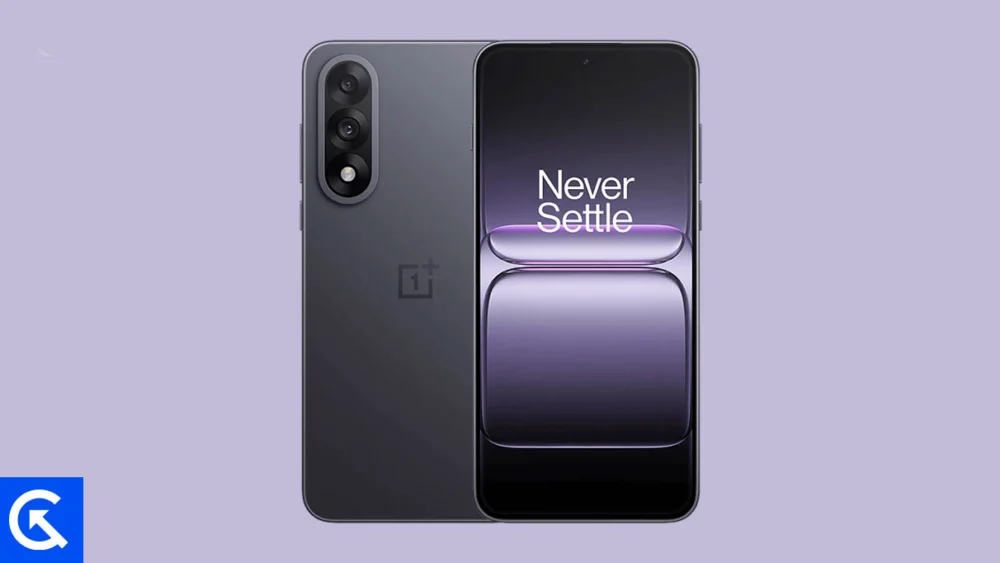
The rapid evolution of the Android operating system often leaves even the most capable hardware waiting months for official updates. However, for the OnePlus Nord 5—a device that has already established itself as a mid-range powerhouse—the wait for the latest software innovations has been significantly shortened. Following Google’s recent deployment of Android 16 to its proprietary Pixel lineup, the independent developer community has successfully ported unofficial Android Open Source Project (AOSP) builds to the Nord 5. This development allows enthusiasts to bypass the traditional manufacturer rollout schedule and experience "Material 3 Expressive" and other flagship features today.
Released in July 2025, the OnePlus Nord 5 represents a zenith in the company’s efforts to bridge the gap between affordability and flagship-tier performance. The device is built around a stunning 6.83-inch Swift AMOLED panel, boasting a 144Hz refresh rate and a peak brightness of 1,800 nits. This high-fidelity display is protected by Corning Gorilla Glass 7i and supports Ultra HDR imaging, providing a visual canvas that is uniquely suited to the aesthetic demands of Android 16. Under the hood, the Nord 5 is powered by the Qualcomm Snapdragon 8s Gen 3 chipset, a 4nm processor that, when paired with the Adreno 735 GPU, offers the computational headroom required to handle the sophisticated animations and background processes of the new OS. With configurations offering up to 12GB of RAM and 512GB of UFS 3.1 storage, the hardware remains competitive even as software requirements grow more demanding.
![How to Install Android 16 on OnePlus Nord 5 [Download Link]](https://www.getdroidtips.com/wp-content/uploads/2025/11/OnePlus-Nord-5.jpg)
The transition to Android 16 introduces users to the next iteration of Google’s design philosophy: Material 3 Expressive. While its predecessor, Material Design 3, focused on color harmony and personalization, the "Expressive" update prioritizes fluidity and haptic-visual feedback. Users will notice larger, more accessible touch targets and a shift toward bolder typography that improves legibility on the Nord 5’s expansive screen. The system animations have been rebuilt from the ground up to feel more organic, responding to user input with a level of polish that makes the interface feel more like a living entity than a static grid of icons. This update is particularly relevant for the Nord 5, as the 144Hz refresh rate allows these new, smoother transitions to be rendered with surgical precision.
Beyond the visual overhaul, Android 16 brings a suite of system-level optimizations designed to enhance the longevity and security of the device. These include refined privacy controls, improved notification management, and deeper integration for foldable and large-screen formats—features that benefit the Nord 5’s generous display dimensions. While the device originally shipped with OxygenOS 15 based on Android 15, the move to an AOSP-based Android 16 ROM offers a "clean" experience, stripped of the manufacturer skins and pre-installed software that some users find intrusive. This minimalist approach often results in improved RAM management and potentially better battery endurance from the device’s substantial power cell (ranging from 5,200mAh in European models to 6,800mAh in Global variants).
Transitioning to a custom ROM, however, is a technical undertaking that requires a rigorous adherence to safety protocols. The prerequisite for any such modification is the unlocking of the bootloader. This process is the digital equivalent of breaking the manufacturer’s seal, granting the user administrative access to the device’s deepest partitions. It is important to note that unlocking the bootloader triggers a complete factory reset, necessitating a comprehensive backup of all personal data, including photos, contacts, and application settings. Furthermore, a stable connection to a computer via ADB (Android Debug Bridge) and Fastboot binaries is essential. These command-line tools serve as the bridge between the desktop environment and the phone’s bootloader mode, allowing for the transmission of recovery images and system files.
![How to Install Android 16 on OnePlus Nord 5 [Download Link]](https://www.getdroidtips.com/wp-content/uploads/2025/11/OnePlus-Nord-5-300x169.jpg)
Another critical component in this journey is the installation of a custom recovery environment, most notably Team Win Recovery Project (TWRP). TWRP replaces the stock recovery partition and provides a touch-based interface for wiping partitions and "flashing" (installing) the Android 16 ZIP files. Without a functional custom recovery, the installation of an unsigned, third-party operating system is impossible. Users must also ensure their device is charged to at least 50% capacity, as a power failure during the flashing process can lead to a "bricked" state, rendering the smartphone temporarily or permanently inoperable.
The specific Android 16 build for the OnePlus Nord 5 is an AOSP port, meaning it is built directly from the source code provided by Google. One characteristic of these builds is the absence of proprietary Google Mobile Services (GMS). To regain access to the Google Play Store, Gmail, and Google Maps, users must flash a separate package known as GApps (Google Apps). The timing of this step is crucial; developers recommend flashing the GApps package immediately after the ROM, before the initial system reboot, to ensure that the permissions and framework are correctly integrated into the system partition.
The actual installation process follows a logical sequence: booting into recovery, performing a "clean wipe" (which removes the existing system and data partitions to prevent software conflicts), and then queueing the ROM and GApps files for installation. Upon the first boot, the system may take several minutes to initialize the new file structure and cache. Once the setup wizard appears, the OnePlus Nord 5 is effectively transformed, running a version of Android that is technically ahead of its official software lifecycle.
![How to Install Android 16 on OnePlus Nord 5 [Download Link]](https://www.getdroidtips.com/wp-content/uploads/2020/06/cmd-platform-tools.jpg)
While the current reports regarding this Android 16 port suggest a high degree of stability, with essential functions like Wi-Fi, Bluetooth, and cellular connectivity working as intended, users must remain vigilant. Custom ROMs are community-driven projects, and minor bugs—such as anomalies in the 80W fast charging speeds or specific camera sensor optimizations—may exist. The 50MP main lens with Optical Image Stabilization (OIS) and the 4K-capable front-facing camera require specific drivers to function at peak performance, and while AOSP builds strive for compatibility, some of the proprietary post-processing found in OxygenOS may be absent. Users are encouraged to participate in developer forums, providing logs and feedback to help refine the build.
Ultimately, installing Android 16 on the OnePlus Nord 5 is more than just a software update; it is an assertion of user sovereignty over their hardware. By leveraging the Snapdragon 8s Gen 3’s power and the AMOLED’s vibrancy, this custom ROM path allows the Nord 5 to punch well above its weight class. It provides a glimpse into the future of mobile interaction, characterized by the Material 3 Expressive design and the efficiency of a bloatware-free environment. For the tech-savvy owner, the rewards of a cleaner, faster, and more modern interface far outweigh the complexities of the installation process. As the developer community continues to polish these builds, the OnePlus Nord 5 stands as a testament to the enduring synergy between robust hardware and open-source innovation. Through this process, a device released as a mid-range contender is elevated to the cutting edge of the Android ecosystem, ensuring it remains relevant and exciting long after its initial debut.
