

The lifecycle of a modern smartphone is often dictated by the manufacturer’s software support policy, leaving many high-performance devices behind while the hardware is still more than capable of handling the latest tasks. The OnePlus 9R, a device that successfully bridged the gap between the OnePlus 8T and the flagship 9 series, is currently entering this phase of its existence. However, the Android enthusiast community and independent developers have long provided an alternative route to longevity. With the recent unveiling of Android 16—internally referred to by Google as "Baklava"—the developer community has moved with impressive speed to port unofficial Android Open Source Project (AOSP) builds to older hardware. For OnePlus 9R owners, this represents an opportunity to bypass official end-of-life cycles and experience the cutting edge of mobile operating systems.
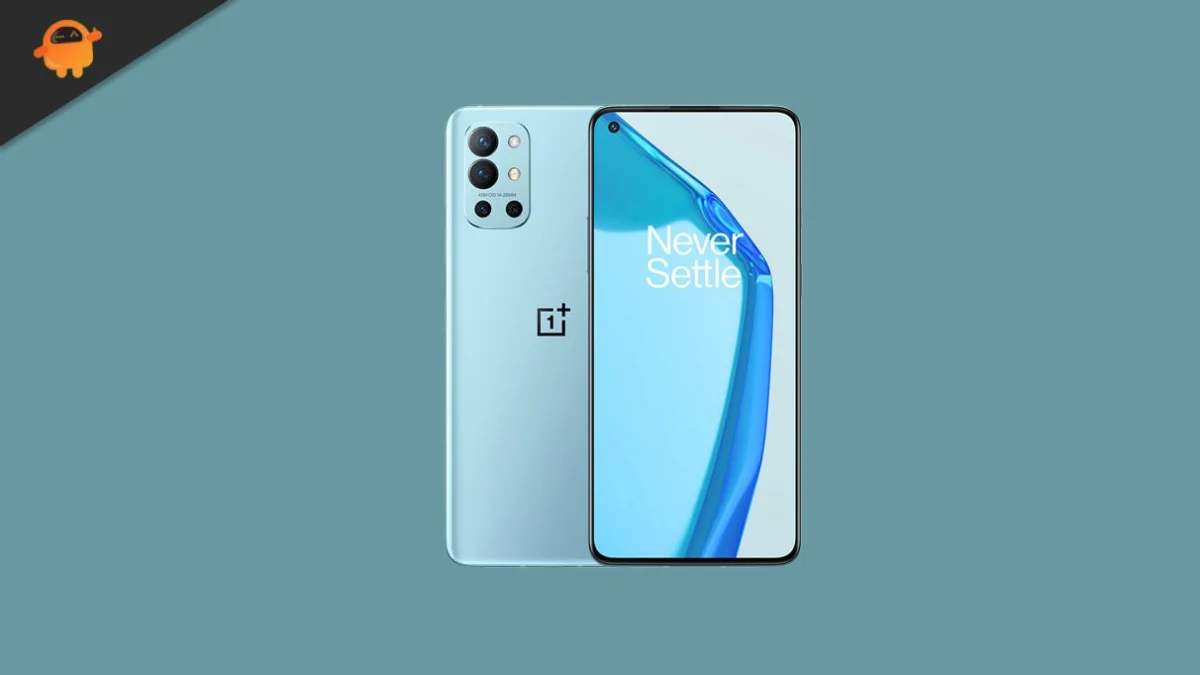
The OnePlus 9R remains a formidable piece of engineering, even years after its initial release. At its heart lies the Qualcomm Snapdragon 870 5G chipset, a 7nm processor that many enthusiasts prefer over its immediate successors due to its superior thermal management and sustained performance. The octa-core architecture, led by a high-performance Kryo 585 core clocked at 3.2 GHz, ensures that the device remains snappy in day-to-day use. This processing power is paired with an Adreno 650 GPU, which continues to handle modern mobile gaming with relative ease. The visual experience is anchored by a 6.55-inch Fluid AMOLED display, boasting a 120Hz refresh rate and HDR10+ support, providing a fluid interface that rivals contemporary mid-range and upper-mid-range offerings. Its quad-camera system, headlined by a 48 MP Sony IMX586 sensor with Optical Image Stabilization (OIS), further cements its status as a device that deserves the latest software refinements.
![How to Install Android 16 on OnePlus 9R [Download Link]](https://www.getdroidtips.com/wp-content/uploads/2021/06/OnePlus-9R.jpg)
Android 16 arrives as a significant milestone in the evolution of Google’s operating system, introducing the "Material 3 Expressive" design philosophy. This is not merely a cosmetic update but a fundamental refinement of the Material You aesthetics introduced in earlier versions. Material 3 Expressive focuses on high-fidelity animations, bolder typography, and more intuitive touch targets, creating a user interface that feels more responsive and "alive." On a high-refresh-rate screen like that of the OnePlus 9R, these fluid transitions and dynamic color-theming engines are particularly striking. Beyond the visual layer, Android 16 introduces deep system optimizations designed to improve battery efficiency and background task management. It also brings enhanced privacy controls, giving users more granular authority over how apps access sensitive data and hardware components.
For those looking to install this unofficial version of Android 16, the process requires a departure from standard over-the-air updates. It involves the use of custom recoveries and command-line tools, which, while technically demanding, offer a level of control over the device that is unavailable through official channels. The transition to a custom ROM like AOSP-based Android 16 allows users to strip away manufacturer-specific bloatware, resulting in a cleaner, faster, and more private user experience. Current reports from early adopters suggest that the primary functions of the OnePlus 9R—including the display, cellular connectivity, Wi-Fi, and Bluetooth—are functioning correctly in these early builds. However, as with any unofficial software, users must be prepared for potential minor bugs and the need for community-driven troubleshooting.
Before embarking on the installation process, several critical prerequisites must be met to ensure the safety and integrity of the device. The most vital step is a comprehensive data backup. Installing a custom ROM requires a complete wipe of the device’s internal storage, meaning all photos, messages, and application data will be lost. Users should utilize cloud services or physical storage to secure their information. Furthermore, the device’s battery should be charged to at least 50% to prevent an unexpected shutdown during the sensitive flashing process, which could lead to a "bricked" or unusable state.
![How to Install Android 16 on OnePlus 9R [Download Link]](https://www.getdroidtips.com/wp-content/uploads/2021/06/OnePlus-9R-300x169.jpg)
The technical foundation for this installation relies on the Android Debug Bridge (ADB) and Fastboot binaries. These command-line utilities allow a computer to communicate with the smartphone at a system level. ADB facilitates the transfer of files and commands while the OS is running or in recovery mode, while Fastboot is essential for modifying the device’s firmware partitions when it is in bootloader mode. In addition to these tools, the correct OnePlus USB drivers must be installed on the host computer to ensure a stable connection.
The "gatekeeper" of this entire process is the bootloader. By default, OnePlus ships its devices with a locked bootloader to prevent unauthorized software modifications. Unlocking the bootloader is a mandatory step for installing any custom recovery or ROM. It is important to note that unlocking the bootloader will trigger a factory reset and may void certain aspects of the manufacturer’s warranty. Once the bootloader is unlocked, the next step is the installation of a custom recovery environment, such as TWRP (Team Win Recovery Project). TWRP replaces the stock recovery and provides a touch-based interface for wiping partitions, flashing image files, and creating system-level backups.
The installation of Android 16 on the OnePlus 9R follows a specific sequence of operations. Once the device is booted into the TWRP recovery environment, the user must perform a "Clean Flash." This involves wiping the Data, Cache, and Dalvik partitions to ensure that no remnants of the previous operating system interfere with the new installation. Following the wipe, the Android 16 ROM file is transferred to the device and "flashed" or installed via the recovery menu.
![How to Install Android 16 on OnePlus 9R [Download Link]](https://www.getdroidtips.com/wp-content/uploads/2020/06/cmd-platform-tools.jpg)
A crucial distinction in the world of AOSP ROMs is the inclusion of Google Apps (GApps). Most community-developed ROMs are distributed without Google services like the Play Store, Maps, or Gmail to avoid licensing issues and to offer a "de-Googled" experience for privacy-conscious users. Most users, however, will want to download and flash an Android 16-compatible GApps package immediately after the ROM installation. It is vital to flash the GApps package before the first system reboot to ensure that the Google Play Services are properly integrated into the system partition.
After the flashing process is complete, the initial boot sequence may take several minutes as the new OS configures its system files and optimizes applications. Once the device reaches the setup screen, users will find a clean, "Pixel-like" interface that is free from the heavy skins often found on manufacturer-specific builds. This "vanilla" Android experience is often cited as the primary reason for switching to custom ROMs, as it maximizes the hardware’s potential without the overhead of unnecessary background services.
While the prospect of running Android 16 on the OnePlus 9R is exciting, it is not without risks. The development community emphasizes that these early builds are intended for enthusiasts who are comfortable with troubleshooting. If bugs are encountered—such as issues with specific sensors or third-party app compatibility—users are encouraged to capture system logs and report them to the developers. This collaborative feedback loop is what allows custom ROMs to eventually reach a state of "daily driver" stability.
![How to Install Android 16 on OnePlus 9R [Download Link]](https://www.getdroidtips.com/wp-content/uploads/2020/08/twrp-custom-rom.jpg)
In conclusion, the OnePlus 9R remains a powerful candidate for extended software support through the ingenuity of the Android developer community. By installing an Android 16-based custom ROM, users can enjoy the latest aesthetic and functional innovations from Google, such as Material 3 Expressive and enhanced privacy frameworks, while maintaining the high-performance hardware they already own. This process not only breathes new life into a classic device but also serves as a testament to the enduring value of open-source software development in the mobile industry. As long as developers continue to support the Snapdragon 870 platform, the OnePlus 9R will continue to be a relevant and capable device in the ever-evolving landscape of mobile technology.
