

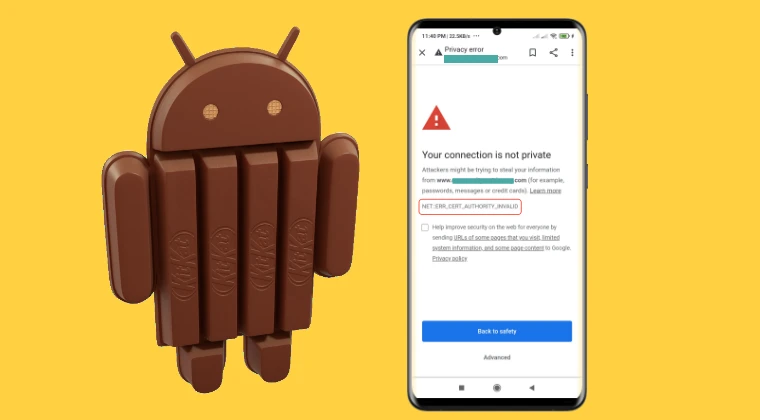
The rapid evolution of web security protocols has inadvertently turned millions of functional electronic devices into "e-waste" long before their hardware has actually failed. Among the most prominent victims of this digital obsolescence are devices running Android 4.4.4 KitKat, a version of Google’s operating system that once dominated the market but now struggles to perform the most basic task of the modern era: browsing the internet. Users attempting to access websites on these aging tablets and smartphones are frequently met with the "ERR_CERT_AUTHORITY_INVALID" error. This message, while appearing to be a simple connectivity glitch, is actually a symptom of a profound architectural rift between the legacy software of 2013 and the encrypted infrastructure of the 2020s.
To understand why this error occurs, one must look at the mechanics of the Android System WebView. In modern iterations of Android, the WebView—the engine that allows apps to display web content—is a modular component updated via the Google Play Store. This allows Google to patch security vulnerabilities and update certificate stores independently of the core operating system. However, in Android 4.4.4, the WebView is "baked" directly into the system libraries, specifically located within the /system/lib/ directory. Because it is a hard-coded component of the firmware, it cannot be swapped for a newer version simply by installing an APK. The operating system lacks the necessary hooks to run modern WebView versions, creating a deadlock where the software is incapable of recognizing the cryptographic signatures used by modern websites.
The crux of the problem lies in the expiration of root certificates. When a browser connects to a website, it checks the site’s security certificate against a local database of "trusted" authorities. In September 2021, a major shift occurred when the DST Root CA X3 certificate, used by the widely popular Let’s Encrypt authority, expired. While modern devices had already transitioned to the newer ISRG Root X1 certificate, legacy systems like KitKat remained tethered to the expired one. Without an updated trust store, the KitKat browser views almost every modern encrypted site as a potential security threat, resulting in the persistent "ERR_CERT_AUTHORITY_INVALID" warning.
Despite these hurdles, the hardware remains capable, and for those looking to repurpose these devices for light tasks, there are technical workarounds. These methods involve manually injecting modern root certificates into the system’s internal trust store, effectively teaching the old OS to trust the modern web. There are two primary avenues for achieving this, depending on whether the user has administrative "root" access to the device or must rely on custom recovery environments.
The first and most effective strategy involves utilizing root access. This method boasts a higher success rate because it allows the user to modify the system partition while the operating system is active. By gaining administrative privileges, a user can navigate to the system’s security directory, typically found at /system/etc/security/cacerts/. This folder contains the "Source of Truth" for every certificate the device trusts. The process requires downloading the modern ISRG Root X1 certificate—the standard now used by a significant portion of the internet—and converting it into a specific format that Android recognizes, which involves a cryptographic hash followed by a ".0" extension.
Once the certificate is prepared, it must be moved into the system directory. This is not a simple copy-paste operation; because the /system partition is usually mounted as "read-only" for security reasons, the user must first remount the partition with "read-write" permissions. After moving the file, the file permissions must be meticulously set to 644 (rw-r–r–) to ensure the system can read the file without granting it dangerous execution rights. Upon a reboot, the Android system integrates this new certificate into its trust chain, allowing the legacy browser to validate modern websites. The primary benefit of this approach is its permanence and reliability, though it does require the device to be rooted, a process that varies in difficulty depending on the specific manufacturer and model.
For users who prefer not to root their devices or are unable to do so, the second method involves using a custom recovery environment, such as the Team Win Recovery Project (TWRP). This approach is often categorized as "non-root" because it does not require a root daemon to be running within the Android OS itself, though it does require an unlocked bootloader to install the recovery software. The logic remains the same: the goal is to place the updated certificate file into the /system/etc/security/cacerts/ directory.
By booting into TWRP, the user bypasses the operating system’s standard protections. From the recovery menu, the system partition can be mounted, granting full access to the internal file structure. The user can then use the integrated file manager or the Android Debug Bridge (ADB) from a connected computer to push the certificate file into the destination folder. While this method is slightly less invasive to the daily operation of the OS, its success depends heavily on whether a compatible custom recovery exists for the specific legacy hardware in question. Furthermore, some devices utilize proprietary file systems or encrypted partitions that may complicate the mounting process within recovery.
While these manual fixes address the certificate error, they do not solve the underlying issue of an outdated browser engine. Even with updated certificates, many modern websites use JavaScript and CSS features that the KitKat WebView simply cannot render, leading to broken layouts or non-functional buttons. To truly maximize the utility of a resurrected KitKat device, users often turn to "standalone" browsers. Applications like older versions of Firefox or the Opera Mini browser often maintain their own internal certificate stores, independent of the Android system. By using a browser that manages its own trust chain, users can sometimes bypass the system-level certificate errors without needing to modify the system partition at all.
However, the pursuit of reviving legacy hardware must be tempered with an understanding of the security implications. Android 4.4.4 has not received a security patch from Google in many years. It remains vulnerable to a litany of exploits that have been patched in subsequent versions of the OS. While fixing the certificate error allows the device to connect to the modern web, it does not make the device "secure" by modern standards. Users should exercise caution, avoiding the entry of sensitive information such as banking credentials or primary email passwords on a device with such an outdated security posture.
The struggle to keep Android KitKat alive is a microcosm of a larger conversation regarding the "right to repair" and software longevity. As the world becomes increasingly digital, the hardware we own is only as useful as the software that supports it. When a perfectly functional screen, battery, and processor are rendered useless because of a small file in a system directory, it highlights a significant flaw in the current tech ecosystem. By manually intervening and updating these system components, enthusiasts not only extend the life of their own devices but also push back against the tide of planned obsolescence.
In conclusion, the "ERR_CERT_AUTHORITY_INVALID" error on Android 4.4.4 is not an insurmountable wall, but rather a gate that requires a specific key. Whether through the direct intervention of root access or the surgical precision of a custom recovery, it is possible to bridge the gap between legacy hardware and the modern encrypted web. These methods require a degree of technical proficiency and a willingness to accept certain risks, but for those who value the preservation of technology and the reduction of electronic waste, the effort is a small price to pay for bringing a piece of history back to life. These two methodologies—root-based injection and recovery-based modification—remain the most viable paths for anyone looking to turn an old KitKat tablet from a paperweight back into a functional tool for the digital age.
