

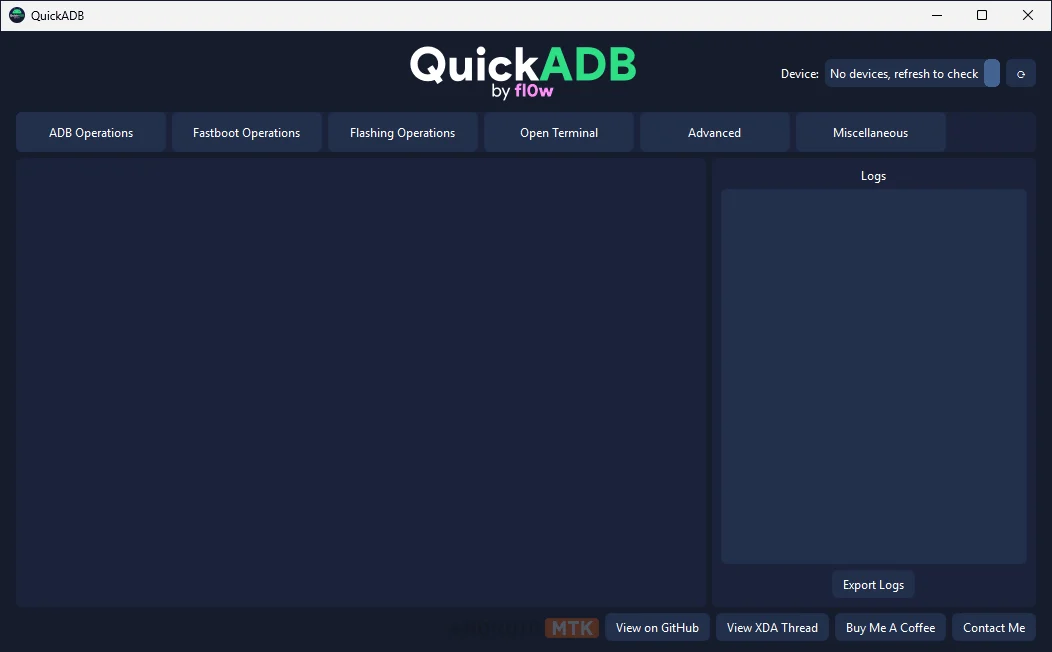
The landscape of Android modification and development has long been dominated by the command-line interface. While the Android Debug Bridge (ADB) and Fastboot protocols are powerful, they require users to memorize complex syntax, manage driver environments, and navigate often cryptic error messages. QuickADB emerges as a transformative solution, offering a sophisticated graphical user interface (GUI) that bridges the gap between raw command-line utility and modern software usability. By providing a unified, cross-platform experience across Windows, Linux, and macOS, this tool empowers both novice enthusiasts and seasoned developers to streamline their workflows, eliminate syntax errors, and unlock the full potential of their Android devices.
At its core, QuickADB is designed to serve as a comprehensive management suite. It removes the friction associated with manual command entry by encapsulating the most common ADB and Fastboot operations within intuitive, one-click functions. Whether it is performing a simple device reboot, toggling specialized boot modes, or managing complex file system operations, the application acts as a command-line wrapper that prioritizes efficiency without sacrificing the granular control required by power users.
The utility of the software is perhaps most evident in its streamlined approach to device communication. Wireless debugging, once a chore involving multiple terminal commands to pair devices via IP addresses and pairing codes, is now handled seamlessly through the app’s interface. By integrating QR code and pairing code workflows, QuickADB minimizes the time spent on initial configuration, allowing developers to focus on application testing or system-level modifications immediately.
Beyond basic connectivity, QuickADB excels in its modular approach to device management. The integrated App Manager is a standout feature, providing a deep-dive look into the software environment of an Android device. Unlike the standard Android settings menu, this manager offers batch control over installed packages, allowing users to uninstall or disable system bloatware, modify application permissions, and perform APK backups with ease. For users looking to optimize performance, the ability to apply custom debloat presets provides a structured way to improve device responsiveness by removing unnecessary background services.
File system manipulation is another domain where the application shines. The built-in ADB File Explorer transforms the often-tedious process of pushing or pulling files into a familiar desktop-like experience. Users can perform standard file operations—such as renaming, copying, and deleting—while simultaneously managing Unix-style permissions (chmod). Furthermore, the ability to edit text files, preview images, and execute shell scripts directly within the file explorer makes it an indispensable tool for those involved in root-level customization or ROM development.
The advanced feature set extends into the realm of system-level maintenance, specifically regarding partition and image management. The GSI (Generic System Image) Flasher within QuickADB is an engineering marvel that automates the complex process of deploying custom ROMs. It intelligently detects the current state of the device, manages dynamic partition removal, and executes the flashing procedure with minimal user intervention. This significantly reduces the risk of bootloops or bricked devices, which are common hazards when performing such tasks manually via the command line.

For those who delve into the technical internals of Android, the application provides specialized tools for extracting data from critical system files. The integrated Super.img and Payload.bin dumpers utilize industry-standard backend tools like unsuper and payload-dumper-go to allow users to extract individual partitions from complex Android firmware packages. This is particularly valuable for developers who need to inspect specific system components or extract vendor-specific drivers without needing to reflash the entire device.
While the GUI is designed for accessibility, QuickADB does not abandon the terminal. Recognizing that certain tasks require the flexibility of a command-line environment, the software includes a custom-built, feature-rich terminal emulator. This environment supports command autocomplete, search-within-output functionality, and the ability to export session logs to plain text files. By incorporating features like drag-and-drop file paths and command history navigation, the terminal provides a professional-grade workspace that remains fully compatible with the broader toolset.
The application’s commitment to transparency and device diagnostics is further reflected in its comprehensive hardware reporting. At a single glance, users can access an exhaustive list of device specifications, including RAM capacity, internal storage usage, Android versioning, and root status. This snapshot approach is essential for troubleshooting and ensuring compatibility before performing sensitive operations, such as flashing recovery or boot images.
The customization of the Android user experience is further enhanced by the Boot Animation Creator. This module allows users to interact with the device’s startup visual identity. By converting media files—such as GIFs or videos—into compatible boot animations, users can personalize their devices beyond standard themes. The ability to package these creations directly into Magisk modules adds a layer of professionalism, ensuring that these modifications can be deployed safely and managed easily through the industry-standard rooting framework.
As the software evolves, the developers have maintained a strong commitment to multi-platform support. The availability of consistent, high-performance binaries for Windows, Linux, and macOS ensures that the developer ecosystem remains unified, regardless of the host operating system. The version history, ranging from initial releases to the mature 5.0.0 iteration, highlights a trajectory of continuous improvement, bug fixes, and feature expansion.
For developers and enthusiasts alike, the reliance on manual ADB commands is increasingly becoming a legacy practice. QuickADB does not just simplify these tasks; it recontextualizes the entire Android modification workflow. By abstracting the complexity of the Android platform into a stable, reliable, and user-friendly GUI, the tool reduces the barrier to entry for beginners while providing the high-speed utility required by professional developers. Whether the goal is to manage application permissions, explore the deep architecture of the system partition, or simply perform routine maintenance, QuickADB serves as a central hub for all Android-related operations.
The latest version, 5.0.0, represents the pinnacle of this project’s development. Users are encouraged to utilize the official GitHub repository for the most recent updates, as keeping the tool current is critical for maintaining compatibility with the latest Android security patches and kernel structures. By integrating these tools into their daily development cycles, users can ensure that their interactions with Android remain efficient, secure, and productive, thereby fostering a more robust environment for innovation within the mobile community. Through its combination of ease-of-use and technical depth, QuickADB stands as a cornerstone utility in the modern Android development toolkit, effectively proving that powerful administrative control need not come at the cost of usability.
