

Factory Reset Protection (FRP) has long served as a critical security mechanism built into modern Android operating systems. Designed to protect user data in the event of a device theft or unauthorized physical access, FRP requires the input of the previously synchronized Google account credentials following a hard reset. However, this robust security feature frequently presents significant hurdles for legitimate owners, technicians, and repair facilities who acquire secondhand devices or forget their authentication details. For smartphones and tablets powered by Spreadtrum (UniSoc) chipsets, bypassing this barrier traditionally required flashing entire stock firmware packages—a time-consuming and sometimes risky endeavor. Fortunately, advanced utility programs like the SPD Research Tool enable technicians to isolate and neutralize security partitions directly. By generating a specialized Factory Reset Protection file, users can clear account verification blocks swiftly without altering the rest of the operating system.
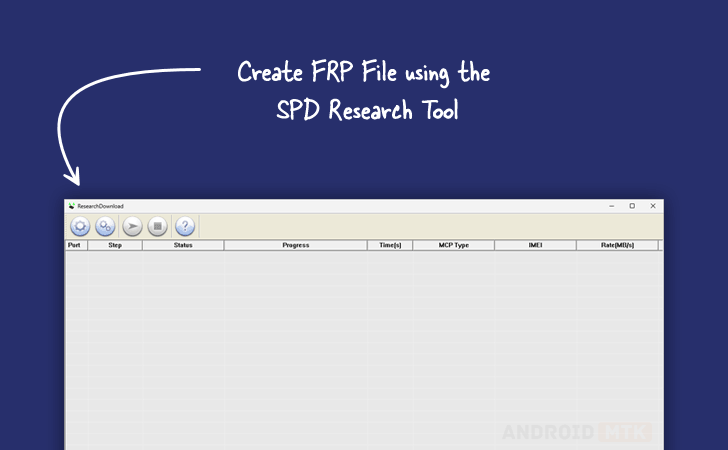
To fully understand the utility of this procedure, it is essential to examine the core instrument utilized in the process. The SPD Research Tool is an official, highly specialized software suite engineered primarily for device manufacturers, service centers, and advanced developers. Its primary functions revolve around debugging, software flashing, and firmware customization for hardware platforms built on Spreadtrum and UniSoc architectures. Beyond standard firmware installation, the application provides granular control over individual partition tables embedded within .pac firmware packages. This capability allows technicians to extract, modify, and repackage specific system components, paving the way for targeted maintenance operations such as the creation of custom FRP removal files.
The concept of a dedicated FRP file differs fundamentally from a traditional stock ROM. Standard firmware packets contain every sector required to boot and run an Android device, including the kernel, vendor files, user interfaces, and system applications. Flashing an entire stock package can take substantial time, consume bandwidth, and introduce risks of firmware corruption if an interruption occurs. In contrast, an FRP file is a customized, lightweight .pac archive engineered to target exclusively the partitions responsible for storing account validation tokens and runtime security parameters—namely the Persist and EraseRuntimeNV partitions. By focusing entirely on these localized sectors, the generated file wipes away the Google account lock cleanly while preserving user data structures, baseband configurations, and the core operating system architecture.
Before initiating the file generation process, preparation is paramount to ensure a seamless workflow. Technicians must secure a reliable Windows-based computer and download the appropriate version of the SPD Research Tool designed to match their device architecture. Additionally, acquiring the exact stock firmware (.pac file) corresponding to the exact make, model, and build number of the target Spreadtrum or UniSoc device is non-negotiable. Mismatched firmware packages can lead to severe software corruption, bootloops, or permanent hardware bricking. A stable USB cable and properly installed Spreadtrum USB VCOM drivers are also necessary prerequisites to ensure uninterrupted communication between the software environment and the hardware components during subsequent deployment phases.
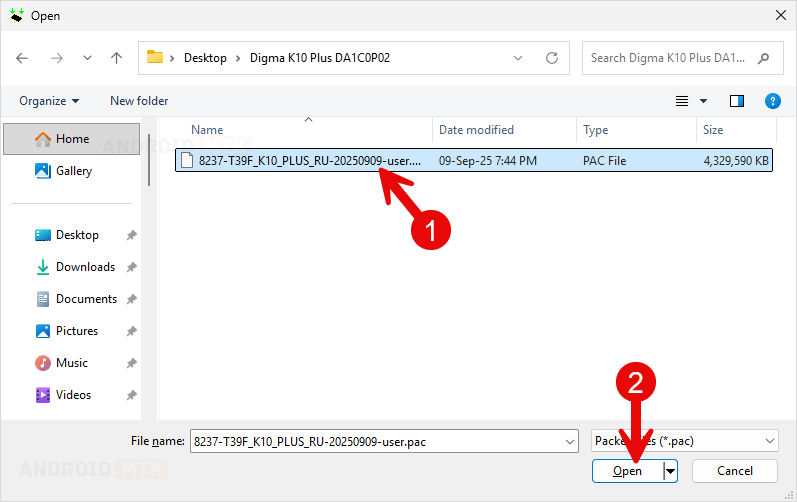
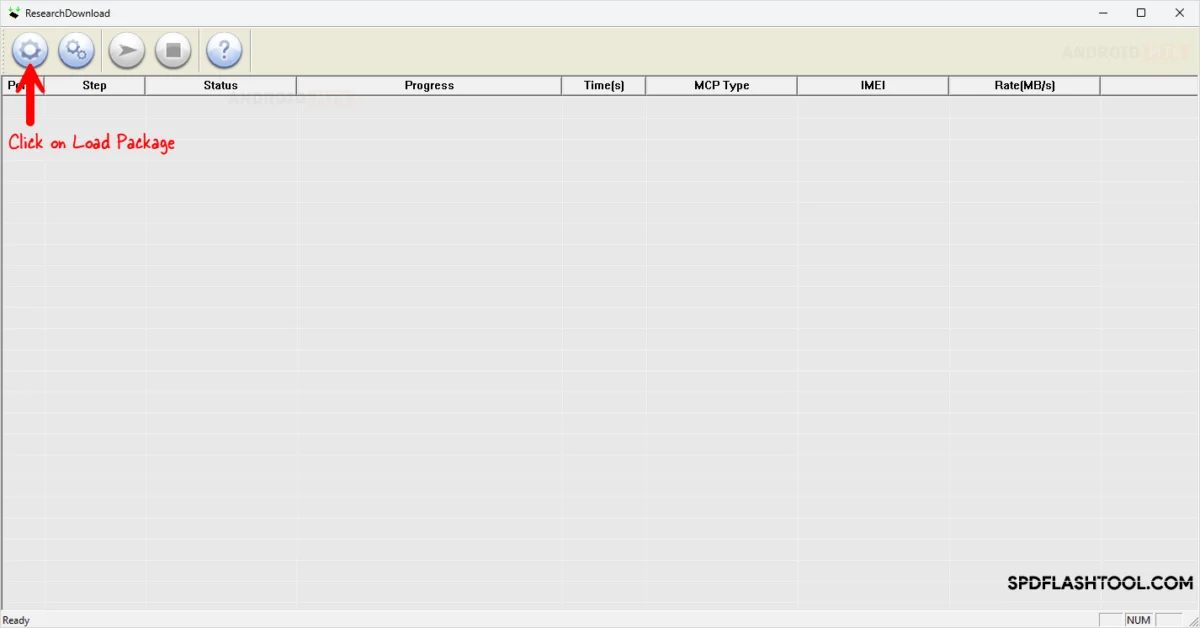
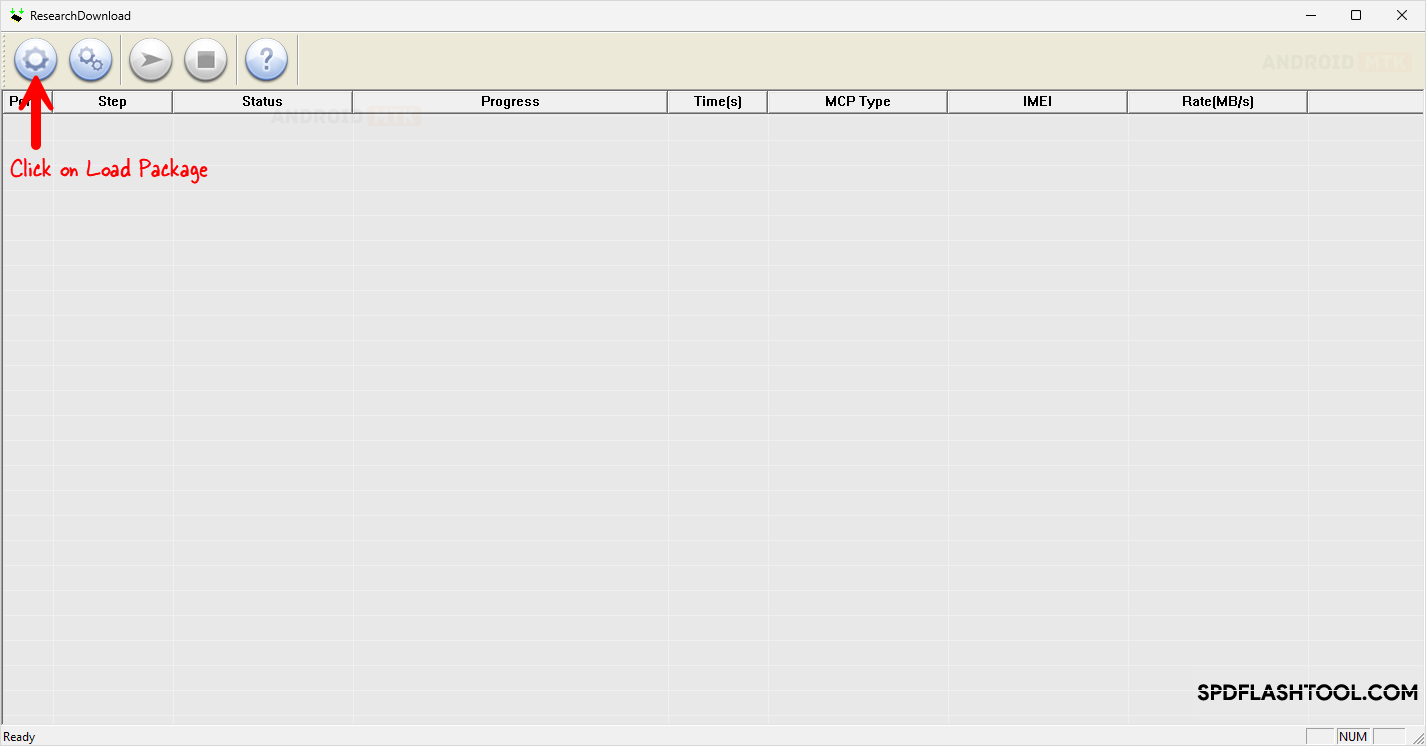
The procedure itself requires precision, careful navigation through the software interface, and adherence to established technical sequences. Technicians begin by launching the SPD Research Tool on their workstation, utilizing the main dashboard interface to load the stock firmware package associated with the target device. Once the .pac file is successfully imported into the program, the software unpacks the constituent partitions for inspection and modification. Rather than proceeding with a standard firmware flash, the user must access the application’s core configuration and settings menu to isolate the necessary security components.
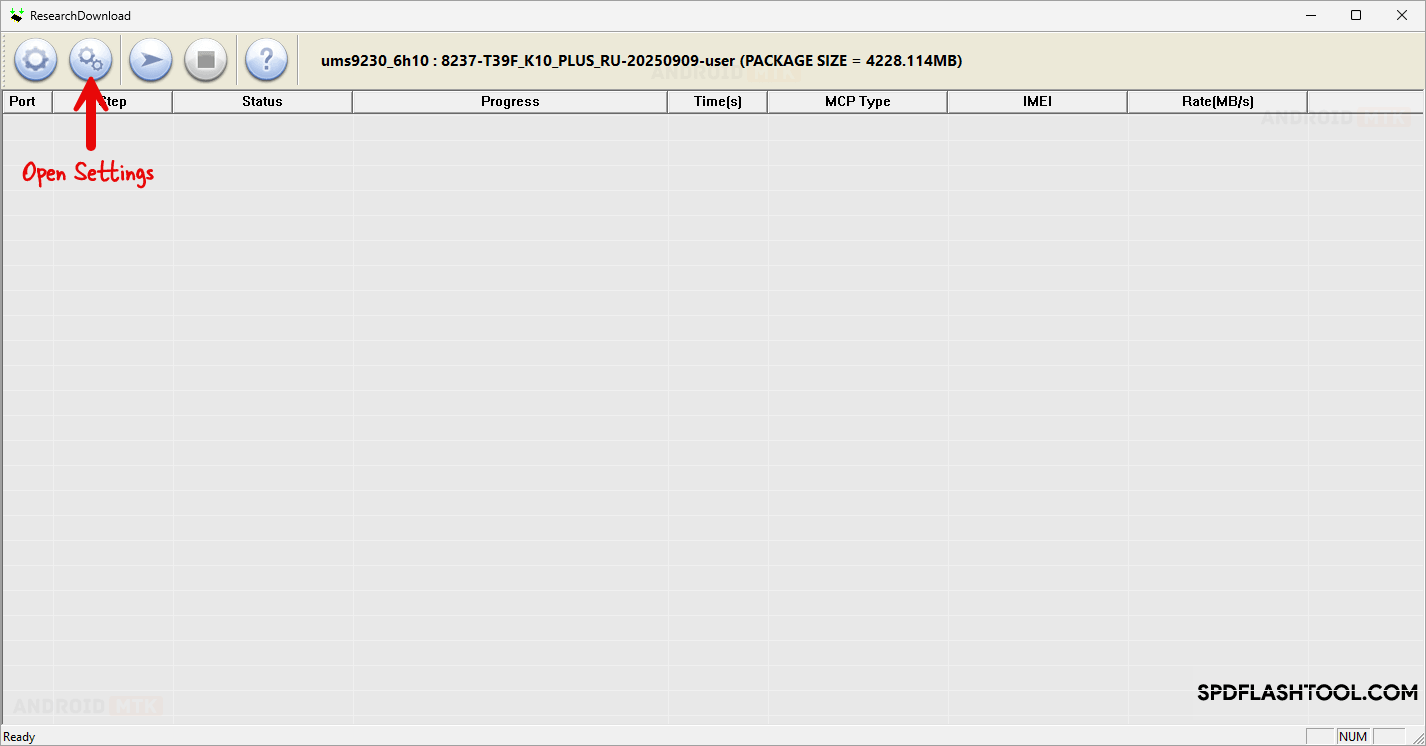
Within the settings configuration window, users must carefully adjust the partition parameters. The objective at this stage is to disable or untick all unnecessary system partitions—such as the boot image, recovery, system, and user data—leaving only the specific sectors tied to Factory Reset Protection enabled. Once the non-essential partitions have been excluded, the software environment must be instructed to repackage the remaining data. Technicians navigate to the packaging configuration tab, where they define a distinct output name for the new file, ensuring it is easily identifiable as a dedicated FRP bypass utility.
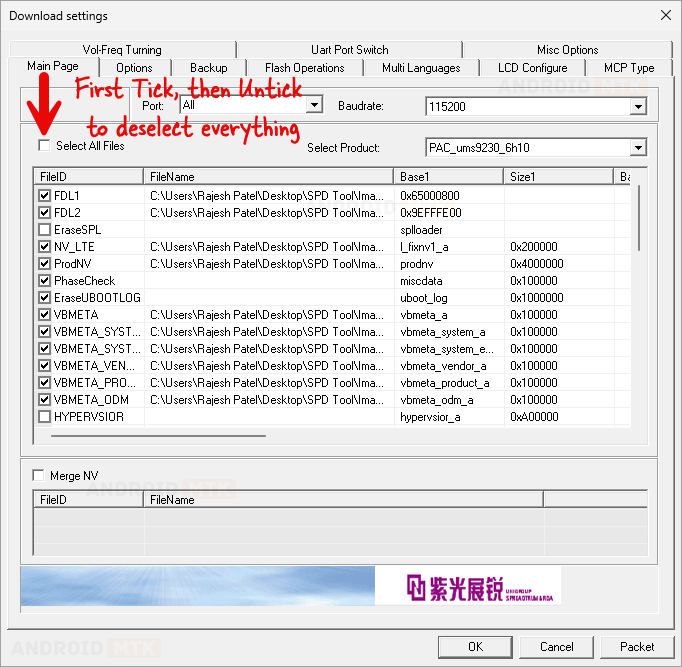
Upon confirming the parameters, the packeting command is executed. The SPD Research Tool processes the isolated Persist and EraseRuntimeNV partitions, compiling them into a streamlined, custom .pac archive. A completion notification signifies the successful generation of the new file, marking the end of the creation phase. This newly minted file can subsequently be loaded back into the flashing tool and deployed onto the locked Spreadtrum or UniSoc device using standard download procedures. Because the output package interacts exclusively with security-related memory blocks, the device processes the command rapidly, clearing the persistent Google account locks within seconds and restoring normal accessibility to the hardware.
