

Encountering a system interruption while updating firmware on a mobile device can be an alarming experience for technicians and enthusiasts alike. When working with Spreadtrum, commonly known as UniSoc, chipset-powered hardware utilizing the SPD Research Tool, a frequent hurdle is the dreaded NV-W, or Non-Volatile Write, error. This specific notification halts the flashing sequence abruptly, leaving the device in a vulnerable or unbootable state if not handled correctly. Understanding the mechanics behind this failure, recognizing its primary triggers, and applying a methodical approach to bypass or resolve the partition conflict is essential for a successful firmware deployment.

To comprehend why this issue arises, one must first examine the architecture of UniSoc-based smartphones and feature phones. The flashing utility communicates directly with the device’s storage memory using a specialized package file, typically ending in a .pac format. This package contains multiple individual images corresponding to various hardware partitions, including the operating system, bootloader, user data, and crucially, the non-volatile memory sectors. The non-volatile partitions—often designated as NV, ProdNV, or persist—store vital calibration parameters, unique device identifiers, network configurations, and radio frequency calibration data.
When the SPD Research Tool attempts to write information into these sensitive areas and encounters a roadblock, it triggers the NV-W error. This interruption can be catalyzed by several underlying factors. Most commonly, a mismatch between the firmware package being installed and the exact hardware revision of the target device will cause the flashing algorithm to reject the partition write request. Additionally, utilizing an outdated iteration of the flashing software, relying on corrupted or improperly downloaded .pac firmware archives, or missing essential USB communication drivers on the host computer can corrupt the data stream. Furthermore, modern security protocols implemented on certain UniSoc chipsets explicitly lock down critical identification partitions to prevent unauthorized modification, causing the tool to fail when attempting an automated overwrite.
Before attempting any corrective procedures, establishing a stable and properly prepared workstation is paramount. Technicians must ensure that the host computer has the correct Spreadtrum USB serial drivers installed, allowing seamless handshake communication between the PC and the target device in download mode. It is also vital to acquire an authentic, uncorrupted firmware package specifically matched to the device’s model number and region code. While following troubleshooting procedures, caution must be exercised, as improper modifications to low-level system partitions can lead to permanent hardware malfunction or loss of network connectivity features.
Overcoming the NV-W block requires a strategic adjustment within the parameters of the SPD Research Tool rather than abandoning the flashing process entirely. The standard resolution involves isolating the non-volatile data partitions within the firmware settings and temporarily excluding them from the active flashing queue, thereby allowing the core operating system and system drivers to install without interference.
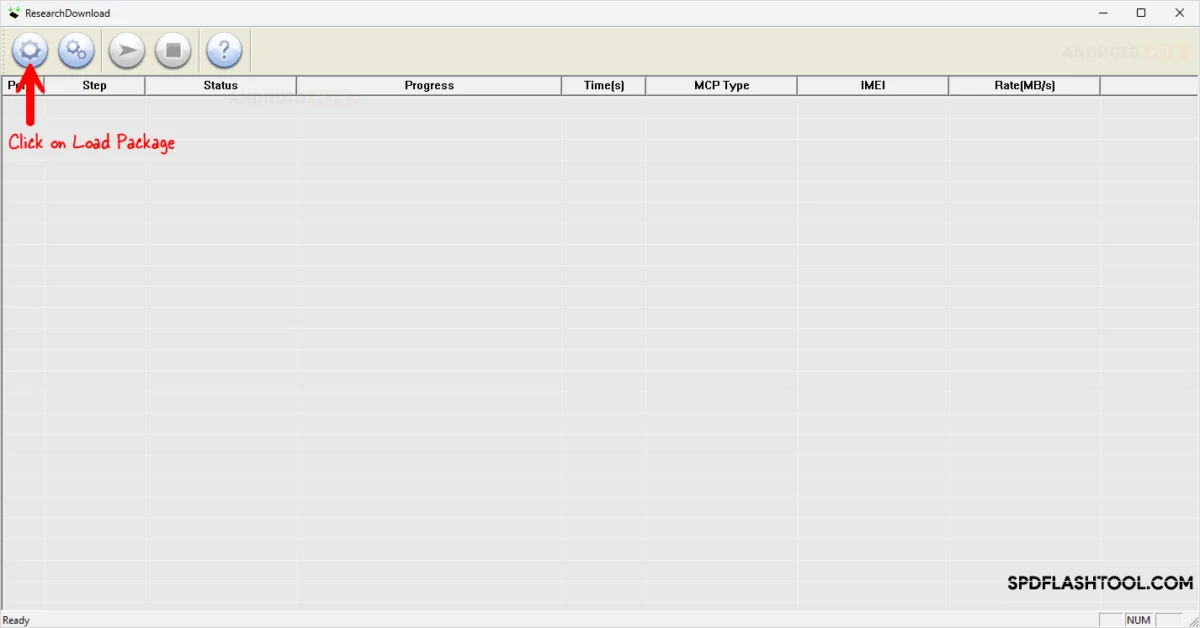
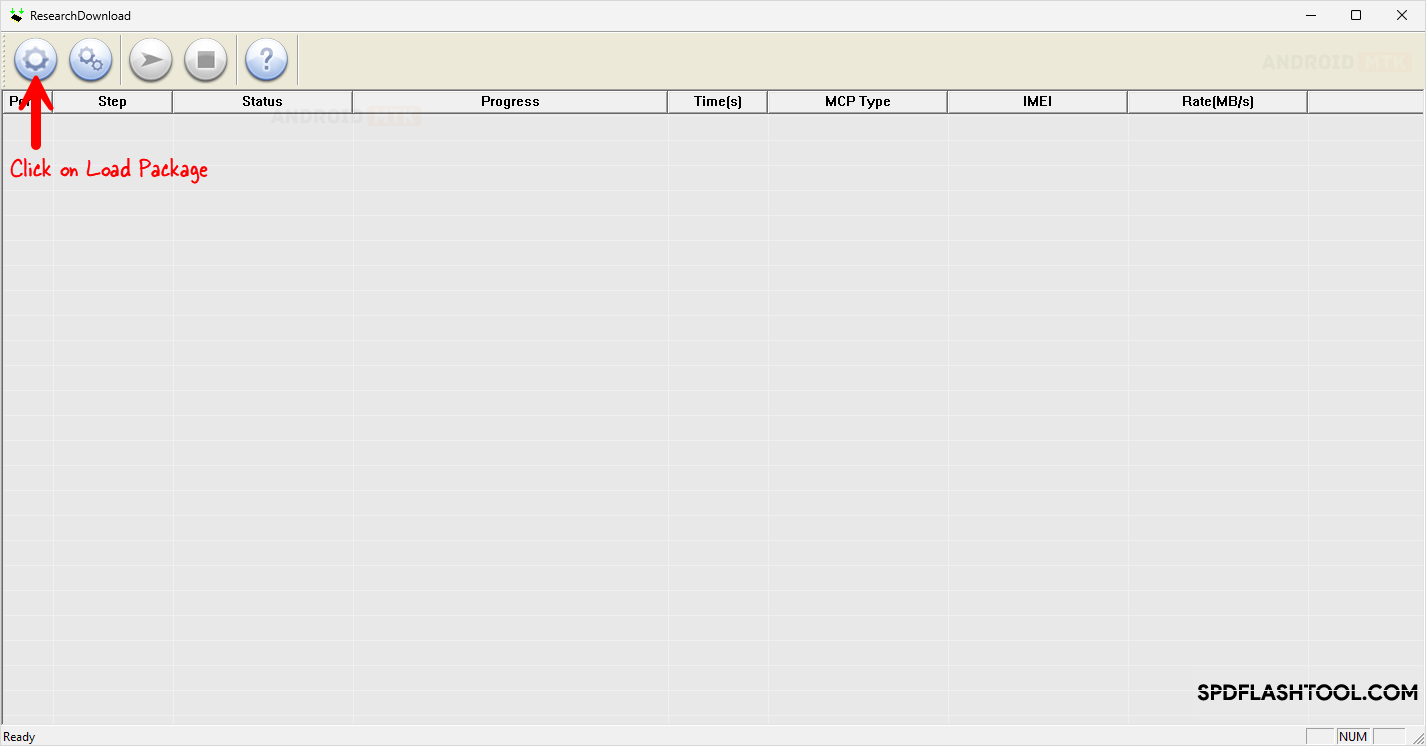
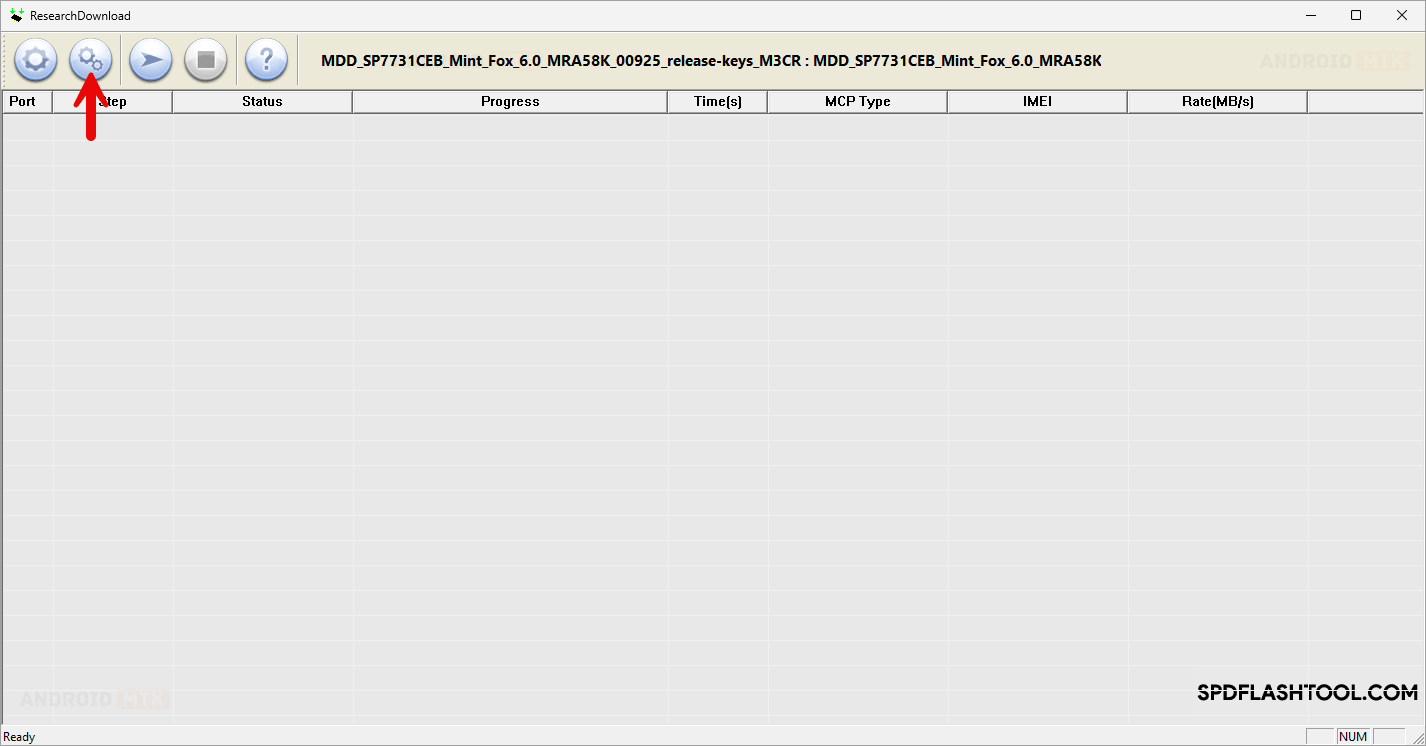
The remediation process begins by launching the SPD Research Tool on the Windows workstation. The user must first load the verified .pac firmware package into the application by utilizing the "Load Packet" function. Once the firmware structure unpacks and populates within the software interface, the administrator must navigate to the settings menu—frequently represented by a gear or settings icon—to access the advanced configuration parameters of the package structure.
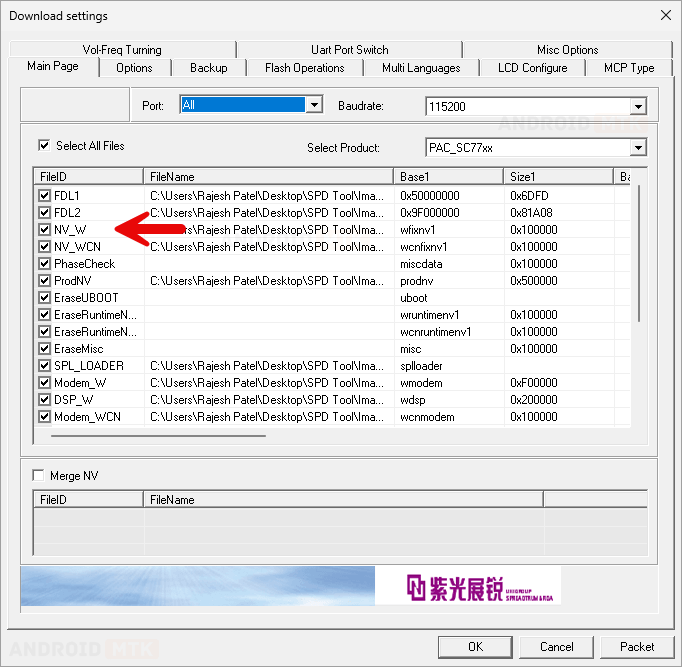
Within the settings panel, the user must locate the specific configuration tabs that dictate which individual partitions are targeted during the flashing sequence. Specifically, the partitions labeled under non-volatile data management, such as NV, ProdNV, or associated calibration blocks, must be carefully identified. The critical step to bypassing the NV-W error involves deselecting these specific items to prevent the tool from attempting to write or overwrite them during the primary execution phase.
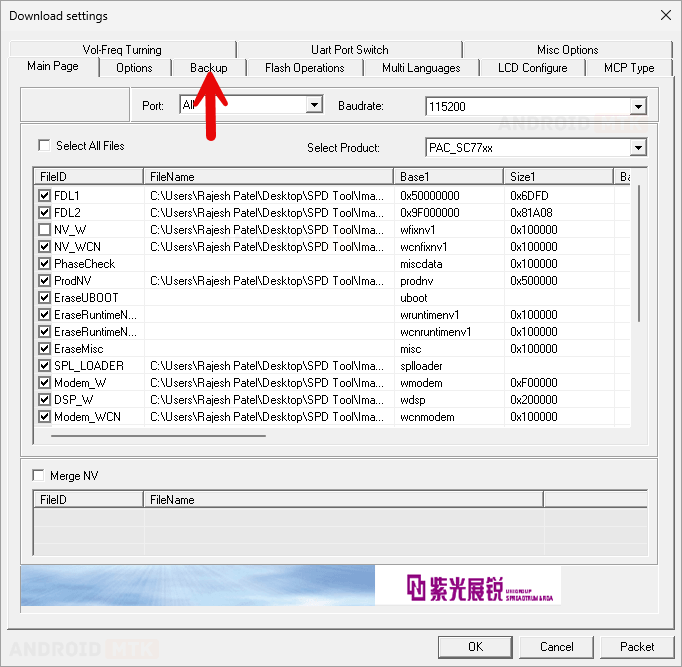
In many advanced configurations of the SPD utility, users may also need to navigate to secondary backup or NV-related sub-menus within the settings window. If duplicate entries or backup partition parameters for the non-volatile data are present, these must similarly be unchecked or deselected to ensure complete isolation of the problem area. Neglecting to uncheck these secondary backup sectors can still trigger the write error even if the primary NV partition has been disabled.
Once the problematic non-volatile partitions have been successfully excluded from the task queue, the user can save the configuration changes and initiate the flashing process by clicking the "Start Downloading" or "Start Flashing" button. At this juncture, the target device must be prepared—typically by powering it down completely, holding the designated volume or boot keys, and connecting it to the computer via a reliable USB cable.
Upon establishing the physical connection, the SPD Research Tool recognizes the device in download mode and proceeds to write the core system files, bootloaders, and user interface partitions without attempting to modify the locked or problematic non-volatile sectors. Because the vulnerable data blocks are bypassed, the software executes the operation smoothly, culminating in a successful completion notification indicated by a passing status message within the utility window.
Following the successful conclusion of the primary flashing sequence, the user can safely disconnect the mobile device from the computer system. A hard reboot of the hardware will typically allow the operating system to initialize using the newly installed software environment.
While bypassing the NV-W error via partition exclusion allows the device to boot successfully and restores its core functionality, certain operational nuances must be considered. Because the non-volatile partitions were excluded from the update, the device retains its original calibration data, which is generally ideal as it preserves unique network identifiers and hardware specific parameters. However, in scenarios where the original NV data was already severely corrupted prior to the flashing attempt, the device might boot successfully but exhibit symptoms such as missing IMEI numbers, invalid baseband versions, or cellular network connectivity issues.
Should the device boot up with network or identification anomalies after resolving the flashing error, subsequent steps will be required to restore the communication parameters. Technicians can utilize specialized diagnostic tools or secondary modular utilities designed for UniSoc processors to write clean, device-specific calibration files or restore the original identifiers via authorized diagnostic ports.
By carefully adhering to the structured exclusion methodology within the SPD Research Tool, users can successfully navigate around the persistent NV-W writing barrier, rescuing unresponsive hardware and restoring full operational capacity to Spreadtrum-powered devices without enduring permanent system lockouts.
