

Flashing firmware on Spreadtrum, commonly known as UniSoc, chipset-powered mobile devices is generally a straightforward procedure when utilizing official manufacturer tools such as the SPD Research Tool. However, technicians and enthusiasts frequently encounter roadblocks during the flashing cycle, with the NV-W (Non-Volatile Write) error standing out as one of the most frustrating interruptions. This specific error halts the installation process abruptly, leaving devices in a potentially vulnerable or unbootable state. Understanding the root causes behind this persistent notification and implementing a structured mitigation strategy is essential for anyone engaged in software maintenance and device restoration for UniSoc-based hardware.
The NV-W error primarily surfaces when the flashing utility attempts to write essential non-volatile data configurations into the device’s storage partitions but fails to complete the transaction successfully. Non-volatile memory partitions are critical components of a mobile operating system infrastructure because they store unique hardware-specific identifiers, calibration metrics, radio frequency parameters, and network configuration profiles, commonly referred to as NV data or ProdNV. When the SPD Research Tool executes a firmware package (.pac file), it initiates a sequential writing protocol across various logical storage blocks. If the software encounters a barrier while attempting to modify or overwrite the secure NV sectors, the process terminates immediately to prevent permanent data corruption, displaying the characteristic NV-Write failure warning.
Several distinct technical anomalies typically trigger this restrictive behavior. The most common catalyst is a partitioning mismatch within the firmware package itself. If a user attempts to install a generic firmware build, an incorrect regional variant, or an outdated software version onto a device, the partition map inside the .pac file may clash directly with the actual layout of the target hardware. Furthermore, corrupted firmware files downloaded from unofficial mirrors can introduce broken checksums, rendering critical data blocks unreadable or unwritable. Another frequent contributor is the utilization of an outdated iteration of the SPD Research Tool. As UniSoc releases newer chipsets and security architectures, legacy software versions often lack the necessary protocol commands to handle modern partition protection schemas, resulting in failed write operations. Additionally, missing, corrupted, or improperly configured USB device drivers on the host computer can disrupt the data stream between the flashing utility and the target hardware, causing intermittent timeouts and write errors. Finally, modern security implementations on certain devices enforce strict write-protections on sensitive partitions like NV and ProdNV, intentionally blocking external flashing applications from altering these sectors without specialized authorization.
Successfully resolving the NV-W error requires a methodical approach that addresses the underlying communication and configuration barriers without compromising the structural integrity of the device’s essential parameters. Before initiating any troubleshooting procedures, technicians must ensure that their workstation environment is properly prepared. This foundation includes installing the correct UniSoc SCI USB drivers on a compatible Windows operating system, verifying the integrity of the downloaded .pac firmware package, and acquiring a stable, updated release of the SPD Research Tool.
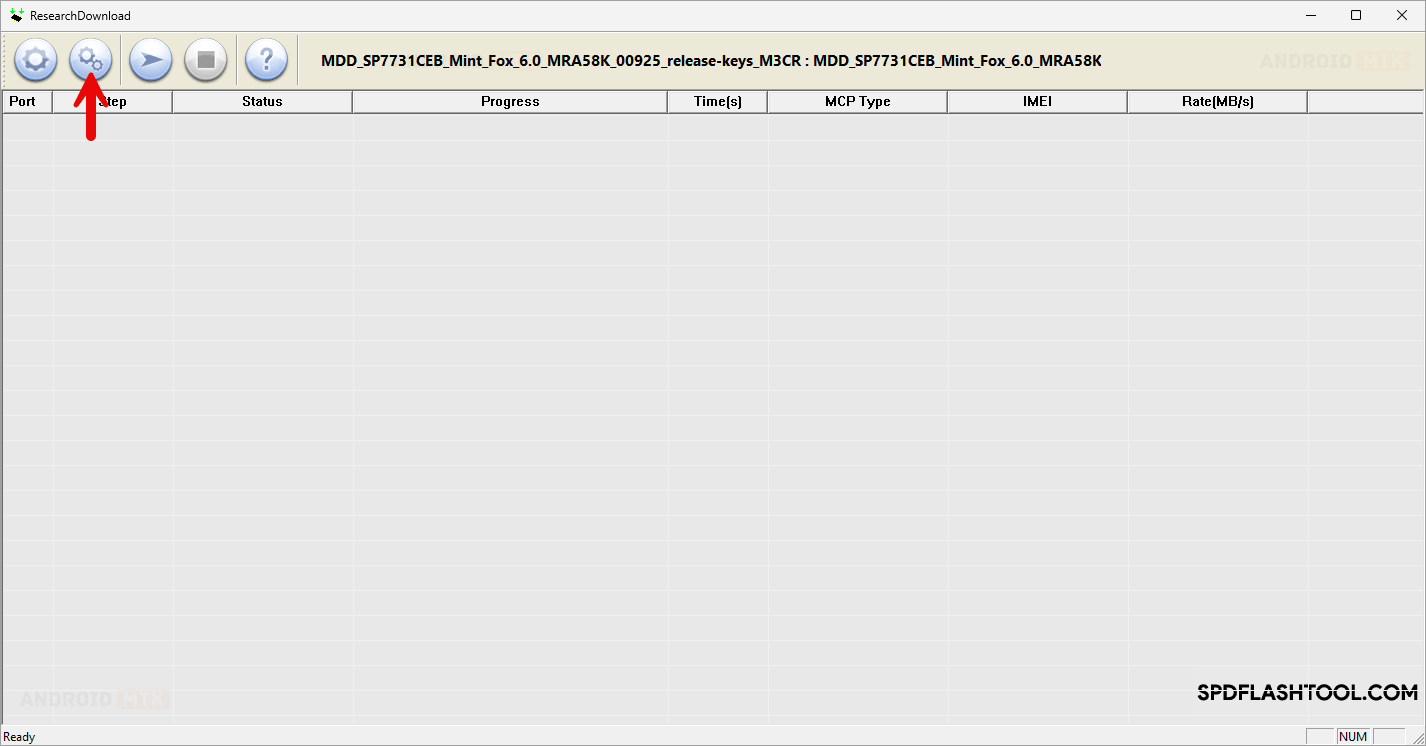
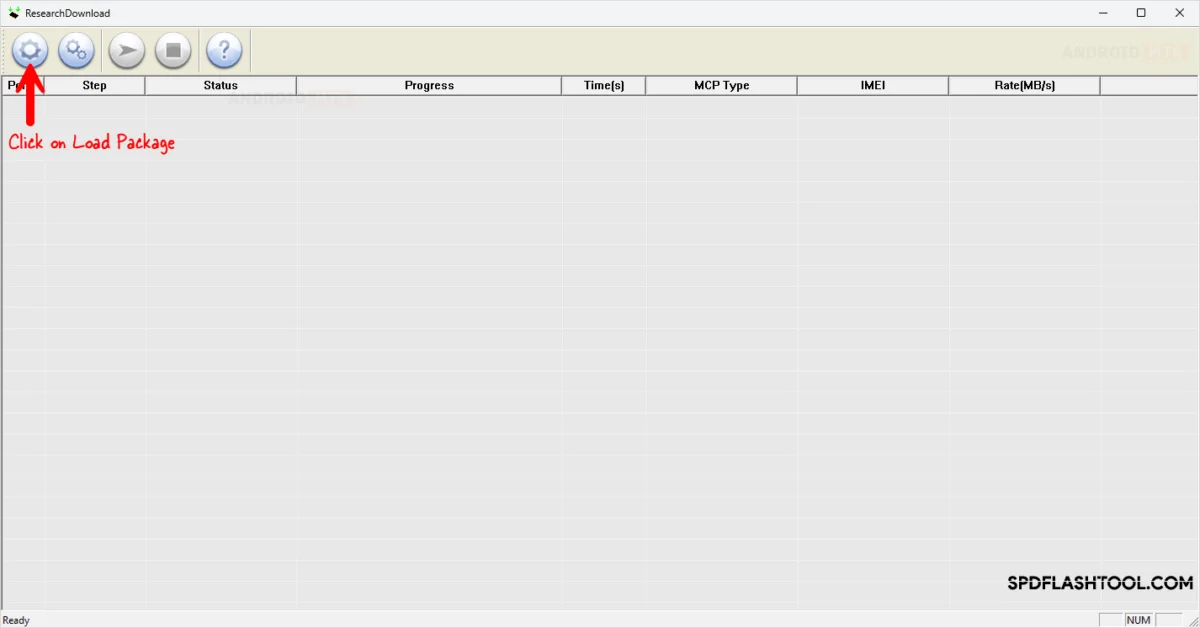
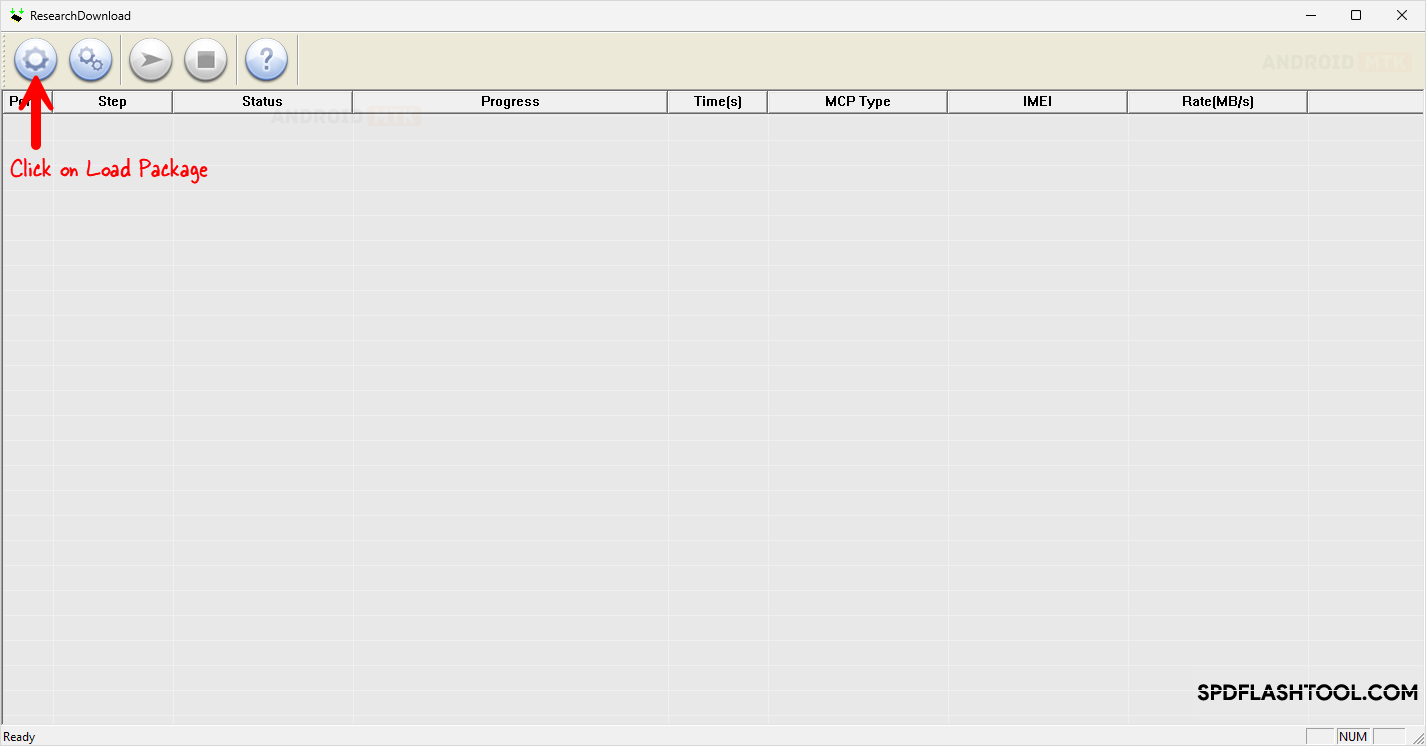
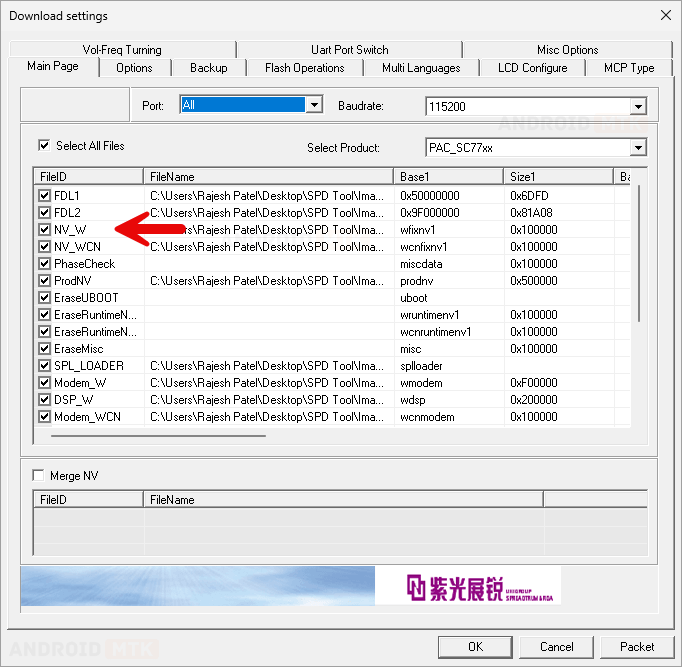
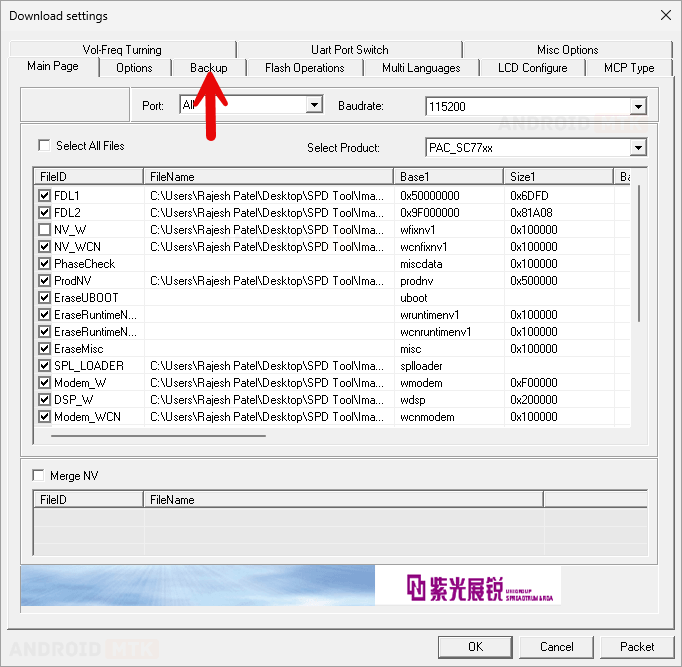
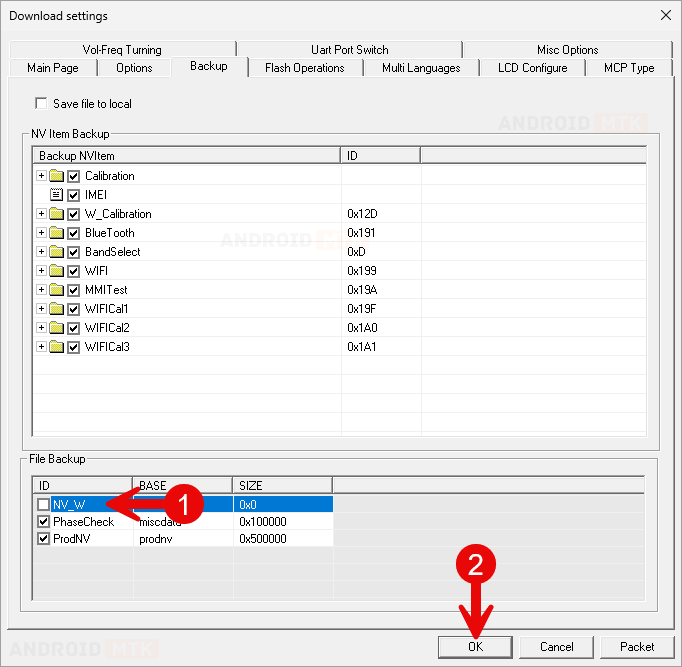
To execute the fix, the user must launch the SPD Research Tool executable on the host computer. The initial step involves loading the correct and verified .pac firmware package corresponding precisely to the target device model into the software interface. Once the package is fully unpacked and verified by the utility, the user must access the configuration settings menu by clicking on the designated gear or settings icon located on the toolbar. Within the settings menu, navigate to the partition management or file selection tabs to locate the specific entries associated with NV and ProdNV data blocks. By default, the tool is configured to write all included partitions from the firmware package. To bypass the NV-W write restriction, the user must carefully de-select or uncheck the options corresponding to the NV and ProdNV partitions in both the primary flashing list and any associated backup configuration menus. Removing these specific sectors from the active flashing queue prevents the utility from attempting to overwrite the problematic non-volatile memory segments, thereby avoiding the trigger condition for the error.
After successfully modifying the partition selection parameters to exclude the NV write operations, save the configuration changes and return to the main dashboard of the SPD Research Tool. Initiate the flashing sequence by clicking the play or start button in the application window to place the software into a listening and standby mode. At this stage, prepare the target mobile device by powering it down entirely. While holding the designated hardware key combination—typically the volume down or volume up buttons depending on the specific UniSoc architecture—connect the device to the host computer using a certified, high-quality USB cable. The SPD Research Tool will automatically detect the hardware handshake, establish a secure serial communication link, and begin streaming the approved firmware partitions to the device memory.
Because the problematic NV and ProdNV partitions have been excluded from the active write queue, the flashing utility will process the remaining system, boot, vendor, and user data blocks without encountering the previous write barriers. Progress indicators within the interface will track the installation in real-time, transitioning through the standard flashing phases until the operation reaches completion. Upon successful execution, a success status notification will appear on the tool interface, indicating that the firmware installation has concluded safely. At this juncture, disconnect the mobile device from the USB interface, perform a manual hardware reboot by holding the power key, and allow the operating system to initialize.
Completing this procedure successfully restores the device to a functional software state while preserving the original non-volatile data structures intact. Technicians should always verify device connectivity, ensure uninterrupted power supply to both the host computer and the target hardware during the flashing cycle, and cross-reference firmware build numbers meticulously to prevent future compatibility conflicts. By understanding the functional mechanics of partition management within the SPD Research Tool, advanced users can effectively navigate around stubborn write errors and maintain the operational viability of UniSoc-powered hardware.
