

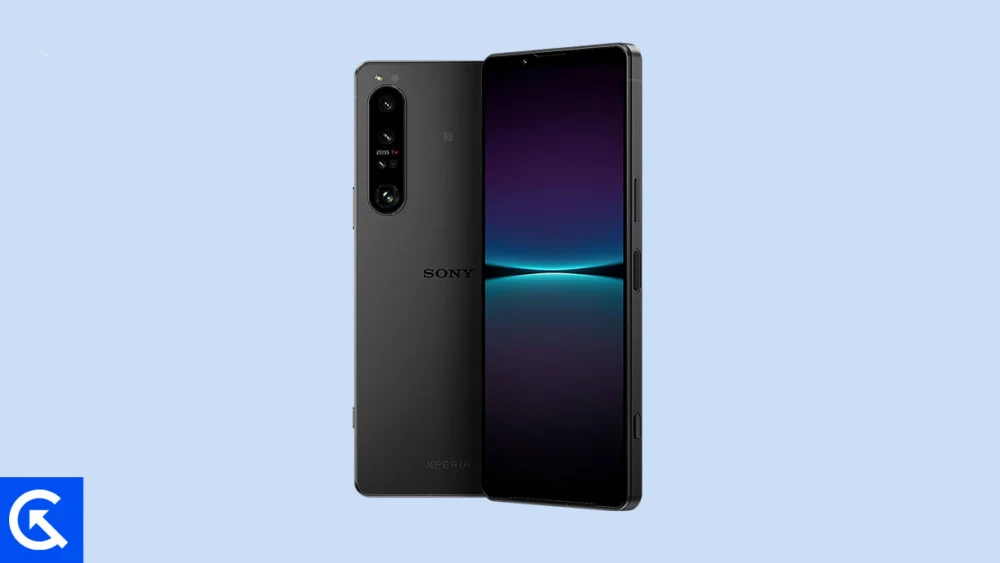
The aftermarket development community has once again provided a critical software lifeline for a powerful, recently retired flagship device. Despite the Sony Xperia 1 IV nearing the end of its official software update cycle, independent developers have successfully ported an unofficial Android 16-based custom ROM, allowing users to experience Google’s latest operating system advancements. This development arrives shortly after Android 16’s initial rollout to Google’s own Pixel lineup, showcasing the rapid pace at which the open-source community adapts new releases to a wider array of hardware.
Installing this custom AOSP (Android Open Source Project) build is the most direct method for Xperia 1 IV owners to bypass the standard, often lengthy, manufacturer update timelines. This process grants access to significant new features, system optimizations, and crucial security enhancements that aim to breathe new life into the high-end hardware, extending the device’s usability well beyond its originally anticipated lifespan.
A Deep Dive into Android 16: The Arrival of Material 3 Expressive
The core appeal of the Android 16 upgrade lies in its refined user experience, anchored by the introduction of Material 3 Expressive. This update represents the most noticeable user-facing alteration in the operating system, serving as a subtle yet powerful evolution of Google’s design philosophy.
![How to Install Android 16 on Sony Xperia 1 IV [Download Link]](https://www.getdroidtips.com/wp-content/uploads/2023/12/Sony-Xperia-1-IV.jpg)
Material 3 Expressive is not a drastic visual overhaul, but rather a concerted effort to enhance the foundations established by Material Design 3, which debuted with Android 13. The focus is placed heavily on fluidity and user comfort. Key improvements include smoother, more dynamic animations that provide better tactile feedback; significantly larger touch targets for improved accessibility and ease of use; and bolder, more legible typography across the system interface.
This timely update addresses the growing feeling that previous Material Design iterations were beginning to feel somewhat static. By injecting polish and kinetic energy into the interface, Material 3 Expressive aims to elevate the perception of speed and responsiveness across the operating system. Furthermore, Android 16 incorporates optimization efforts tailored for diverse device types, ensuring that devices with unique screen ratios, such as the Xperia 1 IV’s cinematic display, benefit from improved scaling and interaction zones, alongside general improvements for foldable devices and tablets. These system-level refinements are designed to ensure greater efficiency, improved battery management, and enhanced overall stability, even on unofficial ports.
The Host Device: Sony Xperia 1 IV Hardware Profile
The Sony Xperia 1 IV remains a formidable candidate for running cutting-edge software, thanks to its robust hardware specifications. Released as a premier flagship, the device features a stunning 6.5-inch OLED display boasting an impressive resolution of 1644 x 3840 pixels. This panel delivers a cinematic 21:9 aspect ratio and an extremely high pixel density of approximately 643 ppi. Protected by Corning Gorilla Glass Victus, the display also supports a 120Hz refresh rate and HDR BT.2020, guaranteeing a visually immersive experience for media consumption.
Powering this experience is the high-performance Qualcomm SM8450 Snapdragon 8 Gen 1 chipset, paired with the Adreno 730 GPU. This configuration ensures that the phone possesses ample processing power and graphical capability to handle the demands of Android 16 and modern applications. The device was shipped with configurations featuring 12GB or 16GB of RAM and internal storage up to 512GB, utilizing UFS technology for rapid data access, which contributes significantly to the smooth operation of custom software.
![How to Install Android 16 on Sony Xperia 1 IV [Download Link]](https://www.getdroidtips.com/wp-content/uploads/2023/12/Sony-Xperia-1-IV-300x169.jpg)
The camera system is particularly noteworthy, designed to appeal to professional photographers. It features a versatile triple-camera array on the rear, including a 12 MP wide lens, a 12 MP telephoto lens with genuine continuous optical zoom capabilities, and a 12 MP ultrawide lens, complemented by a 0.3 MP TOF 3D depth sensor. The integration of Zeiss optics, advanced features like eye tracking, and native Sony Alpha camera support further underscore its professional pedigree.
From an endurance perspective, the 5000 mAh non-removable battery supports 30W wired charging, capable of achieving a 50% charge in a mere 30 minutes, alongside support for wireless and reverse wireless charging. The inclusion of stereo speakers and, notably, a 3.5mm headphone jack caters to high-fidelity audio enthusiasts, making the Xperia 1 IV a complete package whose hardware capabilities far outstrip the longevity of its official software support.
Prerequisites for Flashing: Entering the Custom ROM Ecosystem
To successfully install an unofficial Android 16 custom ROM, users must first navigate several critical technical prerequisites. This process requires a foundational understanding of the Android modding ecosystem and involves steps that inherently carry risks, including the potential voiding of the device warranty and data loss.
1. Data Integrity and Safety: A comprehensive data backup is paramount. The process of unlocking the bootloader and subsequent flashing operations will invariably wipe all user data, necessitating a full restoration upon completion.
![How to Install Android 16 on Sony Xperia 1 IV [Download Link]](https://www.getdroidtips.com/wp-content/uploads/2020/06/cmd-platform-tools.jpg)
2. Bootloader Unlocking: The first mandatory step is unlocking the bootloader of the Sony Xperia 1 IV. This operation disables the manufacturer’s digital signature checks, allowing the device to boot unsigned third-party software (like custom recoveries and ROMs). Sony provides official instructions for this process, but users must be aware that this action performs a factory reset.
3. Custom Recovery Installation: Following the bootloader unlock, a custom recovery environment, most commonly Team Win Recovery Project (TWRP), must be installed. TWRP replaces the stock recovery and provides a graphical, touch-enabled interface essential for flashing the Android 16 ROM and subsequent zip files onto the device’s partitions.
4. Command-Line Utilities: Access to ADB (Android Debug Bridge) and Fastboot binaries is necessary. These command-line tools establish the required communication link between the computer and the device while in bootloader or recovery mode. Fastboot is specifically used for flashing critical images and booting the device into the required operational modes. Appropriate Sony USB Drivers must also be installed on the host computer to ensure a stable and successful connection throughout the flashing procedure.
Installation Logistics and GApps Integration
The installation sequence is straightforward but requires precise execution within the custom recovery environment. After booting into TWRP, users must perform a full system wipe (including cache, Dalvik cache, system, and data partitions) to prepare the device for the new operating system. The downloaded Android 16 custom ROM file is then flashed onto the device.
![How to Install Android 16 on Sony Xperia 1 IV [Download Link]](https://www.getdroidtips.com/wp-content/uploads/2020/08/twrp-custom-rom.jpg)
A critical consideration for AOSP-based ROMs is the absence of Google Mobile Services (GMS). Pure AOSP builds are typically devoid of proprietary Google applications, including the Play Store, Google Maps, and synchronization services. Therefore, a separate package of Android 16 GApps (Google Applications) must be downloaded and flashed immediately after the custom ROM. It is crucial not to reboot the device between flashing the ROM and flashing the GApps package; the two must be installed sequentially within the same TWRP session to ensure seamless integration.
Stability and Community Support
Initial reports regarding the stability of this unofficial Android 16 port for the Xperia 1 IV are overwhelmingly positive, with core functionality—including telephony, Wi-Fi, camera, and display performance—reportedly operational. However, as with any early-stage custom ROM, minor bugs or compatibility issues may arise. Users engaging in this process are encouraged to participate actively in the developer community, providing detailed logs and feedback to assist in the rapid identification and resolution of any encountered anomalies.
By undertaking this advanced installation process, Xperia 1 IV owners are not merely updating their operating system; they are actively extending the functional lifespan of their high-end device, securing access to modern features like Material 3 Expressive, and benefiting from the security patches inherent in the newest Android release, features that the manufacturer is unlikely to provide officially. This community-driven effort ensures that powerful hardware remains relevant and performant for years to come.
