

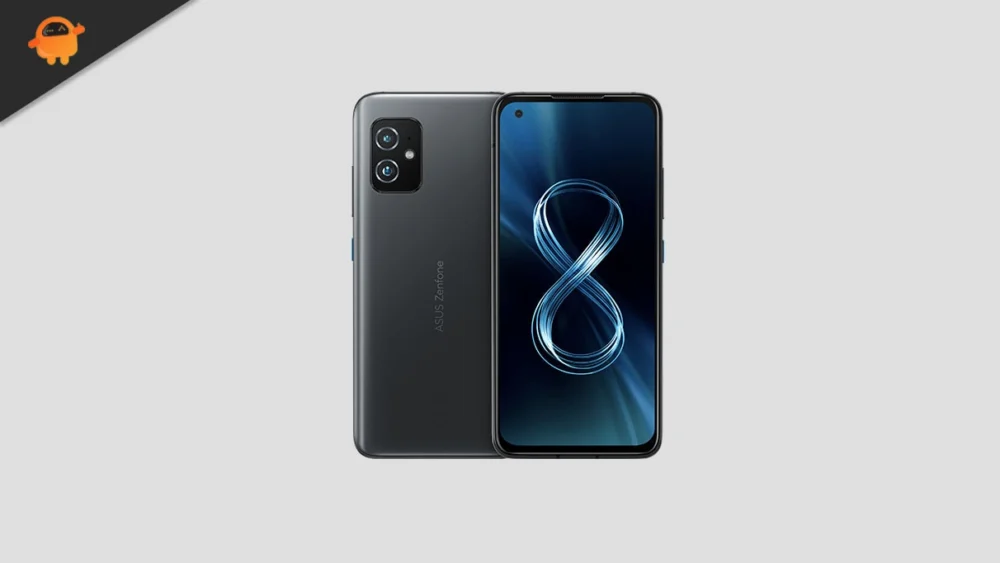
The lifecycle of flagship smartphones is often dictated not by hardware failure, but by the cessation of official software support. For owners of the 2021 Asus ZenFone 8, a device highly regarded for its compact design and powerful Snapdragon 888 chipset, this reality typically means being stuck on older, less secure versions of Android. However, the dedicated custom development community has once again stepped in, successfully porting an unofficial Android 16-based AOSP (Android Open Source Project) build to the ZenFone 8 platform, effectively granting the device years of extended operational relevance and access to Google’s newest user experience refinements.
This development is significant because it allows a technically proficient user base to bypass the manufacturer’s upgrade schedule, ensuring the ZenFone 8 remains competitive in terms of features and system security. While Google officially rolls out Android 16 exclusively to its latest Pixel lineup initially, these rapid, unofficial ports demonstrate the power and efficiency of open-source collaboration in sustaining premium hardware.
![How to Install Android 16 on Asus ZenFone 8 [Download Link]](https://www.getdroidtips.com/wp-content/uploads/2021/05/Asus-Zenfone-8.jpg)
Android 16 and the Dawn of Material 3 Expressive
The most compelling reason for ZenFone 8 users to undertake the flashing process is the introduction of Material 3 Expressive, the latest evolution of Google’s foundational design language. Material 3 Expressive represents more than a cosmetic update; it is a significant refinement aimed at enhancing usability, dynamic responsiveness, and visual coherence across the increasingly diverse Android ecosystem, which now includes foldables, tablets, and conventional slab phones.
Building upon the established framework of Material Design 3, first introduced with Android 13, the ‘Expressive’ iteration focuses on smoother, more intuitive animations that provide richer feedback to the user. Key changes include a deliberate increase in the size of touch targets, improving accessibility and ease of use, alongside a bolder, more structured approach to typography and layout hierarchy. This update addresses the subtle stagnation that Material Design 3 had begun to exhibit, injecting a renewed sense of fluidity and polish without necessitating a complete visual overhaul that might confuse long-time users. Google’s design philosophy here emphasizes subtle enhancements to the user journey, ensuring that the interface feels modern, dynamic, and perfectly optimized for the high refresh rate display capabilities of devices like the ZenFone 8.
Beyond the UI, Android 16 also incorporates numerous system optimizations designed to improve battery efficiency, bolster privacy controls, and enhance performance stability—all critical factors for extending the practical lifespan of legacy hardware.
![How to Install Android 16 on Asus ZenFone 8 [Download Link]](https://www.getdroidtips.com/wp-content/uploads/2021/05/Asus-Zenfone-8-300x169.jpg)
The ZenFone 8 Platform: A Capable Candidate
The Asus ZenFone 8, launched alongside its sibling, the ZenFone 8 Flip, was engineered as a high-performance device, making it an ideal candidate for aggressive software ports. Both models are powered by the formidable Snapdragon 888 system-on-a-chip, ensuring ample processing power and graphical capability to handle the demands of Android 16.
The ZenFone 8 distinguished itself as the ‘mini flagship,’ featuring a compact 5.9-inch SUPER AMOLED display, catering to users prioritizing one-handed usability. Its larger counterpart, the ZenFone 8 Flip, utilized a 6.67-inch screen and featured the signature rotating camera module. Memory configurations for the standard ZenFone 8 were generous, ranging up to 16 GB of RAM coupled with 256 GB of internal storage, providing sufficient resources for complex operations. Furthermore, the standard model boasted an IP68 rating for water resistance, a premium feature absent in the ZenFone 8 Flip.
The imaging capabilities of the ZenFone 8 were centered around a dual rear camera setup (64MP main sensor plus a 12MP ultrawide lens) and a 12MP front-facing camera. Powering the compact hardware was a 4,000mAh battery with 30W fast charging support. The combination of a top-tier processor and sufficient RAM means that, despite its age, the ZenFone 8 remains highly capable of running modern operating systems efficiently.
![How to Install Android 16 on Asus ZenFone 8 [Download Link]](https://www.getdroidtips.com/wp-content/uploads/2020/06/cmd-platform-tools.jpg)
Evaluating Stability and Community Feedback
Initial reports regarding the stability of the unofficial Android 16 AOSP build for the ZenFone 8 are highly encouraging, with developers noting that core functionalities appear intact. Crucially, early feedback indicates that "everything seems to be working fine." This level of stability in an early-stage unofficial port is rare and suggests a robust underlying kernel and efficient device tree contribution from the development community.
However, as with any custom firmware, users must remain vigilant. Unofficial builds inherently carry the risk of undiscovered bugs or minor functional inconsistencies. Users who choose to install this ROM are encouraged to actively participate in the development process by reporting any issues encountered, providing detailed logs to the developers to ensure rapid patching and refinement of the overall user experience.
The Technical Imperative: Prerequisites for Flashing
Installing a custom ROM is a technical procedure that requires meticulous preparation and a deep understanding of the risks involved. The process fundamentally alters the device’s operating system structure, demanding several prerequisite steps to ensure a successful transition to Android 16.
![How to Install Android 16 on Asus ZenFone 8 [Download Link]](https://www.getdroidtips.com/wp-content/uploads/2020/08/twrp-custom-rom.jpg)
- Mandatory Data Backup: Before commencing any flashing operation, users must execute a comprehensive backup of all data. The steps required to enable custom flashing, particularly the bootloader unlocking process, typically trigger a mandatory factory data reset, wiping the device entirely.
- Power Assurance: A minimum battery charge level of 50 percent is advised. A device powering down mid-flash due to insufficient battery can result in a hard brick, rendering the phone inoperable.
- The Toolkit: ADB and Fastboot: Accessing the necessary bootloader modes and communicating low-level commands to the device requires the installation of ADB (Android Debug Bridge) and Fastboot binaries (Platform-Tools) on the host computer. ADB facilitates connection and debugging, while Fastboot is the advanced utility used to flash system images and recovery partitions.
- Driver Integrity: Ensuring the host computer recognizes the ZenFone 8 in various states (standard, recovery, and bootloader) requires the installation of the latest Asus USB drivers. Faulty or outdated drivers are a frequent source of installation failure.
- Bootloader Unlocking: This is the most critical and irreversible prerequisite. Unlocking the bootloader of the ZenFone 8 is essential for loading non-OEM signed software. This action, often performed using manufacturer-provided tools, removes software restrictions but simultaneously voids the official device warranty.
- Custom Recovery Installation: Following the bootloader unlock, a custom recovery environment, most commonly TWRP (Team Win Recovery Project), must be flashed onto the device. TWRP provides the graphical interface and specialized tools necessary to flash unsigned ZIP files, which include the Android 16 custom ROM and subsequent required packages.
- The Google Application Package (GApps): Since the Android 16 build is an AOSP port, it contains only the barebones operating system, devoid of proprietary Google services (such as the Play Store, Gmail, and Google Maps). Users must separately download and flash the corresponding Android 16 GApps package immediately after flashing the main ROM, without rebooting the device in between, to ensure full functionality.
The initial boot cycle after a successful custom ROM installation is often significantly longer than usual as the operating system sets up its internal cache and user environment. Once complete, users will proceed through the standard Android setup process, initiating a new era for their ZenFone 8 powered by the latest iteration of Google’s mobile operating system.
By embracing the custom ROM route, ZenFone 8 owners secure a potent blend of robust, proven hardware and cutting-edge software features, defying planned obsolescence and validating the enduring strength of the Android open-source ecosystem.
