

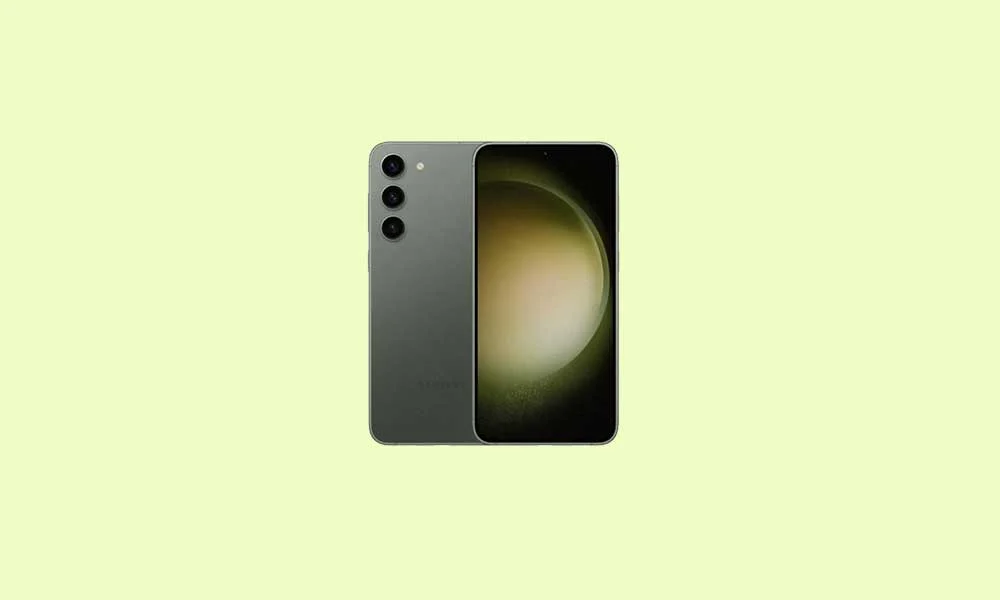
The boundary between officially supported software and community-driven longevity is being dramatically redefined as unofficial Android 16 builds, based on the nascent Android Open Source Project (AOSP), have successfully been ported to the Samsung Galaxy S23 and Galaxy S23 Plus. This move allows owners of these premium 2023 flagships to bypass Samsung’s lengthy update cycles and immediately access Google’s latest mobile operating system, breathing renewed life into devices still widely regarded as high-performance contenders.
While Google initially reserves new Android releases for its Pixel hardware, the rapid development efforts within the enthusiast community have quickly yielded stable, albeit unofficial, versions of Android 16 for third-party devices. This initiative, driven by dedicated developers, provides an alternative pathway for users eager to experience the future of Android today, specifically targeting devices powered by the highly capable Snapdragon 8 Gen 2 Mobile Platform.
Android 16: An Evolution in Design and Performance
The most visible change accompanying Android 16 is the introduction of Material 3 Expressive. This design evolution does not constitute a wholesale overhaul but rather a sophisticated refinement of Google’s visual language. Material 3 Expressive enhances the existing framework established by Material Design 3, focusing on improved tactile feedback and visual fluidity. Users will immediately notice smoother, more dynamic transition animations that feel less jarring and more integrated into the overall flow of the operating system. Furthermore, the design incorporates bolder typography and slightly larger touch targets, enhancing accessibility and ease of use, particularly on larger screens or during rapid navigation.
![How to Install Android 16 on Samsung Galaxy S23 and S23 Plus [Download Link]](https://www.getdroidtips.com/wp-content/uploads/2023/02/How-to-Root-Samsung-Galaxy-S23-and-S23-Plus-using-Magisk.jpg)
Material 3 Expressive arrives precisely as Material Design 3, first seen in Android 13, began showing its age. This update revitalizes the core interface, offering a polished, fluid user experience that contrasts sharply with the heavily customized interfaces often employed by manufacturers like Samsung (One UI). Beyond the design aesthetics, Android 16 promises significant system optimizations aimed at improving battery efficiency, tightening privacy controls, and enhancing performance across diverse form factors, including foldables and tablets.
For S23 owners, installing an AOSP-based custom ROM means trading the feature richness of Samsung’s One UI 5.1 (built on Android 13) for the pristine, minimalist purity and immediate feature set of stock Android 16. The availability of builds like VoltageOS, LineageOS 23, and CrDroid OS demonstrates robust developer interest in maintaining the longevity of these Snapdragon-equipped devices.
The Powerhouse Hardware Underpinning the Upgrade
The Samsung Galaxy S23 and S23 Plus are exceptionally well-suited for adopting bleeding-edge custom software, thanks to their robust internal specifications. Both models feature the bespoke Qualcomm Snapdragon 8 Gen 2 for Galaxy, fabricated on a 4 nm process. This octa-core architecture—comprising a high-performance 3.36 GHz Cortex-X3 core alongside efficiency clusters—and the integrated Adreno 740 GPU provide ample processing power to handle Android 16’s demanding graphical and operational requirements.
The Galaxy S23 maintains a premium compact form factor, centered around a 6.1-inch Dynamic AMOLED panel boasting a 120 Hz adaptive refresh rate, HDR10+ support, and an impressive 1750 nits peak brightness, protected by Gorilla Glass Victus 2. Its camera array features a versatile 50 MP primary sensor, a 10 MP telephoto lens, and a 12 MP ultrawide sensor, capable of capturing 8K video. Power is supplied by a 3900 mAh battery with 25W fast charging support.
![How to Install Android 16 on Samsung Galaxy S23 and S23 Plus [Download Link]](https://www.getdroidtips.com/wp-content/uploads/2023/02/How-to-Root-Samsung-Galaxy-S23-and-S23-Plus-using-Magisk-300x180.jpg)
The larger Galaxy S23 Plus mirrors these core specifications, utilizing the same processor and high-quality triple-camera setup. However, it distinguishes itself with a significantly larger 6.6-inch Dynamic AMOLED screen and a more substantial 4700 mAh battery, which supports faster 45W charging. Both variants offer generous storage options (up to 512GB UFS storage paired with 8GB RAM) but omit a microSD expansion slot. The underlying hardware superiority ensures that the S23 series is not limited by age but by the manufacturer’s update schedule, making them prime candidates for community software continuation.
Prerequisites: Navigating the Custom ROM Installation Landscape
Installing a custom Android 16 ROM is a technical undertaking that requires meticulous preparation and an understanding of the inherent risks, including the potential for data loss and warranty voidance.
1. Data Integrity and Safety: Before commencing any flashing operation, a comprehensive backup is mandatory. The process of unlocking the bootloader invariably involves a factory reset, wiping all stored data.
2. Establishing the Connection Infrastructure: The installation relies heavily on precise communication between the computer and the smartphone. This necessitates the installation of current Samsung USB drivers and the appropriate command-line utilities: ADB (Android Debug Bridge) and Fastboot. ADB is used for general device debugging and command execution, while Fastboot is the advanced utility essential for flashing critical partitions and interacting with the bootloader environment.
![How to Install Android 16 on Samsung Galaxy S23 and S23 Plus [Download Link]](https://www.getdroidtips.com/wp-content/uploads/2020/06/cmd-platform-tools.jpg)
3. Unlocking the Bootloader: This is the critical first step. The bootloader is a piece of code that initiates the operating system. By default, it is locked to ensure system security and integrity. Unlocking it grants permission to flash unofficial software but also removes security barriers. This step is irreversible in terms of voiding the warranty and must be executed using approved methods, which will subsequently erase all user data.
4. Custom Recovery Environment (TWRP): Once the bootloader is unlocked, a custom recovery environment, such as Team Win Recovery Project (TWRP), must be installed. The stock recovery system is designed only to install official, signed updates. TWRP provides the graphical interface and the necessary functionality to flash unsigned custom ROM files (typically .zip archives) onto the device’s system partition.
5. ROM and GApps Acquisition: Users must download the specific Android 16 custom ROM file (e.g., Lineage OS 23) tailored for the Galaxy S23/S23 Plus. Crucially, most AOSP-based custom ROMs do not include proprietary Google applications and services (GApps). Therefore, a compatible Android 16 GApps package must be downloaded and prepared for immediate installation. It is imperative that GApps be flashed directly after the custom ROM, without rebooting the system in between, to ensure proper integration of Google’s framework services.
The Installation Process and Current Stability
The core installation involves booting the device into the newly installed TWRP recovery, performing a full data wipe (excluding internal storage containing the installation files), flashing the primary Android 16 ROM file, and immediately flashing the GApps package. The subsequent first boot cycle is significantly longer than usual, as the operating system initializes and optimizes the new software environment for the hardware.
![How to Install Android 16 on Samsung Galaxy S23 and S23 Plus [Download Link]](https://www.getdroidtips.com/wp-content/uploads/2020/08/twrp-custom-rom.jpg)
Current community reports indicate that these unofficial AOSP builds offer solid stability, suggesting that "everything seems to be working fine" in early deployments. However, the nature of unofficial ports means users must anticipate potential minor bugs or intermittent issues related to hardware-specific functions (such as specific camera features or proprietary sensors). Active engagement with the developer community, including the timely submission of detailed logs, is crucial for refining the stability of these cutting-edge builds.
By embracing custom firmware, Galaxy S23 and S23 Plus users secure immediate access to Material 3 Expressive and the security enhancements of Android 16, extending the usable life and technological relevance of their premium hardware far beyond the official manufacturer timeline. This reliance on the open-source community provides a powerful testament to the enduring flexibility and customizable nature of the Android ecosystem.
