

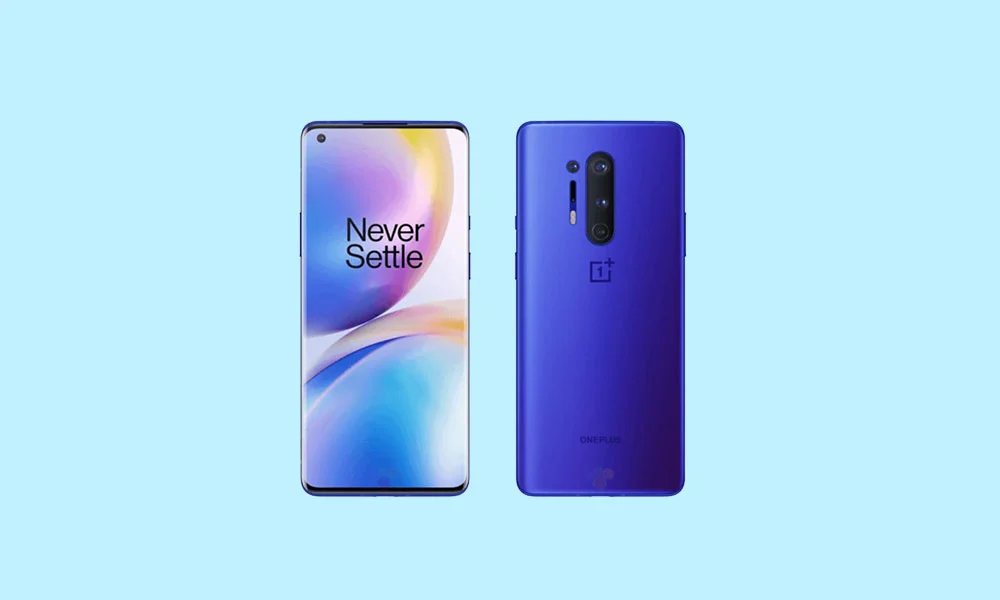
The OnePlus 8 and 8 Pro, launched in the spring of 2020, represented a pivotal moment for OnePlus as it fully transitioned into the "ultra-premium" flagship market. While these devices have officially reached the end of their manufacturer-supported lifecycle regarding major Android OS upgrades, the developer community continues to defy the planned obsolescence typical of the smartphone industry. With the recent release of Android 16 for Google’s Pixel lineup, independent developers have successfully ported unofficial Android Open Source Project (AOSP) builds to the OnePlus 8 series, offering users a pathway to the latest software innovations. This movement highlights the enduring power of the Snapdragon 865 platform and the commitment of the custom ROM community to keep legacy hardware relevant in an era of rapid software iteration.
The OnePlus 8 series was built on a foundation of high-performance hardware that remains surprisingly competent by modern standards. The OnePlus 8 Pro, the more advanced of the duo, features a 6.7-inch Fluid AMOLED display with a Quad HD+ resolution and a 120Hz refresh rate, providing a visual experience that still rivals many mid-range and even high-end devices released today. Its smaller sibling, the standard OnePlus 8, offers a slightly more compact Full HD+ panel while maintaining the sleek, curved aesthetic that defined the series. Both devices are powered by the Qualcomm Snapdragon 865 chipset paired with the X55 5G modem. This processor was a landmark for Qualcomm, offering a significant jump in efficiency and raw power that allows it to handle the sophisticated requirements of Android 16 without breaking a sweat.
![How to Install Android 16 on OnePlus 8 and 8 Pro [Download Link]](https://www.getdroidtips.com/wp-content/uploads/2020/04/Download-OnePlus-8-Pro-Stock-Wallpapers-FHD-Resolution.jpg)
While both models share the same "brain," the Pro variant differentiates itself through its sophisticated quad-camera array and faster LPDDR5 RAM. The standard model utilizes LPDDR4X RAM, which, while slightly slower, still provides ample bandwidth for multitasking. Both versions come in configurations of 8GB or 128GB of storage and 12GB or 256GB of storage, ensuring that users have the overhead necessary to run modern, resource-heavy applications. It is this robust hardware profile that makes the OnePlus 8 series a prime candidate for Android 16, as the silicon is more than capable of supporting the latest features Google has baked into the operating system.
Android 16 introduces "Material 3 Expressive," which serves as the next major evolution in Google’s design philosophy. This update is less about a total visual reconstruction and more about the refinement of the "Material You" aesthetic introduced in earlier versions. Material 3 Expressive focuses on fluidity, depth, and user accessibility. It brings more dynamic animations that respond to touch with organic movement, larger and more intuitive touch targets, and a bolder approach to typography that improves readability across various lighting conditions. For users of the OnePlus 8 series, this means the interface will feel more contemporary and polished, stripping away the aging design language of older OxygenOS versions.
Beyond the visual changes, Android 16 is packed with under-the-hood optimizations designed to enhance the user experience on diverse form factors. Google has focused heavily on system efficiency, aiming to reduce background battery drain and improve the responsiveness of the notification shade and quick settings. For older devices like the OnePlus 8, these optimizations are crucial, as they can lead to better battery longevity and snappier performance compared to the final official builds of Android 13 or 14. The update also includes enhanced privacy controls, more granular permission management, and updated APIs that allow developers to take better advantage of the hardware’s 5G capabilities and AI processing units.
![How to Install Android 16 on OnePlus 8 and 8 Pro [Download Link]](https://www.getdroidtips.com/wp-content/uploads/2020/04/OnePlus-8-Pro-300x180.jpg)
For those eager to jump into the Android 16 experience, the custom ROM ecosystem offers two primary contenders: Evolution X and CrDroid. Evolution X is renowned in the community for providing a "Pixel-like" experience, bringing many of the exclusive features found on Google’s own devices to other hardware. It focuses on a clean, bloat-free environment with extensive customization options. CrDroid, on the other hand, is built with a focus on performance and reliability, stripping away unnecessary features to ensure the OS runs as lean as possible. Both ROMs have seen early Android 16 builds that, according to initial tester reports, demonstrate remarkable stability. Most core functions—including Wi-Fi, Bluetooth, cellular data, and camera operations—are reportedly functional, though users should always remain vigilant for minor bugs inherent in early-stage unofficial software.
Transitioning a device to a custom ROM is a technical process that requires careful preparation to avoid permanent damage or data loss. The first and most critical step is the comprehensive backup of all personal data. Flashing a new operating system requires wiping the device’s internal storage, meaning photos, contacts, and documents must be secured elsewhere. Furthermore, the device must have a battery charge of at least 50% to ensure it does not power down during critical writing phases of the installation, which could lead to a "bricked" or unrecoverable state.
The technical infrastructure for this installation relies on ADB (Android Debug Bridge) and Fastboot binaries. These command-line tools allow a computer to communicate directly with the phone’s bootloader and system partitions. For the OnePlus 8 series, users must also ensure they have the latest OnePlus USB drivers installed on their PC to facilitate a stable data connection. The most significant hurdle for many is unlocking the bootloader. This is a security feature that, when disabled, allows the installation of third-party firmware. It is important to note that unlocking the bootloader typically triggers a factory reset and may affect the device’s Widevine L1 status, potentially limiting streaming services like Netflix to standard definition.
![How to Install Android 16 on OnePlus 8 and 8 Pro [Download Link]](https://www.getdroidtips.com/wp-content/uploads/2020/06/cmd-platform-tools.jpg)
Once the bootloader is unlocked, the installation of a custom recovery—most notably TWRP (Team Win Recovery Project)—is required. TWRP acts as an alternative interface that allows users to "flash" or install the Android 16 ROM files directly onto the phone’s memory. Following the installation of the ROM, users must also flash "GApps" (Google Apps) if they wish to use the Play Store, Gmail, and other Google services, as many AOSP-based ROMs do not include these proprietary apps by default to maintain a smaller file size and adhere to licensing restrictions.
The installation sequence is a methodical progression: booting into recovery, wiping the existing system and data partitions, flashing the Android 16 ROM zip file, and immediately following it with the GApps package. The initial boot after such a major transition can take several minutes as the system builds its cache and initializes the new environment. Once the device reaches the setup screen, users are greeted with a fresh, modern Android 16 interface, effectively granting a four-year-old device the software capabilities of a 2025 flagship.
While the prospect of running Android 16 on the OnePlus 8 or 8 Pro is exciting, it comes with the standard caveats of the enthusiast community. These builds are unofficial and developed by volunteers. While they strive for perfection, users may encounter "known issues" or edge-case bugs that were not present in official software. Developers encourage users to report these bugs with accompanying logs, as this feedback loop is essential for refining the software and reaching a "stable" milestone.
![How to Install Android 16 on OnePlus 8 and 8 Pro [Download Link]](https://www.getdroidtips.com/wp-content/uploads/2020/08/twrp-custom-rom.jpg)
In conclusion, the arrival of Android 16 for the OnePlus 8 and 8 Pro via custom ROMs is a testament to the longevity of high-quality hardware when supported by a passionate community. By bypassing the limitations of official manufacturer support cycles, users can enjoy the latest in UI design, privacy enhancements, and system optimizations. This process not only breathes new life into the OnePlus 8 series but also serves as a sustainable alternative to the constant cycle of hardware upgrades, proving that with the right software, a "legacy" flagship can still perform at the highest level.
