

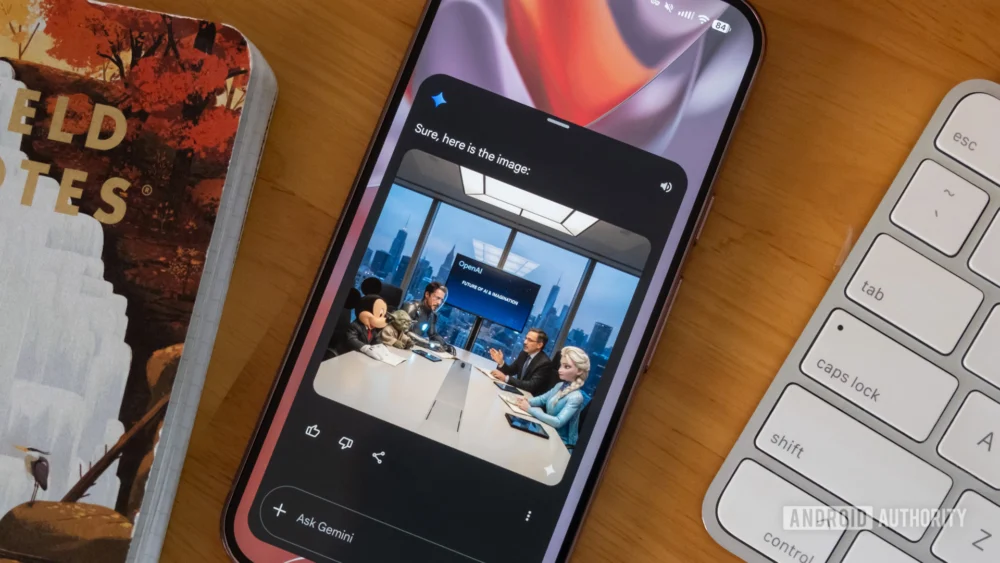
The landscape of generative artificial intelligence is rapidly shifting from a phase of sheer novelty to one defined by utility and iterative precision. As users move beyond the initial thrill of generating surreal landscapes or stylized portraits from simple text prompts, the demand for more granular control over the final output has intensified. Google, a central player in this technological arms race, appears to be answering this call by bridging a significant gap in its Gemini ecosystem. Recent findings within the internal code of the Google application suggest that the company is developing a suite of integrated markup tools specifically designed for images created by its "Nano Banana" generation engine. This development promises to transform the way users interact with AI-generated content, moving the experience from a "one-shot" gamble to a collaborative, conversational design process.
For several months, Google has been steadily enhancing the multimodal capabilities of Gemini, its flagship AI assistant. One of the most significant recent milestones was the introduction of image annotation for uploaded files. This feature allowed users to attach a photograph from their local storage, circle a specific area—such as a piece of furniture in a room or a complex mathematical equation on a chalkboard—and ask Gemini for specific analysis or modifications. While this was a massive leap forward for productivity, it left a glaring inconsistency in the user experience: images actually generated by Gemini within the chat interface were strangely exempt from these tools. If a user generated an image of a futuristic city but wanted to change only the color of a single flying vehicle, they were forced into a cumbersome workaround. They would have to download the image, re-upload it to the chat, and then use the markup tool, or attempt to describe the specific location of the vehicle using increasingly complex and often misinterpreted text instructions.
The latest deep dive into the Google app version 17.8.59 reveals that this friction point is finally being addressed. By enabling hidden flags within the software, researchers have uncovered a new workflow that integrates a dedicated "pencil" icon directly onto the interface of Gemini-generated images. This icon, situated in the top-right corner of the visual output, serves as the gateway to a specialized editing suite. When a user taps this icon, the interface transitions into a markup mode, allowing for freehand highlighting or circling of specific elements within the AI’s own creation. Once the user defines the area of interest and confirms their selection, the edited frame is automatically re-attached to the input field, ready for a follow-up text prompt.
This circular workflow represents a significant evolution in prompt engineering. Historically, refining an AI image required "inpainting"—a process often reserved for more technical platforms like Midjourney or local installations of Stable Diffusion. By bringing this capability to the mainstream Gemini interface, Google is democratizing high-level image editing. It removes the cognitive load of having to describe spatial relationships to an AI. Instead of typing "change the small blue bird on the third branch from the left to a red cardinal," a user can simply circle the bird and type "make this a red cardinal." This visual anchoring provides the AI with a precise coordinate system, drastically reducing the likelihood of "hallucinations" where the AI might accidentally modify the wrong part of the image or alter the entire artistic style of the piece in an attempt to follow a text-only instruction.
The technical backbone of this update is tied to "Nano Banana," a nomenclature that highlights Google’s ongoing internal iterations of its generative models. While Google’s public-facing models often carry the "Imagen" branding for image generation, the underlying integration within the Gemini app requires complex handshakes between the large language model (LLM) and the diffusion model. The "Nano" prefix often suggests a more efficient, possibly on-device or low-latency version of these tools, hinting that Google aims to make these edits feel instantaneous and fluid, rather than a heavy cloud-computing task that disrupts the flow of conversation.
The implications of this feature extend far beyond casual hobbyist use. For professionals using AI for rapid prototyping, storyboarding, or social media content creation, the ability to iterate in real-time is invaluable. It transforms Gemini from a mere generator into a digital art director. In a professional context, the first output from an AI is rarely the final version. It is a starting point. By allowing users to pinpoint exactly what works and what doesn’t, Google is positioning Gemini as a more viable tool for serious creative workflows. This move also places Google in direct competition with OpenAI’s DALL-E 3 integration within ChatGPT, which has experimented with similar selection tools, and Adobe Firefly, which leverages a "Generative Fill" mechanic based on traditional selection tools.
However, the discovery of these tools comes via an "APK teardown," a process where developers decompile the Android Package Kit to see what features are currently in the staging phase of development. It is important to note that the presence of code does not always guarantee a public rollout. Google frequently tests features that are later refined, delayed, or scrapped entirely based on performance metrics or safety considerations. Nevertheless, the maturity of the UI spotted in version 17.8.59—complete with functional icons and a logical integration into the existing chat flow—suggests that a public release is likely on the horizon.
One of the broader challenges Google faces with this rollout is maintaining the "semantic consistency" of the image during the editing process. When a user marks a section of an image for a change, the AI must be able to modify that specific area while keeping the lighting, shadows, and texture of the rest of the image perfectly intact. If a user circles a person’s jacket to change its color, the AI must ensure that the person’s face, the background, and the overall "vibe" of the image remain unchanged. This requires a sophisticated understanding of the image’s layers, something Google has been perfecting with its latest Imagen 3 architecture. The integration of markup tools suggests that Google is confident enough in its model’s ability to handle localized edits without breaking the overall composition.
Furthermore, this update aligns with Google’s broader strategy of "AI-first" productivity. By keeping the user within the Gemini app for the entire creative cycle—from the initial prompt to the final refined image—Google increases user retention and builds a more cohesive ecosystem. It eliminates the need for third-party photo editing apps for basic modifications, making Gemini a one-stop shop for visual communication. This is particularly relevant for mobile users, where switching between apps and managing file downloads is a significantly more cumbersome task than on a desktop.
As we look toward the official release of these tools, the conversation will likely shift toward the ethical and safety guardrails surrounding such precise editing. Google has already implemented robust systems like SynthID, which embeds invisible watermarks into AI-generated images to distinguish them from human-made content. It remains to be seen how these watermarks will adapt to images that have been partially edited or "marked up" by a user. Ensuring that these tools cannot be used to easily create deceptive content or manipulate real-world photographs in harmful ways remains a top priority for the company’s AI Responsibility team.
In conclusion, the impending arrival of markup tools for Gemini-generated images represents a maturation of the platform. It acknowledges that the future of AI is not just about what the machine can create on its own, but how effectively it can collaborate with a human operator. By adding a simple pencil icon and a selection tool, Google is giving users the "scalpel" they need to perform precision surgery on their digital creations. This move simplifies the creative process, enhances the accuracy of the AI, and brings a new level of professional-grade control to the palm of every user’s hand. While we await the official rollout, the evidence from the latest software builds suggests that the era of "guess-and-check" AI prompting is coming to an end, replaced by a more intuitive, visual, and successful partnership between man and machine.
