

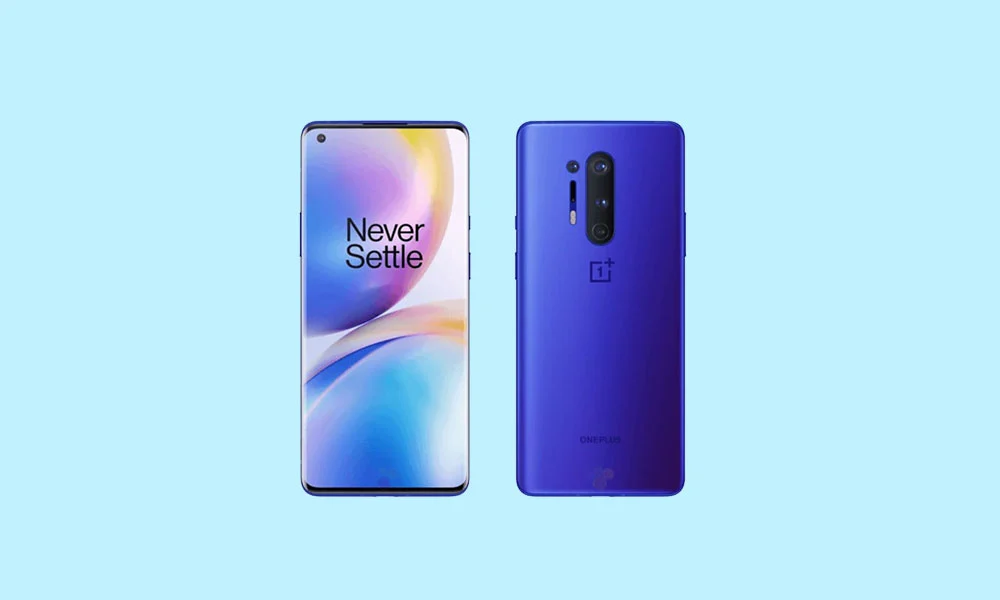
The advent of a new operating system often spells the twilight for older flagship devices, but the resilient custom ROM community is ensuring that the OnePlus 8 and 8 Pro receive a significant extension to their usable lifespan. While Google’s latest Android 16 iteration is initially reserved for its Pixel lineup, dedicated developers have rapidly ported unofficial builds based on the Android Open Source Project (AOSP) to high-performance legacy hardware, allowing users to experience cutting-edge features years after official vendor support has concluded. This migration provides a vital pathway for owners of the 2020 OnePlus series to access modern security patches, performance optimizations, and the latest user interface paradigm.
Android 16: The Dawn of Material 3 Expressive
The primary draw of the Android 16 update lies in its systemic refinements and the introduction of Material 3 Expressive. This evolution of Google’s design language is more than a superficial coat of paint; it represents a comprehensive enhancement to system fluidity and user interaction. While the visual foundation laid by the previous Material Design 3 remains recognizable, Expressive introduces dramatically smoother, more kinetic animations, which contribute significantly to the perceived speed of the operating system.
![How to Install Android 16 on OnePlus 8 and 8 Pro [Download Link]](https://www.getdroidtips.com/wp-content/uploads/2020/04/Download-OnePlus-8-Pro-Stock-Wallpapers-FHD-Resolution.jpg)
Furthermore, this update focuses heavily on improved accessibility and intuitive design through bolder typographic choices and larger, more clearly defined touch targets. The transition is designed to breathe modern vitality into the interface, addressing the sense of visual stagnation that had begun to affect earlier Material Design iterations. The emphasis is on polish and dynamism, ensuring that the user experience feels refined and distinctly contemporary across various form factors, including standard smartphones, foldables, and tablets. Beyond the visual appeal, Android 16 inherently incorporates system-level performance optimizations and updated security protocols that improve overall stability and application handling, making the switch compelling even for those less concerned with aesthetic changes.
The Enduring Power of the OnePlus 8 and 8 Pro
The viability of running a modern OS like Android 16 on the OnePlus 8 series stems directly from its high-end hardware specifications, which remain robust even four years post-launch. Both the standard OnePlus 8 and the premium 8 Pro are driven by the powerful Qualcomm Snapdragon 865 processor, coupled with the Qualcomm X55 5G modem, ensuring consistent performance capability and high-speed cellular connectivity.
However, the differences between the two models are noteworthy, particularly regarding the display and memory architecture. The OnePlus 8 Pro features a superior 6.7-inch display, offering a high-definition Quad HD+ resolution and a crucial 120Hz refresh rate, delivering exceptional clarity and fluid motion. The standard OnePlus 8 uses a slightly smaller screen with Full HD+ resolution and typically a lower refresh rate, though still providing a premium visual experience.
![How to Install Android 16 on OnePlus 8 and 8 Pro [Download Link]](https://www.getdroidtips.com/wp-content/uploads/2020/04/OnePlus-8-Pro-300x180.jpg)
Memory configuration is also a key differentiator. While both phones were offered in 8GB/128GB and 12GB/256GB variants, the 8 Pro utilized the faster, more power-efficient LPDDR5 RAM technology. In contrast, the regular OnePlus 8 relied on LPDDR4X RAM. This subtle but significant difference in memory speed gives the Pro model a slight edge in handling intensive multitasking and ensuring peak responsiveness under the demanding load of a newly ported operating system like Android 16. The Pro model also boasts a more sophisticated quad-camera array, further cementing its status as the more feature-rich device.
Community Ports: Stability and Available Builds
The custom ROM community leverages the AOSP to build stable, optimized versions of Android 16 for these unsupported devices. Early reports on the stability of these ports for the OnePlus 8 and 8 Pro are highly encouraging, with developers confirming that primary functionalities—such as calls, connectivity, and core system operations—appear to be fully functional.
Currently, popular and reputable custom ROM distributions available for the OnePlus 8 series include:
![How to Install Android 16 on OnePlus 8 and 8 Pro [Download Link]](https://www.getdroidtips.com/wp-content/uploads/2020/06/cmd-platform-tools.jpg)
- Evolution X: Known for its heavy feature set and close resemblance to the Pixel experience, often including extensive customization options.
- CrDroid OS: A well-regarded ROM that balances stability with a rich array of tweaks and performance enhancements, maintaining a near-stock Android feel.
While the current status indicates broad functionality, users must acknowledge the inherent risks of unofficial software. The "Known Issues" section is currently sparse, advising users to meticulously report any discovered bugs, complete with diagnostic logs, to assist the developers in achieving long-term stability.
| OS | Device | Status |
|---|---|---|
| Evolution X | OnePlus 8 | Available |
| CrDroid OS | OnePlus 8 | Available |
| CrDroid OS | OnePlus 8 Pro | Available |
| Evolution X | OnePlus 8 Pro | Available |
Prerequisites for Custom ROM Installation: Navigating the Technical Landscape
Successfully installing a custom ROM necessitates adherence to a strict protocol involving low-level device modification. These steps are critical and carry the risk of device malfunction if performed incorrectly.
- Data Backup: Before initiating any modification, a complete and verifiable backup of all personal data is non-negotiable. Unlocking the bootloader and subsequent flashing procedures inevitably involve data wipes.
- Sufficient Charge: The device battery must be charged to a minimum of 50% capacity to prevent sudden shutdowns during the intensive flashing process, which could result in a bricked device.
- Bootloader Unlocking: This is the foundational requirement. Unlocking the bootloader of the OnePlus 8 or 8 Pro disables key security features and allows unauthorized software (the custom recovery and ROM) to be loaded onto the device. This process universally factory resets the device and may void any remaining warranty.
- ADB and Fastboot Integration: The Android Debug Bridge (ADB) and Fastboot utilities, collectively known as Platform-Tools, are essential command-line interfaces. ADB facilitates basic communication and debugging between the computer and the device, while Fastboot is the utility used specifically for flashing critical system partitions, such as the custom recovery image.
- Custom Recovery Installation (TWRP): The Team Win Recovery Project (TWRP) is the de facto standard for flashing custom software. Once the bootloader is unlocked, TWRP must be installed. This custom recovery environment replaces the stock recovery and provides the interface necessary to perform advanced operations like wiping partitions and installing third-party
.zipfiles containing the ROM and Google Apps. - USB Drivers: Ensuring the correct, up-to-date OnePlus USB drivers are installed on the host computer is vital for maintaining a stable and reliable connection during data transfers and flashing operations.
- Acquisition of Software: The specific Android 16 custom ROM image (e.g., Evolution X or CrDroid OS) and the corresponding Android 16 GApps (Google Applications) package must be downloaded. Most AOSP-based ROMs do not include proprietary Google services and require the GApps package to be flashed immediately after the ROM, without an intermediate reboot.
The Installation Protocol
![How to Install Android 16 on OnePlus 8 and 8 Pro [Download Link]](https://www.getdroidtips.com/wp-content/uploads/2020/08/twrp-custom-rom.jpg)
The flashing process is executed through the custom recovery environment (TWRP):
- Transfer Files: Copy the downloaded ROM file and the GApps package to the device’s internal storage.
- Boot into TWRP: Reboot the OnePlus device into the custom recovery mode.
- Wipe Partitions: Perform a clean installation by wiping data, cache, and Dalvik/ART cache partitions. This step is crucial for avoiding conflicts from the previous operating system installation.
- Flash ROM: Select the ‘Install’ option in TWRP and choose the downloaded custom ROM zip file. Initiate the flashing process.
- Flash GApps: Immediately after the ROM installation completes, proceed directly to flash the GApps package. Crucially, do not reboot the device between flashing the ROM and GApps.
- Reboot: Once both packages are installed, reboot the system.
The initial system boot after flashing a new operating system can be significantly prolonged, potentially taking several minutes. Users must exhibit patience and avoid intervention during this critical stage. Upon successful boot, the device will present the standard Android setup wizard, ready to configure the fresh Android 16 experience.
Conclusion: Sustaining the Ecosystem
By successfully installing an Android 16 custom ROM, OnePlus 8 and 8 Pro users are not only maximizing their investment by extending the practical life of their hardware but are also gaining access to the latest security, design, and performance innovations Google has developed. While this advanced procedure carries inherent technical risks—specifically, the potential for data loss or device damage—the reward is a modern, responsive user experience on hardware still highly capable of handling contemporary demands. Community engagement, particularly reporting bugs and providing detailed logs, remains essential for refining these unofficial builds and ensuring the continued viability of the OnePlus 8 series within the evolving Android ecosystem.
