

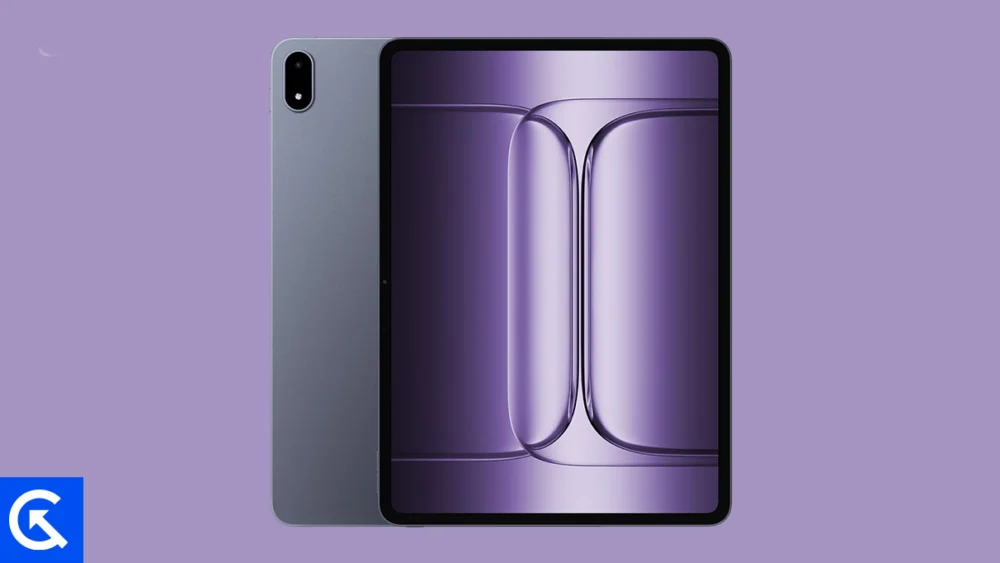
The arrival of the OnePlus Pad 3, or its regional equivalent, the Pad 2 Pro, marks a significant entry into the premium tablet market, delivering top-tier hardware designed for intensive productivity and high-fidelity media consumption. While the device boasts a formidable technological foundation—including the cutting-edge Snapdragon 8 Elite chipset, a massive 13.2-inch, 144Hz IPS LCD panel with Dolby Vision, and an enduring 12,140 mAh battery supported by 80W fast charging—many power users find that the stock operating system, Android 15 layered with the ColorOS/OxygenOS interface, fails to utilize this hardware potential fully. This disparity between exceptional physical components and proprietary software constraints is the primary driver behind the burgeoning interest in custom firmware development for this device.
The fundamental advantage of the Android ecosystem is its basis in open-source code. This architectural choice empowers independent development communities to modify, optimize, and rebuild the operating system from the ground up, resulting in what are known as Custom ROMs. These alternative operating systems supplant the manufacturer-installed firmware, often referred to as Stock ROM, to provide enhanced performance, cleaner aesthetics, and granular user control not offered by the original equipment manufacturer (OEM).
Decoding the Difference: Stock vs. Custom ROMs
When a consumer purchases a new Android tablet, it operates on a Stock ROM. This preinstalled firmware is meticulously calibrated by the manufacturer (in this case, OnePlus) and includes specific OEM customizations, integrated applications, and often, carrier-imposed limitations or proprietary optimization algorithms. While stable, the Stock ROM often sacrifices efficiency for feature density, leading to potential background processes, unwanted applications (bloatware), and a delayed pipeline for essential security and feature updates.
In contrast, a Custom ROM is a home-built or community-developed operating system image derived from the Android Open Source Project (AOSP). Developers leverage the AOSP source code to craft a standalone operating system, complete with its own dedicated kernel. The process typically involves stripping away proprietary OEM interfaces and pre-installed applications, focusing instead on delivering a pure, optimized Android experience. This purification often translates directly into improved system responsiveness, reduced memory footprint, and, critically for a large device like the Pad 3, optimized battery longevity by eliminating inefficient background processes inherent in heavily customized OEM skins.
Furthermore, Custom ROMs serve as a vital pathway for device longevity. They are regularly maintained and updated by the developer community, frequently bringing the newest iterations of the Android operating system to devices long after the OEM has ceased official support. For the OnePlus Pad 3 and Pad 2 Pro, installing custom firmware offers a gateway to greater system control and the potential to refine the device’s high-refresh-rate display and powerful processor for specialized tasks.
The Foundation: Preparing the OnePlus Pad 3 for Customization
The process of transitioning from the Stock ROM to a custom operating system requires a foundational step: replacing the standard recovery environment with a custom recovery tool. The preferred tool for the Android community is TWRP (Team Win Recovery Project). TWRP functions as a powerful interface that allows users to perform full system backups, wipe partitions, and, most importantly, flash (install) unsigned third-party zip files—the format in which Custom ROMs are distributed.
Installing TWRP recovery on the OnePlus Pad 3 / Pad 2 Pro is mandatory before any custom firmware can be successfully installed. This step necessitates unlocking the device’s bootloader, a process that voids the manufacturer’s warranty but grants the user the administrative access required to fundamentally alter the system partition. Once TWRP is established, users gain the ability to navigate the complex world of Custom ROMs, each offering a distinct philosophy on how the Android experience should be delivered.
Featured Custom Firmware for the OnePlus Pad 3 Ecosystem
The robust hardware of the OnePlus Pad 3 has quickly attracted the attention of prominent Android developers, leading to the availability of several stable and feature-rich custom firmwares. These options cater to different user profiles, ranging from those seeking ultimate stability to those demanding exhaustive customization controls.
![List of Best Custom ROM for OnePlus Pad 3 / OnePlus Pad 2 Pro [Updated]](https://www.getdroidtips.com/wp-content/uploads/2026/01/OnePlus-Pad-3.jpg)
1. LineageOS: The Standard Bearer of Custom Android
LineageOS stands as arguably the most recognized and influential custom firmware project in the Android ecosystem. It is the direct successor to the legendary CyanogenMod (CM), which ceased operations after the collapse of Cyanogen Inc. LineageOS carries forward CM’s mission: providing a clean, stable, and highly secure operating system built directly upon the latest AOSP releases.
For the OnePlus Pad 3 / Pad 2 Pro, LineageOS offers unparalleled reliability, making it an excellent choice for users who depend on their tablet for daily productivity. It is celebrated for its minimalistic interface, enhanced privacy features, and efficient resource management. Given the tablet’s large screen and powerful specifications, LineageOS ensures that the Snapdragon 8 Elite chipset and 144Hz display operate with maximum efficiency and minimal latency. Development for the platform is active, with early iterations of LineageOS 22 (based on Android 14) and future prospects for LineageOS 23 already being tracked by the community, indicating a strong commitment to keeping the hardware current.
- Download & Development Links: Active builds for Lineage OS 22 and 23 are tracked on community forums like 4PDA and XDA-Developers, reflecting continuous integration of new features and patches.
2. CrDroid OS: Customization Without Compromise
CrDroid OS targets the user who desires the stability of AOSP but demands extensive customization features. Built initially upon AOSP and integrating core components from LineageOS, CrDroid is a compilation of the best customization options harvested from several renowned projects, including AOSPA (Paranoid Android) and SlimROM.
This ROM transforms the user experience by offering granular control over nearly every visual and functional element of the system. Users can modify the status bar, navigation bar layout, system animations, and quick toggle behavior with deep precision. For a productivity device like the OnePlus Pad 3, CrDroid allows the user to tailor the massive screen real estate to their exact workflow requirements, providing a pure Android foundation layered with rich, user-defined modifications. CrDroid OS is an official build for the Pad 3, confirming its stability and developer support.
- Download & Development Links: Official stable builds for CrDroid v12 (typically based on recent Android releases) are available on specialized forums dedicated to the device.
3. AICP OS: The Veteran Community Project
The Android Ice Cold Project (AICP) boasts one of the longest continuous development histories in the custom ROM space, tracing its origins back to 2012 with the HTC Desire HD. AICP is characterized by its strong, highly engaged community and its dedication to integrating unique, sometimes experimental, tweaks atop the LineageOS framework.
While drawing stability from LineageOS, AICP differentiates itself through a comprehensive suite of unique features and performance enhancements that appeal to technical enthusiasts. It is often lauded for being a mature and robust ROM that balances cutting-edge features with dependable daily performance. AICP maintains its development momentum, currently supporting builds based on contemporary Android versions, such as Android 16 iterations, demonstrating its commitment to future-proofing the OnePlus Pad 3.
- Download & Development Links: Official development threads for AICP, targeting the OnePlus Pad 3 (codenamed ‘erhai’), provide access to the latest stable builds.
4. Pixel Experience ROM: Authenticity Redefined
The Pixel Experience ROM is specifically designed for users who wish to replicate the native software environment of a Google Pixel device. This firmware replaces the OnePlus software skin entirely, installing the genuine interface, applications, and features that ship standard with Google’s flagship smartphones.
For the OnePlus Pad 3 / Pad 2 Pro, the Pixel Experience offers a clean, efficient, and aesthetically pleasing interface dominated by Google’s Material Design language. It includes Pixel-exclusive features such as the dedicated Google Camera application (where hardware permits) and the optimized suite of Pixel services. While the availability status indicates "Coming Soon," the introduction of a stable Pixel Experience ROM would be highly significant, offering the fastest access to new Google features and security patches, aligning the powerful Pad 3 hardware with Google’s pure software vision. This option is ideal for users prioritizing immediate integration with the Google ecosystem and prioritizing software speed and simplicity over OEM-specific enhancements.
The pursuit of custom firmware for the OnePlus Pad 3 / Pad 2 Pro is an endeavor to match the device’s software capabilities with its exceptional hardware potential. By installing a custom recovery environment like TWRP and selecting one of the established community ROMs—LineageOS for stability, CrDroid for deep customization, AICP for historical depth, or Pixel Experience for pure Google integration—users can fundamentally redefine their tablet experience, ensuring sustained performance and extending the operational lifespan of this premium device.
