

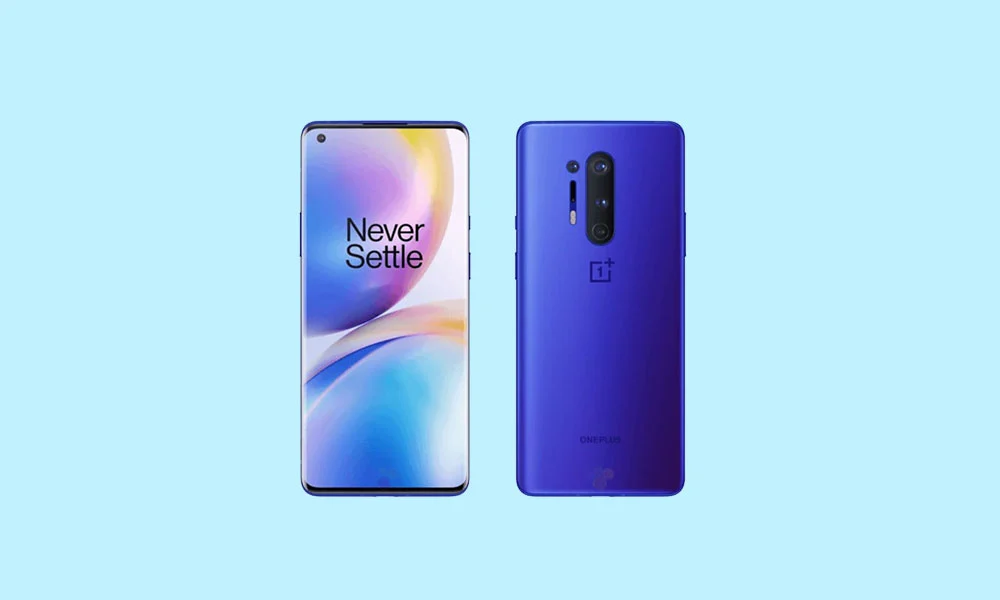
The venerable OnePlus 8 and 8 Pro, two devices that solidified OnePlus’s reputation in the flagship killer segment, are receiving an unexpected lease on life through the dedicated Android development community. Although officially concluded regarding major software updates from the manufacturer, users can now install unofficial builds of Android 16, leveraging custom AOSP (Android Open Source Project) ports. This critical upgrade allows owners of these older devices to bypass OEM limitations and access Google’s latest operating system features, notably the refined Material 3 Expressive design language.
This development is significant for the longevity of the OnePlus 8 series. While Google recently initiated the official rollout of Android 16 to its current Pixel lineup, developers have rapidly adapted these core binaries, allowing older, yet still highly capable, hardware to participate in the latest software cycle. For users seeking cutting-edge performance and security features, a custom ROM presents the most direct route to experiencing Android 16 today, ahead of any potential, highly unlikely, or delayed official manufacturer support.
The Evolution of Design: Material 3 Expressive in Android 16
The most immediate and noticeable enhancement brought by Android 16 is the implementation of Material 3 Expressive. This update is not a revolutionary aesthetic overhaul but rather a sophisticated evolution of Google’s design philosophy, building upon the foundations established by Material Design 3. Where Material Design 3, introduced with Android 13, began to show its age, Material 3 Expressive injects dynamism and polish into the user interface.
Material 3 Expressive focuses intensely on fluidity and user interaction. This manifests through smoother, more responsive animations that lend a palpable sense of speed to navigating the operating system. Furthermore, Google has emphasized accessibility and ease of use by introducing larger, more distinct touch targets and employing bolder, clearer typography. The goal is to create an interface that feels intuitive, engaging, and seamlessly adaptable across different form factors, including foldables and tablets—a critical consideration even for standard smartphone users benefiting from a unified design vision. This refinement breathes contemporary appeal into the interface, preserving familiarity while enhancing overall user experience through subtle yet impactful visual engineering.
![How to Install Android 16 on OnePlus 8 and 8 Pro [Download Link]](https://www.getdroidtips.com/wp-content/uploads/2020/04/Download-OnePlus-8-Pro-Stock-Wallpapers-FHD-Resolution.jpg)
Beyond the UI, Android 16 is confirmed to deliver crucial system optimizations, improvements in battery management efficiency, and enhanced privacy controls, ensuring that the OnePlus 8 series benefits from the latest underlying architectural improvements Google has engineered.
OnePlus 8 and 8 Pro: A Custom ROM Case Study
The suitability of the OnePlus 8 and 8 Pro for running advanced custom ROMs stems directly from their powerful, high-end specifications at launch. Both devices are driven by the robust Qualcomm Snapdragon 865 processor, paired with the Qualcomm X55 5G modem. Even years after their initial release, the 865 remains a powerhouse, capable of handling the computational demands of Android 16 without performance compromise.
While sharing the same fundamental processing core, key differences distinguish the two models. The OnePlus 8 Pro, marketed as the premium variant, features a larger 6.7-inch display supporting Quad HD+ resolution and a highly desirable 120Hz refresh rate. This combination ensures pin-sharp visuals and exceptional smoothness in animations and scrolling. The standard OnePlus 8 offers a slightly smaller display with Full HD+ resolution.
In terms of memory, both phones were offered in 8GB/128GB and 12GB/256GB configurations. However, the Pro model utilized the faster, more modern LPDDR5 RAM, providing a marginal performance edge and improved power efficiency over the standard model’s LPDDR4 memory. The presence of premium components, particularly the high-performance processor and ample RAM, guarantees that these devices are well-equipped to manage the demanding nature of a flagship operating system like Android 16.
The Unofficial Stability Report
The availability of Android 16 for the OnePlus 8 series is courtesy of prominent custom ROM projects such as Evolution X and CrDroid OS, which have successfully ported the AOSP builds. These projects offer unique customizations layered over the stock Android experience.
![How to Install Android 16 on OnePlus 8 and 8 Pro [Download Link]](https://www.getdroidtips.com/wp-content/uploads/2020/04/OnePlus-8-Pro-300x180.jpg)
Early reports from the development community suggest a remarkably stable experience for these unofficial builds. Developers indicate that fundamental device functionality—including core elements like Wi-Fi, Bluetooth, cellular connectivity, and camera operation—appears to be functioning reliably. While developers strive for perfection, the nature of unofficial ports means users must remain vigilant. Any discovered inconsistencies or bugs require prompt reporting, complete with technical logs, to assist the community in rapid iteration and stabilization.
Mandatory Preparations for Flashing
Installing a custom ROM is an advanced procedure that requires meticulous preparation and adherence to specific technical requirements. The process fundamentally alters the device’s software architecture and carries inherent risks, including data loss or device malfunction if steps are executed incorrectly.
1. Data Integrity and Backup: Before initiating any modification, a complete backup of all user data is non-negotiable. Unlocking the bootloader and subsequent flashing procedures typically involve a full device wipe, necessitating a robust data recovery plan.
2. Power Management: The device must be charged to a minimum of 50 percent capacity. A power interruption during the critical flashing process can lead to a soft brick, rendering the device temporarily unusable.
3. Toolchain Requirement (ADB and Fastboot): Access to the Android Debug Bridge (ADB) and Fastboot utilities is essential. ADB acts as a communication bridge, allowing the computer to send commands to the device when it is booted normally or in recovery mode. Fastboot is the command-line utility used specifically for flashing critical system partitions, such as the bootloader and recovery image, and for booting the device into the appropriate modes for modification. Users must ensure they have the latest Platform-Tools installed and configured correctly on their computer.
![How to Install Android 16 on OnePlus 8 and 8 Pro [Download Link]](https://www.getdroidtips.com/wp-content/uploads/2020/06/cmd-platform-tools.jpg)
4. Driver Verification: Reliable communication between the PC and the OnePlus device depends on correctly installed USB drivers. The latest OnePlus USB drivers must be installed to ensure the flashing process proceeds without interruption due to connectivity issues.
5. Bootloader Unlocking: The cornerstone of custom development is unlocking the device’s bootloader. This is a security measure enforced by the OEM (OnePlus) that must be disabled to allow the installation of non-signed, third-party operating systems. Unlocking the bootloader is a definitive step that permanently wipes all data on the device.
6. Custom Recovery Installation: Following the bootloader unlock, a custom recovery environment, most commonly TWRP (Team Win Recovery Project), must be flashed onto the device. TWRP provides a user-friendly, touch-based interface necessary for navigating the device’s partitions and installing the unsigned custom ROM and GApps (Google Applications) packages.
The Installation Sequence
Once all prerequisites are met, the installation process typically involves transferring the downloaded Android 16 custom ROM file (e.g., Evolution X or CrDroid OS) and the corresponding Android 16 GApps package to the device’s internal storage.
The user then boots the OnePlus 8 or 8 Pro into the TWRP recovery environment. The standard procedure involves performing a system wipe (clearing cache, Dalvik cache, system, and data partitions) to ensure a clean installation environment, thereby preventing conflicts from the previous operating system.
![How to Install Android 16 on OnePlus 8 and 8 Pro [Download Link]](https://www.getdroidtips.com/wp-content/uploads/2020/08/twrp-custom-rom.jpg)
Next, the custom ROM zip file is flashed via the TWRP install menu. Crucially, the GApps package—which contains the Google Play Store, Google Services Framework, and other essential Google applications missing from AOSP builds—must be flashed immediately afterward, without rebooting the device between installations. Failure to flash GApps before the initial boot will necessitate repeating the entire process.
Finally, the device is rebooted. The initial boot cycle after installing a new custom ROM is significantly extended as the new system initializes its components and optimizes applications. Users should not be alarmed if this process takes longer than ten minutes. Upon successful boot, the user is presented with the standard Android setup wizard, signaling a successful migration to Android 16.
Extending Device Lifespan
By embracing custom ROMs, owners of the OnePlus 8 and 8 Pro are making a conscious choice to extend the functional lifespan of their hardware far beyond the official support window. Installing an Android 16-based ROM not only delivers the latest features and Material 3 Expressive design but also ensures the device benefits from modern security patches and system optimizations. While this path requires technical proficiency and carries risks, the reward is a high-performance device capable of running the latest version of the world’s most popular mobile operating system. The continued viability of these devices is a testament to both the engineering quality of the original hardware and the tireless dedication of the global Android development community.
