

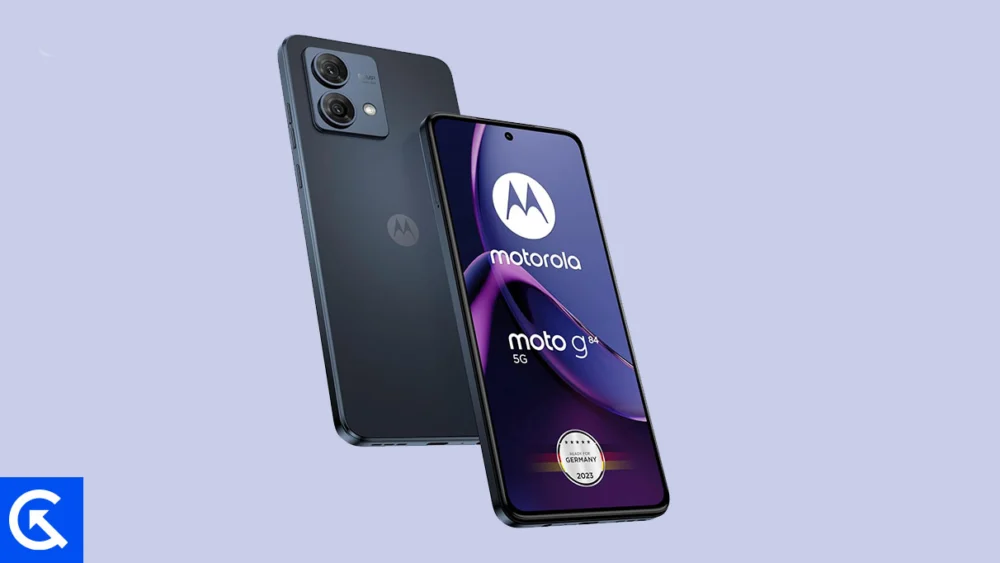
The global Android development community has once again demonstrated its capacity to future-proof capable hardware, achieving a major milestone by successfully porting an unofficial Android 16 build to the Motorola Moto G84 5G. Despite the device having a clear and limited official update trajectory from Motorola, independent developers have rapidly adapted the newly released Android 16 source code—originally deployed for Google’s flagship Pixel line—to this popular mid-range handset. This development offers users a significant opportunity to bypass OEM restrictions and experience the latest system refinements and security features years after the device’s initial release.
This technical achievement is particularly noteworthy given the speed at which the custom ROM community operates. Following Google’s stable release of Android 16, typically focused on immediate deployment on its own devices, developers quickly initiate the rigorous process of building the Android Open Source Project (AOSP) code for unsupported devices. The availability of this custom ROM means that owners of the Moto G84 5G are now able to leverage modern operating system capabilities that Motorola may never officially deliver, ensuring the device remains competitive in terms of software experience.
The Evolution of Android 16: Material 3 Expressive
Central to the appeal of migrating to the new operating system is the introduction of Android 16’s major design philosophy update, dubbed Material 3 Expressive. This update represents a significant, yet measured, evolution of Google’s design language for both smartphones and larger screen form factors, such as tablets and foldables. While not a radical visual overhaul, Material 3 Expressive enhances the existing foundation of Material Design 3, first introduced with Android 13, by prioritizing polish and fluidity.
![How to Install Android 16 on Motorola Moto G84 5G [Download Link]](https://www.getdroidtips.com/wp-content/uploads/2025/08/Motorola-Moto-G84-5G.jpg)
The enhancements focus primarily on the user interface’s interactive elements. This includes the implementation of smoother and more dynamic system animations, crucial for conveying responsiveness and context across various applications. Furthermore, the design increases the size of touch targets, improving accessibility and ease of use, particularly on fast-moving interfaces. Bolder typography choices are also integrated, contributing to better information hierarchy and visual clarity.
Material 3 Expressive arrives at a critical juncture, refreshing an interface that, by the time of Android 16’s release, was beginning to show its age. By preserving the familiar aesthetic while injecting newfound dynamism, Google and the custom ROM developers propagating the builds successfully bridge the gap between tradition and innovation. Beyond the visual appeal, Android 16 incorporates numerous system optimizations designed to improve resource management, battery efficiency, and overall application performance, benefiting devices like the Moto G84 5G that rely on reliable, efficient hardware management. These updates collectively aim to elevate the user experience across all supported device categories.
Motorola Moto G84 5G: Hardware Context
The Motorola Moto G84 5G, initially launched in September 2023, remains a robust platform well-suited for extended software support via custom firmware. Positioned firmly in the mid-range market, the device offers a compelling blend of premium features and practical design. Physically, it is a slim and manageable device, measuring 160 x 74.4 x 7.6 mm and weighing a mere 166.8g. Its construction features a glass front combined with a plastic or eco-leather back, complemented by an IP54 rating for basic dust and splash resistance, ensuring a degree of durability.
The visual experience is delivered through a high-quality 6.5-inch P-OLED display, featuring a smooth 120Hz refresh rate, 1B color support, and impressive peak brightness reaching 1300 nits. This screen capability ensures that the visual refinements of Material 3 Expressive are displayed to their full potential.
![How to Install Android 16 on Motorola Moto G84 5G [Download Link]](https://www.getdroidtips.com/wp-content/uploads/2025/08/Motorola-Moto-G84-5G-300x169.jpg)
Under the hood, the Moto G84 5G is powered by the capable Snapdragon 695 5G chipset, manufactured on a 6nm process, coupled with the Adreno 619 GPU. This combination provides sufficient processing power for modern Android applications and multitasking. The device configurations, offering up to 256GB storage paired with 8GB or 12GB of RAM, coupled with microSD expansion capability, ensure that performance bottlenecks are minimized, even with a more demanding operating system.
The imaging package includes a 50MP main sensor with Optical Image Stabilization (OIS) and an 8MP ultrawide lens, providing solid photographic versatility. Audio fidelity is also prioritized, with stereo speakers, Hi-Res audio certification, and the inclusion of a 3.5mm headphone jack. Crucially, the device is sustained by a durable 5000mAh battery supporting 30W fast charging, ensuring the hardware can handle the demands of a modern operating system like Android 16 throughout a full day of use.
The Technical Migration Path: Requirements for Custom ROM Installation
Installing a custom AOSP build is an advanced procedure that requires meticulous preparation, fundamentally altering the software environment of the device. This process is complex and mandates several non-reversible steps that must be completed before the Android 16 ROM can be flashed.
Data Integrity and Preparation: The foremost requirement is a complete backup of all user data. The custom flashing process, particularly the preceding bootloader unlock, necessitates a factory reset, resulting in total data loss. Adequate battery charge (at least 50%) is also critical to prevent an interruption that could lead to a permanent software failure (bricking).
![How to Install Android 16 on Motorola Moto G84 5G [Download Link]](https://www.getdroidtips.com/wp-content/uploads/2020/06/cmd-platform-tools.jpg)
Unlocking the Bootloader: This is the most crucial prerequisite. The bootloader is a low-level software layer that verifies and loads the operating system kernel. By default, it is locked by the OEM to ensure security and prevent unauthorized firmware modifications. Unlocking the bootloader on the Moto G84 5G requires following Motorola’s specific official procedure, which invariably wipes the device storage as a security measure. This step grants the necessary permissions to flash custom images.
Essential Command-Line Tools: The installation relies heavily on command-line utilities. Android Debug Bridge (ADB) establishes a stable communication link between the PC and the powered-on device, while Fastboot is the specialized protocol used when the device is in bootloader mode. Fastboot is essential for flashing critical partitions, including the custom recovery image. Both tools are contained within the Platform-Tools package, which must be installed and configured on the host computer. Additionally, up-to-date Motorola USB drivers are required to ensure the computer recognizes the device in all operating modes.
Installing Custom Recovery (TWRP): Once the bootloader is unlocked, the stock recovery environment must be replaced with a custom recovery, typically Team Win Recovery Project (TWRP). TWRP provides a user-friendly, touch-enabled interface necessary to install unsigned ZIP files—the format in which custom ROMs and Google Apps packages (GApps) are distributed. The custom recovery serves as the conduit for the entire flashing procedure.
Acquiring the Firmware: Users must download the specific Android 16 custom ROM built for the Moto G84 5G (often identified by its codename). Because AOSP builds adhere strictly to open-source principles, they legally exclude proprietary Google applications and services (GMS). Therefore, a separate, compatible GApps package must also be downloaded. It is imperative that GApps be flashed immediately after the ROM installation, before the device is rebooted, to ensure proper integration of services like the Play Store and Google synchronization.
![How to Install Android 16 on Motorola Moto G84 5G [Download Link]](https://www.getdroidtips.com/wp-content/uploads/2020/08/twrp-custom-rom.jpg)
Stability and Future Outlook
While the Moto G84 5G Android 16 build is currently identified as an unofficial AOSP port, early feedback suggests remarkable stability for a nascent custom ROM. In the highly collaborative custom development ecosystem, stability is often achieved rapidly. However, users must be aware that minor imperfections or localized bugs (such as issues with specific sensors, niche peripherals, or region-dependent features like NFC) may persist.
The developers rely heavily on user feedback. If anomalies are encountered, users are expected to generate and submit detailed system logs to aid in debugging, contributing directly to the maturation of the ROM.
By embracing this custom firmware, Moto G84 5G users are effectively decoupling their device’s software lifespan from the limitations of the official manufacturer support cycle. This strategic move ensures access to contemporary security updates, cutting-edge user experience features, and optimized performance, guaranteeing that the robust hardware platform of the Moto G84 5G remains relevant well into the future.
