

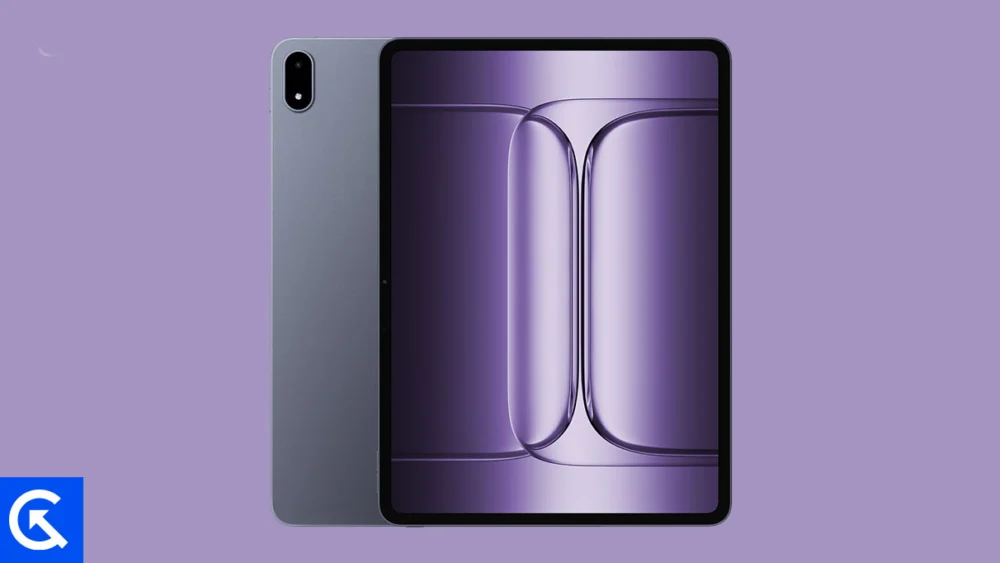
The release of the OnePlus Pad 3, often referred to in specific markets as the OnePlus Pad 2 Pro, has marked a significant milestone in the evolution of high-end Android tablets. Positioned as a direct competitor to the industry’s most established slate computers, this device combines cutting-edge hardware with a design language that emphasizes professional productivity. However, for a dedicated segment of the Android community, the factory-installed software is merely a starting point. The open-source nature of the Android Operating System allows for a level of modification that remains unparalleled in the mobile tech industry, leading many users to seek out Custom ROMs to further enhance their user experience.
To understand the appeal of the OnePlus Pad 3, one must first appreciate its formidable hardware foundation. The device is a behemoth of performance, anchored by the Snapdragon 8 Elite chipset. This processor is engineered to handle the most demanding computational tasks, from high-resolution video editing to intensive multitasking across multiple floating windows. Complementing this power is a massive 13.2-inch IPS LCD. This is not a standard display; it features a 144Hz refresh rate that ensures fluid motion, alongside Dolby Vision support for an elite cinematic experience. The screen’s peak brightness and color accuracy make it a versatile tool for both creative professionals and media enthusiasts.
Despite its large footprint, the OnePlus Pad 3 maintains a premium feel with its slim aluminum unibody. It is designed to function as a laptop replacement, supported by a robust 12,140 mAh battery that promises longevity through long workdays. When the power does eventually run low, the 80W fast charging capability ensures that the downtime is minimal. While the tablet ships with ColorOS 15 (based on Android 15), providing a feature-rich and polished interface, many power users find themselves yearning for the flexibility that only the developer community can provide.
This desire for customization brings us to the distinction between Stock ROMs and Custom ROMs. When a consumer unboxes a OnePlus Pad 3, it comes pre-loaded with the Stock ROM—the official firmware developed by the manufacturer. While stable and optimized for the general public, Stock ROMs often include proprietary "bloatware," non-removable applications, and specific aesthetic choices that may not appeal to everyone. Furthermore, manufacturers eventually cease software updates for older models, leaving hardware that is still capable in a state of software obsolescence.
In contrast, a Custom ROM is a standalone version of the Android OS, built from the ground up using the Android Open Source Project (AOSP) source code. Independent developers and community collectives strip away the unnecessary components of the manufacturer’s skin to create a leaner, faster, and more customizable experience. Installing a Custom ROM allows users to unlock hidden features, improve system performance through kernel optimizations, and extend the life of their device with the latest security patches and Android versions long after official support has ended.
The gateway to this world of customization for the OnePlus Pad 3 is the installation of a custom recovery, most notably TWRP (Team Win Recovery Project). TWRP acts as a specialized environment that allows users to "flash" or install third-party software zip files, perform full system backups, and manage partitions. Once a user has successfully replaced the stock recovery with TWRP, the full potential of the OnePlus Pad 3 is unlocked, paving the way for the installation of the best Custom ROMs available today.
![List of Best Custom ROM for OnePlus Pad 3 / OnePlus Pad 2 Pro [Updated]](https://www.getdroidtips.com/wp-content/uploads/2026/01/OnePlus-Pad-3.jpg)
Among the most prestigious names in the custom firmware scene is LineageOS. Rising from the ashes of the legendary CyanogenMod, LineageOS is widely regarded as the gold standard for third-party Android distributions. It prioritizes a "clean" Android experience, closely mirroring the aesthetic of Google’s own vision while adding essential power-user features. For the OnePlus Pad 3, LineageOS 22 and the emerging LineageOS 23 offer a transformative experience. Users gain access to a highly customizable status bar, sophisticated theme engines, and the ability to resize or recolor the navigation bar. Its focus on stability makes it an ideal "daily driver" for those who need their tablet to work reliably every day.
For users who want a balance between the minimalist AOSP look and a "kitchen sink" approach to features, crDroid OS stands out as a premier choice. Built upon the foundations of LineageOS, crDroid integrates the best features from various other projects, including AOSPA (Paranoid Android) and SlimROM. The result is a firmware that offers an incredible depth of customization without sacrificing the fluidity of the interface. It is particularly popular among those who enjoy tweaking every aspect of their device’s behavior, from lock screen shortcuts to advanced sound configurations, all while maintaining a lightweight system footprint.
Another veteran in the community is AICP, or the Android Ice Cold Project. Having started its journey in 2012 on the HTC Desire HD, AICP has grown into one of the most mature and stable ROMs in existence. While it began as a small project, it has evolved into a global collaboration. Currently based on the latest Android versions and utilizing LineageOS as a base, AICP adds its own unique flavor of "Ice Cold" tweaks. It is known for its tight-knit community and consistent update cycle, ensuring that OnePlus Pad 3 users have access to a polished, bug-free experience that pushes the hardware to its limits.
Finally, the Pixel Experience ROM offers a unique proposition for those who admire the software design of Google’s flagship devices. As the name implies, this ROM ports the entire software suite from Google Pixel phones to the OnePlus Pad 3. This includes the exclusive Pixel Launcher, Google Photos unlimited storage (where applicable), Pixel-specific fonts, icons, and the distinctive "Material You" accenting. For many, this is the ultimate upgrade, as it effectively turns the OnePlus Pad 3 into a "Pixel Tablet Pro," combining OnePlus’s superior hardware with Google’s refined and intuitive software ecosystem.
While the process of moving from Stock ROM to a custom alternative requires technical diligence and a willingness to step outside the manufacturer’s walled garden, the rewards are substantial. By choosing a Custom ROM, OnePlus Pad 3 owners can reclaim control over their hardware. They can eliminate unwanted tracking, optimize battery life through custom kernels, and enjoy a user interface that is tailored specifically to their needs rather than a corporate mandate.
As the development community continues to mature, the support for the OnePlus Pad 3 and Pad 2 Pro is expected to grow even further. With the Snapdragon 8 Elite providing a long-term performance ceiling, these devices are poised to remain relevant for years to come. Whether through the streamlined efficiency of LineageOS, the feature-rich environment of crDroid, the historical reliability of AICP, or the aesthetic elegance of Pixel Experience, the world of Custom ROMs ensures that the OnePlus Pad 3 remains a cutting-edge tool for the modern digital era. Users are encouraged to stay updated with the latest releases on developer forums such as XDA and 4PDA to ensure they are always running the most optimized version of their chosen firmware.
