

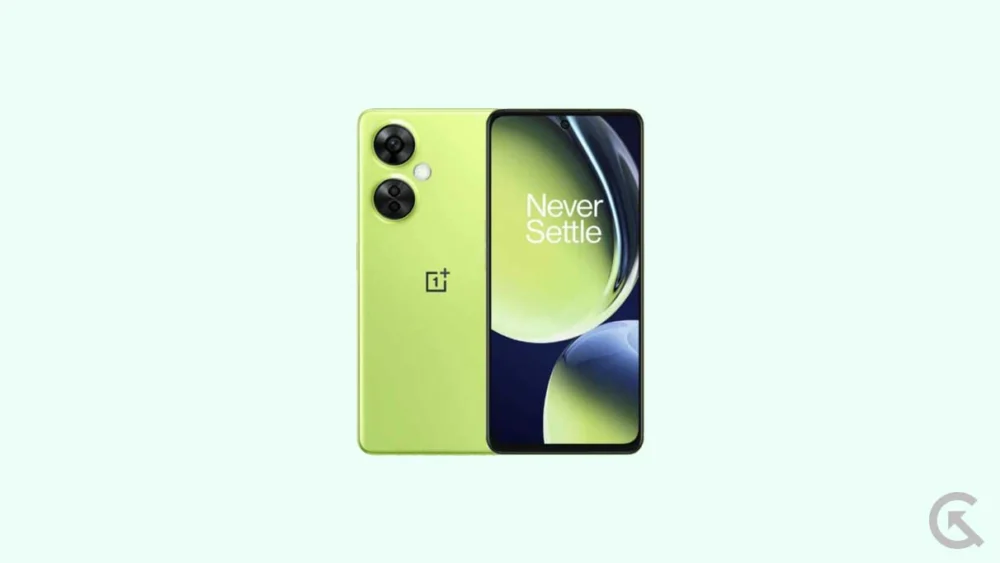
The lifecycle of a mid-range smartphone is often dictated by the manufacturer’s software update policy rather than the limitations of the hardware itself. For users of the OnePlus Nord CE 3 Lite—marketed in North America as the OnePlus Nord N30—the hardware remains a capable contender in the budget-friendly segment. However, as official updates begin to slow, the enthusiast community often steps in to bridge the gap between manufacturer support and the latest technological innovations. With Google’s recent unveiling of Android 16, the developer community has moved with unprecedented speed to port unofficial Android Open Source Project (AOSP) builds to these devices. This transition to Android 16 represents more than just a version number increase; it is a fundamental refresh of the user experience, bringing the latest in design philosophy and system efficiency to a device that originally debuted with Android 13.
![How to Install Android 16 on OnePlus Nord CE 3 Lite / Nord N30 [Download Link]](https://www.getdroidtips.com/wp-content/uploads/2023/04/OnePlus-Nord-CE-3-Lite-5G.jpg)
The OnePlus Nord CE 3 Lite 5G is built upon a hardware foundation that is surprisingly resilient. At its heart lies the Qualcomm Snapdragon 695 5G chipset, a processor known for its efficiency and reliable performance in daily tasks. Paired with 8GB of LPDDR4X RAM and a 6.72-inch Full-HD+ LCD panel boasting a 120Hz refresh rate, the device offers a fluid visual experience that belies its price point. The photography suite is headlined by a 108-megapixel primary sensor, which, when coupled with the advanced image processing capabilities of newer Android versions, can often see improved color science and dynamic range. Despite these strong specifications, the official OxygenOS 13.1 skin, while functional, carries the weight of proprietary bloatware that can occasionally hamper the Snapdragon 695’s potential. Moving to an Android 16-based custom ROM allows users to strip away this overhead, utilizing a cleaner, leaner version of the operating system that prioritizes speed and responsiveness.
The headline feature of Android 16 is undoubtedly the introduction of "Material 3 Expressive." This design evolution represents the next phase of Google’s Material You journey, which began several years ago. While Material Design 3 focused on color extraction and personalization, Material 3 Expressive focuses on the "feel" of the interface. It introduces more fluid, physics-based animations that make the UI feel more reactive to touch. Typography has been adjusted to be bolder and more readable, and touch targets have been optimized to reduce accidental inputs. For the OnePlus Nord CE 3 Lite, which utilizes a large 6.72-inch display, these refinements in spatial design and interaction logic make the device feel significantly more modern. Beyond the aesthetics, Android 16 brings deep-seated system optimizations aimed at improving battery longevity and notification management, ensuring that the 5,000mAh battery of the Nord N30 lasts even longer under heavy use.
![How to Install Android 16 on OnePlus Nord CE 3 Lite / Nord N30 [Download Link]](https://www.getdroidtips.com/wp-content/uploads/2023/04/OnePlus-Nord-CE-3-Lite-5G-300x169.jpg)
Transitioning to a custom ROM like Android 16 requires a disciplined approach to technical preparation. This is not a standard "over-the-air" update; it is a complete replacement of the device’s firmware. The first and most critical step is the preservation of data. Flashing a custom ROM necessitates a complete wipe of the internal storage. Users must ensure that all photos, documents, and application data are backed up to cloud services or external physical storage. Furthermore, the device’s battery must be maintained at a minimum of 50% capacity. The flashing process involves high-intensity CPU operations and screen-on time; a power failure during this window could lead to a "brick" scenario, where the device becomes software-dead and requires professional recovery.
The technical gateway to Android 16 is the unlocking of the bootloader. By default, OnePlus locks the bootloader to ensure system integrity and security. However, for the developer community, unlocking this is the first step toward true ownership of the hardware. It is important to note that unlocking the bootloader will trigger a factory reset and may void certain aspects of the manufacturer’s warranty. Once the bootloader is unlocked, the user must establish a bridge between their computer and the smartphone using Android Debug Bridge (ADB) and Fastboot binaries. These command-line tools allow for the low-level communication required to flash new recovery environments and system images.
![How to Install Android 16 on OnePlus Nord CE 3 Lite / Nord N30 [Download Link]](https://www.getdroidtips.com/wp-content/uploads/2020/06/cmd-platform-tools.jpg)
A pivotal component in this journey is the installation of a custom recovery, such as TWRP (Team Win Recovery Project). TWRP replaces the rudimentary stock recovery with a touch-based interface capable of managing partitions, wiping specific data caches, and installing .zip files that contain the new operating system. Without a custom recovery, the installation of an unofficial AOSP build is virtually impossible. Once TWRP is successfully flashed onto the OnePlus Nord CE 3 Lite, the user gains the ability to "clean flash" the Android 16 ROM.
The installation of Android 16 on the Nord CE 3 Lite / Nord N30 follows a logical sequence. First, the user must download the specific Android 16 ROM file tailored for their device model. Because these are AOSP-based builds, they often arrive in a "vanilla" state, meaning they do not include Google Play Services or the Google Play Store. To rectify this, users must also download a "GApps" (Google Apps) package specifically designed for Android 16. The flashing order is paramount: the ROM must be flashed first, followed immediately by the GApps package before the device is allowed to reboot. This ensures that the Google framework is integrated into the system partitions correctly, preventing permission errors or "boot loops" where the device fails to load the home screen.
![How to Install Android 16 on OnePlus Nord CE 3 Lite / Nord N30 [Download Link]](https://www.getdroidtips.com/wp-content/uploads/2020/08/twrp-custom-rom.jpg)
Current reports from early adopters of the Android 16 port for the Nord N30 suggest a high degree of stability. Core functionalities, including 5G connectivity, Wi-Fi 5, Bluetooth 5.1, and the side-mounted fingerprint sensor, are reported to be working as intended. The 120Hz refresh rate remains smooth, and the 67W SuperVOOC charging continues to deliver rapid power delivery, although the proprietary charging animation may be replaced by the standard Android 16 visual. However, as with any unofficial software, users should remain vigilant for minor bugs. Issues such as specific sensor calibration or niche camera features might require subsequent patches from the developer community.
The decision to install Android 16 on a OnePlus Nord CE 3 Lite or Nord N30 is ultimately a choice to embrace the cutting edge of mobile software. It transforms a mid-range device into a playground for the latest Google features, providing a level of customization and "cleanliness" that stock OxygenOS cannot match. By following the rigorous steps of backing up data, unlocking the bootloader, and utilizing TWRP to flash the AOSP image, users can effectively double the relevant lifespan of their hardware. In an era where smartphone prices continue to climb, the ability to refresh existing hardware with the latest operating system is not just a hobby for enthusiasts—it is a practical strategy for sustainable technology use. As Android 16 continues to mature, the OnePlus Nord series stands as a testament to the power of community-driven development, proving that with the right software, older hardware can still perform at a flagship-like level of sophistication.
