

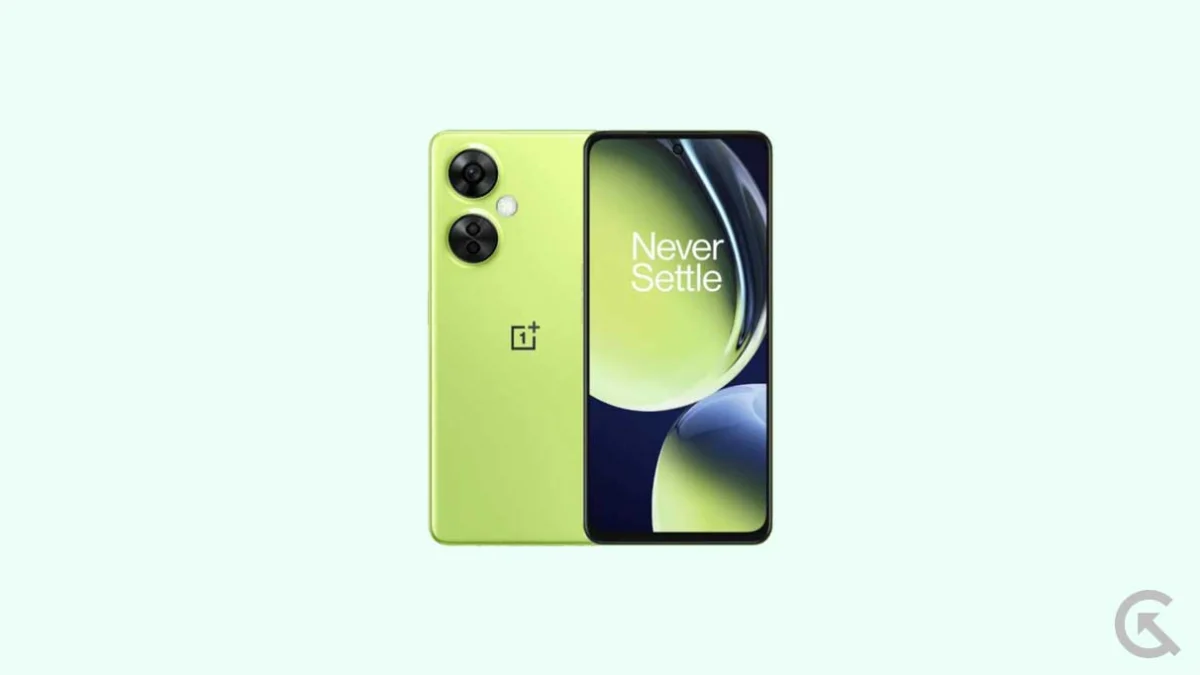
The landscape of mobile operating systems is shifting once again as Google officially pulls back the curtain on Android 16. While the latest flagship devices are typically the first to receive these updates through official channels, the vibrant community of independent developers has wasted no time in bridging the gap for mid-range hardware. For owners of the OnePlus Nord CE 3 Lite and its North American sibling, the OnePlus Nord N30, the arrival of Android 16 represents more than just a software bump; it is an opportunity to revitalize a device that remains a staple of the budget-friendly performance segment. By utilizing unofficial Android Open Source Project (AOSP) builds, users can now bypass official manufacturer timelines and experience the cutting edge of Google’s software engineering.
The OnePlus Nord CE 3 Lite 5G, known in specific markets as the Nord N30, arrived on the scene as a testament to OnePlus’s "Core Edition" philosophy—delivering essential features without the flagship price tag. Launched originally with OxygenOS 13.1 based on Android 13, the device features a sophisticated 6.72-inch Full-HD+ LCD panel. What sets this display apart in its price bracket is the 120Hz adaptive refresh rate, providing the fluid scrolling and responsive touch input typically reserved for more expensive handsets. Under the hood, the device is powered by the Qualcomm Snapdragon 695 5G chipset, a reliable workhorse built on a 6nm process that balances power efficiency with capable multitasking. Complemented by 8GB of LPDDR4X RAM and up to 256GB of UFS 2.2 internal storage, the hardware remains more than capable of handling the demands of a modern operating system like Android 16.
![How to Install Android 16 on OnePlus Nord CE 3 Lite / Nord N30 [Download Link]](https://www.getdroidtips.com/wp-content/uploads/2023/04/OnePlus-Nord-CE-3-Lite-5G.jpg)
The primary draw of this manual upgrade is the introduction of Android 16’s "Material 3 Expressive" design language. Since the debut of Material You in Android 12, Google has been refining its aesthetic approach, but Android 16 marks a significant evolutionary leap. Material 3 Expressive is not a total departure from the past; rather, it is a polished refinement that prioritizes user interaction and visual hierarchy. Users will notice larger, more intuitive touch targets, bolder typography that improves legibility across various lighting conditions, and a suite of dynamic animations that make the interface feel alive. This update breathes new life into the Nord CE 3 Lite’s LCD panel, utilizing the 120Hz refresh rate to showcase the fluidity of these new system-wide transitions.
Beyond the visual overhaul, Android 16 introduces a wealth of under-the-hood optimizations designed to improve the longevity and security of the device. These include enhanced privacy controls, more granular permission management for media and location data, and system-level performance tuning that optimizes background processes to preserve battery life. For a device equipped with a 5,000mAh battery and 67W SuperVOOC charging, these software-side efficiencies ensure that the Nord CE 3 Lite remains a "two-day phone" even as the hardware ages. Furthermore, the move to a clean AOSP-based ROM allows users to shed the "bloatware" or heavy skinning often associated with manufacturer-specific interfaces, resulting in a lighter, faster, and more responsive user experience.
However, the path to installing an unofficial version of Android 16 is one that requires technical diligence and a clear understanding of the risks involved. Because these builds are ported by independent developers, they do not carry the official endorsement of OnePlus or Google. While current reports indicate that the core functionalities—including cellular connectivity, Wi-Fi, Bluetooth, and camera operations—are working as intended, users must be prepared for the occasional bug. The philosophy of the custom ROM community is one of collaboration; users are encouraged to report any anomalies with system logs to help developers refine the software.
![How to Install Android 16 on OnePlus Nord CE 3 Lite / Nord N30 [Download Link]](https://www.getdroidtips.com/wp-content/uploads/2023/04/OnePlus-Nord-CE-3-Lite-5G-300x169.jpg)
Before embarking on the installation process, several critical prerequisites must be met to ensure the safety of the hardware. The most vital step is the comprehensive backup of all personal data. Unlocking a device’s bootloader—a mandatory requirement for custom ROM installation—triggers a security protocol that wipes the internal storage completely. This ensures that no residual data conflicts with the new operating system. Additionally, the device must maintain at least a 50% battery charge to prevent a sudden shutdown during the flashing process, which could lead to a "bricked" or unusable state.
The technical toolkit required for this transition includes the Android Debug Bridge (ADB) and Fastboot binaries. These command-line utilities serve as the bridge between a PC and the smartphone, allowing the user to communicate with the device’s bootloader and recovery partitions. Furthermore, the installation of specific OnePlus USB drivers is necessary to facilitate a stable data connection over a physical USB cable. The centerpiece of this process is the custom recovery environment, specifically TWRP (Team Win Recovery Project). TWRP replaces the stock recovery and provides the graphical interface necessary to format partitions and "flash" the new Android 16 system image.
The installation workflow itself is a methodical series of steps. Once the bootloader is unlocked and TWRP is successfully installed, the user must navigate the recovery menu to perform a "Factory Reset," clearing the cache and data partitions. Following this, the Android 16 ROM file is transferred to the device and installed via the "Flash" or "Install" command. A critical note for those who rely on Google services: most AOSP builds are "vanilla," meaning they do not include Google Play Services out of the box. Users must download and flash a compatible GApps (Google Apps) package immediately after the ROM installation to regain access to the Play Store, Gmail, and Google Maps. It is imperative that this is done before the first reboot to ensure the system recognizes the Google framework correctly.
![How to Install Android 16 on OnePlus Nord CE 3 Lite / Nord N30 [Download Link]](https://www.getdroidtips.com/wp-content/uploads/2020/06/cmd-platform-tools.jpg)
The initial boot after such a significant software change is notoriously slow, as the system must rebuild its image cache and initialize the new Android 16 environment. Once the device reaches the setup screen, users will find a familiar yet refreshed onboarding process. From this point, the OnePlus Nord CE 3 Lite functions as an Android 16 device, complete with the latest security patches and features that might otherwise take months to arrive—or might never arrive at all—via official carrier or manufacturer updates.
The decision to install Android 16 on the Nord CE 3 Lite or Nord N30 is ultimately a testament to the longevity of modern mobile hardware. By decoupling the software from the manufacturer’s lifecycle, enthusiasts can keep their devices relevant and secure for years beyond their intended shelf life. While the process demands a certain level of technical comfort, the reward is a high-performance, aesthetically modern smartphone experience that rivals the latest releases. As Google continues to iterate on the Android platform, the community-driven efforts surrounding the Nord series ensure that these versatile mid-range devices remain at the forefront of the mobile revolution. Owners are encouraged to stay active in developer forums, as updates to these custom builds frequently address bugs and introduce further optimizations, ensuring that the Android 16 experience only improves over time.
