

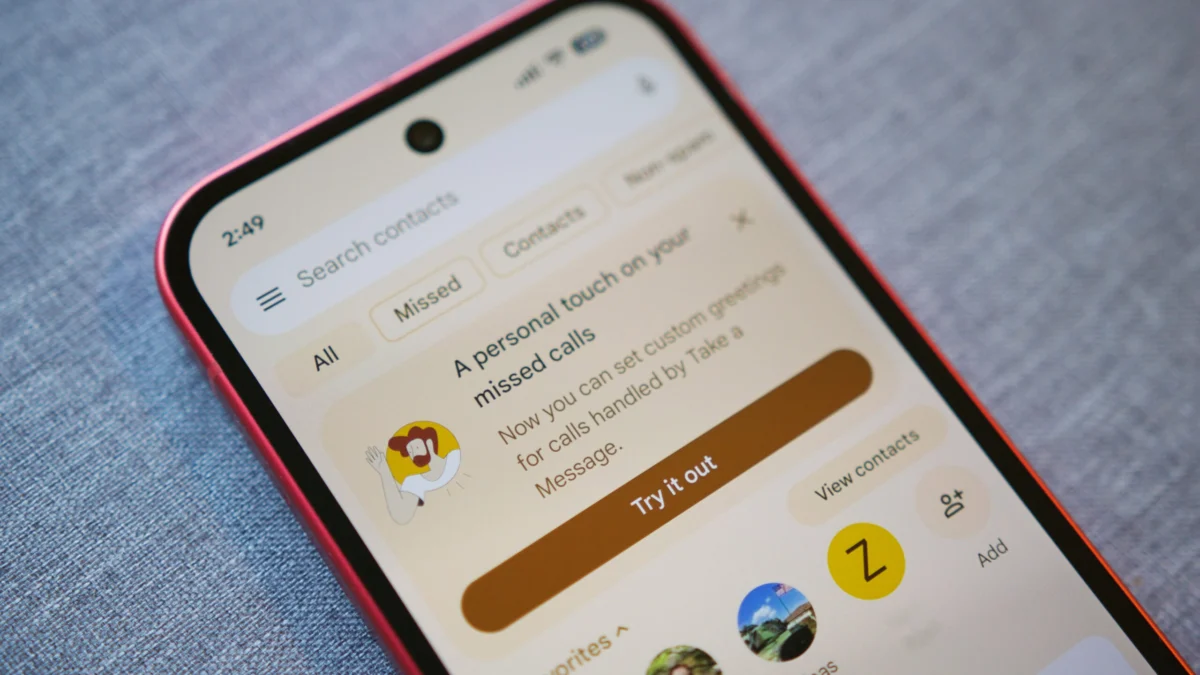
The Google Pixel ecosystem has long distinguished itself from the broader Android landscape not just through hardware specifications, but through a suite of exclusive, AI-driven software features known collectively as "Call Assist." Among these, the "Take a Message" feature has emerged as a cornerstone of the modern communication experience. Originally debuting to significant acclaim with the Pixel 10 series in late 2025, Take a Message reinvented the traditional voicemail by offering real-time transcriptions and seamless integration into the Phone app’s interface. However, for all its technical prowess, the feature launched with a notable limitation: the inability to personalize the caller’s experience. For months, users were tethered to a generic, synthesized greeting that lacked the personal touch required for professional or intimate communication. That era of anonymity has officially ended as Google rolls out custom greeting support for Take a Message, bridging the gap between cutting-edge AI and personal expression.
To understand the significance of this update, one must first look at the trajectory of "Take a Message." Unlike legacy voicemail systems provided by cellular carriers, which often require dialing a specific number and navigating cumbersome audio menus, Take a Message is an on-device solution. When a user is unable or unwilling to answer a call, the Pixel’s internal intelligence intercepts the line. It greets the caller, records their input, and simultaneously generates a text transcription that appears on the user’s screen in real-time. This allows the recipient to "read" the call as it happens, deciding whether to jump in and answer or let the caller finish their message. Once the call concludes, the transcript and audio are saved directly to the Phone app’s home screen, organized alongside recent calls for easy retrieval.
Despite this efficiency, the early iteration of the service was criticized for its "robotic" nature. Callers were met with a standard, pre-recorded prompt: “The person you have called is not available, please leave a message after the tone.” While functional, this message failed to confirm the identity of the person being reached, often leading to confusion for callers who were unsure if they had dialed the correct number or if they were speaking to an automated spam filter. The introduction of custom greetings directly addresses these concerns, allowing Pixel users to record their own voice, state their name, and provide specific instructions to their callers.
The rollout of this feature is currently tied to the Google Phone app’s development cycle. As of April 2026, the custom greeting functionality has been identified in version 217 of the Google Phone beta, with some reports suggesting it is also appearing for users on version 216. For the time being, this remains a beta-exclusive feature, reflecting Google’s standard procedure of testing high-impact communication tools with a smaller subset of users before a wider public release. Users eager to access the tool can enroll in the Google Phone app beta program via the Play Store, though it is worth noting that beta software can occasionally exhibit stability issues.
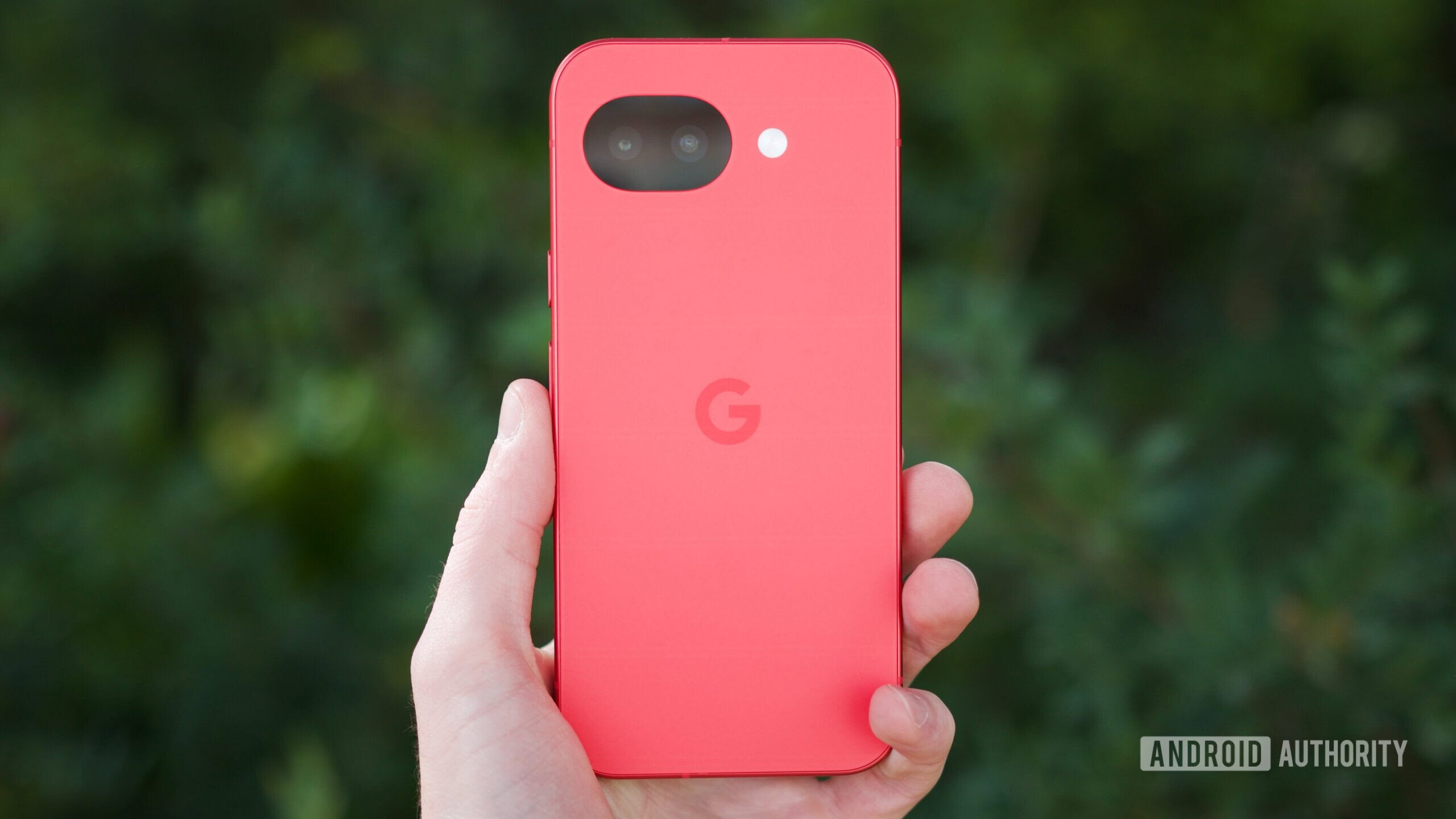
In terms of hardware compatibility, the feature is remarkably inclusive of the modern Pixel lineup. Because Take a Message relies on the advanced neural processing capabilities of Google’s proprietary Tensor chips, the feature is available on all devices from the Pixel 6 series onward. This includes the flagship Pixel 6, 7, 8, 9, and 10 models, as well as the mid-range "a" series devices, such as the recently released Pixel 10a in its striking Berry finish. The requirement for Tensor silicon underscores Google’s commitment to on-device AI; by processing the audio and transcription locally, the device ensures that sensitive conversations remain private and are not uploaded to the cloud for analysis.
For those with compatible hardware and the necessary software version, setting up a custom greeting is an intuitive process. Google has integrated a prominent "Try it out" prompt at the top of the Phone app to guide users through the new functionality. However, for those who may have dismissed the initial notification, the settings can be accessed manually. By navigating to the Phone app, tapping the three-dot overflow menu in the top right corner, and selecting "Settings," users will find the "Take a Message" sub-menu. Within this menu, a new "Greetings" section has been added, serving as the central hub for all outgoing prompts.
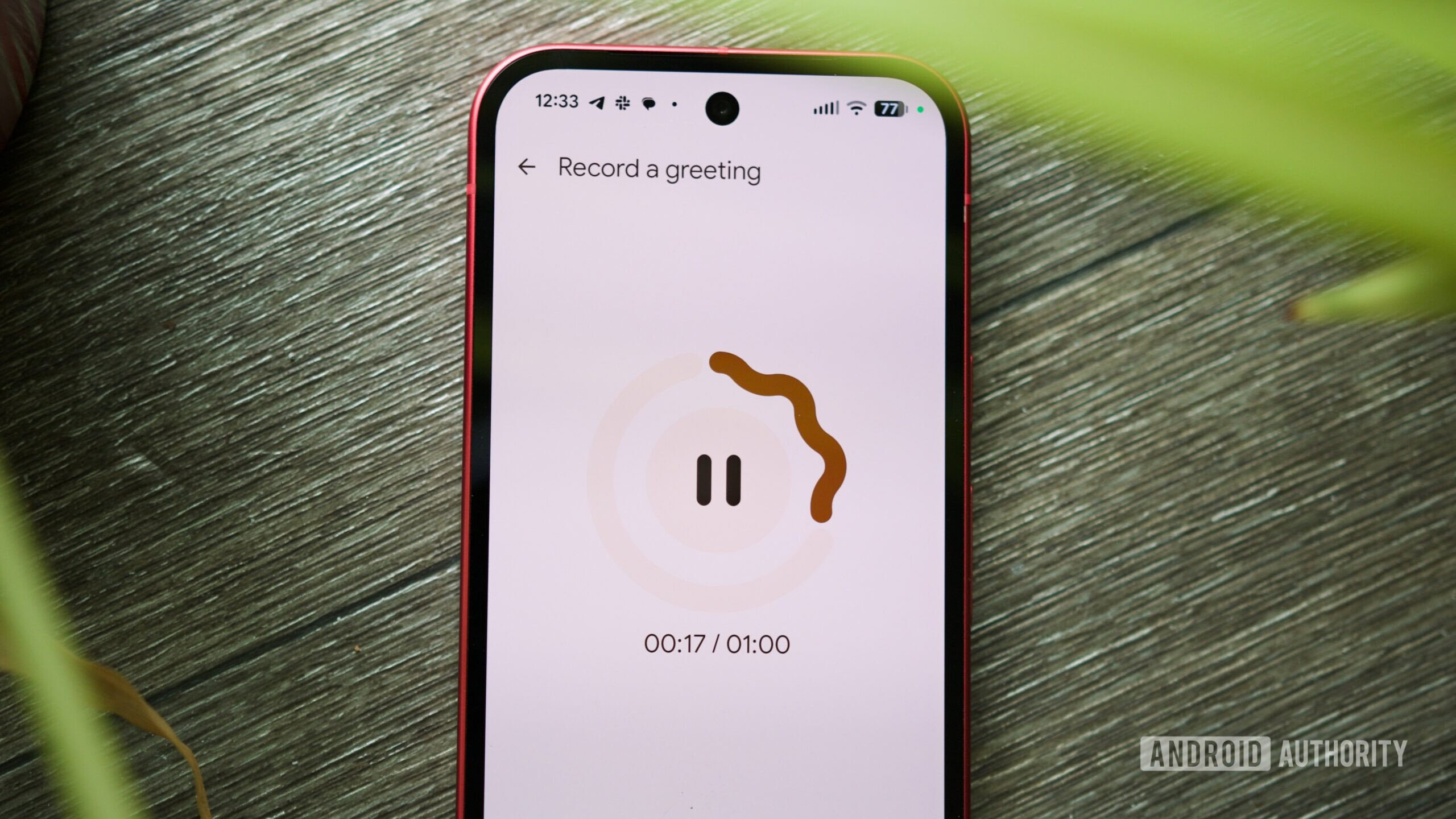
The recording interface itself is designed with user-friendliness in mind. Upon tapping the microphone icon to record a new greeting, the app initiates a three-second countdown, giving the user a moment to clear their throat and prepare their script. Users can record for up to sixty seconds—a generous window that aligns with standard carrier voicemail limits while providing ample time for detailed instructions. A particularly thoughtful addition is the "Pause" functionality. If a user is interrupted or needs to consult their notes mid-recording, they can pause the session and resume when ready. If the recording doesn’t meet their expectations, a "Restart" button allows for an immediate retake, while the "Save" button finalizes the audio file.
Furthermore, the system supports multiple saved greetings. This is a significant boon for users who balance professional and personal lives on a single device. A user could, for example, maintain a formal greeting for during office hours—referencing their job title and expected return time—and a more casual, brief greeting for evenings and weekends. The "Greetings" page allows users to toggle between these recordings with a few taps, or revert to the "Standard greeting" if they prefer the default automated voice. The three-dot menu adjacent to each custom recording provides options to rename files for better organization or delete them entirely to declutter the interface.
The broader implications of this update reflect a shift in how we perceive the smartphone. No longer just a conduit for voice calls, the Pixel is increasingly acting as a sophisticated personal assistant. By allowing for custom greetings, Google is humanizing the AI. This feature is particularly useful in an era where "ghosting" and "spam fatigue" are rampant. When a caller hears a familiar voice rather than a synthetic one, they are statistically more likely to leave a detailed, meaningful message rather than hanging up. For the user, this means higher quality information and fewer missed opportunities.
When compared to competitors, Google’s "Take a Message" with custom greetings stands out for its integration. While Apple’s "Live Voicemail" offers similar real-time transcription, Google’s implementation within the Phone app’s architecture feels more cohesive with its broader Call Assist suite, which includes "Call Screen" for filtering telemarketers and "Hold for Me" for navigating corporate phone trees. The addition of personalized greetings brings "Take a Message" to parity with traditional voicemail in terms of customization while keeping it lightyears ahead in terms of accessibility and data management.
As the Pixel 10 series continues to mature, and as the Pixel 11 looms on the horizon, it is clear that Google’s strategy is centered on removing the friction of daily life. The ability to customize a voicemail greeting might seem like a minor iterative update in the grand scheme of mobile technology, but for the millions of users who rely on their phones for critical communication, it represents a vital refinement. It is a fusion of the old world’s personal touch and the new world’s digital efficiency.
In conclusion, the arrival of custom greetings for "Take a Message" marks the completion of a feature that has been in high demand since its inception. By combining the power of Tensor-driven real-time transcription with the simple, human necessity of personal identification, Google has solidified the Pixel’s reputation as the premier device for call management. Whether you are a business professional looking to maintain a polished image or a casual user wanting to ensure your friends know they’ve reached the right person, the new custom greeting tool is a powerful, welcome addition to the Android experience. As the feature moves out of beta and into the stable channel in the coming weeks, it is expected to become a standard part of the Pixel identity, further distancing Google’s hardware from its competitors through thoughtful, user-centric innovation.
