

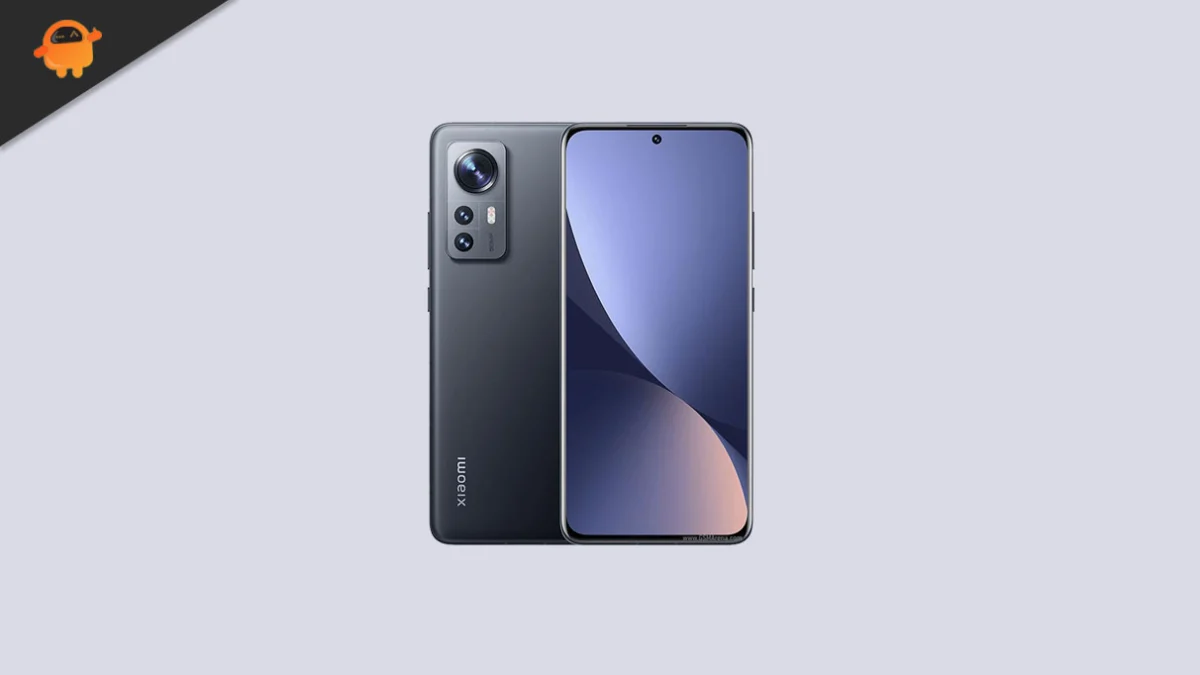
The rapid cycle of mobile software evolution often leaves capable hardware in its wake, but the vibrant community of independent developers continues to defy the planned obsolescence of the smartphone industry. While Google’s official rollout of Android 16 has primarily focused on the latest Pixel lineup, the Xiaomi 12X has emerged as a surprising beneficiary of this new digital era. Originally released in late 2021 as a compact flagship alternative, the Xiaomi 12X is now capable of running the latest iteration of the Android operating system through an unofficial Android Open Source Project (AOSP) port. This development offers users a chance to bypass official manufacturer limitations and experience the cutting-edge features of Android 16, long before—or perhaps instead of—an official update from Xiaomi’s MIUI or HyperOS teams.
The Xiaomi 12X remains a standout device in the mid-to-high-end segment due to its unique physical footprint and robust internal architecture. Featuring a 6.28-inch AMOLED display, the device provides a visual experience characterized by 68 billion colors and a 120Hz refresh rate. Supported by Dolby Vision and HDR10+, the panel remains competitive even by 2024 standards. Under the hood, the Qualcomm Snapdragon 870 5G chipset serves as the engine. Known for its exceptional thermal efficiency and sustained performance, the Snapdragon 870 is often preferred by enthusiasts over its more volatile successors. When paired with up to 12GB of RAM and a 4500 mAh battery that supports 67W rapid charging, the Xiaomi 12X presents an ideal canvas for the lightweight, efficient nature of an Android 16 AOSP build.
![How to Install Android 16 on Xiaomi 12X [Download Link]](https://www.getdroidtips.com/wp-content/uploads/2022/01/Xiaomi-12X.jpg)
Android 16 introduces a significant design philosophy shift known as "Material 3 Expressive." This is not merely a cosmetic adjustment but a refined evolution of the design language Google introduced with Android 12. While Material Design 3 laid the groundwork for personalization through dynamic color-theming, Material 3 Expressive focuses on the tactile and fluid nature of the user interface. It introduces smoother, more elastic animations that respond to user input with greater biological accuracy, alongside bolder typography and larger, more accessible touch targets. For a device like the Xiaomi 12X, which boasts a high-refresh-rate screen, these software enhancements result in a UI that feels significantly more responsive and modern than the aging aesthetics of earlier Android versions.
Beyond the visual overhaul, Android 16 brings deep system optimizations designed to improve battery longevity and cross-device interoperability. The update includes enhanced support for multi-tasking environments, making it particularly useful for those who utilize the Xiaomi 12X’s power for productivity. Improved privacy dashboards and more granular permission controls ensure that the user remains in command of their data—a hallmark of the Android experience that reaches its zenith in version 16. For Xiaomi 12X owners, moving to an AOSP-based ROM also means shedding the heavy "bloatware" often associated with OEM skins, resulting in a cleaner, faster, and more "Google-centric" software experience.
Transitioning to a custom ROM, however, is a technical endeavor that requires meticulous preparation and a clear understanding of the risks involved. The process begins with the fundamental requirement of data preservation. Because installing a custom ROM necessitates a complete wipe of the device’s internal storage, creating a comprehensive backup is non-negotiable. Users must ensure that all photos, documents, and application data are secured in the cloud or on an external storage medium before proceeding. Furthermore, the device’s battery should be maintained at a minimum of 50% to prevent any catastrophic power failures during the critical flashing stages.
![How to Install Android 16 on Xiaomi 12X [Download Link]](https://www.getdroidtips.com/wp-content/uploads/2022/01/Xiaomi-12X-300x169.jpg)
The technical infrastructure for this installation relies on three pillars: the Unlocked Bootloader, ADB/Fastboot binaries, and a Custom Recovery environment. Unlocking the bootloader is the first hurdle; Xiaomi requires users to utilize their official Mi Unlock tool, a process that sometimes involves a waiting period. This step is essential because it removes the security signatures that prevent the installation of non-official software. Once the bootloader is unlocked, the user must install ADB (Android Debug Bridge) and Fastboot drivers on a Windows, macOS, or Linux computer. These command-line tools facilitate the communication between the PC and the smartphone when the latter is in its "bootloader" or "fastboot" mode.
The most critical component in the installation chain is the TWRP (Team Win Recovery Project) Recovery. TWRP replaces the stock recovery partition and provides a touch-based interface for managing the phone’s partitions. It allows the user to "flash" or install the Android 16 ROM zip file and the necessary Google Apps (GApps) packages. Since AOSP builds are, by definition, "open source," they do not include proprietary Google services like the Play Store, Gmail, or Maps. Consequently, users must download a compatible Android 16 GApps package to restore these essential services. It is vital to flash the GApps immediately after the ROM and before the first reboot to ensure system stability.
The installation procedure follows a logical sequence. First, the device is connected to the PC and booted into Fastboot mode. Using the command line, the user flashes the TWRP image. Once inside TWRP, a "Factory Reset" is performed to clear the old operating system’s cache and data. The Android 16 ROM and GApps files are then transferred to the device and installed via the "Install" menu. The final step involves "Formatting Data" (not just wiping it) to remove encryption conflicts that often occur when moving between different Android versions or ROM types. After the "Format Data" command is executed, the device can be rebooted into the newly installed Android 16 environment.
![How to Install Android 16 on Xiaomi 12X [Download Link]](https://www.getdroidtips.com/wp-content/uploads/2020/06/cmd-platform-tools.jpg)
The first boot after such a significant upgrade is notoriously slow, as the system must build its initial cache and initialize the new ART (Android Runtime) environment. Once the setup wizard appears, users are greeted by the clean, minimalist aesthetic of Android 16. Early testers of this AOSP port for the Xiaomi 12X report that the core functions—including Wi-Fi, Bluetooth, the 50MP OIS camera, and the under-display fingerprint sensor—are operational. However, as with any unofficial software, minor bugs may persist. These can range from small graphical glitches to issues with specific sensors. The developer community relies on user feedback, accompanied by "logcats" (system error logs), to identify and patch these issues in subsequent builds.
One of the primary benefits of this transition is the removal of the software "ceiling" imposed by the manufacturer. While Xiaomi provides excellent hardware, their software support cycles eventually focus on newer models like the Xiaomi 13 or 14 series. By adopting an AOSP-based Android 16 ROM, Xiaomi 12X users effectively take control of their device’s longevity. They gain access to the latest security patches and features directly from the Android source code, often extending the functional life of the phone by several years.
In conclusion, the arrival of Android 16 for the Xiaomi 12X via the custom ROM community is a testament to the enduring power of open-source development. It allows a compact, powerful flagship from 2021 to compete on equal footing with 2025’s latest releases in terms of software sophistication. While the installation process demands patience and technical caution, the reward is a device that feels brand new, free from corporate bloat, and equipped with the most advanced mobile interface Google has ever designed. For the enthusiast, the Xiaomi 12X is no longer a legacy device; it is a modern powerhouse running the very latest that the Android ecosystem has to offer.
