

The lifecycle of flagship smartphones is often defined by the duration of official software support provided by the manufacturer. For owners of the Samsung Galaxy S22 and S22 Plus, devices that represented the pinnacle of mobile engineering upon their debut, the desire to stay at the cutting edge of software remains strong even as newer generations emerge. While Samsung’s official One UI rollout schedules follow a structured corporate timeline, the independent developer community has once again moved with remarkable speed. Following Google’s recent release of Android 16 for its Pixel lineup, unofficial Android Open Source Project (AOSP) builds have surfaced, allowing Galaxy S22 series users to bypass official waiting periods and experience the latest evolution of the Android operating system today.
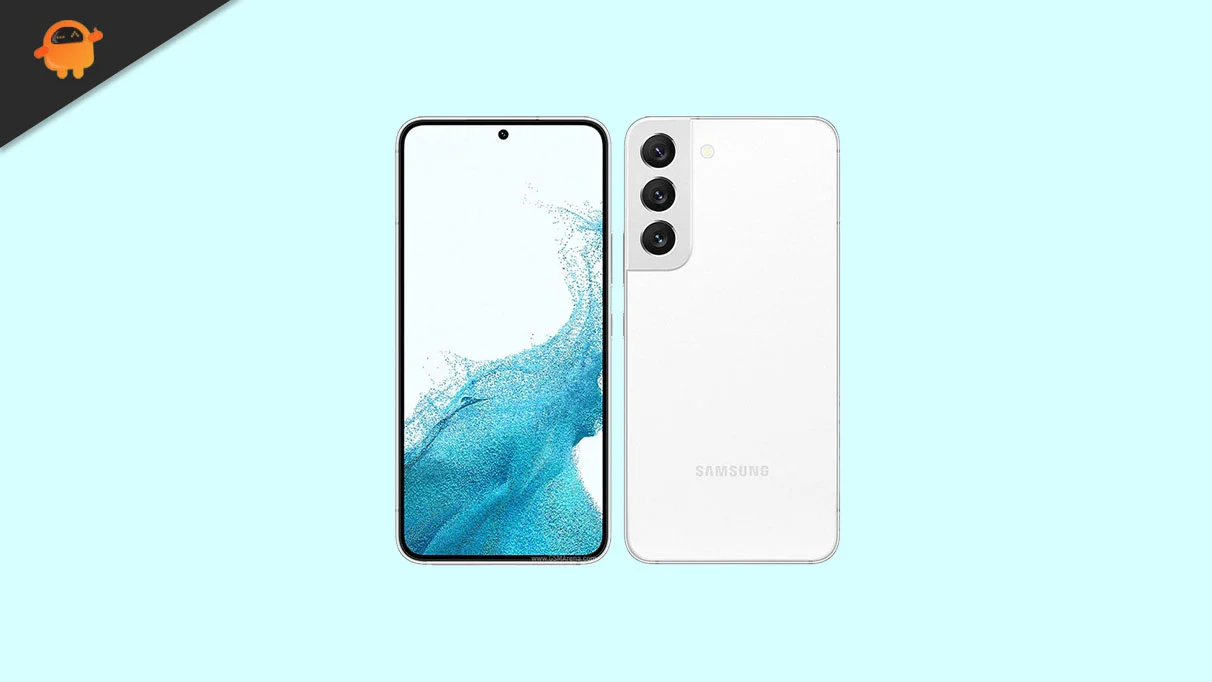
The Samsung Galaxy S22 and S22 Plus remain highly capable handsets in the current mobile landscape. The standard S22 features a compact yet vibrant 6.1-inch Dynamic AMOLED 2X display, while its larger sibling, the S22 Plus, offers more screen real estate for media consumption. Both panels support a 120Hz adaptive refresh rate and boast a peak brightness of 1,300 nits, ensuring visibility even under direct sunlight. Protection is handled by Corning Gorilla Glass Victus+ on both the front and rear, a testament to the premium build quality Samsung intended for these devices.
![How to Install Android 16 on Samsung Galaxy S22 and S22 Plus [Download Link]](https://www.getdroidtips.com/wp-content/uploads/2022/04/Samsung-Galaxy-S22.webp)
Under the hood, the series is powered by a dual-chipset strategy depending on the geographic region. Most global markets received the Qualcomm Snapdragon 8 Gen 1, a 4nm powerhouse featuring a tri-cluster architecture led by a high-performance Cortex-X2 core. In European territories, the devices utilize the Exynos 2200, which introduced the Xclipse 920 GPU based on AMD’s RDNA 2 architecture. Despite being several years old, these processors possess more than enough computational overhead to handle the requirements of Android 16, especially when stripped of the heavy software skins often associated with manufacturer-specific interfaces.
Android 16 introduces a significant aesthetic and functional shift through "Material 3 Expressive." This design philosophy represents the next step in Google’s "Material You" journey, which began with Android 12. Rather than a total departure from existing visuals, Material 3 Expressive focuses on refinement and fluidity. It introduces more sophisticated physics-based animations, larger and more intuitive touch targets, and a bolder approach to typography that improves readability across various lighting conditions. For Galaxy S22 users, this transition provides a cleaner, more minimalist environment compared to the feature-dense One UI. The update also brings under-the-hood optimizations designed to improve battery efficiency and system responsiveness, breathing new vitality into the S22’s hardware.
Beyond the visual changes, Android 16 prioritizes privacy and system-level performance. New privacy dashboards and granular permission controls allow users to monitor exactly how their data is being accessed by third-party applications. Furthermore, the AOSP build for the S22 series aims to leverage the 8GB of RAM found in these models more effectively, ensuring that multitasking remains smooth even with demanding modern applications.
![How to Install Android 16 on Samsung Galaxy S22 and S22 Plus [Download Link]](https://www.getdroidtips.com/wp-content/uploads/2022/04/Samsung-Galaxy-S22-300x169.webp)
Transitioning to a custom Android 16 ROM is a process that requires technical diligence and a clear understanding of the risks involved. Before embarking on the installation, users must ensure their device is prepared. This begins with a comprehensive data backup. Because the installation process requires a complete wipe of the internal storage, all photos, contacts, and personal documents should be secured in the cloud or on an external drive. Additionally, the device’s battery should be charged to at least 50% to prevent an unexpected power failure, which could lead to a software "brick" or a corrupted partition.
The technical foundation for this installation relies on several key components. First, users must have the Android Debug Bridge (ADB) and Fastboot binaries installed on a primary computer. These tools act as the communication bridge between the PC and the smartphone. Second, the correct Samsung USB drivers must be present to ensure a stable data connection via the USB-C port. The most critical hurdle for many users is unlocking the bootloader. Samsung devices, particularly those with Snapdragon processors in certain regions, may have locked bootloaders that require specific steps to bypass. Unlocking the bootloader is a prerequisite for any custom software installation, but it is important to note that this action typically trips the Knox security counter, which can permanently disable certain Samsung-specific features like Samsung Pay or Secure Folder.
Once the bootloader is unlocked, the next step is the installation of a custom recovery environment, such as Team Win Recovery Project (TWRP). TWRP allows users to interact with the device’s internal partitions without booting into the main operating system. From this interface, the Android 16 AOSP ROM can be flashed. It is a common characteristic of AOSP-based ROMs that they do not include Google Mobile Services (GMS) out of the box due to licensing restrictions. Consequently, users who wish to access the Google Play Store, Gmail, or Google Maps must download and flash a compatible "GApps" package immediately after the ROM installation.
![How to Install Android 16 on Samsung Galaxy S22 and S22 Plus [Download Link]](https://www.getdroidtips.com/wp-content/uploads/2020/06/cmd-platform-tools.jpg)
The installation procedure follows a logical sequence. After entering the TWRP recovery mode, the user must perform a "Factory Reset" and wipe the System, Data, and Cache partitions. This creates a "clean slate" for the new OS. The Android 16 ROM file is then transferred to the device and installed via the "Install" menu in TWRP. Following the ROM installation, the GApps package is flashed. Once these steps are complete, the device is rebooted. The initial boot process for a new custom ROM is notoriously slow as the system builds its cache and initializes the new environment; users are advised to remain patient during this phase.
Current reports from the developer community suggest that these early Android 16 builds for the Galaxy S22 and S22 Plus are surprisingly stable. Core functionalities, including cellular connectivity, Wi-Fi, Bluetooth, and basic camera operations, are reported to be working as intended. However, as with any unofficial software, minor bugs may persist. These could range from specific sensor calibration issues to minor UI glitches. Users who choose this path are encouraged to participate in the development cycle by reporting bugs with accompanying logs, helping the community refine the software for everyone.
The triple-camera array on the Galaxy S22 series—headlined by a 50MP primary sensor, a 10MP telephoto lens with 3x optical zoom, and a 12MP ultrawide sensor—continues to be a highlight of the hardware. While the AOSP camera app may not initially offer the same level of post-processing sophistication as Samsung’s native app, many users opt to install "GCam" ports. These modified versions of the Google Pixel camera software allow the S22 hardware to utilize Google’s acclaimed computational photography algorithms, often resulting in image quality that rivals or exceeds the original software.
![How to Install Android 16 on Samsung Galaxy S22 and S22 Plus [Download Link]](https://www.getdroidtips.com/wp-content/uploads/2020/08/twrp-custom-rom.jpg)
In conclusion, the arrival of Android 16 for the Samsung Galaxy S22 and S22 Plus via custom ROMs offers a compelling alternative for enthusiasts who value software longevity and a stock Android experience. By moving to an AOSP-based system, users can enjoy the latest design trends and performance optimizations from Google while extending the functional life of their premium hardware. While the process demands a certain level of technical proficiency and carries inherent risks regarding warranty and security features, the reward is a rejuvenated smartphone that feels modern, fast, and unburdened by corporate software cycles. As the developer community continues to polish these builds, the Galaxy S22 series stands as a testament to the enduring power of high-quality hardware when paired with an open and innovative software ecosystem.
