

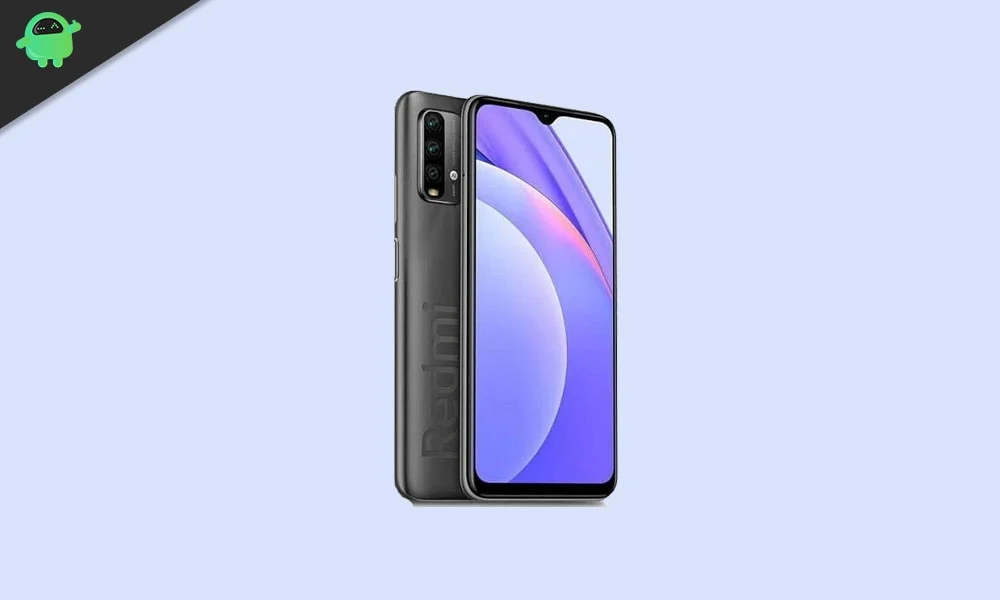
The lifecycle of a budget-friendly smartphone is often dictated by the manufacturer’s software support roadmap, which typically concludes after two or three years of security patches and major OS updates. However, the Xiaomi Redmi 9 Power and its global sibling, the Redmi 9T, are currently defying these industry standards. Despite debuting with Android 10, these devices are now capable of running the cutting-edge Android 16 operating system thanks to the tireless efforts of the independent developer community. By leveraging an unofficial Android Open Source Project (AOSP) build, users can bypass official limitations and experience the latest innovations from Google, effectively rejuvenating hardware that many might have considered obsolete.
To understand the significance of this software leap, one must first appreciate the hardware foundation of the Redmi 9 Power and 9T. Launched as a mid-range contender, the device is built around a 6.53-inch IPS LCD panel that delivers a crisp 1080 x 2340 pixel resolution. With a peak brightness of 400 nits and the protection of Corning Gorilla Glass 3, the display remains competitive for daily media consumption. Under the hood, the device utilizes the Qualcomm Snapdragon 662 chipset, an 11nm octa-core processor. This silicon features a balanced architecture consisting of four Kryo 260 Gold cores clocked at 2.0 GHz for performance and four Kryo 260 Silver cores at 1.8 GHz for efficiency. While the Snapdragon 662 was designed for mid-tier tasks, its architecture remains sufficiently robust to handle modern AOSP-based software, provided the optimization is handled correctly.
![How to Install Android 16 on Xiaomi Redmi 9 Power / 9T [Download Link]](https://www.getdroidtips.com/wp-content/uploads/2020/12/Redmi-9-Power.jpg)
The imaging capabilities of the Redmi 9T series are anchored by a versatile quad-camera array. This includes a 48MP primary sensor with an f/1.8 aperture, an 8MP ultrawide lens with a 120-degree field of view, and a duo of 2MP sensors dedicated to macro photography and depth sensing. For self-portraits, an 8MP front-facing camera is housed within a subtle notch. Perhaps the most enduring feature of this device is its massive 6,000 mAh battery, which supports 18W fast charging and 2.5W reverse wired charging. This high-capacity cell makes the Redmi 9 Power an ideal candidate for Android 16, as the new OS includes significant background optimizations designed to maximize battery longevity and efficiency.
Android 16 introduces a transformative aesthetic and functional philosophy known as Material 3 Expressive. This represents the next stage in Google’s design evolution, building upon the foundations of Material You introduced in earlier versions. Material 3 Expressive is characterized by more fluid animations, bolder typography, and larger, more intuitive touch targets that enhance accessibility. It is a refinement that addresses the perceived visual stagnation of Android 13 and 14, bringing a sense of polish and modern vitality to the user interface. Beyond the visual flair, Android 16 incorporates deep system-level optimizations that improve performance on devices with limited RAM, such as the 4GB and 6GB variants of the Redmi 9T. These updates ensure that even on older hardware, the transition between apps and the responsiveness of the notification shade feel snappy and modern.
Before embarking on the installation of an unofficial Android 16 ROM, users must satisfy several technical prerequisites to ensure the safety and integrity of their hardware. The most critical step is the comprehensive backup of all personal data. Flashing a custom ROM requires a complete wipe of the device’s internal storage, meaning all photos, contacts, and documents will be permanently erased if not moved to an external drive or cloud service. Furthermore, the device should be charged to at least 50% capacity. A power failure during the flashing process can lead to a "hard brick" state, rendering the phone unusable.
![How to Install Android 16 on Xiaomi Redmi 9 Power / 9T [Download Link]](https://www.getdroidtips.com/wp-content/uploads/2020/12/Redmi-9-Power-300x180.jpg)
The technical gateway to custom software is the unlocking of the bootloader. Xiaomi devices require the use of the official Mi Unlock Tool, a process that often involves a mandatory waiting period ranging from several days to a week. Once the bootloader is unlocked, the device can accept custom recovery environments. Team Win Recovery Project (TWRP) is the industry standard for this purpose, providing a touch-based interface for managing partitions and installing software packages. Additionally, users must ensure their computer is equipped with the latest Xiaomi USB drivers and Android Debug Bridge (ADB) and Fastboot binaries. These tools facilitate the low-level communication between the PC and the smartphone necessary for the initial recovery installation.
The installation process itself is a sequence of precise operations conducted within the TWRP environment. Once the Android 16 ROM file and the corresponding Google Apps (GApps) package have been downloaded and transferred to the device or a microSD card, the user must boot into recovery mode. The first step in the recovery environment is the "Wipe" procedure. A "Factory Reset" is generally sufficient, but many developers recommend a "Format Data" (which requires typing ‘yes’) to remove encryption conflicts that often arise when jumping between major Android versions.
Following the wipe, the user navigates to the "Install" menu and selects the Android 16 ROM zip file. The flashing process involves writing new system, product, and boot images to the device’s partitions. Immediately after the ROM is flashed, and before rebooting, the user must flash the GApps package. Most AOSP builds are "vanilla," meaning they do not include Google Play Services or the Play Store due to licensing restrictions. Flashing GApps ensures that the user has access to the Google ecosystem upon the first boot. If the user reboots before flashing GApps, they may encounter "Force Close" errors or be unable to sign into their Google account later.
![How to Install Android 16 on Xiaomi Redmi 9 Power / 9T [Download Link]](https://www.getdroidtips.com/wp-content/uploads/2020/06/cmd-platform-tools.jpg)
Upon completing the installation, the first boot sequence can take significantly longer than a standard restart. During this time, the OS is building the Dalvik cache and initializing system services. Once the setup wizard appears, the Redmi 9 Power is officially running Android 16. Early feedback from the developer community indicates that this build is remarkably stable, with core functionalities such as Wi-Fi, Bluetooth, GPS, and cellular data working as intended. However, as this is an unofficial port, users should remain vigilant for minor bugs. Developers rely on user-submitted logs to identify and patch issues related to specific hardware sensors or power management profiles.
The transition to Android 16 provides the Xiaomi Redmi 9 Power and 9T with a suite of modern features that would otherwise be unavailable. These include enhanced privacy controls, such as more granular permissions for media access, and improved multitasking features optimized for various screen aspect ratios. Furthermore, the inclusion of the latest security patches within the Android 16 build provides a level of protection against modern vulnerabilities that the original, manufacturer-provided software can no longer offer.
In conclusion, the ability to run Android 16 on the Redmi 9 Power and 9T is a testament to the longevity of Xiaomi’s hardware and the ingenuity of the global developer community. By following the structured installation path—unlocking the bootloader, installing TWRP, and carefully flashing the AOSP-based ROM—users can enjoy a flagship-level software experience on a budget device. This process not only saves the device from the landfill but also empowers the user with the latest in mobile technology, proving that with the right software, older hardware can continue to serve effectively in a rapidly advancing digital landscape. Those who choose to take this path are encouraged to participate in developer forums, sharing their experiences and contributing to the refinement of a ROM that breathes new life into a classic piece of mobile engineering.
