

Updated on April 21, 2026
The integrity of a mobile device’s digital identity—comprised of its International Mobile Equipment Identity (IMEI), Serial Number (SN), and Bluetooth (BT) address—is fundamental to its functionality and regulatory compliance. For technicians and manufacturers working with Spreadtrum (SPRD) chipset-based hardware, the SPRD WriteIMEI Tool serves as the definitive utility for managing these critical parameters. This specialized Windows-based software provides an enterprise-grade solution for the precise calibration and restoration of device identifiers, ensuring that each handset remains compliant with network standards and manufacturer specifications.
In the ecosystem of mobile repair and refurbishment, the need to rewrite device identifiers often arises following motherboard replacements, firmware corruption, or the installation of custom software partitions that may inadvertently wipe factory-set values. The SPRD WriteIMEI Tool addresses these scenarios by providing a robust interface that allows for the secure transmission of data to the device’s non-volatile memory (NVRAM) or equivalent storage blocks. By bridging the communication gap between the Windows operating system and the Spreadtrum low-level bootloader, the tool facilitates a streamlined workflow for technicians who require high-precision data entry.
Advanced Functionality and Operational Versatility
The utility is engineered to accommodate a wide range of operational requirements, from single-device repairs to high-volume assembly line production. The primary focus of the software is its IMEI writing module, which supports the injection of up to four unique IMEI strings into a single device. This is particularly vital for dual-SIM or multi-SIM handsets that rely on distinct identities for each radio frequency module. The software offers significant flexibility in data handling; technicians can manually input identifiers, utilize default factory presets, or employ an incremental stepwise accumulation mode. Furthermore, the tool’s ability to import IMEI lists from Excel spreadsheets minimizes human error, while the custom masked pattern generation feature allows manufacturers to adhere to strict internal naming conventions.
Serial Number (SN) management is equally sophisticated. Whether dealing with Mobile Serial Numbers (MBSN) or Product Serial Numbers (PSN), the tool enables seamless integration via physical barcode scanners or direct keyboard input. For mass production environments, the automatic date-based generation feature is an indispensable asset, allowing for the rapid creation of unique sequences that track the manufacturing batch and date. This capability is complemented by the Bluetooth address writing function, which ensures that each device is assigned a unique hardware identifier for wireless connectivity. The tool validates every entry against established protocols, preventing the common issue of duplicate MAC addresses that can disrupt network connectivity in enterprise settings.
Streamlined Workflow and System Integration
Efficiency in a technical environment is often measured by the speed and reliability of the software tools employed. The SPRD WriteIMEI Tool stands out due to its intelligent device detection and continuous plug-and-play architecture. When connected to a computer via USB, the software automatically queries the device, displaying the specific port (e.g., USB-1-1-3) through which communication is established. If a connection is interrupted or a device is swapped, the software instantly re-initializes, eliminating the need for tedious application restarts or manual refreshes.

The setup configuration dialogue acts as a central control hub. It allows for granular adjustment of critical parameters, including connection modes (USB versus serial COM), phase verification, and version consistency checks. The repeatability check feature is particularly noteworthy; it prevents the accidental overwriting of correct data, acting as a safeguard against corrupted firmware states. By centralizing these settings, the software ensures that technicians can transition between different device models without sacrificing time or operational accuracy.
Diagnostic Monitoring and Data Integrity
Transparency during the writing process is maintained through a dedicated, large-format information box that serves as a real-time event logger. Every action, from the initial handshake with the bootloader to the final verification of the data written, is documented in detail. This audit trail is essential for troubleshooting failed operations, as the status bar utilizes a color-coded visual system to indicate the state of the device at any given moment—Idle, Writing, Finished, Unmount, or Error. This immediate feedback loop ensures that any hardware connectivity issues or data validation errors are identified and resolved before the device leaves the repair bench.
Safety and version control are integrated directly into the core of the tool. Before performing any write operations, the software can execute a version verification step. This prevents the installation of incompatible identifiers onto a device, which could otherwise lead to system instability or permanent bricking. By either reading the current firmware version directly from the device or allowing the user to specify a target version, the tool enforces a strict safety protocol that protects the hardware from accidental damage.
Accessibility and Technical Support
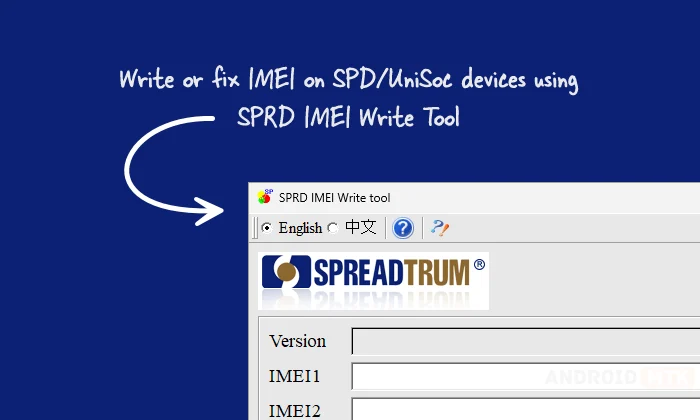
Recognizing the global nature of mobile device manufacturing and repair, the SPRD WriteIMEI Tool incorporates a multi-language interface. Switching between English and Chinese is handled via the toolbar, ensuring that technicians can operate the tool in their preferred language without needing to modify complex configuration files. This accessibility extends to the software’s control scheme, which utilizes dedicated, one-click buttons for primary tasks such as Read, Write, and Stop. This design philosophy reduces the learning curve for new users while maintaining the professional depth required by seasoned engineers.
Software Availability and System Requirements
The SPRD WriteIMEI Tool is optimized for the Windows environment, providing compatibility with both 32-bit and 64-bit architectures. Users looking to integrate this tool into their technical toolkit can download the latest version, 10.00.01, through authorized distribution channels. It is important to ensure that the appropriate Spreadtrum USB drivers are installed on the host computer to facilitate communication; without these drivers, the tool will be unable to detect the device, regardless of the physical connection.
By providing a stable, reliable, and highly configurable interface, the SPRD WriteIMEI Tool continues to be the industry standard for those who manage the lifecycle of Spreadtrum-powered devices. Whether it is a small-scale repair shop or a large manufacturing facility, the tool provides the necessary oversight to maintain the digital integrity of mobile hardware. As device technology continues to evolve, the ability to accurately write and manage these identifiers remains a cornerstone of professional mobile maintenance, making this utility an essential component of any technician’s digital inventory. The combination of its robust generation algorithms, real-time diagnostic logging, and intuitive workflow makes the SPRD WriteIMEI Tool an indispensable asset in the ever-expanding mobile technology landscape.
